15 Email Uptime Monitoring Features To Look For In 2026

Quick Answer
The most important email uptime monitoring features in 2026 include real-time monitoring, instant alerts, SMTP and IMAP checks, SSL certificate tracking, DNS monitoring, API access, status pages, detailed reporting, and multi-channel notifications to ensure reliable email performance and security.
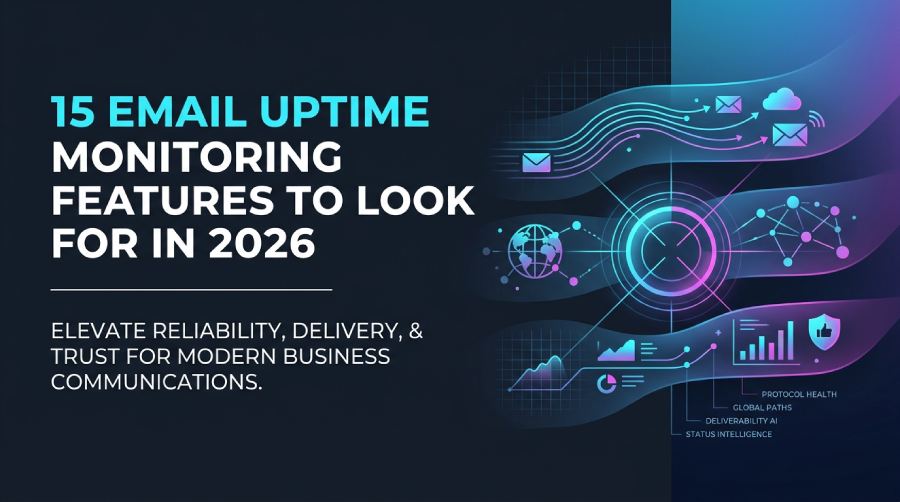
Email remains one of the most essential communication channels for businesses, making uptime critical for productivity, customer service, and day-to-day operations. Even a brief email outage can delay important communications, disrupt workflows, and affect customer trust.
In 2026, email uptime monitoring goes far beyond checking whether a mail server is online. A modern monitoring solution should verify server availability, mailbox access, email delivery, authentication records, response times, DNS health, and security configurations across cloud and on-premises environments. Whether your organization uses Microsoft 365, Google Workspace, or self-hosted mail servers, comprehensive email monitoring helps minimize downtime, improve deliverability, and maintain reliable business communications.
Protocol Availability and Delivery Validation
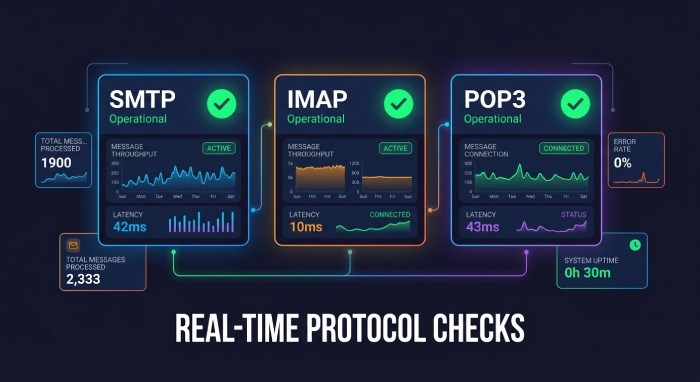
Feature #1: Real-Time SMTP, IMAP, and POP3 Availability Checks
The foundation of email uptime monitoring is protocol-level availability testing. A reliable platform should run an SMTP check to confirm that the mail server accepts connections and responds correctly. It should also perform an imap check for mailbox access and a pop check for legacy retrieval workflows.
Modern email server monitoring should validate SMTP, POP, and IMAP behavior over IPv4 and IPv6, not just test whether a port is open. A proper server connectivity check should inspect the host connection, authentication response, Transport Layer Security (TLS) negotiation, and response behavior. This is where port monitoring, ping monitoring, endpoint monitoring, and DNS monitoring become complementary monitor types rather than substitutes.
Look for a monitoring platform that supports flexible monitoring intervals, protocol-specific checks, global monitoring locations, and real-time notifications. A comprehensive solution should provide continuous visibility into SMTP, IMAP, and POP3 services while helping administrators identify issues before they affect users.
Feature #2: End-to-End Email Delivery Testing
A mail server can remain online while email delivery silently fails. End-to-end email delivery testing verifies that messages are successfully sent, received, and retrieved, ensuring users experience reliable email communication rather than simply server availability.
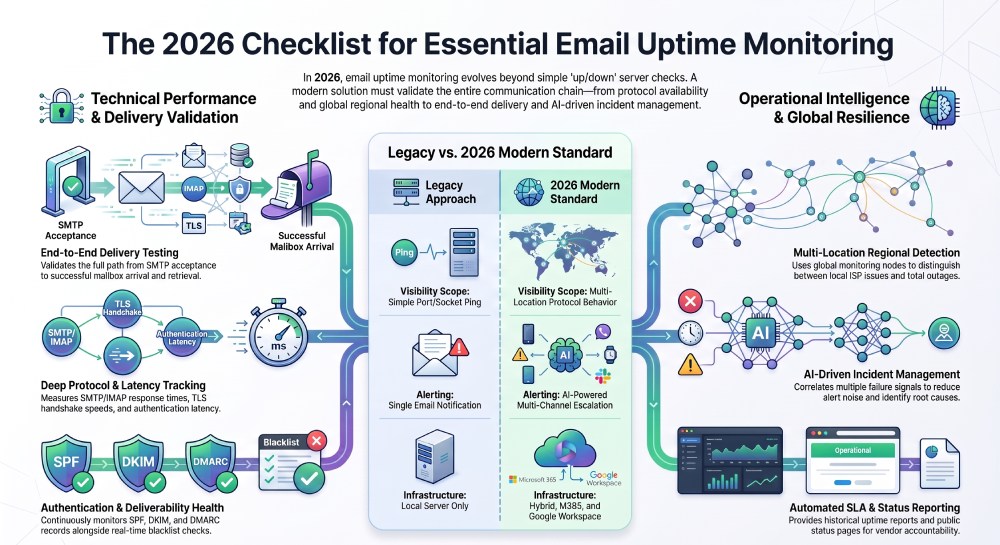
A strong test should track the full path: SMTP acceptance, message handoff, mailbox arrival, and retrieval through an imap check or pop check. This type of uptime monitoring gives a more accurate view of service performance than a simple socket test.
Regional Resilience and Monitoring Scope
Feature #3: Global Monitoring Locations for Regional Outage Detection
Email infrastructure may be available from one region while failing in another due to network outages, routing instability, DNS propagation, or provider-specific filtering. Multi-location checks help identify whether downtime is global, regional, or limited to a specific ISP path.
For example, a monitor domain check against mail.example.com from North America, Europe, and Asia can reveal regional delivery problems that local server monitoring would miss. The same principle used in website monitoring and network monitoring applies to email: availability must be measured from where users actually connect.
Why Multi-Location Checks Matter
Global checks can validate SMTP, POP, and IMAP access from different networks and compare latency patterns. They also reduce false positives by confirming whether a failed smtp check is isolated or widespread.
Alerting, Escalation, and Notification Workflows
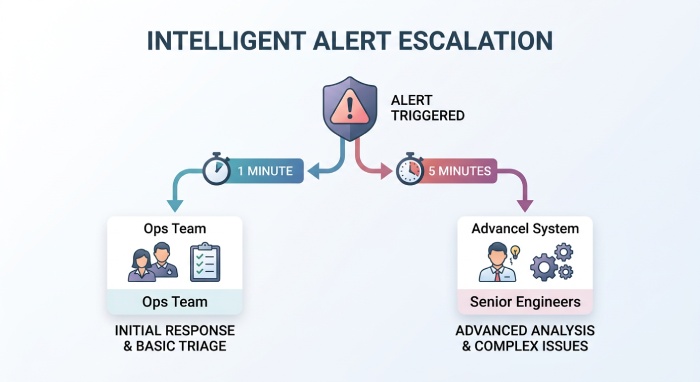
Feature #4: Intelligent Alerting With Escalation Rules
Real-time alerts are only useful when they reach the right people at the right time. A mature uptime monitoring platform should support escalation rules based on severity, duration, affected service, business hours, or maintenance window status.
For example, a failed smtp check for one minute may notify the email operations team, while five minutes of confirmed downtime across multiple regions should trigger incident management and alert senior engineers. Escalation rules prevent minor blips from becoming organizational noise while ensuring severe outages get immediate attention.
Feature #5: Multi-Channel Notifications Across Email, SMS, Slack, and Teams
Effective alert notifications should work across multiple notification channels. Email is not enough when the email security or email system itself is failing. Teams should be able to receive real-time alerts through SMS, mobile alerts, Slack, Microsoft Teams, Telegram, Discord, Google Chat, Mattermost, Pushbullet, Pushover, PagerDuty, Splunk On-Call, Webhooks, Zapier, and API-based workflows.
This is especially important for managed service providers and distributed teams. If an IMAP check fails during off-hours, the notification path should automatically route through mobile alerts or on-call tools, not a mailbox that may be unavailable.
Practical Notification Design
Use different channels for different severity levels: chat for warnings, PagerDuty or Splunk On-Call for confirmed downtime, and a status page update for customer-facing incidents.
Feature #6: AI-Powered Incident Detection and Noise Reduction
AI-assisted uptime monitoring can correlate smtp check failures, dns monitoring anomalies, packet loss, and response time monitoring spikes to reduce false positives. Instead of generating ten separate alerts, the system should recognize that one upstream provider issue is affecting multiple monitor types.
In 2026, stronger platforms will use anomaly detection to understand normal response behavior, suppress alerts during a maintenance window, and recommend likely causes. This makes incident management faster and more accurate.
Performance, Latency, and Deliverability Signals
Feature #7: Detailed Email Latency and Response Time Tracking
Availability alone does not show whether email is usable. Detailed response time monitoring should measure SMTP greeting time, TLS handshake duration, authentication latency, message acceptance time, and mailbox retrieval speed.
A rising response time may indicate storage saturation, DNS issues, overloaded filters, or degraded infrastructure monitoring conditions before full downtime occurs. Tracking response behavior over time helps teams identify slow failures that basic uptime monitoring misses.
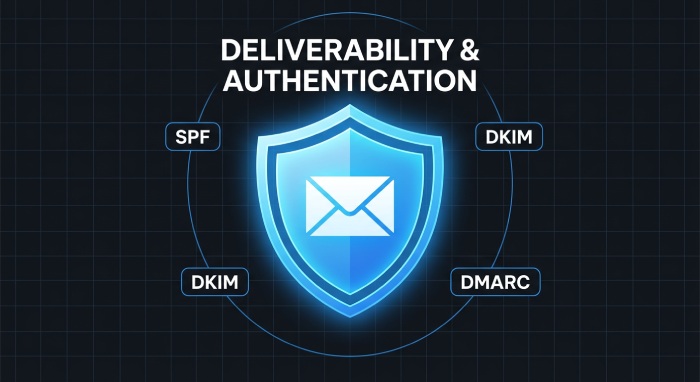
Feature #8: Deliverability Monitoring for SPF, DKIM, DMARC, and Blacklists
Email server monitoring should extend beyond availability to include email authentication and deliverability checks. Monitoring SPF, DKIM, and DMARC records helps identify authentication failures that could prevent legitimate messages from reaching recipients’ inboxes. Regular verification of DNS records, blacklist status, and domain configuration helps detect issues before they impact business communications.
Availability alone does not guarantee successful email delivery. A mail server may remain online while authentication errors, DNS misconfigurations, expired records, or blacklist listings silently reduce deliverability. By combining authentication monitoring with server health checks, organizations gain a more complete understanding of their email infrastructure and can respond to issues before they affect customers or business operations.
Integrations, Status Pages, and SLA Evidence
Feature #9: Integration With Status Pages and Incident Management Tools
A strong integration ecosystem is essential. Your platform should connect with incident management systems, ticketing tools, Webhooks, Zapier, MCP-enabled workflows, and an API for automation. It should also update a status page automatically when confirmed downtime affects mail delivery.
Public status pages help customers understand the scope of service interruptions, while private dashboards provide engineers with detailed diagnostic information. Modern monitoring platforms also support custom domains, automated notifications, and API integrations to streamline incident communication and operational workflows.
Feature #10: Historical Uptime Reports and SLA Compliance Tracking
Historical reports are critical for audits, service level agreement (SLA) reviews, and vendor accountability. The platform should maintain incident history, uptime percentages, check failures, affected locations, response times, and maintenance window exclusions.
This is especially useful for organizations that report availability to clients or executives. A clean dashboard should make it easy to prove whether downtime breached an SLA and whether real-time alerts were acknowledged within policy.
Thresholds, Platforms, and Security Controls
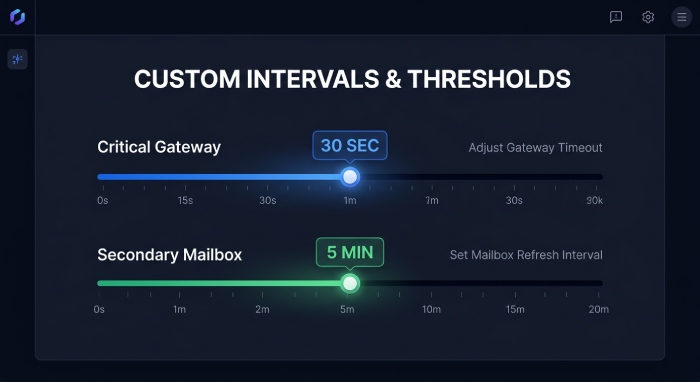
Feature #11: Custom Monitoring Intervals and Thresholds
The monitor interval should match business risk. A critical SMTP gateway may need a 30-second check interval, while a secondary mailbox may only need five-minute checks. Flexible thresholds help prevent false positives by requiring multiple failures before triggering real-time alerts.
Custom monitor interval settings should apply separately to each smtp check, imap check, and POP3 check. The best systems also support keyword monitoring, cron job monitoring, API monitoring, and website monitoring alongside email checks, giving teams one observability layer.
Feature #12: Support for Microsoft 365, Google Workspace, and Custom Mail Servers
Email uptime monitoring must support hosted platforms and custom infrastructure. Microsoft 365 and Google Workspace require different authentication, throttling awareness, and API behavior than Postfix, Exchange, or custom SMTP relays.
A good tool should test Google.com-dependent routing when relevant, validate custom mail endpoints, and support hybrid environments. Organizations often operate a mix of cloud-based and on-premises email environments. A flexible monitoring solution should support multiple email platforms, custom domains, hybrid deployments, and evolving authentication requirements to ensure consistent visibility across the entire email infrastructure.
Feature #13: Security and Compliance Monitoring for Email Infrastructure
Security monitoring should include SSL certificate monitoring for mail endpoints, TLS version checks, certificate expiry alerts, authentication enforcement, and policy drift detection. Granular permissions, user access management, role-based access, and audit logs help protect monitoring data and incident workflows.
For regulated teams, email server monitoring should support secure collaboration without exposing credentials or sensitive mailbox contents. A dashboard with granular permissions lets support, engineering, and client teams view only what they need.
Diagnostics and Scalable Operations
Feature #14: Root Cause Analysis and Diagnostic Logs
When downtime occurs, engineers need more than “mail is down.” Diagnostic logs should show SMTP banner responses, DNS resolution, TLS errors, authentication failures, Internet message access protocol (IMAP) folder access results, POP retrieval errors, traceroute data, and host connection timing.
Root cause analysis should correlate server monitoring, network monitoring, dns monitoring, port monitoring, and response time monitoring. This allows teams to distinguish between a failed certificate, blocked port, provider outage, DNS issue, or mailbox-specific failure.
Feature #15: Scalable Dashboards for Teams, Clients, and Managed Service Providers
The best dashboard should scale from one domain to hundreds of client environments. Managed service providers need grouped views by customer, region, service, and severity. Internal teams need status page controls, incident history, alert ownership, and monitor setup visibility.
Support for public status page publishing, private page diagnostics, custom domains, role-based access control, and user access management makes the platform useful beyond engineering. In 2026, email uptime monitoring should not be a single check hidden in a tool; it should be part of a broader infrastructure monitoring strategy that connects availability, real-time alerts, incident management, customer communication, and contact center solutions. When email services are disrupted, integrated contact center platforms help organizations maintain customer support across alternative channels such as voice, chat, and SMS while incidents are being resolved.
General Manager
General Manager at DuoCircle. Product strategy and commercial lead across the email security portfolio.
Secure your email infrastructure
Protect, authenticate, and deliver. Contact our team to find the right solution.