7 DKIM DNS Configuration Strategies For Hybrid Cloud Email Systems

Quick Answer
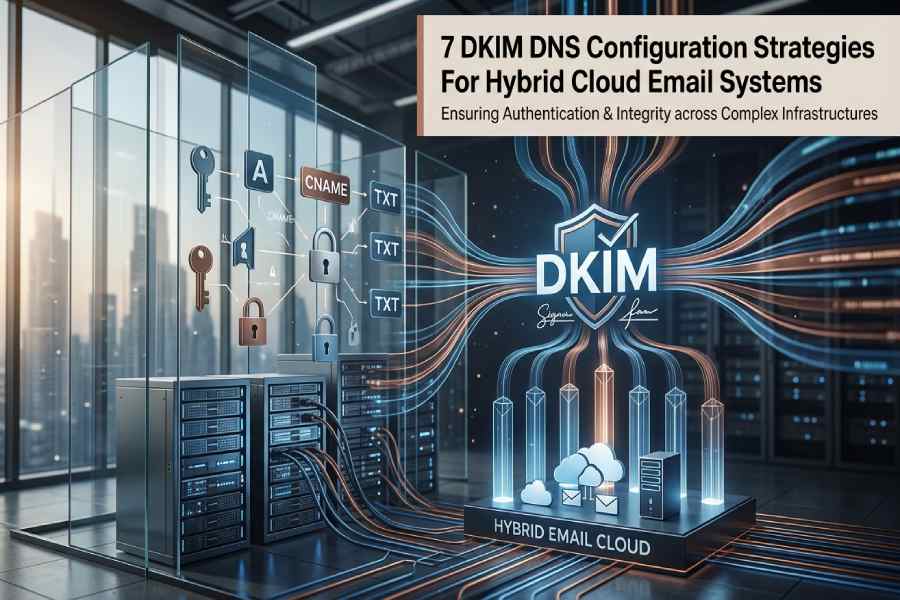
Contemporary businesses seldom depend on a singular email setup. Many now implement hybrid cloud email systems that merge on-premises infrastructure with cloud solutions like Microsoft 365, Google Workspace, and third-party email gateways. While this setup enhances scalability and flexibility, it presents significant authentication challenges.
Contemporary businesses seldom depend on a singular email setup. Many now implement hybrid cloud email systems that merge on-premises infrastructure with cloud solutions like Microsoft 365, Google Workspace, and third-party email gateways. While this setup enhances scalability and flexibility, it presents significant authentication challenges.
A critical component of security in these environments is the correct configuration of DKIM DNS. DomainKeys Identified Mail (DKIM) enables the verification of email integrity and sender authorization. Improper DKIM setup can lead to issues such as email spoofing, phishing threats, DMARC alignment failures, and compromised email delivery.
The hybrid cloud model complicates matters further, as emails can come from various systems, each needing separate DKIM signing and DNS alignment. An error in configuration can lead to widespread authentication issues across departments and applications.
This article provides seven strategic approaches to effectively configure DKIM DNS, ensuring the security of hybrid cloud email infrastructures while fostering reliable email delivery and maintaining a strong domain reputation.
Why DKIM DNS Configuration Matters In Hybrid Cloud Environments
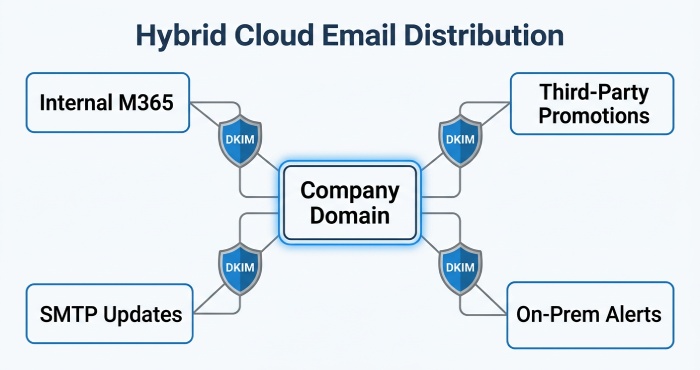
Hybrid cloud email solutions effectively manage email traffic by spreading it across multiple platforms. As a result, a company can transmit:
- Internal communications managed via Microsoft 365
- Promotional emails dispatched using third-party automation platforms
- Customer updates sent through cloud-based SMTP services
- Application alerts generated from on-premises email server
Due to the diverse infrastructures employed by these systems, it is essential to maintain uniformity in DKIM signing.
A strong DKIM DNS configuration provides several important benefits:
- Safeguards against domain impersonation
- Boosts email credibility with mail service providers
- Facilitates the implementation of DMARC policies
- Optimizes placement in inboxes
- Lowers the risk of phishing attacks
- Preserves sender reputation across various platforms
In the absence of a centralized DKIM strategy, hybrid systems may quickly become disorganized and challenging to oversee.
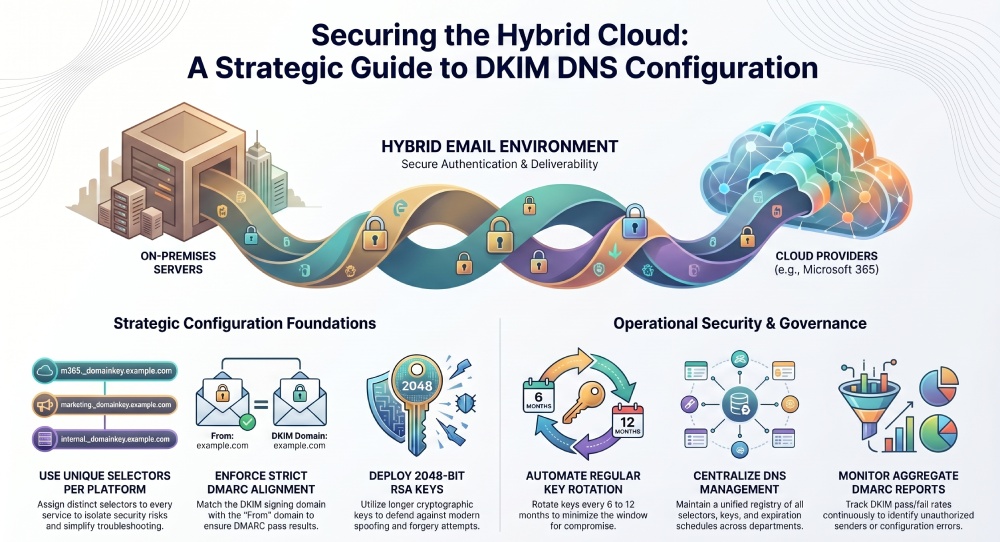
1. Use Separate DKIM Selectors For Different Email Platforms
A highly efficient strategy for DKIM DNS configuration involves using distinct DKIM selectors for each email platform.
A DKIM selector determines the public key utilized for validating signed messages. Rather than employing a single selector for all systems, organizations should implement individual selectors for each platform.
- Microsoft 365
- Google Workspace
- Marketing automation platforms
- Transactional email services
- On-premises mail servers
- CRM email systems
For example:
- selector1._domainkey.example.com
- m365._domainkey.example.com
- smtp._domainkey.example.com
- marketing._domainkey.example.com
Using separate selectors offers several advantages:
- Easier Key Rotation: Each selector can be rotated independently, allowing for independent management of services.
- Better Visibility: Administrators can easily determine the source of any message generated by the system.
- Reduced Risk Exposure: If a single key is compromised, other email systems remain secure.
- Simplified Troubleshooting: Authentication failures can be more easily identified and rectified.
Specialized selectors provide a more organized and scalable DKIM DNS configuration for hybrid setups.
2. Align DKIM With Your DMARC Policy
Relying solely on DKIM is insufficient for today’s email security. Organizations must ensure that DKIM alignment adheres to their DMARC policy.
DMARC leverages both DKIM and SPF to verify alignment with the “From” domain. Misalignment can lead to legitimate emails failing authentication, even with valid DKIM signatures.
To maintain proper alignment:
- Confirm that the d= domain in DKIM signatures aligns with the sender’s domain.
- Refrain from signing messages from unrelated subdomains unless necessary.
- Ensure alignment with all third-party senders.
- Regularly test messages using DMARC analyzers.
Hybrid systems often fail DMARC because different services use inconsistent signing domains.
For example:
- Visible From domain: example.com
- DKIM signing domain: thirdpartyprovider.com
This mismatch can break DMARC alignment.
An effective DKIM DNS strategy guarantees that all permitted services sign messages with aligned organizational domains whenever feasible.
3. Implement Automated DKIM Key Rotation
Numerous organizations set up DKIM only once and neglect it afterwards. This reliance on static DKIM keys poses ongoing security threats.
To ensure robust email authentication, regular key rotation is crucial.
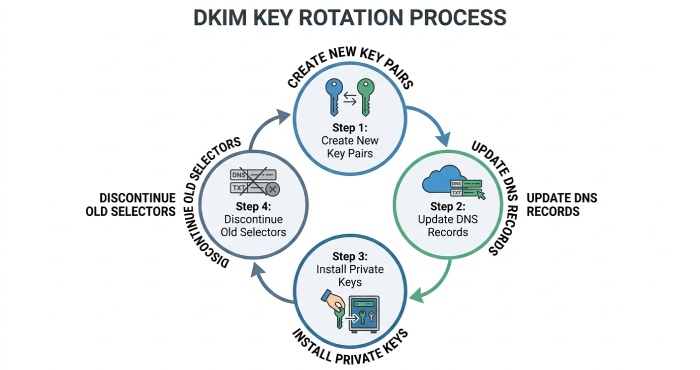
Key rotation involves:
- Create new DKIM key pairs
- Update public keys in DNS
- Install new private keys on sending systems
- Discontinue old selectors
Automated key rotation is crucial in hybrid cloud setups since various email systems may have distinct signing schedules.
Benefits of automated DKIM key rotation include:
- Enhanced Security: Regular key rotation reduces the risk associated with compromised keys.
- Regulatory Compliance: Numerous security standards advocate for or mandate the periodic rotation of keys.
- Decreased Administrative Load: Automation helps to reduce the need for manual updates to DNS and the likelihood of configuration mistakes.
- Improved Operational Consistency: Key rotations can be conducted without interrupting email services.
Organizations must implement definitive rotation timelines, such as every 6 or 12 months, based on their risk tolerance and infrastructure intricacy.
4. Use Strong Cryptographic Key Lengths
Inadequate DKIM keys can compromise email security, regardless of a seemingly proper DKIM DNS setup.
Modern email systems should use at least:
- 2048-bit RSA keys whenever supported
- 1024-bit keys only if compatibility limitations exist
Bigger keys enhance cryptographic security, reducing risks of spoofing and forgery.
However, hybrid cloud systems may introduce compatibility challenges:
- Established DNS providers may encounter difficulties when handling lengthy TXT records.
- Older email systems may only accommodate shorter encryption keys.
- Certain external senders may utilize obsolete signing techniques.
Before deployment, organizations should test compatibility across:
- DNS service providers
- Cloud-based email gateways
- Secure email devices
- SMTP relay services
- Third-party sending solutions
Administrators utilizing 2048-bit keys may require DNS record splitting, as lengthy TXT values can surpass typical character limits. Robust encryption is essential for effective DKIM DNS configuration.
5. Centralize DKIM Management Across All Email Services
A significant challenge in hybrid cloud setups is the disjointed management of email systems.
Various departments frequently set up their email systems autonomously.
- Marketing oversees automation tools,
- IT administers Microsoft 365,
- Developers handle transactional email services,
- Vendors oversee customer communication systems.
Lack of centralized governance often leads to frequent DKIM discrepancies.
Organizations should establish centralized DKIM management policies that include:
Standardized Naming Conventions
Maintain uniformity in selector naming conventions throughout all systems.
Central DNS Oversight
Restrict DNS changes to permitted administrators only.
Unified Documentation
Maintain detailed records of:
- Selectors
- Key lengths
- Expiration schedules
- Associated systems
- DNS entries
Approval Workflows
Before adding new third-party senders, a review is necessary. Centralizing this process helps prevent orphaned DKIM records, expired keys, and unauthorized mail sources, while also enhancing incident response during authentication issues.
6. Monitor DKIM Authentication Continuously
DKIM setup is an ongoing process. As organizations integrate new applications and cloud services, hybrid cloud infrastructures continuously adapt.
Continuous monitoring is essential.
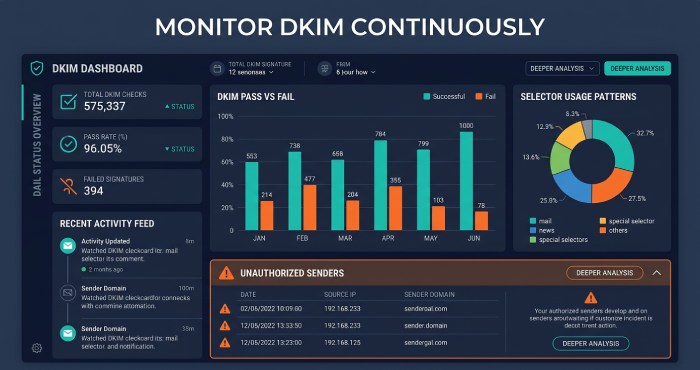
Organizations should routinely monitor:
- DKIM pass/fail rates
- DMARC aggregate reports
- Selector usage patterns
- Unauthorized senders
- DNS propagation issues
- Expired or missing keys
Monitoring tools can help identify:
- Inadequate Configuration of External Platforms: A newly implemented marketing platform might transmit messages without proper signatures.
- DNS Synchronization Issues: There may be challenges in the propagation of updated DKIM records across different DNS servers.
- Outdated Key Validity: Old selectors could remain in use beyond their intended expiration dates.
- Unauthorized Email Practices: The presence of signing domains that are not recognized may suggest misuse or the existence of unauthorized IT systems.
DMARC aggregate reporting offers critical insights into mailbox providers’ assessment of DKIM authentication across email streams. Regular audits ensure a robust DKIM DNS setup as infrastructure evolves.
7. Secure Subdomains Independently
Numerous organizations prioritize the security of their main domain, overlooking the vulnerabilities of subdomains.
In hybrid cloud environments, subdomains are commonly used for:
- Marketing initiatives
- Transaction alerts
- Customer support messages
- In-house applications
- Local business divisions
Examples include:
- marketing.example.com
- support.example.com
- alerts.example.com
Each subdomain may send email through different infrastructures.
Organizations ought to establish distinct DKIM DNS configurations for specialized or high-volume subdomains.
Benefits include:
- Reputation Segmentation: Issues impacting a specific subdomain do not automatically compromise the reputation of the overarching domain.
- Enhanced Traffic Differentiation: Email service providers have the capability to assess individual email streams separately.
- Strengthened Security Measures: Various subdomains can implement distinct selectors and policies tailored to their needs.
- Simplified Compliance Oversight: Different departments can uphold autonomous authentication controls to manage compliance effectively.
Common DKIM DNS Configuration Mistakes To Avoid
Even experienced administrators can make DKIM configuration errors in hybrid systems.
Some of the most common mistakes include:
- Overuse of Identical Selectors: Utilizing the same selector across multiple instances diminishes visibility and heightens security vulnerabilities.
- Neglecting Third-Party Services: Many SaaS applications that facilitate email communication frequently lack proper DKIM configuration.
- Inadequate Key Lengths: Using outdated keys, such as 512-bit or 768-bit, is strongly discouraged.
- Misalignment in Signatures: Employing different signing domains can undermine DMARC enforcement.
- Insufficient Documentation: A failure to track selectors effectively can lead to persistent management challenges.
- Ignoring Key Rotation: Relying on static keys significantly elevates the risk of security breaches.
Conclusion
As hybrid cloud email systems become prevalent, organizations must enhance authentication methods to safeguard their communications. Proper DKIM DNS setup is essential for preventing spoofing, boosting deliverability, enforcing DMARC, and preserving sender reputation.
To create a robust email authentication framework, businesses should implement dedicated selectors, align DKIM with DMARC, automate key rotation, utilize strong encryption, centralize management, monitor performance, and secure subdomains independently. Although hybrid infrastructures add complexity, effective DKIM DNS strategies enable organizations to maintain security and reliability while shielding their domains from emerging email threats.
Topics
General Manager
General Manager at DuoCircle. Product strategy and commercial lead across the email security portfolio.
Secure your email infrastructure
Protect, authenticate, and deliver. Contact our team to find the right solution.