5 Best AI Note Takers for Sales Calls in 2026

Quick Answer
The best AI note takers for sales calls in 2026 automatically record, transcribe, summarize meetings, capture action items, and sync with CRMs, helping sales teams save time, improve follow-ups, and close more deals.
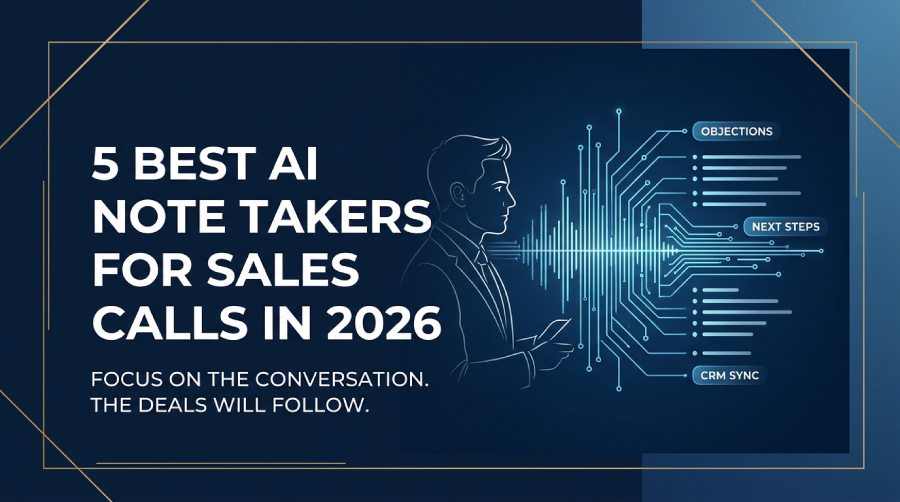
A sales call is where deals are actually made or lost. Not in the CRM. Not in the follow-up email. In the conversation itself — when a prospect reveals the real objection, mentions a competitor, or signals that the timing has shifted.
The problem is that capturing all of that while simultaneously running the conversation is genuinely difficult. Reps who are focused on note-taking aren’t focused on listening. And the notes that get written after the call — from memory, between the next five calls — lose exactly the nuance that matters most at deal review time.
AI note takers for sales calls solve this at the source. They record and transcribe the conversation automatically, produce a structured summary with objections, next steps, and key moments highlighted, and in many cases push that information directly into the CRM. The rep stays focused on the call. The record takes care of itself.
Here are the five best options in 2026.
What Sales Teams Need From an AI Note Taker
Not every AI note taker is built with sales workflows in mind. A few things matter more here than in general professional use.
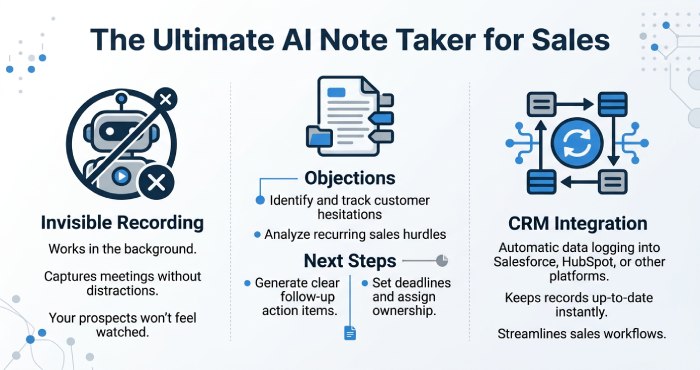
CRM integration. Manual CRM updates after calls are one of the biggest time drains in sales. The right tool pushes call summaries, action items, and key details directly into Salesforce, HubSpot, or Pipedrive — automatically, after every call.
Bot-free recording. A visible AI bot joining a first discovery call or enterprise demo changes the dynamic before the conversation begins. Tools that record from the rep’s device — with nothing appearing in the attendee list — keep the call natural and avoid the questions that a “Fred Notetaker has entered the meeting” announcement creates with prospects.
Accurate capture of objections and competitor mentions. Generic transcription misses or garbles the specific names, pricing figures, and competitive references that sales teams need in the record. Accuracy under real call conditions is the real differentiator.
Searchable call history. When a deal stalls and the manager asks what the prospect said about budget three calls ago, the answer should take seconds — not a full recording review.
Data privacy. Sales calls contain pricing strategy, competitive positioning, and deal terms. Any tool that trains AI models on your meeting recordings creates exposure that most security-conscious organizations won’t accept.
The 5 Best AI Note Takers for Sales Calls
1. Bluedot — Best Overall
Bluedot is the strongest all-round option for sales teams where call professionalism and data accuracy are the top priorities. For a detailed breakdown of how it fits into a sales workflow specifically, the team’s guide on AI note takers for sales calls covers the setup and key comparisons worth reading before choosing. It records meetings on Google Meet, Zoom, and Microsoft Teams through a Chrome extension or desktop app — with nothing appearing in the attendee list. Prospects see a normal call.
Summaries are organized by what matters in a sales context: objections raised, commitments made, next steps agreed, and key prospect statements — clearly separated rather than compressed into a single paragraph. A built-in AI chat lets anyone on the team search across the full call history: “what did the prospect at Acme say about their current contract end date?” returns a timestamped answer from the relevant call without watching a recording.
For deal reviews, forecasting calls, and handoffs between SDR and AE, having an accurate, searchable record of every prospect conversation changes the quality of the conversation. Managers can ask specific questions about a deal rather than relying on what the rep remembers.
Bluedot supports 100+ languages, keeps transcripts private by default, and doesn’t train AI on your meeting data. The Business plan connects directly to Salesforce and HubSpot. SOC 2 and GDPR compliant.
Pricing: Free plan covers 5 lifetime meetings. Basic at $14/member/month (annual) for unlimited audio meetings. Pro at $20/member/month adds unlimited video. Business at $32/member/month includes CRM integrations and SSO.
| ✅ Pros | ❌ Cons |
|---|---|
| Bot-free — nothing visible to the prospect | Free plan limited to 5 lifetime meetings |
| Summaries organized by objections, commitments, and next steps | Requires Chrome extension or desktop app |
| AI chat for searching across all past deals and calls | |
| 100+ languages for international sales teams | |
| Direct Salesforce and HubSpot integration | |
| Does not train AI on meeting data | |
| SOC 2 and GDPR compliant |
2. Fireflies AI — Best for CRM Automation Depth
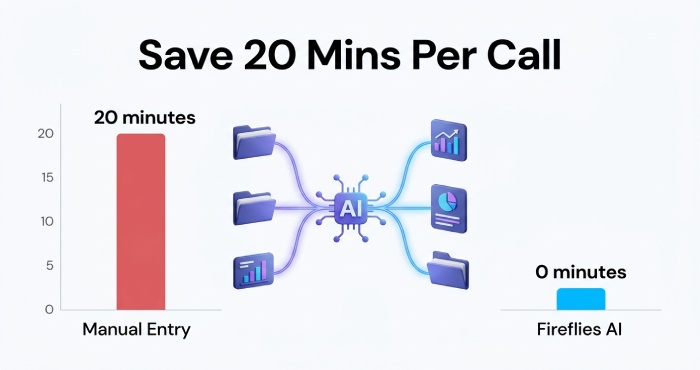
Fireflies AI is purpose-built for revenue teams that need post-call data in a CRM without manual entry. It joins via a visible bot, transcribes in 100+ languages, and automatically pushes summaries, action items, and call notes into Salesforce, HubSpot, Pipedrive, Slack, and 200+ other tools — after every call, with no manual steps.
For sales teams currently spending 15-20 minutes per call updating CRM records, Fireflies eliminates that entirely. The AskFred AI assistant lets managers query the full team’s call library conversationally — surfacing what objections came up most in discovery calls this month, or which competitors got mentioned across Q2 pipeline. Sentiment analysis provides a post-call breakdown of how engaged the prospect was and where the conversation shifted in tone.
Fireflies explicitly does not train AI on your meeting content. The free plan with 800 minutes of storage is one of the more useful entry points in the category.
The main trade-off is the visible bot. For first calls and enterprise deals where a bot announcement could create friction with security-conscious buyers, this is worth considering.
Pricing: Free plan — 800 minutes storage. Pro at $10/member/month (annual). Business at $19/member/month. Enterprise at $39/member/month.
| ✅ Pros | ❌ Cons |
|---|---|
| 200+ CRM integrations with automatic post-call sync | Visible bot joins every meeting |
| AskFred AI queries across full team call library | Credit-based AI features deplete quickly |
| Sentiment analysis after each call | Auto-sharing defaults need adjusting |
| 100+ languages | |
| Does not train AI on meeting content |
3. Fathom — Best Free Option for Individual Reps
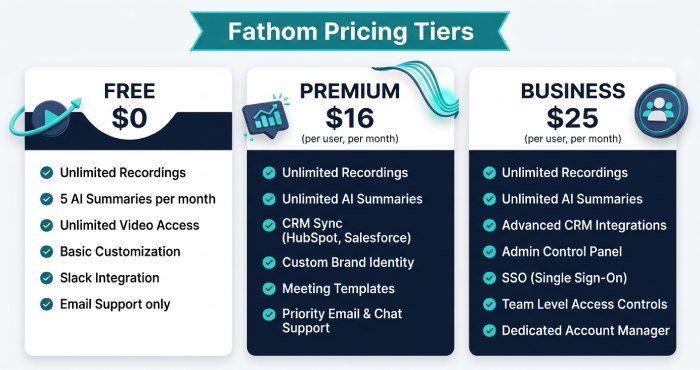
Fathom offers what no other tool in this list can match at zero cost: unlimited recordings, unlimited transcription, and unlimited storage for individual users, with no credit card and no expiry date. For sales reps or small teams testing AI note-taking before a wider rollout, this is the lowest-friction starting point available.
Summaries arrive within about 30 seconds of a call ending — consistently faster than most competitors, which matters when you’re in back-to-back demos. The 15+ summary templates include formats specifically for sales calls and discovery conversations. Fathom doesn’t train AI on customer data and is SOC 2, GDPR, and HIPAA compliant.
The limitations are specific: the bot is visible in every meeting, there’s no mobile app on any plan, and AI summaries are capped at 5 per month on the free tier before the output format steps down. CRM field-level sync requires the Business plan at $25/member/month.
Pricing: Free forever — unlimited recordings, 5 AI summaries/month. Premium at $16/month (annual) — unlimited summaries. Business at $25/member/month — CRM field sync.
| ✅ Pros | ❌ Cons |
|---|---|
| Unlimited free recordings — no caps, no credit card | Visible bot joins every meeting |
| Fast summaries (~30 seconds post-call) | AI summaries capped at 5/month on free tier |
| Sales call and discovery call summary templates | No mobile app on any plan |
| SOC 2, GDPR, HIPAA compliant | CRM sync requires Business tier ($25/mo) |
| Does not train AI on customer data | 28 languages only |
4. Gong — Best for Enterprise Sales Intelligence
Gong is in a different category from the other tools on this list — it’s a full revenue intelligence platform rather than a note-taking tool with CRM integration. Beyond transcription and summaries, it analyzes patterns across all your team’s calls to surface deal risk signals, coaching opportunities, and pipeline insights that would take hours of manual review to identify.
For enterprise sales teams, Gong’s deal intelligence layer is where the value concentrates. It flags deals that show risk signals — low engagement from economic buyers, competitors mentioned without countermoves, stalled next steps — and surfaces them for manager review before they fall out of the forecast. Talk ratio analysis, question frequency, and monologue length tracking give coaching data that improves rep performance over time.
The trade-off is cost and complexity. Gong is priced for enterprise teams and requires significant implementation investment. For teams of fewer than 15-20 reps, the pricing rarely justifies itself against simpler tools.
Pricing: Enterprise pricing — custom quotes. Typically $100-200+/user/month depending on contract size and features.
| ✅ Pros | ❌ Cons |
|---|---|
| Revenue intelligence: deal risk signals, pipeline forecasting | Enterprise pricing — significant investment required |
| Coaching analytics: talk ratio, question frequency, monologue length | Overkill for smaller sales teams |
| Identifies at-risk deals before they fall out of forecast | Bot-based recording |
| Industry-leading call analytics across the full team library | Implementation and onboarding overhead |
5. tl;dv — Best for Async Sales Teams and Clip Sharing
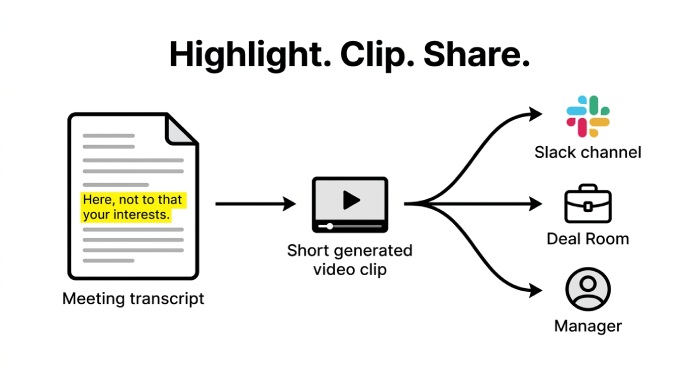
tl;dv is built for a specific sales workflow problem: getting the right call moments to the right people without asking them to watch a full recording. Highlight any line in the transcript and tl;dv generates a shareable video clip of that exact moment — ready to drop into Slack, a deal room, or a manager review in seconds.
For sales teams where demos and discovery calls need to reach sales engineers, solutions consultants, or executives who weren’t on the call, this clip-based workflow is faster than any alternative. Multi-meeting intelligence can also analyze patterns across your pipeline — surfacing recurring objections or competitor mentions across multiple calls in a quarter.
The Pro plan at approximately $10/member/month is one of the most affordable paid options in the category, and tl;dv is GDPR compliant with EU data residency options — relevant for sales teams handling EU prospect data under GDPR.
The main limitation for active users: the free plan caps AI-powered summaries at 10 for the entire lifetime of the account, not per month. Most sales reps hit this within days.
Pricing: Free plan — unlimited recordings, 10 AI summaries lifetime. Pro at ~$10/member/month (annual). Business at $59/member/month.
| ✅ Pros | ❌ Cons |
|---|---|
| Video clip creation for instant async sharing | Free plan: 10 AI summaries for account lifetime only |
| Multi-meeting intelligence across pipeline | Visible bot in meetings |
| Affordable Pro plan (~$10/month) | Large gap: Pro ($10) to Business ($59) |
| GDPR compliant with EU data residency | No native mobile app |
| Strong for deal rooms and async review workflows |
Which Tool Is Right for Your Sales Team?
The right choice depends on which specific bottleneck is costing your team the most time and deal quality.
Discretion matters on your calls — security-conscious buyers, enterprise deals, first calls: Bluedot. Bot-free recording keeps every call natural and removes the friction that a visible AI participant creates with prospects who ask about recording consent or data handling.
Your team is losing time to manual CRM updates after every call: Fireflies AI. The 200+ integration depth and automatic CRM sync eliminate post-call data entry entirely — and the sentiment analysis layer gives managers insight without call review.
You’re an individual rep or small team testing before committing budget: Fathom. Unlimited free recordings with no expiry date and no credit card required is the lowest-risk way to evaluate whether AI call notes actually change how you work.
You manage an enterprise sales team and need revenue intelligence: Gong. Deal risk signals, pipeline forecasting, and coaching analytics at scale are where Gong justifies its pricing for teams large enough to absorb it.
Your team is distributed and shares call moments asynchronously: tl;dv. The clip workflow gets a specific prospect moment to the right stakeholder in seconds — without a recording link and a request to “watch from the 23-minute mark.”
The common thread across all five: less time on post-call admin means more time on the next call. And the reps who spend more time talking to prospects and less time logging what they said are the ones who close more.
General Manager
General Manager at DuoCircle. Product strategy and commercial lead across the email security portfolio.
Secure your email infrastructure
Protect, authenticate, and deliver. Contact our team to find the right solution.