7 Best Wine Store POS Systems For Smarter Retail Management

Quick Answer
The best wine store POS systems help retailers manage inventory, track bottle and case sales, verify customer age, monitor sales performance, and simplify payments. The right POS solution improves operational efficiency, reduces stock errors, and supports smarter wine retail management.
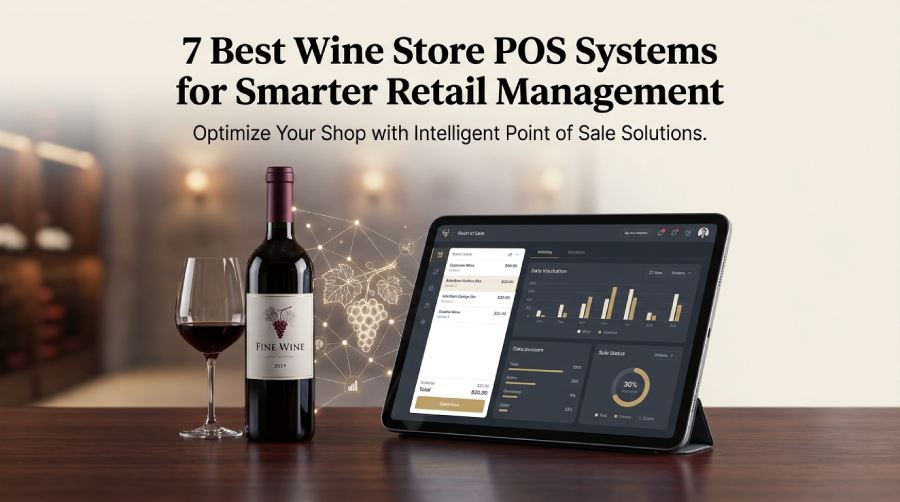
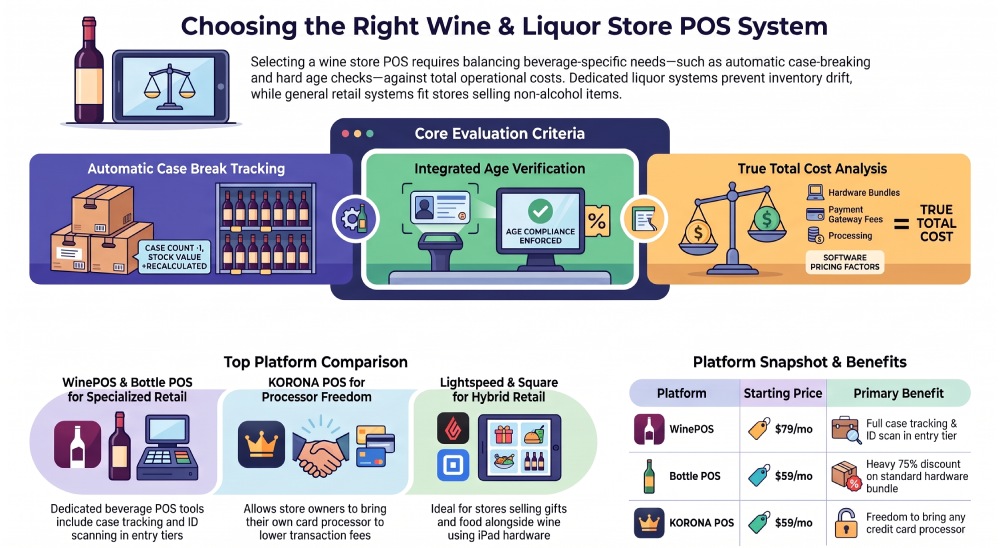
A wine store POS is the register and back-office software that rings up a bottle, checks the buyer’s age, and keeps count of what is left on the shelf. For a single-location shop with one or two registers, the choice mostly comes down to three things: whether the system understands that a case of twelve and the single bottle you pulled out of it are the same product, whether the age check happens inside the sale, and what the whole setup costs once hardware and card processing are added. We compared seven platforms on exactly those points.
How we compared these wine store POS platforms
We read each vendor’s own pricing page and liquor or retail feature pages, and checked each product’s Capterra listing for its rating and review count as plain numbers. Then we asked the same four questions of every system, because these are the questions a wine and liquor shop owner actually has to answer before signing.
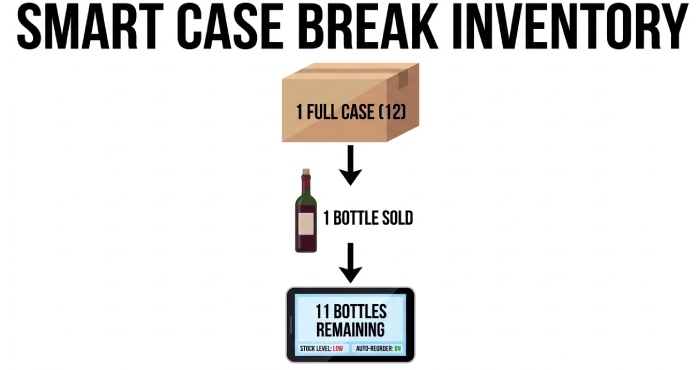
- Does selling one bottle from a case lower the case count and the stock value on its own, without someone adjusting it by hand?
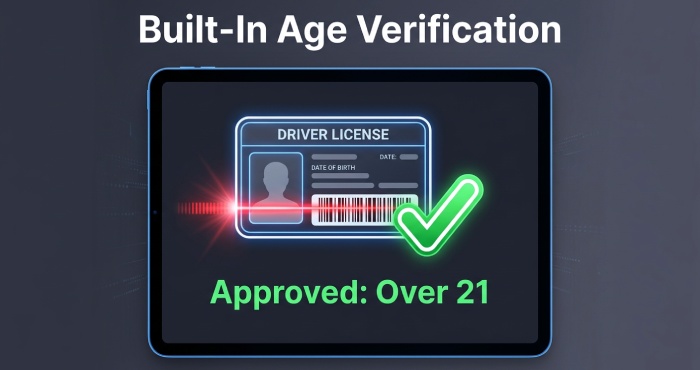
- Is the age check part of the sale (scan the license, the date of birth is read, the sale cannot finish if the buyer is under 21), or is it a pop-up the cashier can click past?
- What is published: a real monthly number, or only “contact us”?
- Which features sit in the cheapest plan, and which are held back for a quoted tier?
Ratings are listed as they appeared on Capterra when we checked. A platform with few or no reviews is not a bad platform, but it does mean you have less outside evidence to lean on, so we say so in each entry.
The 7 best wine store POS systems for a single-location shop
1. WinePOS
Best for: independent wine and liquor stores that want a wine store POS with case, pack, and single inventory, ID-scan age verification, and purchase orders in the cheapest plan rather than in an upgrade.
WinePOS is a wine and liquor store POS built only for that kind of retailer, and it has served that market for more than 40 years with over 700 customers on the system. The part worth seeing in a demo is how it handles a case: a single, a six-pack, and a full case are set up as one linked item with one cost, so when the clerk sells a single out of a case, the case count drops and the margin is calculated on the bottle you actually sold.
Key features:
- Entry (Lite) tier includes age verification at the register, purchase orders, unit, pack and case management, min and max quantities, and suggested orders
- Dual pricing, coupons and custom hot keys at the register
- Basic tier adds loyalty pricing, gift cards, a wine-of-the-month feature, bottle size and weight tracking, custom user permissions, and an iOS and Android app
- QuickBooks, CityHive, BottleCapp and WooCommerce connections, with delivery apps on the Standard tier and above
Rating: no reviews yet on Capterra (the profile exists but is empty); not rated on G2.
Pricing: starts at $79 per month. Five tiers (Lite, Basic, Standard, Premium, Enterprise), billed monthly or annually. You can keep your own card processor, though a gateway fee applies; WinePOS’s own payments option removes that fee.
Where it falls short: only the $79 starting price is published. The higher tiers, the hardware, and the processing rate are quoted per store, so you cannot price a two-register setup from the website alone, and there are no independent reviews yet to check the vendor’s claims against.
2. Bottle POS
Best for: owner-run liquor stores that want a wine shop POS with ID scanning on day one and a heavily discounted hardware bundle.
If the upfront hardware bill is what is stopping you, start here. Bottle POS is a liquor and wine store system whose Starter plan already includes age verification by scanning the ID, purchase orders, a live sales dashboard, and a dual pricing module (card buyers pay the processing cost, cash buyers see a discount).
New customers get 75% off the standard bundle of an all-in-one computer, cash drawer, receipt printer, and barcode scanner, and the company says the dual pricing rebate can bring that hardware to zero.
Key features:
- Age verification by ID scan and purchase orders in the Starter plan
- Growth plan adds A to D product ranking by sales, sales-based reorder suggestions and DoorDash integration
- Auto invoicing to receive vendor invoices without retyping them
- Premium plan adds multi-site inventory transfers and webcam integration at the register
Rating: 3.9 out of 5 on Capterra (16 reviews).
Pricing: Starter is $59 per month. Growth and Premium are quoted.
Where it falls short: In this liquor store POS, the features that save the most labor (auto invoicing, reorder suggestions, multi-site transfers) sit in the Growth and Premium plans, and neither of those has a published price.
3. KORONA POS
Best for: single stores that want to shop around for card processing instead of being tied to one processor.
KORONA POS is a cloud retail system with a liquor store version that sells by the bottle, case, bundle, or mix and match, and it handles the case break in the background. Age checks run as prompts at checkout. The company does not process cards itself, so you bring the processor you choose, which can mean a lower rate if you are willing to compare offers.
Key features:
- Case breaking with bottle, case, bundle, and mix-and-match selling
- Built-in age verification prompts at checkout
- Automated reordering with reorder levels you set per item
- Real-time inventory sync across stores if you open a second location
Rating: 4.7 out of 5 on Capterra (80 reviews).
Pricing: Core $59, Retail $79 plus $99 each per terminal per month. No forced contracts, an unlimited free trial with no credit card, and a 60-day money-back guarantee on software.
Where it falls short: there is no built-in payment processing. That freedom also means a separate contract, a separate support line, and one more vendor to call when a card terminal stops working on a Saturday night.
4. POS Nation
Best for: owners who want a liquor store POS that arrives with the hardware already configured, so it works out of the box.
POS Nation sells a complete system: a touchscreen computer, cash drawer, barcode scanner and receipt printer, set up before it ships. On the liquor side, it tracks stock by the case, bottle or six-pack and accounts for case breaks automatically. Staff can confirm a buyer is over 21 by scanning the driver’s license, and the company suggests upgrading the standard scanner to an ID verification scanner to catch fake IDs.
Key features:
- Case, bottle and six-pack inventory with automatic case-break accounting
- License scanning for age checks, with an ID verification scanner upgrade
- Preconfigured hardware package
- An item database that loads only the products your store plans to sell
Rating: 4.6 out of 5 on Capterra (134 reviews, listed as POS Nation for Retail).
Pricing: Starter at $49 per month (listed down from $69). Growth and Premium prices appear only after you fill in a form.
Where it falls short: for a liquor store POS sold as a package, the stronger fake-ID protection is an extra scanner purchase rather than part of the base package, and the upper tiers are not priced publicly.
5. Lightspeed Retail
Best for: wine shops that also sell glassware, gifts or food and want a general retail system that runs on iPads.
Lightspeed Retail is a general-purpose retail POS rather than a dedicated wine store POS, but its age check is one of the stricter ones we looked at. You mark items with an age restriction “register rule.” When one of those items is rung up, the register asks the cashier to scan the ID, and an expired ID cannot be accepted at all, even with a manager PIN. For a wine shop POS that sells a lot of non-alcohol items, the strong general retail tools can matter more than liquor-specific depth.
Key features:
- Age restriction register rules with 2D barcode ID scanning
- Manager PIN override for IDs that will not scan
- Runs on iPads with countertop stations and wireless scanners
- Integrated e-commerce and a large add-on marketplace
Rating: 4.0 out of 5 on Capterra (976 reviews).
Pricing: Basic $89, Core $149 and $289 per month, with one register included. Extra registers and locations cost more.
Where it falls short: case-break handling is limited compared with the liquor-specific systems on this list, so a store that sells a lot of singles out of cases may end up correcting counts by hand.
6. Square for Retail
Best for: very small shops, or a new owner, who want to try a liquor store POS with no monthly software fee.
Square for Retail lets you start on a free plan and pay only for card processing (2.6% plus 15 cents per in-person payment on the free plan). For age checks, the free plan gives the cashier a manual confirmation prompt. Scanning a US or Canadian license, or entering a date of birth, needs the Plus or Premium plan.
Key features:
- Free plan with no monthly software fee
- Age-restricted items with a confirmation prompt, or ID scanning on paid plans
- ID scanning with a 2D barcode scanner or the camera on an iOS device
- Item variations for tracking different bottle sizes
Rating: 4.7 out of 5 on Capterra (496 reviews).
Pricing: Free $0, Plus $49 and Premium $149 per month per location. Higher plans get lower in-person card rates.
Where it falls short: there is no native case-break setting, so selling a single out of a case does not reduce the case count on its own. For a wine shop POS in a store that breaks cases every day, that turns into manual adjustments.
7. NRS (National Retail Solutions)
Best for: price-sensitive owners whose store sells beer and wine next to snacks, tobacco and other convenience goods.
NRS is a low-cost POS built mainly for convenience stores, with liquor stores listed as one of the store types it serves and more than 40,000 systems installed. The monthly fee is among the lowest on the market, and the free My NRS Store app lets an owner check sales, change prices and manage stock from a phone. As a budget wine and liquor store POS it covers the basics without much beverage-specific depth.
Key features:
- Low-stock alerts and sales tracking
- License ID scanning, included on the Advanced and Elite plans
- Owner mobile app for prices, inventory and sales
- Hardware bundles that include a barcode or license ID scanner
Rating: no reviews yet on Capterra.
Pricing: Basic $19.95, Pro $34.95, Advanced $49.95, and Elite $79.95 per month with NRS Pay; $29.95 to $109.95 without it. Hardware runs from $499 (Panther Tablet bundle) to $1,799 (Cheetah POS). License ID scanning is a $4.95 per month add-on on Basic and Pro.
Where it falls short: the low monthly prices depend on using NRS Pay for card processing, and the system is designed around convenience stores, so its website describes no case-break or other wine-specific inventory tools.
What a single-location wine and liquor store POS has to do
A one-register or two-register shop does not need enterprise features. It needs the basics done correctly every time, because there is no back office team to fix mistakes later.
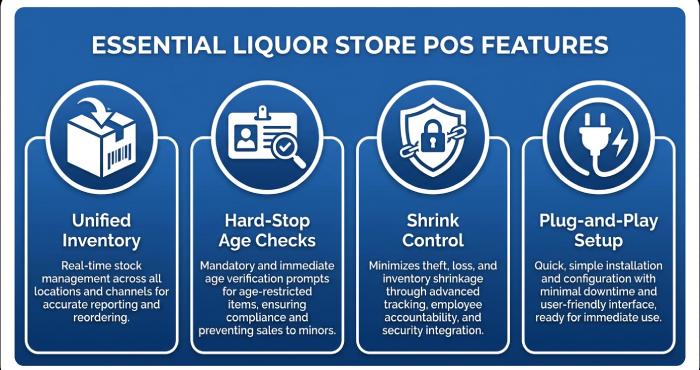
- Case, pack and single tracking. If you sell singles out of a case, the POS system for a liquor store has to treat the case and the single as one product. Otherwise, your counts drift every day and your stock value is wrong.
- An age check inside the sale. The safest setup reads the date of birth from the license barcode and stops the sale if the buyer is under age. A pop-up the cashier can dismiss is weaker. Ask whether overrides are logged against a named employee.
- Shrink control. Theft and mis-scans hit thin liquor margins hard. In a liquor store POS, look for employee permissions (who can void, discount or open the drawer), reorder suggestions so you see what is missing, and, in some systems, a webcam tied to the register.
- Simple training. The Bureau of Labor Statistics notes that cashiers learn on the job and projects about 521,300 cashier openings each year, which is a reminder that new staff arrive constantly. A register a new hire can learn in one shift is worth paying for.
Retailers should prioritize payment security, data protection, and email security to reduce the risk of phishing attacks and fraudulent payment requests.
“Plug-and-play hardware bundle” means the vendor ships the computer, scanner, cash drawer, and receipt printer already set up for its software. For a small store, that removes a weekend of installation and makes one company responsible if something does not work.
How to choose a wine store POS for your budget
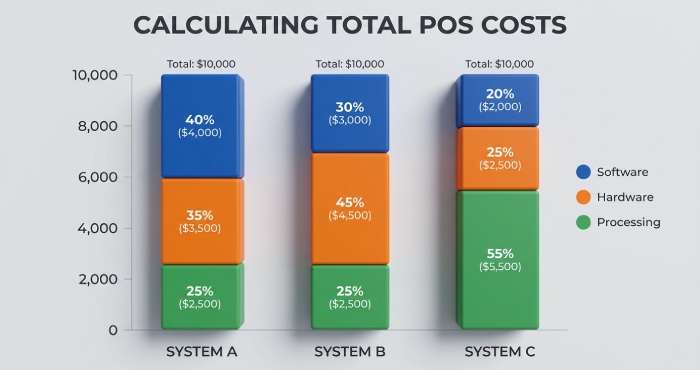
Start with the total monthly number, not the software price. A wine store POS listed at $59 can cost more than one listed at $79 once processing, hardware and paid add-ons are included. Ask every vendor the same question: what will I pay each month for my register count and my card volume, and what is the one-time hardware cost?
Then test the case break in the demo. Ask the salesperson to receive a case, break it, sell a single, and show you the remaining stock value. A system built for general retail will often stumble here, and you will see it in two minutes.
Card payments come with their own obligations. The PCI Security Standards Council says its data security standard applies to merchants regardless of size, and it is organized around 12 requirements. An integrated processor can reduce how much of that work falls on you, so ask each vendor which parts they handle and which stay with the store.
Our view: for a single store that breaks cases daily, a liquor-specific system usually beats a cheaper general one, because the labor of fixing counts by hand costs more than the fee difference. If you sell mostly gifts and food with some wine on the side, Lightspeed or Square may be the better fit.
Frequently asked questions about liquor store POS systems
What is the cheapest reliable POS for a small liquor store?
NRS has the lowest monthly fees ($19.95 per month with NRS Pay), and Square for Retail has a free plan. Both cost less to start but have limits on case breaks and age checks compared with liquor-specific systems.
Do I need an iPad or a terminal?
Either can work. Lightspeed Retail runs on iPads, and Square can scan IDs with an iOS camera on paid plans. Liquor-specific systems such as POS Nation usually ship a countertop touchscreen computer with a scanner, drawer, and printer.
Is age verification included in a wine store POS?
On most liquor-focused systems, yes. WinePOS and Bottle POS include ID scanning in their entry plans; Square needs Plus or Premium for ID scanning; NRS includes license scanning on Advanced and Elite.
What is legally required for a liquor store in my state?
That depends on where you trade. The SBA lists retail alcohol sales among the activities that need licensing from the federal Alcohol and Tobacco Tax and Trade Bureau and a local alcohol beverage control board. A POS supports compliance with age checks and records, but it does not replace your license obligations.
Bottom line
Every system here can ring up a bottle of wine. The real differences are where the case break, the ID scan, and the reorder tools sit in the price list, and how much of the price is published.
For independent wine and liquor shops that want a wine store POS with case, pack, and single tracking, ID-scan age verification and purchase orders all in the entry tier, WinePOS offers its Lite plan from $79 per month. If you want the lowest hardware bill, look at Bottle POS. If you want to choose your own processor, look at KORONA POS. If you sell more than alcohol, Lightspeed Retail or Square for Retail may suit you better.
Topics
General Manager
General Manager at DuoCircle. Product strategy and commercial lead across the email security portfolio.
Secure your email infrastructure
Protect, authenticate, and deliver. Contact our team to find the right solution.