How Business Budgeting Software Improves Forecasting With Ease

Quick Answer
Business budgeting software simplifies forecasting by centralizing financial data, automating calculations, and tracking budget performance. It helps businesses predict cash flow, adjust financial projections, identify potential risks, and make informed decisions with greater accuracy.
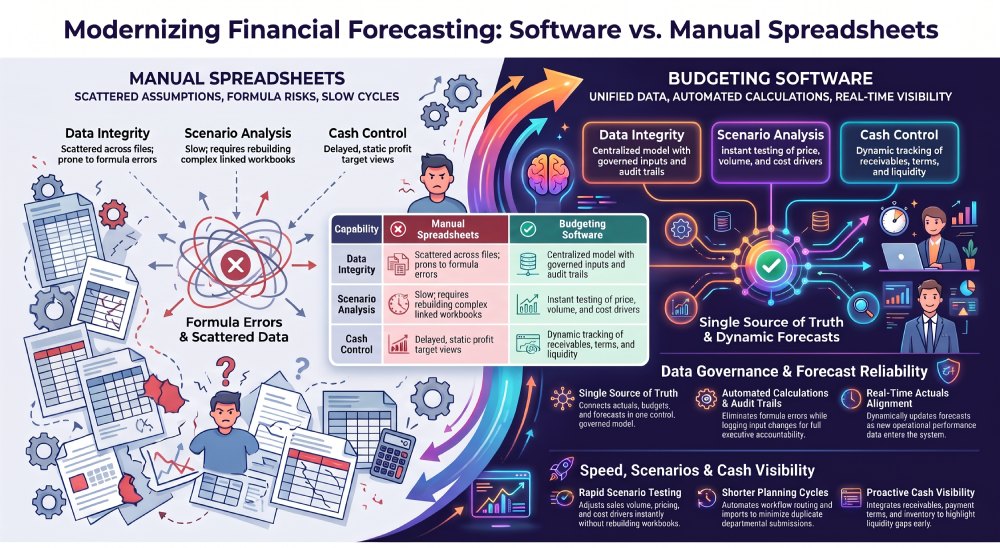
Reliable forecasting gives businesses a clearer view of cash needs, revenue expectations, and resource pressure. Manual spreadsheets often scatter assumptions across files, slowing updates and making results hard to trace.
Business budgeting software brings these inputs together, links actuals to plans, and lets finance teams quickly test changes. The result is a forecast that reflects current information and supports faster decisions. Several practical improvements explain why this approach improves planning.
A central data model gives finance and operating teams one view of actuals, budgets, and forecasts. Staff update governed inputs instead of copying figures between workbooks. As businesses manage sensitive financial information and coordinate planning activities, email security also plays an important role in protecting business communications. For businesses comparing options, business budgeting software connects planning activity with usable financial evidence. Managers can review assumptions, approve changes, and trace figures to source data. That record supports accountability during monthly updates and budget reviews.
Why Forecasts Become More Reliable
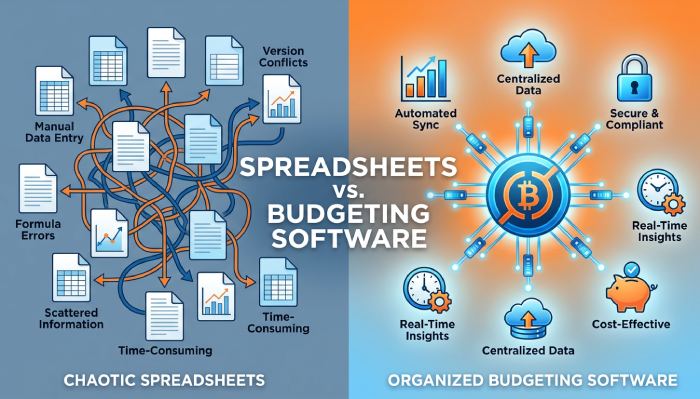
Forecast quality depends on the information behind each assumption. A budgeting system pulls actual revenue, costs, headcount, and operational drivers into a controlled model. Finance teams compare current performance with approved plans without waiting for separate spreadsheet submissions. The forecast changes as new results enter the model, so decision-makers work from current evidence rather than an outdated file.
Automated calculations eliminate repetitive formulas from routine planning. A consistent model applies approved rules across departments, reducing accidental changes and calculation gaps. Finance leaders can set reporting calendars, assign owners, and monitor submissions through a defined workflow. Audit trails show who changed an input, when, and which version informed the forecast. Clear records improve review quality and help teams explain variances to executives and lenders.
Faster Scenario Analysis
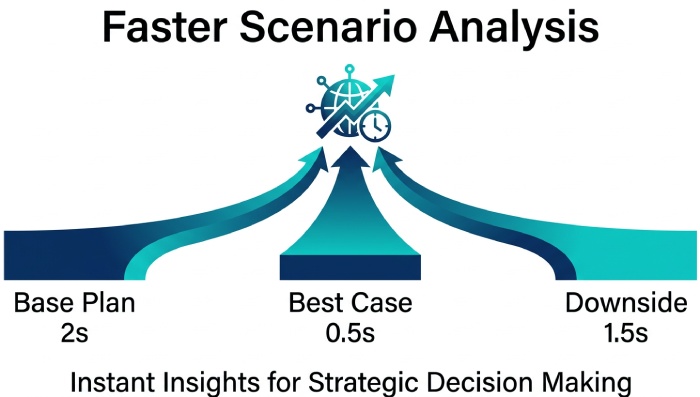
Forecasting becomes more useful when managers test assumptions before committing resources. A connected model lets teams adjust sales volume, pricing assumptions, staffing levels, or cost drivers and see the impact on profit and cash flow. Finance can compare a base plan with a downside case without rebuilding linked workbooks. This supports practical questions about funding, demand, and cost control before decisions reach the budget cycle.
Scenario work improves communication between finance and operational managers. Each department can enter its assumptions while finance retains control of the model structure and approval rules. Shared definitions prevent sales, payroll, and expense figures from being interpreted differently. Managers see how local decisions affect the wider plan, creating disciplined discussions about trade-offs. A scenario history records the reasoning behind the chosen case.
Shorter Planning Cycles
Manual budgeting takes time to collect data, consolidate, check, and rework. A software-based workflow routes tasks to the right owners and tracks completion in one place. Automated imports reduce re-keying, while central calculations limit the need to reconcile competing totals. Finance teams spend more time analyzing variances and reviewing business drivers. Departments receive clearer deadlines and fewer requests for duplicate submissions.
An Excel-friendly interface reduces disruption during adoption. Staff can use familiar spreadsheet skills while working with centralized data, shared models, and controlled permissions. This combination preserves flexibility for detailed analysis without forcing a return to disconnected files. Training focuses on the organization’s planning process rather than basic navigation. Finance teams can then update forecasts more frequently without requiring every department to learn a complex technical system.
Better Visibility Into Cash
Financial forecasting needs more than an annual profit target. A model that includes receivables, payment terms, inventory, payroll, and capital spending gives managers a clearer view of liquidity pressure. Actual cash movements can be compared with planned timing, exposing gaps before they affect suppliers or investment decisions. Finance teams can update assumptions after a customer contract changes or a major cost moves. That creates better short-term control.
Integrated planning connects financial results with business drivers. Sales volumes, workforce changes, and purchasing commitments affect revenue, costs, and cash requirements. A shared model lets finance teams test those relationships before they enter the formal forecast. It also gives department leaders responsibility for the assumptions they control. Regular updates keep cash expectations connected to current trading conditions and funding needs.
Conclusion
Business budgeting software improves forecasting by bringing data, assumptions, calculations, and approvals into one controlled process. It reduces spreadsheet reconciliation, supports faster scenario testing, and keeps cash expectations tied to current operating information.
The next practical step is to map the current forecast cycle, identify recurring manual tasks, and define the drivers that need regular updates. That assessment gives finance leaders a clear basis for selecting a system and setting measurable improvements in forecast preparation and review.
Topics
General Manager
General Manager at DuoCircle. Product strategy and commercial lead across the email security portfolio.
Secure your email infrastructure
Protect, authenticate, and deliver. Contact our team to find the right solution.