Can A DNS Audit Detect Unauthorized Email Senders?

Quick Answer
A DNS audit can detect unauthorized email senders by reviewing SPF, DKIM, DMARC, and MX records. It helps identify unknown sending services, outdated entries, misconfigurations, and unauthorized changes that may increase spoofing and email security risks.
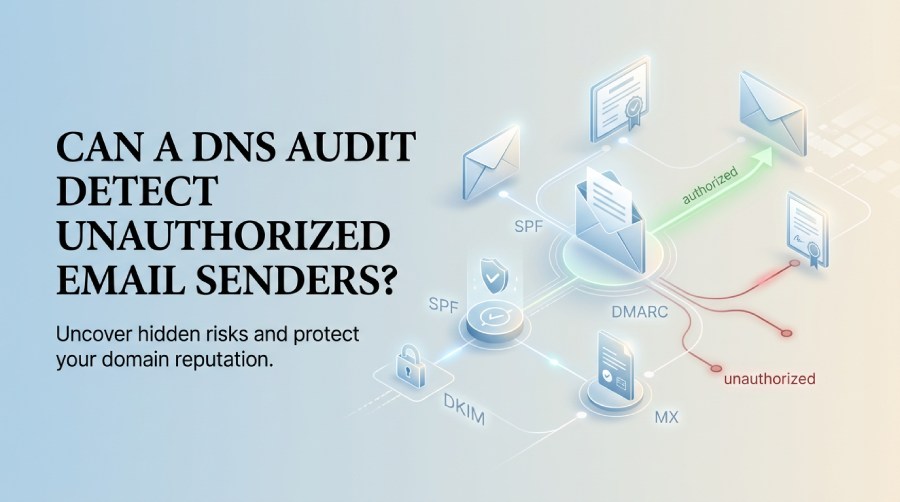
Unauthorized email senders can create serious risks for organizations by impersonating trusted domains, sending phishing messages, damaging domain reputation, and bypassing established email security controls. A well-planned DNS audit can help uncover these risks by examining the DNS records and configurations that determine which servers, platforms, and third-party services are authorized to send or receive email on behalf of a domain.
Records such as SPF, DKIM, DMARC, and MX provide important visibility into an organization’s email infrastructure, while DNS logs, audit events, and change histories can help identify unexpected modifications or outdated configurations. In environments using Windows Server and Microsoft DNS, administrators can also review DNS Server activity, Event Viewer logs, Active
Directory-integrated zones, and administrative changes to determine whether DNS modifications were authorized. Comparing published DNS records with approved email services can help organizations identify stale SPF includes, abandoned DKIM selectors, unauthorized mail servers, and other configuration issues that may increase the risk of email spoofing or abuse.
What a DNS Audit Is and Why It Matters for Email Security
Yes—a DNS audit can help detect unauthorized email senders by reviewing the DNS records that define which mail servers, services, and third-party platforms are allowed to send email for a domain. Email security depends heavily on accurate resource records, especially SPF, DKIM, DMARC, and MX records. If those records are overly permissive, outdated, or changed without approval, attackers or misconfigured vendors may be able to send email that appears to come from your domain.
A DNS audit is a structured review of domain name system configuration, ownership, permissions, and change history. In a Windows Server environment, this may include examining the DNS Server role, Active Directory-integrated zones, audit logs, audit events, and DNS-related entries in Event Viewer. For organizations managing DNS through Microsoft infrastructure, administrators may use RSAT—Remote Server Administration Tools—to inspect zones, review resource records, and validate delegated administration.
Why DNS Visibility Is Critical
Strong DNS security is essential because DNS controls how email receivers interpret your sending authority. If a stale SPF include remains in place, a former vendor may still be authorized to send email. If a DKIM selector is left active, an old platform could continue signing messages. If DMARC is weak or missing, spoofed messages may be delivered even when authentication fails.
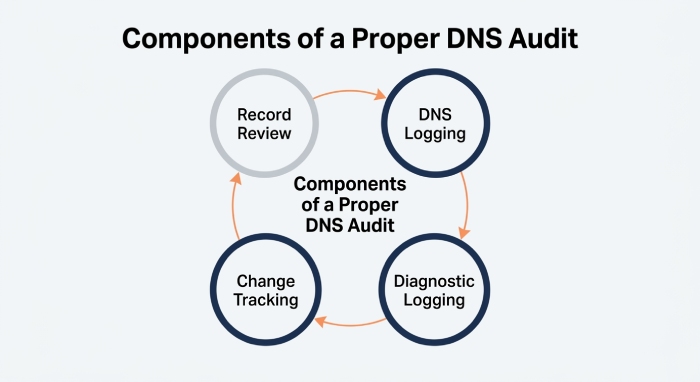
A proper dns audit combines record review with dns logging, diagnostic logging, and change tracking. This allows teams to understand not only what dns records exist today, but also who changed them, when the change occurred, and whether the change aligns with approved email infrastructure.
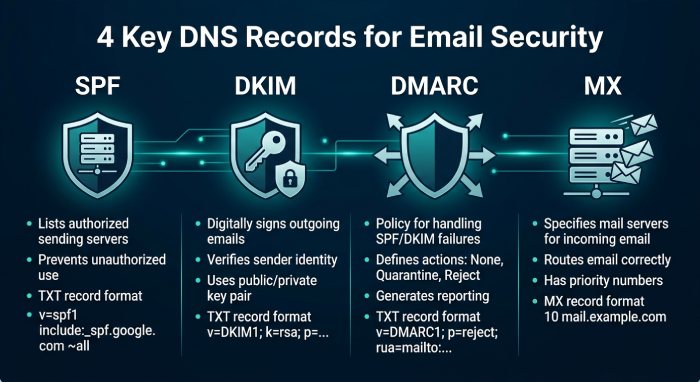
Key DNS Email Records to Review: SPF, DKIM, DMARC, and MX
SPF Records
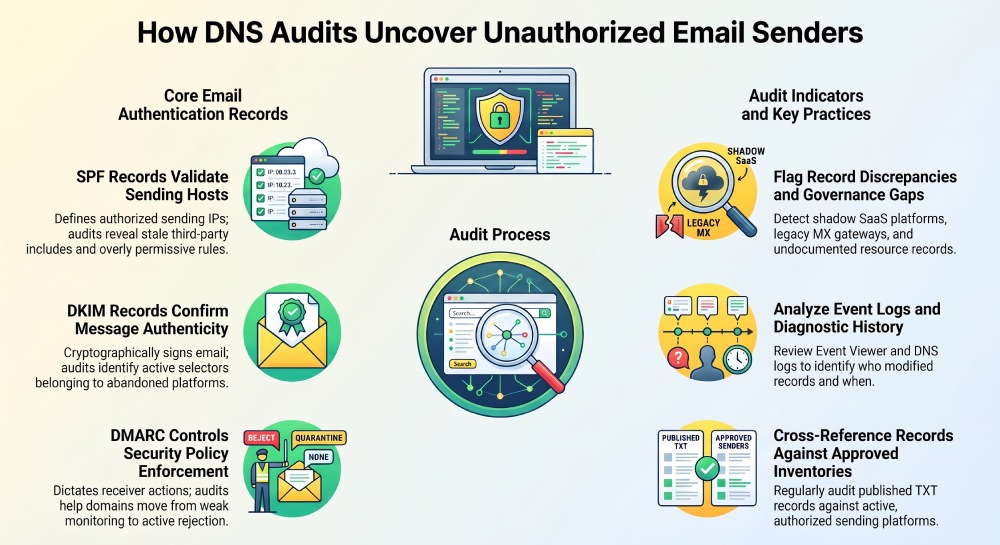
SPF identifies which IP addresses and services may send email for a domain. During a DNS audit, the SPF TXT Resource Record should be checked for unauthorized IP addresses, broad mechanisms such as +all, excessive include statements, and deprecated third-party services. For example, an SPF record that includes a marketing platform no longer used by the organization may create an unnecessary exposure. Reviewing SPF as part of routine dns security helps reduce the risk of business email compromise and phishing campaigns.
DKIM Records
DKIM uses cryptographic signatures to validate that an email was authorized by the sending domain. DKIM public keys are stored as TXT resource records. A dns audit should identify active selectors, remove unused keys, and confirm that each DKIM record maps to a legitimate mail system.
Where DNSSEC is implemented, administrators can also review DNSSEC configuration and key-management activities to help protect DNS records from unauthorized modification. However, DNSSEC is a supporting layer of DNS security and does not directly identify unauthorized email senders. SPF, DKIM, and DMARC provide more direct visibility into authorized email-sending infrastructure.
DMARC Records
DMARC tells receiving mail servers what to do when SPF or DKIM fails. A weak DMARC policy such as p=none can be useful for monitoring, but it does not block spoofed messages. A stronger policy such as quarantine or reject provides better protection once reporting confirms legitimate senders are covered.
A mature dns audit should compare DMARC aggregate reports with published dns records to identify unauthorized sending sources.
MX Records
MX records define where inbound mail for a domain is delivered. Misconfigured MX resource records can route mail through unauthorized gateways or outdated platforms. A DNS server hosting incorrect MX records can cause delivery failures, security bypasses, or exposure to third-party systems no longer under contract.
How DNS Audits Reveal Unauthorized or Misconfigured Email Senders
A dns audit detects unauthorized email senders by comparing expected sending infrastructure against the domain’s published authentication records and historical DNS activity. The process is not limited to a static lookup. It should include audit logs, audit events, and dns logging from authoritative DNS systems.
Reviewing DNS Server Activity
On Windows Server, administrators can use Event Viewer to inspect DNS-related entries under Applications and Services Logs. The DNS Server logs can show server activity, zone operations, zone changes, dynamic updates, zone transfers, and other events relevant to DNS integrity.
When enabled logging is configured correctly, diagnostic logging and the Analytic event log can provide additional detail. These analytic events may support dns analytics, performance review, and investigation of suspicious updates. If an SPF or DKIM record changed shortly before phishing reports began, audit logs and audit events may reveal whether the change came from an authorized administrator, automation account, or compromised credential.
Validating Changes and Policy Controls
Unauthorized senders often appear because of poor governance rather than a sophisticated compromise. For example, a marketing team may add a Software as a service (SaaS) email provider without involving IT. A contractor may request an SPF update, but the old service is never removed.
A strong dns audit checks administrative controls, including administrative privileges, delegated permissions, policy operations, Server Level Policy, Zone Level Policy, Forwarding Policy, and DNS zone scope settings. In advanced Microsoft DNS deployments, features such as Zone Scope, Client Subnet Map, Server Level Policy, Zone Level Policy, and Forwarding Policy can affect how DNS responses are handled. Those controls should be reviewed within the defined audit scope.
Common Warning Signs Found During a DNS Audit
Risky or Inconsistent DNS Records
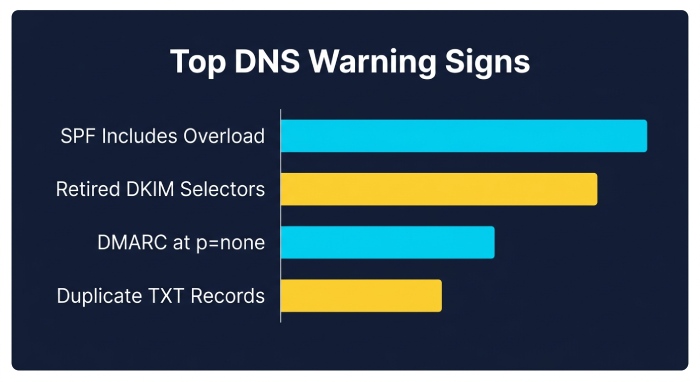
Common issues found during a DNS audit include SPF records with too many includes, DKIM selectors for retired services, missing DMARC records, DMARC policies stuck at p=none, and MX records pointing to legacy providers. These dns issues can weaken dns security and create opportunities for unauthorized email use.
Other warning signs include duplicate TXT records, undocumented resource records, records with unusually long Time-To-Live(TTL), and discrepancies between public DNS and internal documentation. If the authoritative dns server differs from the registrar’s expected configuration, that should also be investigated.
Suspicious Logging and Operational Events
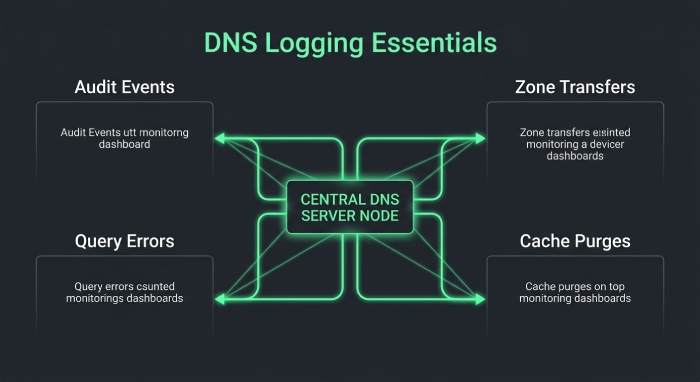
The quality of dns logging matters. Without proper diagnostic logging, teams may be unable to prove when sensitive dns records were changed. In Event Viewer, administrators should look for unexpected audit events, unusual zone transfers, repeated Query Error entries, failed updates, or unexplained cache operations.
Operational maintenance can also create confusion. A cache purge, scavenging cycle, or attempts to scavenge records may remove stale entries or affect troubleshooting visibility. Administrators should understand whether those actions were planned. Reviewing log properties, log size, circular logging, overwrite logs, and procedures to clear logs is important because poorly managed audit logs may erase evidence before an investigation begins.
Root infrastructure settings should also be reviewed. Incorrect root hints or unexpected references to the Root Zone may signal broader DNS misconfiguration, especially if teams are trying to troubleshoot dns resolution failures or mail-routing anomalies.
Best Practices for Using DNS Audits to Prevent Email Spoofing and Abuse
Establish a Repeatable DNS Audit Process
Organizations should perform DNS audits regularly and after major changes to their email infrastructure. The audit should inventory all email-related DNS records, validate each relevant resource record, review available audit logs, and document approved sending services. A useful process includes:
- Maintain an authoritative list of approved email platforms.
- Compare SPF, DKIM, DMARC, and MX records against that list.
- Remove stale includes, selectors, and mail exchangers.
- Use dns logging and diagnostic logging for change tracking.
- Review audit events in Event Viewer after every sensitive DNS change.
- Confirm that the DNS server is configured for secure administration.
- Monitor DNS changes and email authentication records regularly to identify unexpected or unauthorized modifications.
Harden DNS Security and Monitoring
To improve dns security, limit DNS administration to approved personnel with role-based access control. In Microsoft environments, use Active Directory groups and RSAT carefully, granting only the permissions required to manage the dns server role. Administrators should regularly monitor dns, review server performance, and investigate unexpected server activity.
Where appropriate, implement DNSSEC to protect against tampering and validate the chain of trust through the Trust Point and delegation signer records. Keep DNSSEC lifecycle tasks documented, including key rotation, zone signing, and emergency recovery.
Finally, align email authentication with enforcement. Move DMARC from monitoring to quarantine or reject once legitimate senders are validated. A well-managed dns audit does more than find mistakes—it strengthens dns security, improves operational accountability, and helps prevent attackers from abusing your domain to send fraudulent email.
General Manager
General Manager at DuoCircle. Product strategy and commercial lead across the email security portfolio.
Secure your email infrastructure
Protect, authenticate, and deliver. Contact our team to find the right solution.