Email Sender Verification: What The Blue Check Mark Really Means

Quick Answer
Email sender verification confirms that an email comes from an authenticated and trusted sender. A blue check mark can indicate verified sender identity, helping recipients recognize legitimate messages and distinguish them from potential phishing or spoofed emails.
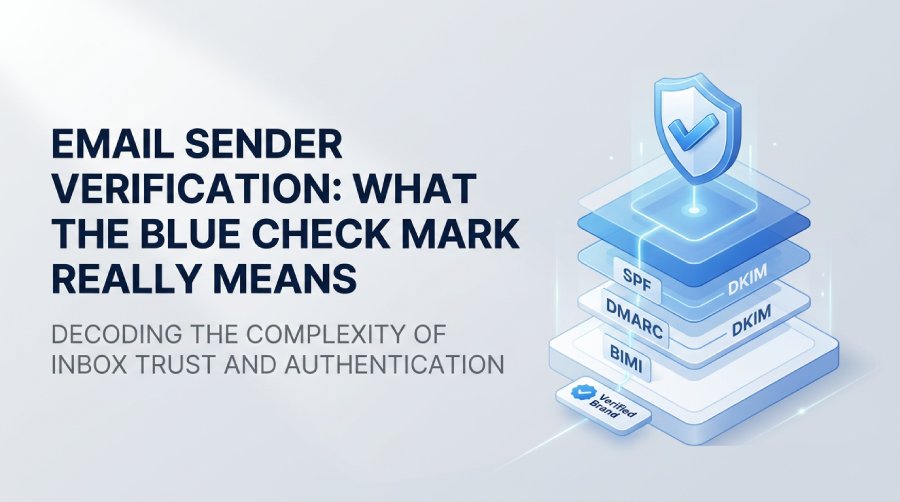
Email sender verification plays a crucial role in securing modern inboxes and fostering trust. With ongoing threats like phishing and spoofing, email providers are implementing clearer visual cues to identify legitimate senders, such as the blue check mark next to verified senders’ names. This symbol signifies that an organization has undergone a verification process to link its brand with authenticated emails.
However, a blue check does not guarantee safety; it reflects specific authentication requirements that differ among providers. Understanding the significance of this mark, along with the roles of technologies like SPF, DKIM, DMARC, and BIMI, can help businesses build greater trust among their recipients.
What Is Email Sender Verification?
Email sender verification involves validating that an email originates from an authorized source and that the sender is linked to a legitimate domain or organization. This process includes technical email authentication and, when necessary, additional brand verification.
Traditional email authentication primarily relies on DNS-based standards:
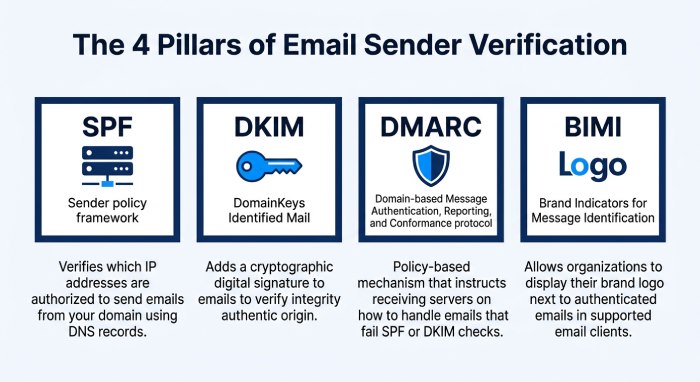
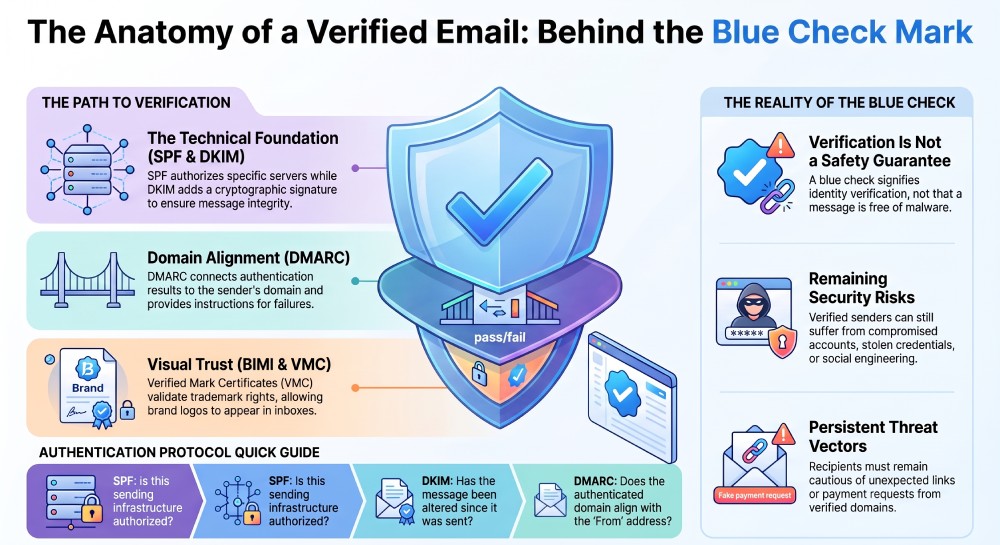
- SPF (Sender Policy Framework): Identifies mail servers authorized to send email for a domain.
- DKIM (DomainKeys Identified Mail): Adds a cryptographic signature that receiving servers can validate.
- DMARC (Domain-based Message Authentication, Reporting & Conformance): Allows domain owners to define how receiving systems should handle messages that fail authentication and provides reporting capabilities.
- BIMI (Brand Indicators for Message Identification): Can allow participating email providers to display a verified brand logo alongside authenticated messages.
These technologies help mail systems authenticate messages and determine whether they are associated with authorized sending domains. When supported by an email provider, a blue check mark or other verification indicator can provide an additional visual signal of verified sender identity and brand authenticity. However, the meaning and requirements for these indicators vary by provider.
What Does the Blue Check Mark Mean?
The meaning of a blue check mark varies by email service. Generally, it signifies that the sender has fulfilled specific identity verification and email authentication standards.
For example, in Gmail, a blue check mark can appear next to senders verified with a Verified Mark Certificate (VMC) as part of a BIMI implementation. This visual indicator helps recipients recognize verified senders, although it does not guarantee that every message from the sender is safe.
It’s crucial to note that while the blue check indicates verification, it does not guarantee safety. Verified senders might still face account compromises or security issues. Recipients should remain cautious of unexpected links, attachments, or payment requests.
How Does Email Sender Verification Work?
Sender verification typically involves several layers of technical and organizational validation.
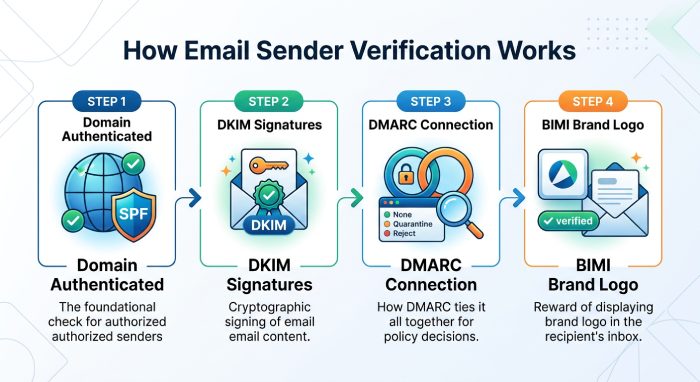
1. The Domain Is Authenticated
The specific meaning of a blue check mark varies depending on the email platform where it appears. In supported inboxes, it generally indicates that the sender has met specific verification requirements established by the email provider. These requirements may involve email authentication, domain verification, brand verification, or other eligibility criteria.
The initial step involves confirming that the organization has authority over its sending domain. This is often accomplished through DNS records, which are utilized to disseminate authentication details. An organization can implement SPF to designate authorized sending sources and DKIM to provide cryptographic signatures for outgoing emails. For instance, an SPF record might permit a designated email service provider to send communications on behalf of a particular domain.
2. DKIM Signs the Message
DKIM implements a digital signature on emails that are sent out. When the email is received, the destination server obtains the matching public key from the DNS records to verify the signature. An authentic DKIM signature confirms that the email was endorsed by an authorized entity and ensures that crucial elements of the message remain unchanged since the time of signing.
3. DMARC Connects Authentication With Domain Identity
DMARC enhances the functionalities of SPF and DKIM by incorporating domain alignment and establishing policy controls. A DMARC policy can be made available at the _dmarc DNS entry of a domain. Based on the set configurations, domain owners can guide receiving systems on how to respond when messages do not pass DMARC authentication.
Common policies include:
- p=none
- p=quarantine
- p=reject
In sender verification initiatives, it is crucial to have authentication set up correctly. This is essential for mailbox providers to receive dependable indicators that link the message to the asserted sender domain.
4. BIMI Can Display the Brand Logo
BIMI offers a consistent framework for organizations to link their brand logos with verified email communications. When the stipulated criteria are satisfied and the email provider endorses BIMI, the organization’s logo has the potential to be displayed in the recipient’s inbox. Additionally, certain providers may impose further verification criteria for showcasing a trusted symbol. This approach establishes a visual link between technical authentication processes and the well-known identity of the brand.
What Is BIMI and How Is It Related to the Blue Check?
BIMI, which signifies Brand Indicators for Message Identification, is an email standard enabling organizations to showcase their brand logo. This logo can be displayed alongside authenticated messages by participating mailbox providers.
BIMI generally works alongside DMARC rather than replacing it.
A simplified process looks like this:
Email sent → SPF/DKIM authentication → DMARC evaluation → BIMI evaluation → Brand indicator displayed
The organization establishes a BIMI record within its DNS to specify where its brand logo is stored. In accordance with the provider’s guidelines, obtaining a Verified Mark Certificate (VMC) or an alternative certification may also be necessary.
This indicates that the display of the logo, along with the verification mark, can be reinforced by various layers of authentication and brand validation.
What Is a Verified Mark Certificate?
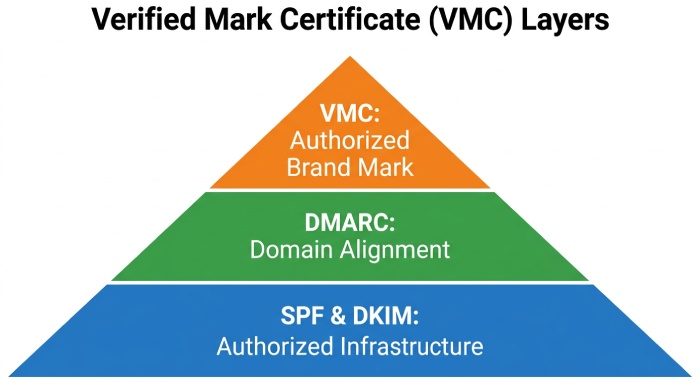
A Verified Mark Certificate (VMC) is a digital certificate used by participating email systems to establish that an organization has rights to use a particular trademark as its BIMI logo. The process generally requires the organization to satisfy eligibility and trademark-related requirements. Once approved, the certificate can be referenced through the organization’s BIMI implementation.
This adds another layer beyond basic email authentication.
SPF and DKIM help answer questions such as: Is this sending infrastructure authorized?
DMARC helps answer: Does the authenticated domain align with the domain used by the sender?
A VMC can help address another question: Is this organization authorized to use this particular brand mark?
These controls serve different purposes but can work together to strengthen sender identity.
Why Do Email Providers Use Blue Check Marks?
Email users often encounter a high volume of both legitimate and harmful messages. Sender indicators can provide visual cues that help recipients recognize verified senders. A blue check mark can indicate that a sender has met specific verification requirements established by the email provider. For businesses, this visible indicator can reinforce brand recognition in the inbox by helping customers distinguish verified communications from ordinary email messages. Nevertheless, a blue check mark should be viewed as one element of a broader email security strategy rather than a guarantee that every message is safe.
Does a Blue Check Mean an Email Is 100% Safe?
No. This is one of the most important points to understand about email sender verification. A blue check indicates that the sender or domain has satisfied particular verification requirements. It does not mean every message from that sender is harmless.
For example, security problems can still occur because of:
- Compromised employee accounts
- Stolen credentials
- Malicious links
- Infected attachments
- Social engineering
- Fraudulent payment requests
- Supply-chain compromises
- Misconfigured email systems
Recipients should therefore continue to inspect messages carefully, especially when an email requests sensitive information or financial action.
Benefits of Email Sender Verification for Businesses
Implementing sender verification can provide several practical benefits.
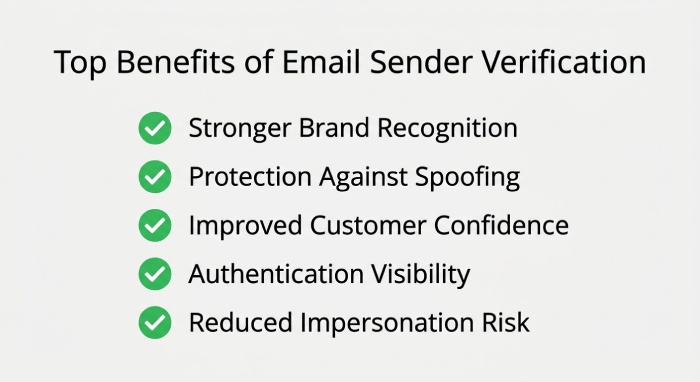
- Stronger Brand Recognition: A familiar logo or an official verification mark can facilitate the identification of authentic communications within a busy inbox.
- Better Protection Against Spoofing: SPF, DKIM, and DMARC enhance security by obstructing unauthorized parties from effectively spoofing a secured domain.
- Improved Customer Confidence: Individuals who frequently receive transactional notifications, account updates, invoices, or marketing messages may find it advantageous to have more distinct sender identification.
- Better Email Authentication Visibility: Verification promotes the upkeep of DNS records and authentication mechanisms essential for organizations that engage with email service providers.
- Reduced Brand Impersonation Risk: While authentication may not completely eradicate phishing, well-implemented controls can significantly complicate domain spoofing and provide mailbox providers with enhanced indicators for detecting suspicious communications.
What Businesses Need Before Seeking Sender Verification
Organizations should first establish a reliable email authentication foundation.
A practical checklist includes:
- Use a legitimate business domain.
- Configure SPF correctly.
- Enable DKIM signing for outbound email.
- Publish a DMARC record.
- Ensure SPF or DKIM authentication aligns with the visible From domain.
- Monitor DMARC reports for authentication failures.
- Maintain accurate DNS records.
- Use a BIMI-compatible logo where appropriate.
- Determine whether a VMC or other certificate is required.
- Meet the specific verification requirements of the target email provider.
Identifying all authorized platforms that send emails for the domain is equally crucial. This includes marketing tools, customer support systems, CRM applications, cloud services, and transactional email providers, all of which require proper authentication setup.
Common Problems That Can Prevent Verification
Businesses sometimes configure individual authentication technologies but still fail to achieve the expected sender-verification result.
- Incorrect SPF Records: Having numerous SPF TXT records for a single domain can lead to issues with authentication. Additionally, SPF imposes a restriction of 10 DNS lookups for each evaluation, which means that complex configurations may need to be optimized carefully.
- DKIM Configuration Errors: Failure in DKIM validation may occur due to an absent public key, an incorrect selector, or improperly configured DNS records.
- DMARC Alignment Issues: An email may successfully meet SPF or DKIM criteria yet still be deemed non-compliant with DMARC if the authenticated domain does not correctly correspond with the domain displayed in the From address.
- BIMI Configuration Problems: There may be a misconfiguration regarding the BIMI record, logo file, DNS settings, or certificate requirements.
- DNS Propagation: Changes to SPF, DKIM, DMARC, or BIMI records may not become visible everywhere immediately. DNS caching can cause temporary differences between resolvers.
General Manager
General Manager at DuoCircle. Product strategy and commercial lead across the email security portfolio.
Secure your email infrastructure
Protect, authenticate, and deliver. Contact our team to find the right solution.