Email Sign-Offs That Help Recipients Verify And Act On Business Messages

Quick Answer
Effective email sign-offs help recipients verify the sender, recognize legitimate business messages, and understand the next step. Include clear contact details, company information, and a simple call to action to make emails more trustworthy and actionable.
By: Leo Corado
A legitimate business email can look suspicious when it ends with a vague name, an unexplained request, and no reliable way to check who sent it. A polished signature will not stop spoofing, and a familiar closing cannot replace authentication. Still, the final lines of a message can reduce confusion. They tell a recipient who is speaking, what should happen next, and how to confirm a request through a known channel.
For teams that send invoices, support updates, approvals, or security notices, the closing deserves the same care as the subject line. It should be consistent enough to recognize, specific enough to be useful, and restrained enough not to bury the request under graphics and slogans.
The closing is part of the message’s evidence
Purdue University’s email etiquette guidance recommends clear subject lines and professional communication. Those principles extend to the ending. A recipient who has just read a request to approve an account change should not have to guess whether the sender is a support agent, a contractor, or a salesperson. A name, role, organization, and appropriate contact path can make the message easier to evaluate.
This does not mean loading every email with a full directory entry. The right details depend on context. A routine internal note may need only a name and team. An external support email may need a ticket number and a link to the official help center. A financial request should make independent verification easy, especially when the requested action is unusual.
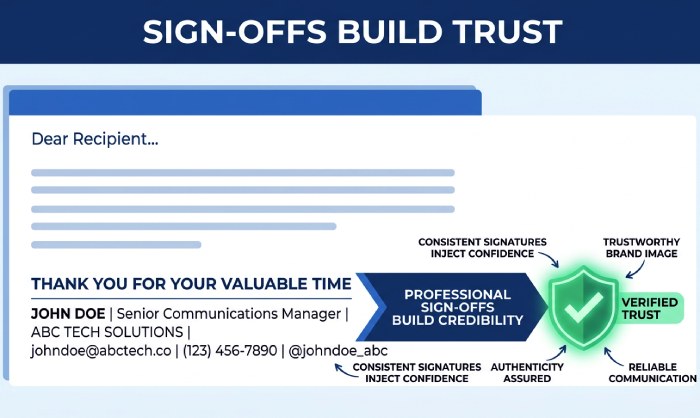
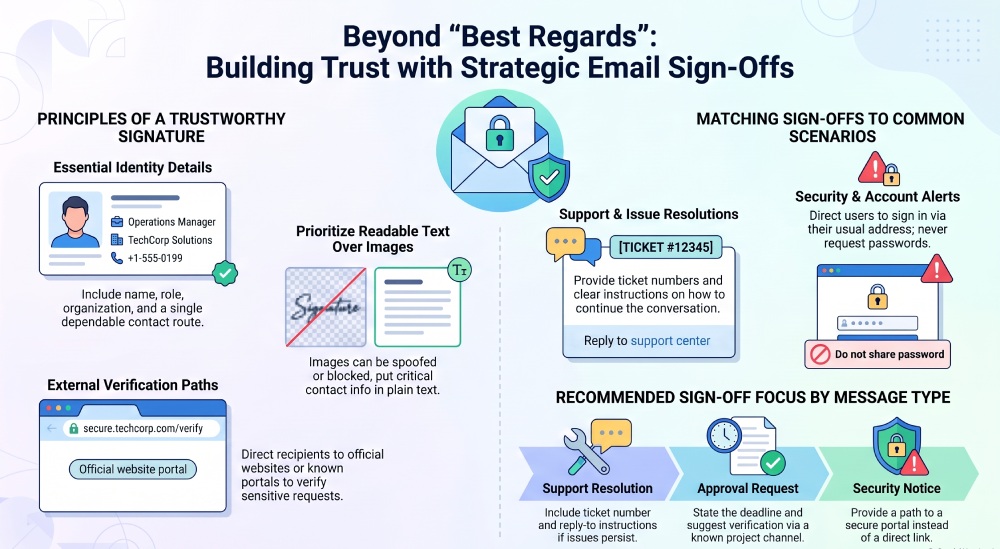
Avoid treating a signature image as proof of identity. Images can be copied, and some clients block them. Put essential details in readable text. If a recipient must call to verify a change, direct them to the number already published on the organization’s official site or in their existing account, not only a number inside the unexpected email.
Choose a closing that matches the action
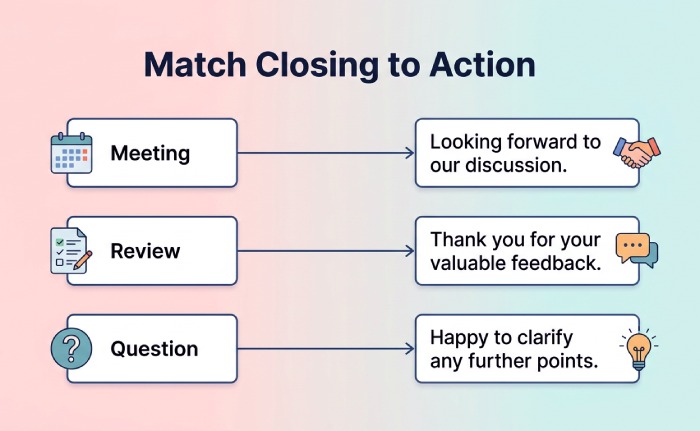
Warmth has a place in business correspondence, but it should not blur urgency or responsibility. A message that reports a resolved support issue can end with an invitation to reply if the problem returns. A message requesting a document can state the deadline and the safe upload path. A security alert should describe the next step without creating panic.
Knowing how to sign off an email is therefore less about finding a universally perfect phrase than about matching tone, identity, and next action. Best regards can suit a routine exchange. Thank you can fit a request when the recipient is free to decline. A brief closing may be better in a time-sensitive operational message. The signature then supplies the stable identity details that the phrase alone cannot.
Read the last two lines as a recipient would. Is the requested action clear? Does the sign-off imply an obligation the body never explained? Is a reply appropriate, or should the person use a secure portal? A good closing gives the reader a sensible next move rather than merely ending the text.
Separate reassurance from pressure
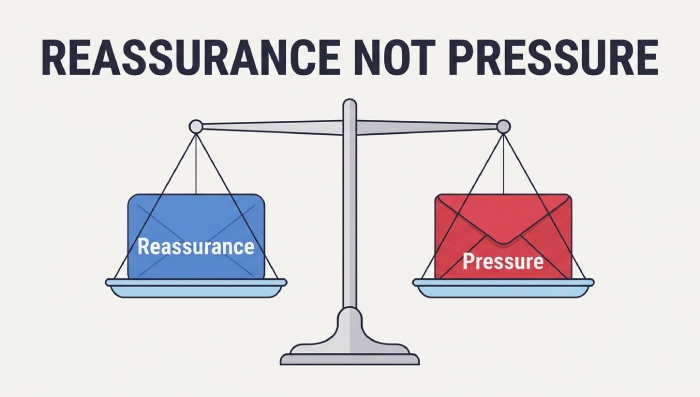
Phishing often relies on urgency, authority, or fear. The Cybersecurity and Infrastructure Security Agency’s phishing guidance encourages people to recognize suspicious requests and verify them. Businesses should not accidentally imitate the same pressure tactics in legitimate mail. A countdown, a threat of immediate closure, or a demand to use a new link can make a valid message harder to trust.
When an action is genuinely time-sensitive, explain why in plain language and provide a route to verify the request. For example, a notice about a scheduled service interruption can state the affected service, the planned window, and where status updates will appear. A recipient should not need to choose between ignoring a possible scam and obeying an unexplained command.
Keep the organization’s voice calm. Excessive exclamation marks and overfamiliar greetings can be as distracting as bureaucratic language. A security-sensitive message is strongest when it states what happened, what the recipient needs to do, and what the organization will do next.
Make signatures readable and maintainable
A signature should work in plain text, on a phone, and with images blocked. Use a straightforward hierarchy: name, role or team, organization, and one dependable contact route. Add a physical address or required legal information where the message type and rules call for it. Avoid multiple phone numbers, decorative quotations, and social icons that compete with the action in the email.
Maintain signatures centrally when possible. Staff changes, office moves, and rebrands can leave old details in individual email clients. Give someone responsibility for reviewing the standard, and tell employees which fields they may personalize. A consistent signature is a small operational control, not a marketing banner.
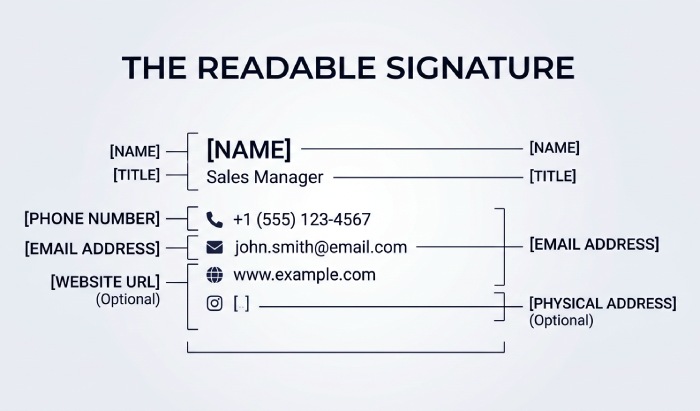
Consider accessibility. A logo with no text alternative cannot carry essential contact information. A row of tiny icons may be difficult to use on a phone or with a screen reader. Put the necessary words in the message itself, and use descriptive link labels. Clarity helps everyone, including a person who is scanning a crowded inbox between tasks.
Use examples for three common situations
For a support resolution, the ending might say: If the issue returns, reply to this message and include the ticket number below. Then provide the agent’s name and support team. This tells the customer how to continue the same conversation without hunting for a new address.
For an approval request, the ending might say: Please review the attached draft by Thursday. If you did not expect this request, contact me through our usual project channel. The second sentence gives a verification path without making the recipient feel foolish for checking.
For a security notice, the ending might say: You can view the alert by signing in through the address you normally use. Our team will never ask for your password by email. This is more useful than a dramatic warning followed by a button that asks for credentials. The signature should point to an established support channel.
Review the whole system, not just the phrase
The closing is one part of trustworthy email. Domain authentication, access controls, and staff training remain essential. A clear signature can help a person judge a message, but it cannot prove that the sender is legitimate. Encourage recipients to verify unusual requests through a separate, known route even when a message appears to come from a familiar colleague.
Audit sample messages from different teams. Look at the sender name, subject, body, closing, and links together. A support note that ends well but uses a misleading subject still creates confusion. A security notice that includes a safe verification path but arrives from an unfamiliar domain may still be ignored. The experience must be coherent from top to bottom.
There is also a difference between a personal closing and an automated footer. Transactional systems may insert a standard block after a message written by a person. If the block contains a no-reply address while the writer invites a response, the customer receives mixed instructions. Review templates for that conflict. A customer should know whether replying will reach the person who handled the case or disappear into an unattended mailbox.
For a remote team, time zones can matter more than a street address in an everyday exchange. A signature that states normal support hours and a reliable escalation route may prevent unnecessary frustration. It should not promise instant help if no one is available. When a message crosses borders, avoid unexplained local abbreviations and write dates unambiguously in the body. The closing can reinforce the route to help without trying to carry every operational detail.
Staff should be trained to challenge unexpected requests even when the signature looks familiar. A manager’s name and title can be copied from a public website. If a message changes bank details, asks for credentials, or requests sensitive data, the recipient should use a previously known contact method. The organization can make this easier by putting the verification procedure in its normal workflow and by welcoming a cautious check rather than treating it as delay.
Review forwarding behavior too. A long signature copied into every reply can hide the latest instruction below pages of old logos and disclaimers. A short reply signature may be more useful than the full external version. Test how it appears in common mail clients. The goal is for the current request and the sender’s identity to remain easy to find, even in a long thread.
Finally, treat changes to signature templates like other communication changes. When a support number or official domain changes, update the public site and internal templates together. Tell staff how customers can verify the transition. An unexplained new link in an otherwise familiar message can look suspicious precisely because people have learned to be careful. Consistency across known channels earns more trust than a polished footer alone.
A useful last impression
A sign-off should leave the recipient with less uncertainty than they had at the start. It identifies the person or team, clarifies the next step, and makes verification possible when the request is sensitive. Those are modest goals, but in business email they are more valuable than a clever closing line.
General Manager
General Manager at DuoCircle. Product strategy and commercial lead across the email security portfolio.
Secure your email infrastructure
Protect, authenticate, and deliver. Contact our team to find the right solution.