How To Automate SPF Record Update Using Google Cloud DNS API

Quick Answer
Automating SPF record updates using the Google Cloud DNS API helps maintain accurate email authentication records, reduce manual errors, and simplify DNS management. Learn how to securely update SPF records, manage DNS changes, and improve email deliverability through automation.
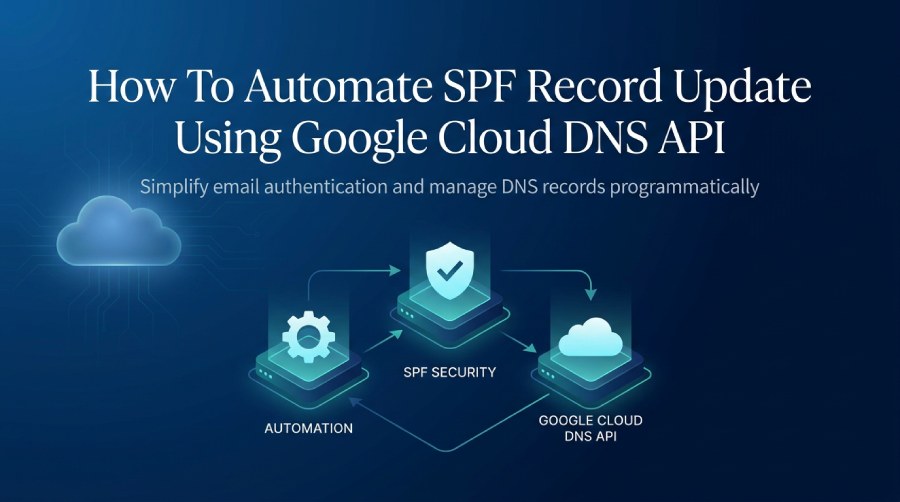
Managing SPF records is essential for email authentication and domain reputation. Organizations that use multiple email providers, marketing platforms, or transactional email systems often need to update records to authorize new sending sources. Making those changes manually can take time and lead to configuration errors, particularly across multiple domains. With the Google Cloud DNS API, administrators can manage DNS records programmatically. Integrating the API into scripts, applications, or automated workflows can simplify SPF updates, reduce manual work, and help maintain reliable email authentication.
What Is an SPF Record and Why Does It Need Regular Updates?
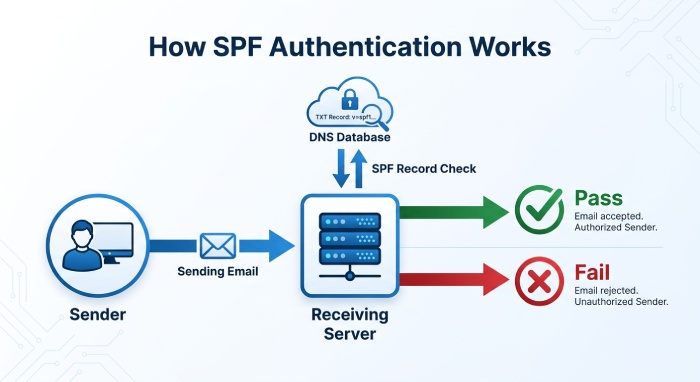
An SPF record is a DNS TXT record that lists the mail servers and IP addresses authorized to send email for a domain. Receiving mail servers check it to see whether an incoming message comes from an approved source.
SPF records use mechanisms such as ip4, ip6, include, a, and mx to specify permitted sending infrastructure. For example, an organization using Google Workspace and an external email marketing provider may need to authorize both in its SPF record.
However, SPF records require updates whenever an organization changes its email infrastructure. Common situations include:
- Adding a new email service provider or transactional email platform.
- Changing outbound mail server IP addresses.
- Migrating email services to another hosting environment.
- Removing discontinued third-party email services.
- Updating authorized sending sources after infrastructure changes.
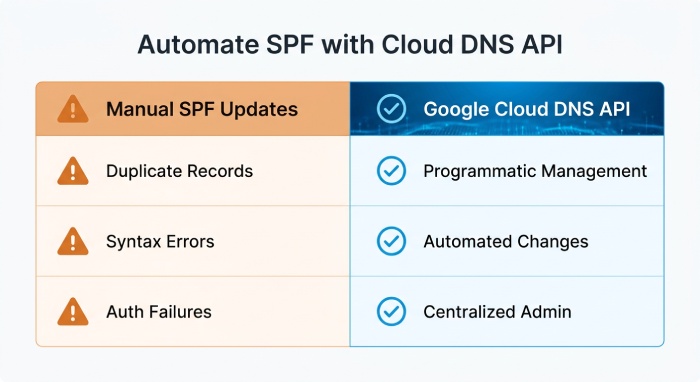
If DNS doesn’t reflect these changes, legitimate emails may fail SPF authentication. Manual updates can also lead to duplicate SPF records, syntax errors, and too many DNS lookups. Automating SPF updates with the Google Cloud DNS API helps administrators manage changes more efficiently.
What Is Google Cloud DNS API?
The Google Cloud DNS API is a REST API for managing DNS zones and resource record sets programmatically. Developers and system administrators can use it to create, retrieve, update, and delete DNS records, and integrate DNS management with applications, deployment pipelines, and infrastructure automation. For SPF management, authorized applications can retrieve a TXT record, update its SPF value, and submit the revised record to a Google Cloud DNS managed zone.
Some important capabilities include:
- Programmatic DNS management: Create and update DNS records without manually accessing the Google Cloud Console.
- Automated record changes: Integrate SPF updates into scripts and infrastructure workflows.
- Centralized administration: Manage DNS records across supported managed zones.
- Transactional updates: Apply multiple DNS record changes together through the Cloud DNS Changes API.
- Access control: Use Google Cloud Identity and Access Management (IAM) to control which applications can modify DNS records.
These capabilities make Google Cloud DNS API useful for organizations that want to automate routine email authentication maintenance.
Prerequisites for Automating SPF Record Updates
Prepare your Google Cloud environment and verify your existing SPF configuration before implementing automation.
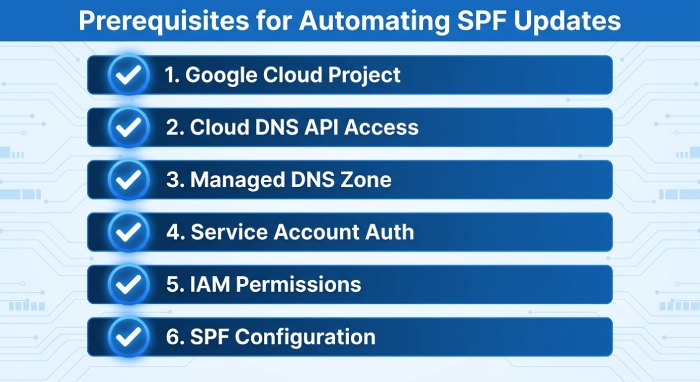
The following requirements are important:
- Google Cloud Project: Create or select a Google Cloud project containing the managed DNS zone associated with the domain.
- Cloud DNS API Access: Enable the Cloud DNS API for the project. This allows applications to communicate with Google Cloud DNS through supported API endpoints.
- Managed DNS Zone: Ensure that the domain has an existing public managed zone in Google Cloud DNS. The SPF TXT record must belong to the appropriate zone.
- Service Account Authentication: Create a dedicated service account for the automation process, and use Application Default Credentials or another supported Google authentication method instead of embedding credentials in scripts.
- IAM Permissions: Grant the service account the dns.resourceRecordSets.list permission to retrieve existing DNS records and dns.changes.create to submit DNS changes. The automation workflow may require additional permissions, depending on the operations it performs. Follow the principle of least privilege when assigning IAM permissions.
dns.resourceRecordSets.update.Google Cloud provides DNS-specific IAM roles, including DNS Administrator and DNS Editor. Administrators should select the least-privileged option suitable for their workflow. - SPF Configuration: Review the existing SPF record, identify which sending services need authorization, and validate the proposed SPF value before the automation publishes it.
Steps to Automate SPF Record Updates Using Google Cloud DNS API
Once the required permissions and DNS resources are configured, administrators can build an automation workflow to update SPF records.
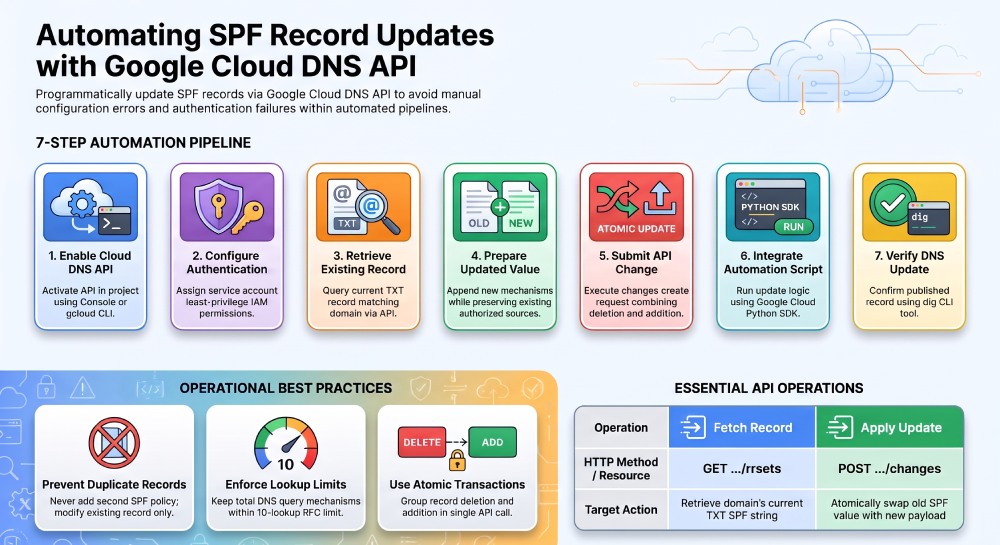
Step 1: Enable Google Cloud DNS API
First, enable the Cloud DNS API in your Google Cloud project. In the Google Cloud Console, open the API Library, search for Cloud DNS API, and enable it.
Alternatively, use the Google Cloud CLI:
gcloud services enable dns.googleapis.comAfter enabling the API (Application Programming Interface), verify that the project contains the correct managed DNS zone.
Step 2: Configure Service Account Authentication
Create a dedicated service account for DNS automation and grant it the required IAM permissions. For local development, authenticate with Google Cloud Application Default Credentials (ADC).
gcloud auth application-default loginFor production workloads, use an attached service account or Workload Identity Federation where appropriate. Keep service account keys out of source code and configuration files. Secure authentication helps ensure that only authorized automation processes can modify DNS records.
Step 3: Retrieve the Existing SPF Record
Before making any changes, retrieve the current TXT record for the domain. The Cloud DNS API provides a resource record listing endpoint:
GET https://dns.googleapis.com/dns/v1/projects/PROJECT_ID/managedZones/MANAGED_ZONE/rrsetsThe application should find the TXT record whose name matches the domain, such as example.com. A typical SPF record may look like this:
v=spf1 include:_spf.google.com include:mail.example.net ~allRetrieving the existing record is important because administrators should modify the current SPF configuration rather than create another SPF record.
Step 4: Prepare the Updated SPF Value
Identify which sending services should be added or removed. For example, if an organization adopts a new marketing email provider, it may need to add that provider’s SPF authorization mechanism.
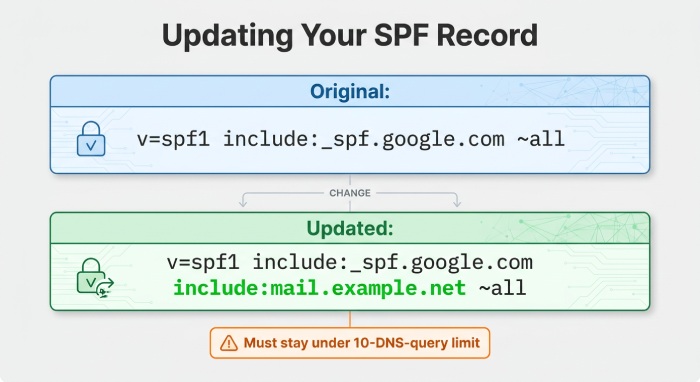
The original record could be:
v=spf1 include:_spf.google.com ~allThe updated record could be:
v=spf1 include:_spf.google.com include:mail.example.net ~allBuild the new value while preserving existing authorized sources. Before publishing, check the record for duplicate mechanisms, syntax errors, and compliance with SPF’s 10-DNS-query-term limit during evaluation, as specified in RFC 7208.
Step 5: Update the SPF TXT Record Through the API
Google Cloud DNS supports the changes.create method for applying DNS record modifications. The API endpoint is:
POST https://dns.googleapis.com/dns/v1/projects/PROJECT_ID/managedZones/MANAGED_ZONE/changesA request body for replacing an existing SPF record can look like this:
{
  "deletions": [
    {
      "name": "example.com.",
      "type": "TXT",
      "ttl": 3600,
      "rrdatas": [
        "\"v=spf1 include:_spf.google.com ~all\""
      ]
    }
  ],
  "additions": [
    {
      "name": "example.com.",
      "type": "TXT",
      "ttl": 3600,
      "rrdatas": [
        "\"v=spf1 include:_spf.google.com include:mail.example.net ~all\""
      ]
    }
  ]
}
The deletion specifies the existing DNS resource record set, and the addition provides the replacement SPF TXT record with its updated value.
Google Cloud DNS handles both operations in one change request. The deletion must match the existing record set’s name, type, Time to live (TTL), and complete RDATA values. Submitting the changes together helps avoid an intermediate state where the existing SPF record is removed before its replacement is added.
Before submitting, verify that the automation preserves unrelated TXT records and does not create multiple SPF policies for the domain.
Step 6: Integrate the API With an Automation Script
Administrators can use Python to connect the SPF update process to Google Cloud DNS. The example below shows the basic approach with the Google Cloud DNS Python client library:
from google.cloud import dns

project_id = "PROJECT_ID"
zone_name = "MANAGED_ZONE"
domain = "example.com."

client = dns.Client(project=project_id)
zone = client.zone(zone_name)

records = list(
    zone.list_resource_record_sets(
        record_type="TXT",
        name=domain
    )
)

spf_record = next(
    (
        record for record in records
        if any(
            value.startswith("v=spf1")
            for value in record.rrdatas
        )
    ),
    None
)

if spf_record is None:
    raise ValueError("Existing SPF record not found")

old_values = list(spf_record.rrdatas)

new_spf = (
    "v=spf1 include:_spf.google.com "
    "include:mail.example.net ~all"
)

new_values = [
    new_spf if value.startswith("v=spf1") else value
    for value in old_values
]

if old_values == new_values:
    print("SPF record is already up to date")
else:
    changes = zone.changes()
    changes.delete_record_set(spf_record)

    replacement = zone.resource_record_set(
        domain,
        "TXT",
        spf_record.ttl,
        new_values
    )

    changes.add_record_set(replacement)
    changes.create()

    print("SPF update submitted successfully")
Install the required Python library using:
pip install google-cloud-dnsThis example assumes the domain has one existing SPF record and that the replacement value has been validated. In production, also check for concurrent changes, API errors, and SPF syntax.
Step 7: Verify the Updated SPF Record
After submitting the API request, confirm that Google Cloud DNS accepted the change. Check the updated record through the API or with command-line tools.
dig TXT example.comConfirm that the returned SPF value matches the intended configuration and that the record contains only one policy beginning with v=spf1. DNS caching and TTL settings can delay when external resolvers see updates, so a successful API submission does not mean every receiving mail server will see the change immediately.
Best Practices for Automating SPF Record Management
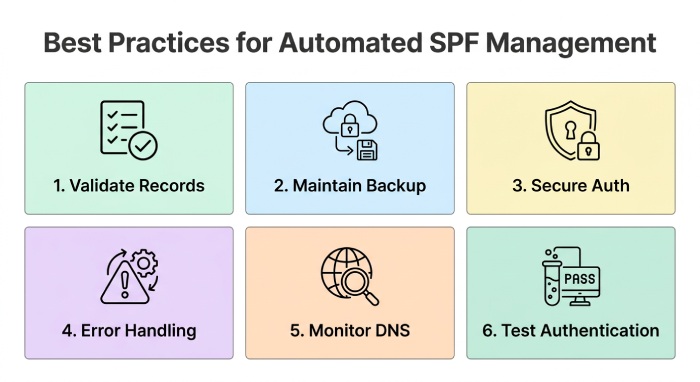
Automating DNS changes requires careful planning to prevent email authentication failures. Organizations should follow these practices:
- Validate SPF Records Before Publishing: Review every proposed SPF update for syntax errors, duplicate records, and excessive DNS lookups, ensuring DNS-querying mechanisms and modifiers stay within RFC 7208’s limit.
- Maintain a Backup of Previous Records: Save the current SPF configuration before making changes so you can refer to it when troubleshooting or roll back if email delivery is affected.
- Use Secure API Authentication: Use dedicated service accounts with least-privilege IAM permissions, manage credentials securely, and never expose authentication tokens or service account keys.
- Implement Error Handling: Automation scripts should handle authentication failures, missing records, permission errors, and API request failures, and log every attempted update along with its result.
- Monitor DNS Changes: Review SPF records regularly to ensure authorized sending services are still accurate. Remove obsolete mechanisms only after confirming the associated services no longer send email.
- Test Email Authentication: After significant SPF changes, send test messages and review their headers to confirm SPF passes and DMARC alignment remains correct.
Common Challenges When Automating SPF Updates
Although Google Cloud DNS API simplifies DNS administration, some challenges require attention.
- Duplicate SPF records: Creating a second SPF TXT policy can cause SPF PermError. Automation should always identify and update the existing policy.
- DNS lookup limitations: Adding too many third-party include mechanisms can exceed the 10-lookup limit.
- Authentication failures: Incorrect service account permissions can prevent DNS changes from being submitted.
- Propagation delays: Cached DNS responses may temporarily display the previous SPF configuration.
- Incorrect record replacement: Removing unrelated TXT values can affect domain verification and other email authentication services.
Implementing validation, logging, and rollback procedures helps reduce these risks.
 Automating SPF record updates through the Google Cloud DNS API can simplify DNS administration and help keep email authentication settings accurate. With service account authentication, automated SPF validation, API-based DNS changes, and regular monitoring, administrators can reduce manual tasks and respond more efficiently to changes in email infrastructure.
Automation still needs safeguards to prevent duplicate SPF records, excessive DNS lookups, and unintended DNS changes. A carefully designed workflow helps organizations maintain reliable SPF configurations, support email deliverability, and strengthen email security.
General Manager
General Manager at DuoCircle. Product strategy and commercial lead across the email security portfolio.
Secure your email infrastructure
Protect, authenticate, and deliver. Contact our team to find the right solution.