How to Configure DKIM for Squarespace to Improve Email Security and Deliverability

Quick Answer
To configure DKIM for Squarespace, add the DKIM DNS record provided by your email service to your domain's DNS settings, then verify the record after propagation. DKIM helps prevent email spoofing, improves deliverability, and supports SPF and DMARC authentication.
Email authentication is essential for protecting your domain reputation and ensuring your messages reach recipients’ inboxes. One of the most important email authentication protocols is DomainKeys Identified Mail (DKIM), which helps verify that outgoing messages are legitimate and have not been altered during transmission.
If your domain is hosted on Squarespace or you use Squarespace-powered email services, properly configuring DKIM can strengthen your email security posture, improve deliverability, and support compliance with modern email authentication requirements.
What Is DKIM?
DKIM (DomainKeys Identified Mail) is an email authentication standard that uses cryptographic signatures to verify the authenticity of email messages.
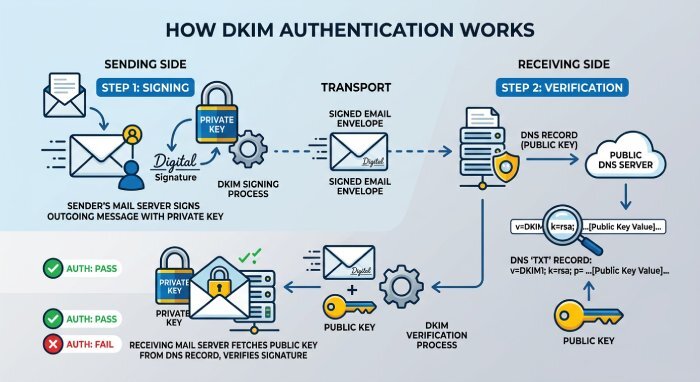
When an email is sent, the sending mail server attaches a digital signature using a private key. The corresponding public key is published in your domain’s DNS records. Receiving mail servers use this public key to validate the signature and confirm that the message originated from an authorized sender and was not modified during transit.
Why DKIM Matters for Squarespace Domains
Organizations using Squarespace often send emails for customer communications, newsletters, marketing campaigns, and transactional notifications. Without proper authentication, these emails may be vulnerable to spoofing attempts or delivery issues.
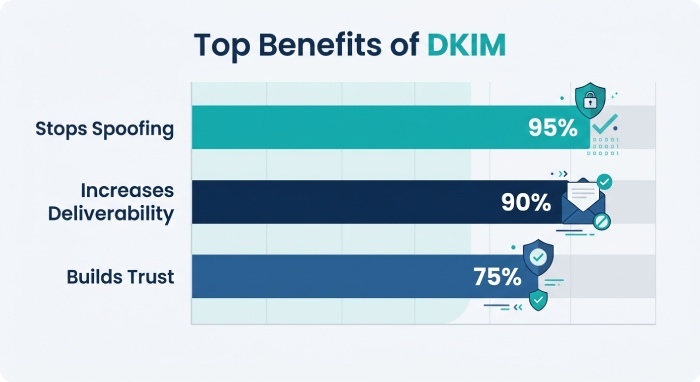
Implementing DKIM provides several benefits:
Protects Against Domain Spoofing
DKIM helps prevent cybercriminals from sending fraudulent emails that appear to originate from your domain.
- Improves Email Deliverability: Mailbox providers are more likely to trust and deliver authenticated messages to the inbox rather than the spam folder.
- Preserves Message Integrity: DKIM verifies that email content remains unchanged during transmission.
- Supports DMARC Compliance: DMARC relies on DKIM and SPF authentication to help domain owners enforce email security policies.
- Enhances Domain Reputation: Consistent DKIM authentication helps build trust with major mailbox providers such as Gmail, Outlook, and Yahoo.
Understanding DKIM Components
A DKIM implementation consists of two key components:
- Public Key: Published as a DNS record and accessible to receiving mail servers for verification purposes.
- Private Key: Securely stored by the email service provider and used to generate digital signatures for outgoing messages.
Together, these keys create a trusted authentication mechanism that validates legitimate email traffic.
How to Configure DKIM for Squarespace
Before proceeding, ensure you have access to your DNS management console and any DKIM information provided by Squarespace or your email service provider.
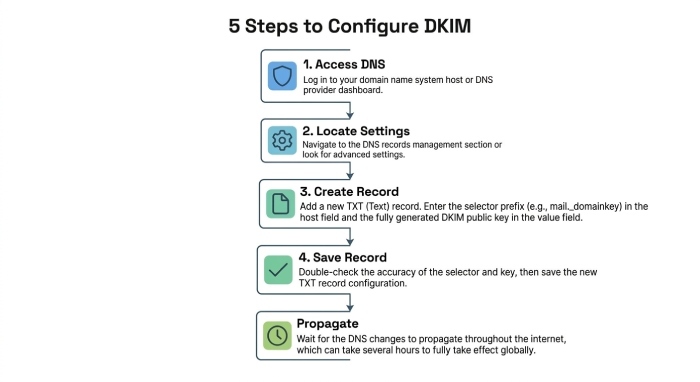
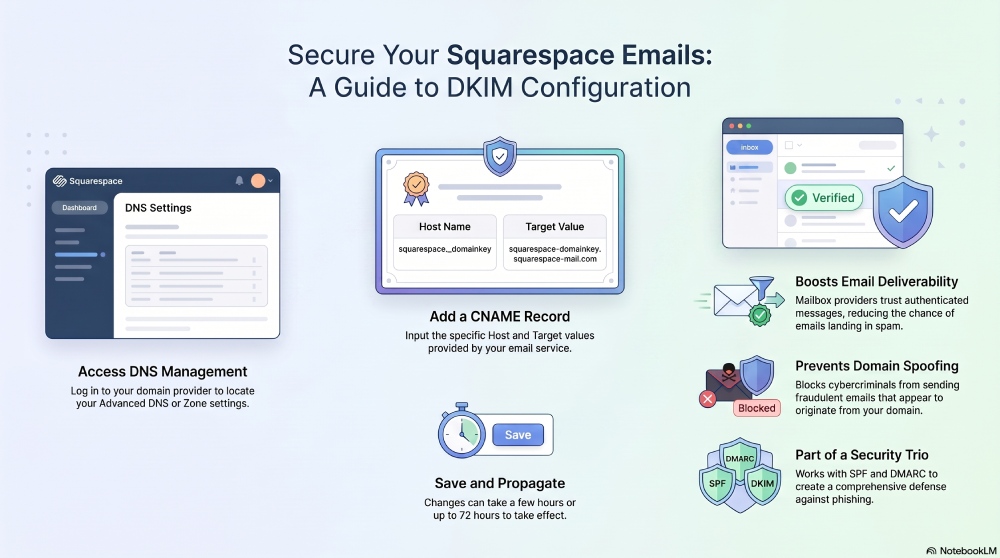
Step 1: Access Your DNS Settings
Log in to the platform that manages your domain’s DNS records. This may be Squarespace or a third-party DNS provider.
Step 2: Locate DNS Management
Navigate to the DNS settings area, which may appear as:
- DNS Records
- DNS Management
- Advanced DNS Settings
- Zone Editor
Step 3: Create the DKIM Record
Add the DKIM record using the values provided by your email service.
Example:
Record Type: CNAME
Host Name: squarespace._domainkey
Target Value: squarespace-domainkey.squarespace-mail.com
Your actual DKIM values may vary depending on the email platform you use.
Step 4: Save the Record
Verify the information and save your DNS changes.
Step 5: Wait for DNS Propagation
DNS updates typically propagate within a few hours but may take up to 72 hours in some cases.
How to Verify Your DKIM Configuration
After DNS propagation is complete, verify that the DKIM record is properly published and accessible.
Verification helps ensure:
- The DNS record is correctly configured.
- Email signatures are being validated successfully.
- Receiving mail servers can authenticate your messages.
Regular DKIM monitoring can help identify authentication issues before they impact email deliverability.
Common DKIM Configuration Mistakes
Even minor configuration errors can cause authentication failures.
- Common issues include:
- Incorrect selector names
- Missing DNS records
- Typographical errors in DNS values
- Incomplete DNS propagation
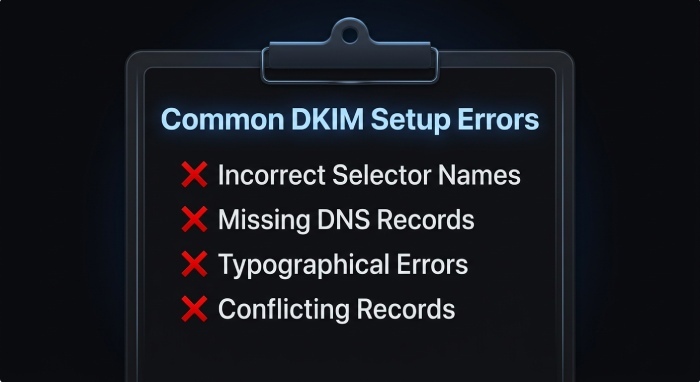
Multiple conflicting DKIM records
Reviewing your DNS configuration carefully can help avoid these problems.
DKIM Alone Is Not Enough
While DKIM is a critical component of email security, it should not be implemented in isolation.
For maximum protection, organizations should deploy:
- SPF (Sender Policy Framework):SPF identifies which servers are authorized to send email on behalf of your domain.
- DMARC (Domain-based Message Authentication, Reporting, and Conformance): DMARC builds on SPF and DKIM to enforce authentication policies and provide visibility into unauthorized email activity.
Together, SPF, DKIM, and DMARC form a comprehensive email authentication framework that significantly reduces the risk of phishing and domain impersonation attacks.
Strengthen Your Email Authentication Strategy
As email threats continue to evolve, organizations must adopt layered authentication controls to protect their domains and maintain strong sender reputations.
Properly configuring DKIM for Squarespace is an important first step, but combining DKIM with SPF monitoring, DMARC enforcement, and ongoing email security management provides the strongest defense against spoofing and phishing attacks.
Final Thoughts
Configuring DKIM for Squarespace helps establish trust with mailbox providers, improve email deliverability, and protect your domain from abuse. By publishing the correct DNS records and validating your setup, you can strengthen your email authentication posture and support a more secure email ecosystem.
For the best results, pair DKIM with SPF and DMARC to create a comprehensive email security strategy that safeguards your domain and improves the reliability of your email communications.
General Manager
General Manager at DuoCircle. Product strategy and commercial lead across the email security portfolio.
Secure your email infrastructure
Protect, authenticate, and deliver. Contact our team to find the right solution.