How to Configure SPF for Get A Newsletter: A Complete Setup Guide

Quick Answer
To configure SPF for Get A Newsletter, add or update your domain's SPF TXT record with include:spf.gansend.com while keeping only one SPF record. Verify the configuration after DNS propagation and combine SPF with DKIM and DMARC to improve email deliverability and prevent domain spoofing.
Email authentication is essential for protecting your domains reputation and ensuring your messages reach recipients inboxes. If you use Get A Newsletter to send marketing or transactional emails, configuring Sender Policy Framework (SPF) is an important step toward preventing domain spoofing and improving email deliverability.
This guide explains how to configure an SPF record for Get A Newsletter, update an existing SPF policy correctly, verify your configuration, and follow best practices for reliable email authentication.
What Is SPF and Why Does It Matter?
SPF (Sender Policy Framework) is an email authentication protocol that allows domain owners to specify which mail servers are authorized to send emails on behalf of their domain. Receiving mail servers check your SPF record to determine whether an incoming message originates from an approved source.
A properly configured SPF record helps:
- Improve email deliverability
- Reduce the risk of email spoofing
- Support DMARC authentication
- Protect your domains reputation
- Increase the likelihood that legitimate emails reach recipients inboxes
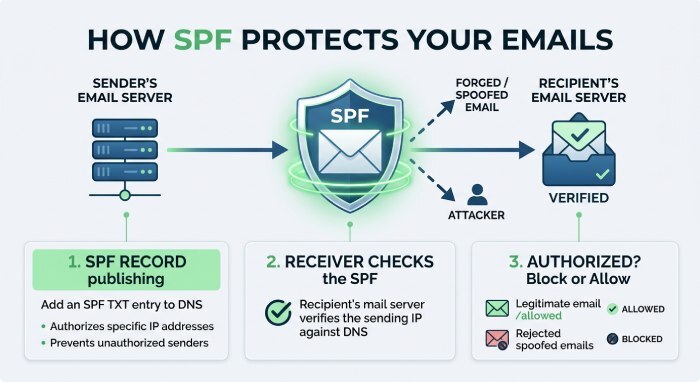
How to Configure SPF for Get A Newsletter
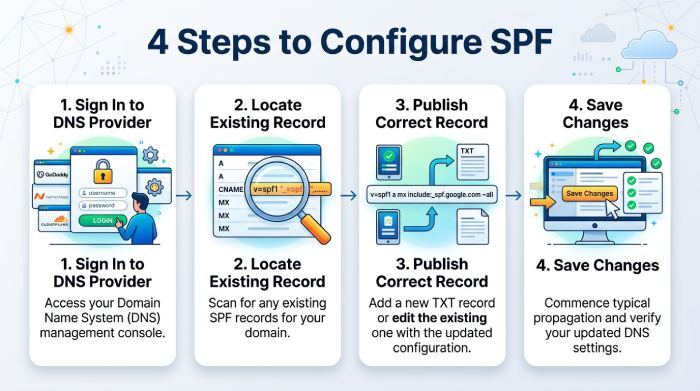
Follow these steps to authorize Get A Newsletter to send emails for your domain.
Step 1: Sign In to Your DNS Provider
Log in to the DNS management portal where your domains DNS records are hosted. This may be your domain registrar or DNS hosting provider.
Step 2: Locate Your Existing SPF Record
Look for an existing TXT record that begins with:
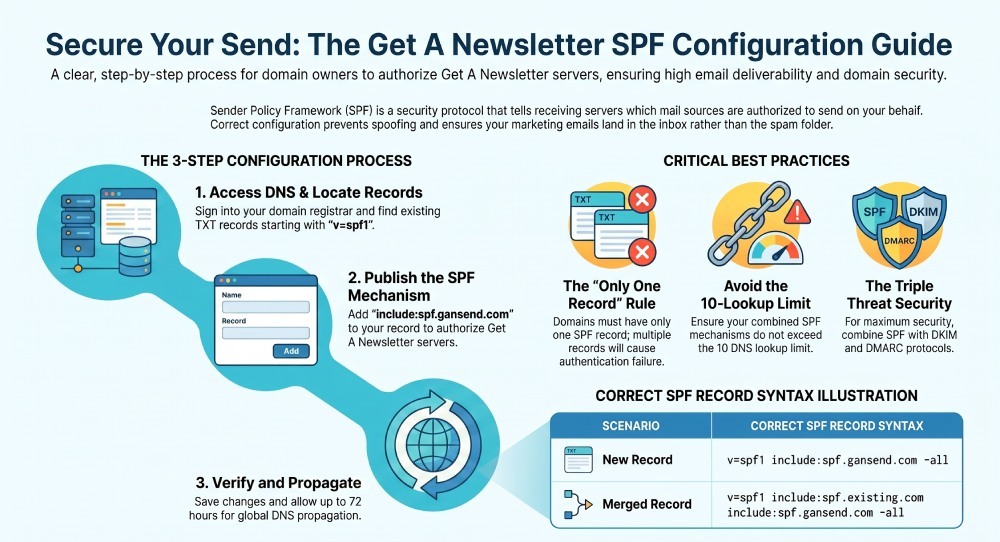
v=spf1If no SPF record exists, you will create a new TXT record.
Step 3: Publish the Correct SPF Record
If Get A Newsletter is your only email-sending service, publish the following SPF record:
v=spf1 include:spf.gansend.com -allThis authorizes Get A Newsletters mail servers to send email on behalf of your domain.
Step 4: Save Your DNS Changes
Save the updated DNS record. Your changes will begin propagating across DNS servers after publication.
Updating an Existing SPF Record
A domain must have only one SPF record. Creating multiple SPF TXT records can cause SPF validation to fail.
For example:
- Existing SPF record
v=spf1 include:spf.domain.com -all- Updated SPF record
v=spf1 include:spf.domain.com include:spf.gansend.com -allThis configuration authorizes both your existing email service and Get A Newsletter.
Allow Time for DNS Propagation
DNS updates are not always immediate. Depending on your DNS provider and record TTL, changes may take several hours to propagate globally. While many updates appear sooner, allow up to 72 hours before assuming the configuration is complete.
Verify Your SPF Record
After DNS propagation, verify that your SPF record is published correctly using an SPF lookup or validation tool.
Check that:
- Only one SPF record exists.
- The include:spf.gansend.com mechanism appears correctly.
- There are no syntax errors.
- The SPF policy returns a valid result.
Verifying your record before sending campaigns helps identify configuration issues that could affect email authentication or delivery.
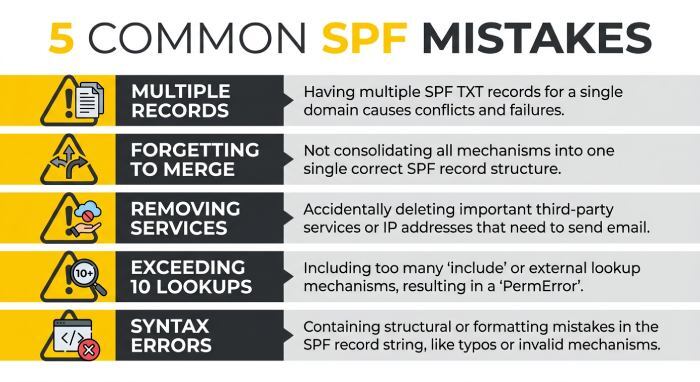
Common SPF Configuration Mistakes
Avoid these common errors when configuring SPF for Get A Newsletter:
- Publishing multiple SPF TXT records for the same domain.
- Forgetting to merge existing SPF policies.
- Removing other authorized email services from the record.
- Exceeding the SPF limit of 10 DNS lookups.
- Using incorrect SPF syntax.
Correcting these issues helps prevent SPF failures and improves email reliability.
Strengthen Your Email Authentication
Although SPF is an essential security measure, it works best alongside DKIM and DMARC. Together, these authentication standards help verify message authenticity, improve inbox placement, and provide stronger protection against phishing and domain impersonation.
Organizations that send important marketing or business emails should implement all three authentication protocols for comprehensive email security.
Final Thoughts
Configuring SPF for Get A Newsletter is a simple but important step in protecting your domain and improving email deliverability. By authorizing the platform within your existing SPF policy, maintaining a single valid SPF record, verifying your DNS configuration, and combining SPF with DKIM and DMARC, you can strengthen your email authentication strategy and reduce the risk of spoofing and authentication failures.
General Manager
General Manager at DuoCircle. Product strategy and commercial lead across the email security portfolio.
Secure your email infrastructure
Protect, authenticate, and deliver. Contact our team to find the right solution.