How to Fix SPF Softfail: Domain Does Not Designate IP as Permitted Sender

Quick Answer
An SPF softfail occurs when a sending IP is not authorized by the domain’s SPF record, typically with a ~all qualifier. Fix it by verifying the sending source, updating the existing SPF record, and ensuring SPF, DKIM, and DMARC are properly configured.
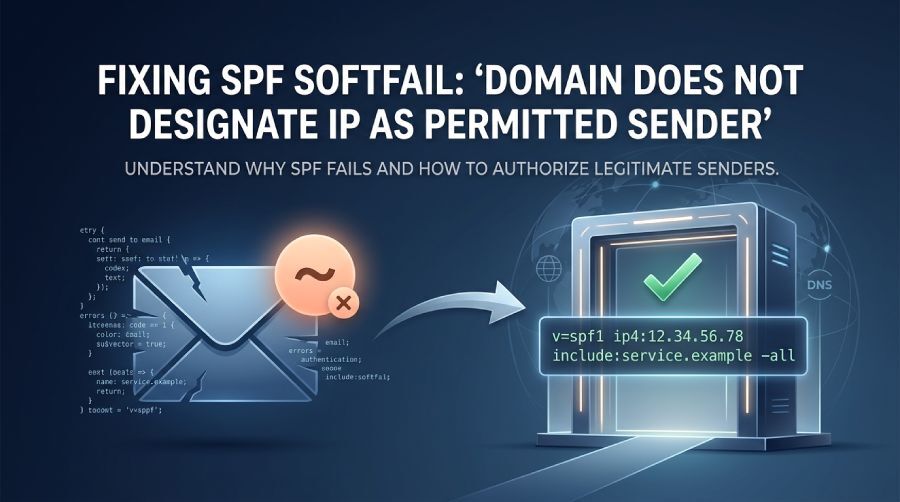
When troubleshooting email authentication, you may encounter an SPF error similar to domain does not designate IP as permitted sender. This message commonly appears when examining email headers and indicates that the server responsible for sending the message is not authorized by the sender domain’s SPF policy.
SPF, or Sender Policy Framework, allows a domain owner to publish a list of servers and services that are permitted to send email on the domain’s behalf. When a receiving mail server checks SPF, it compares the IP address of the sending server against that published policy.
If the sending IP cannot be matched to an authorized SPF mechanism, the result may be recorded as softfail.
What Does SPF Softfail Mean?
An SPF SoftFail occurs when the sending IP address does not match an authorized mechanism in the domain SPF record and the record uses the ~all qualifier. This indicates that the sender is not authorized under the SPF policy, but it does not explicitly request a hard failure.
A typical header may contain a result similar to:
Received-SPF: softfail
This generally means the message originated from an IP address that the domain SPF record does not recognize as an approved sender.
A softfail does not automatically mean that the message will be rejected. The receiving mail provider can use the SPF result together with other signals, such as DKIM, DMARC, sender reputation, message content, and authentication alignment, when deciding how to handle the email.
However, repeated SPF failures can contribute to authentication and deliverability problems.
Why Does the SPF Softfail Error Occur?
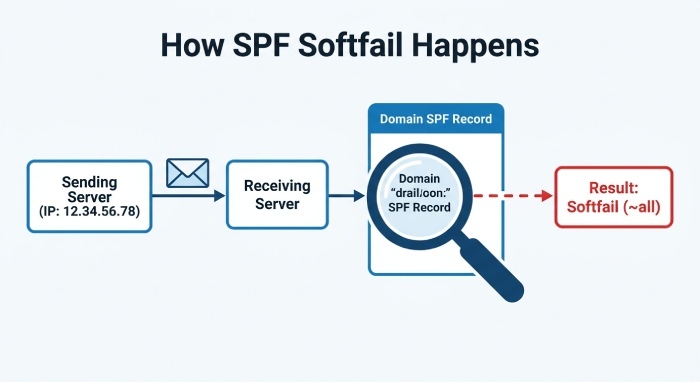
The most common reason is that the actual sending server is missing from the domain’s SPF record.
For example, suppose a company sends email from:
notifications@example.com
The message is transmitted through a mail server using the IP address:
12.34.56.78
If the SPF record for example.com does not authorize that IP address or the service responsible for sending the message, the receiving server cannot validate the sender through SPF.
This can result in an SPF softfail.
Other situations can produce the same outcome, including:
- A new email provider was added without updating SPF.
- A dedicated sending IP changed.
- A marketing platform is sending messages for the domain.
- Multiple email services are being used.
- An old SPF record no longer reflects the current mail infrastructure.
- Messages are being forwarded through another mail server.
- A third-party service was configured without adding its SPF authorization.
How to Fix Domain Does Not Designate IP as Permitted Sender
The appropriate solution is to make sure every legitimate sending source is represented in the domain’s SPF policy.
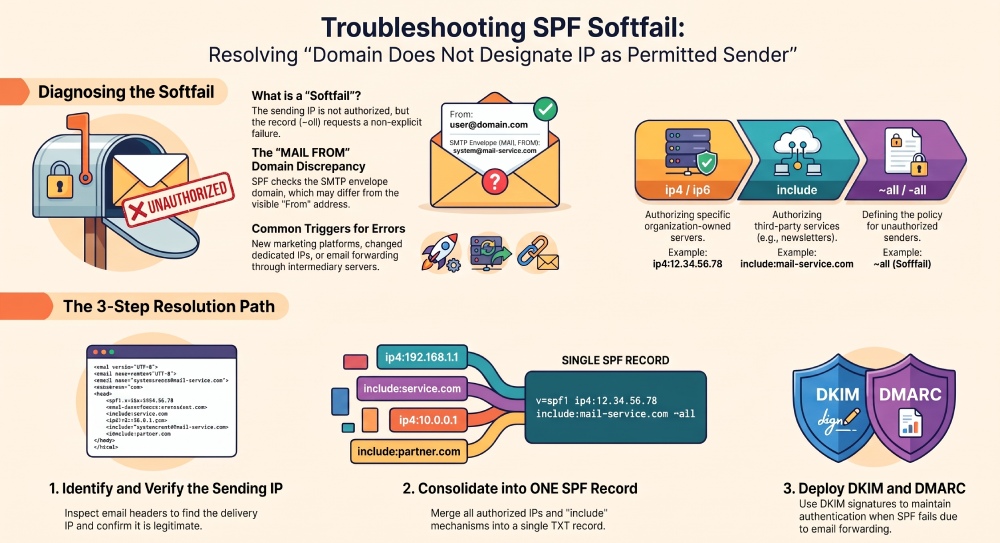
1. Identify the Actual Sending IP
Start by examining the email headers and determine which server delivered the message to the recipient.
You need to identify the IP address associated with the sending system and determine whether it belongs to your organization, your email provider, or another authorized service.
Do not add an IP address simply because it appears in a header. First confirm that the server is a legitimate source for your domain’s email.
2. Check the Existing SPF Record
Look up the SPF TXT record published for your domain.
An SPF record typically begins with:
v=spf1
It may then contain mechanisms such as:
ip4ip6includeamx
and finish with an SPF qualifier such as -all, ~all, or another policy.
For example:
v=spf1 ip4:12.34.56.78 -all
This policy authorizes the specified IPv4 address to send email for the domain.
3. Add a Legitimate Sending IP
If your organization operates its own outbound mail server, you can authorize its IP address with an ip4 or ip6 mechanism.
For example:
v=spf1 ip4:12.34.56.78 -allIf more than one authorized server needs to send mail, multiple mechanisms can be included:
v=spf1 ip4:12.34.56.78 ip4:78.56.34.12 -allThe important point is that the SPF record should represent your actual authorized sending infrastructure.
4. Authorize Third-Party Email Services
Many businesses use external platforms for newsletters, transactional messages, customer notifications, and other types of email.
In these situations, the service will generally provide an SPF authorization method, often using an include mechanism.
A simplified example could look like:
`v=spf1 include:mail-service.example -all`The exact SPF value should come from the provider you are using.
Avoid creating an SPF record based on assumptions. Adding the wrong service or incorrect IP addresses can cause legitimate messages to fail authentication.
Do Not Create Multiple SPF Records
One common mistake is publishing a separate SPF TXT record whenever another email service is introduced.
For example, a domain should not have one SPF record for its business email provider and another SPF record for its marketing platform.
Instead, authorized sending sources should normally be combined into a single SPF policy.
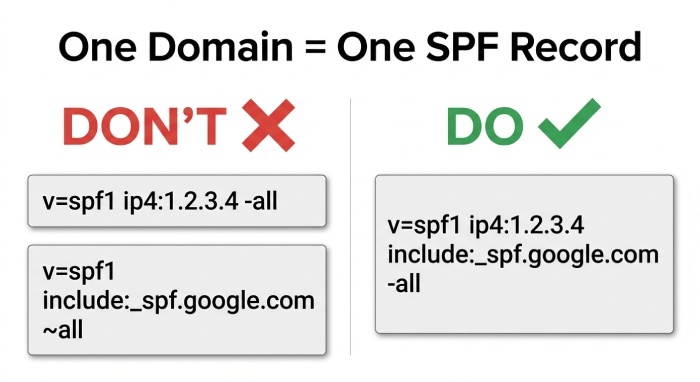
For example:
`v=spf1 ip4:12.34.56.78 include:mail-service.example -all`Publishing multiple SPF records for the same domain can cause SPF evaluation problems and prevent receivers from determining which policy should be used.
What If Your Sending IP Is Already Authorized?
If the sending IP appears to be covered by the SPF record but the message still receives a softfail result, investigate the complete mail path.
Several possibilities should be considered:
DNS Changes Have Not Propagated
If you recently modified the SPF record, some DNS resolvers may temporarily continue returning the previous version because of caching.
Allow time for DNS changes to propagate and then test the record again.
The Wrong Domain Is Being Checked
SPF evaluation is based on the domain used for the SMTP envelope sender, also called the return-path or MAIL FROM domain.
This domain can differ from the visible From address.
For example, an email may display:
From: billing@example.com
while the SMTP envelope uses another domain.
Consequently, checking the SPF record for the visible From domain alone may not reveal the policy that was actually evaluated.
The Sending Service Uses Different Infrastructure
Some providers send mail through multiple servers or dynamically assigned IP addresses.
If only one IP address was added manually, other legitimate servers used by the provider may remain unauthorized.
In such cases, using the provider’s recommended SPF authorization method is generally more appropriate than manually maintaining a changing IP list.
SPF and Email Forwarding
Forwarding is another important reason why an otherwise legitimate message can produce an SPF failure.
Consider a message that is originally sent from an authorized mail server. Instead of reaching the recipient directly, it is forwarded by another mail system.
The receiving server may evaluate the IP address of the forwarding server.
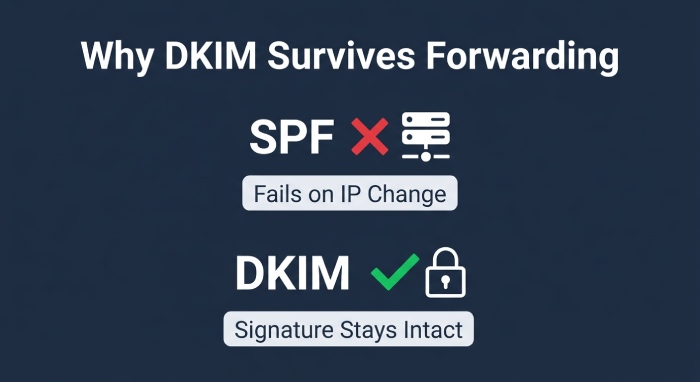
Because that forwarding server is not necessarily listed in the original sender’s SPF record, SPF authentication can fail.
This is a fundamental limitation of SPF in forwarded mail flows.
Why DKIM Helps With Forwarding
DKIM provides another layer of email authentication.
Instead of relying on the IP address of the sending server, DKIM adds a cryptographic signature to the message. The receiving system can use the sender domain’s published DKIM key to verify that the signed portions of the message have not been improperly modified.
As a result, DKIM can continue to provide authentication information in situations where SPF is affected by forwarding.
For this reason, domains that rely on SPF should also consider deploying DKIM and DMARC rather than depending on SPF alone.
Check Your Complete Email Authentication Setup
Fixing an SPF softfail is important, but SPF is only one component of a broader email security and authentication strategy.
A typical setup includes:
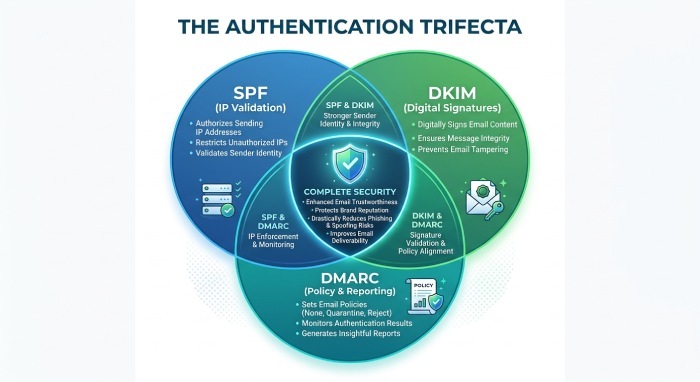
- SPF: SPF identifies the servers and services authorized to send messages for a domain.
- DKIM: DKIM uses digital signatures to help recipients verify that an authenticated domain was associated with the message and that signed content was not altered.
- DMARC: DMARC builds on SPF and DKIM by allowing domain owners to specify how authentication results should be evaluated and by providing reporting capabilities. DMARC also relies on alignment between the authenticated domain and the domain presented to the recipient.
Using these technologies together can provide stronger protection against domain spoofing and help organizations identify authentication problems.
Best Practices for Preventing SPF Softfail Errors
To reduce the likelihood of recurring SPF problems:
- Keep an inventory of email-sending services. Know which platforms are authorized to send messages for your domain.
- Maintain one SPF record per domain. Combine legitimate sending sources into the appropriate SPF policy instead of creating separate records.
- Review SPF after changing providers. Adding or removing an email platform may require an SPF update.
- Use provider-recommended SPF mechanisms. Third-party services may use changing infrastructure, making manual IP management unreliable.
- Monitor authentication results. SPF, DKIM, and DMARC results can reveal unexpected sending sources.
- Consider forwarding scenarios. SPF can be affected when messages pass through intermediary mail systems.
- Deploy DKIM alongside SPF. DKIM provides an additional authentication mechanism that is useful when SPF cannot validate the delivery path.
- Use DMARC reporting. Reports can help identify legitimate and unauthorized sources sending mail using your domain.
Final Thoughts
An SPF softfail indicating that a domain does not designate an IP as a permitted sender generally means the server delivering the message is not authorized by the domain’s SPF policy.
The first step is to identify the actual sending source and determine whether it is legitimate. If it is, update the domain’s existing SPF record with the appropriate IP address or provider authorization mechanism.
However, SPF should not be treated as the only email authentication control. Forwarding, third-party services, infrastructure changes, and differences between the visible From domain and SMTP envelope domain can all affect SPF results.
Combining correctly configured SPF, DKIM, and DMARC provides a more complete approach to email authentication and helps organizations maintain greater control over messages sent using their domains.
General Manager
General Manager at DuoCircle. Product strategy and commercial lead across the email security portfolio.
Secure your email infrastructure
Protect, authenticate, and deliver. Contact our team to find the right solution.