LinkedIn Leads Ready? Is Your Email Domain Deliverable?

Quick Answer
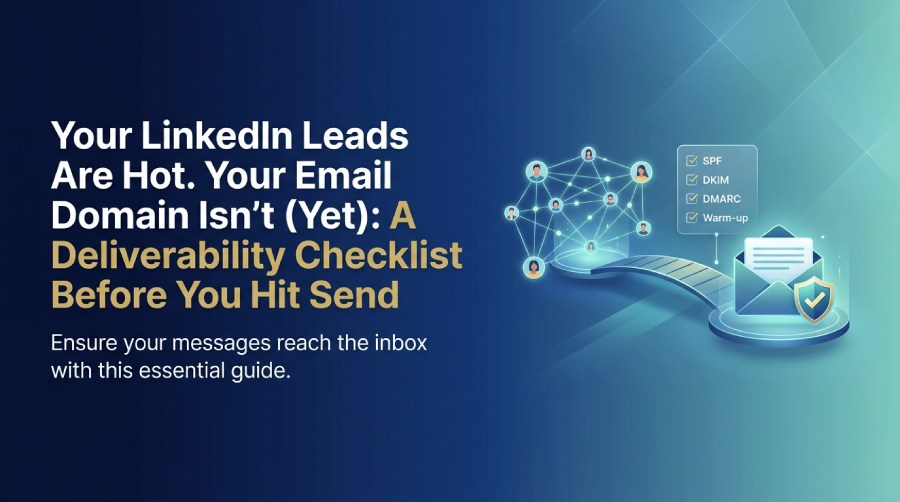
Before emailing LinkedIn leads, verify your domain's email deliverability. Configure SPF, DKIM, and DMARC, check DNS records, test inbox placement, and warm up your sending domain to improve email authentication and prevent messages from landing in spam.
Key takeaways
- LinkedIn gets you the introduction. Email carries the follow-up, but strong email security and deliverability practices ensure your messages reach the inbox.
- Authenticate your sending domain (SPF, DKIM, DMARC) before you import a single lead.
- Use a separate domain or subdomain for outreach so a bad week can’t damage your main domain.
- Warm up gradually, keep bounces and complaints low, and make unsubscribing easy.
- Treat deliverability as a monitored system, not a one-time setup.
The Handoff Nobody Plans For
Usually, those teams involved in LinkedIn lead generation are busy with comparing the software, writing connection notes, and opting for the targeting criteria. Although this work is indeed crucial, one might easily overlook the question of what happens next after the leads are received in the inbox.
The traditional workflow looks as follows. In general, the sales department reaches out to a few hundreds of leads, collects emails, and sends the emails with the help of the domain of the company. A week later, there were only a few replies received, many emails bounced back, and a considerable number of them went to the spam folder, which is harmful to the domain’s reputation.
Why LinkedIn Leads Still Need Email Hygiene
In terms of sales, having a LinkedIn contact is advantageous. However, to email providers, your first email to that connection is simply another email coming from an unknown person.
Providers like Yahoo and Gmail evaluate your email based on three criteria:
- Authentication: are they able to confirm that your email came from your domain?
- Reputation: does your IP and domain have a good reputation?
- Behavior: bounce rates, spam complaints, and responses of recipients.
Consequently, being connected on LinkedIn won’t help you with any of these factors. Additionally, in the EU and elsewhere, being connected doesn’t mean that your connection grants you permission to send marketing emails. Thus, you should verify the regulations for every specific country you plan to target.
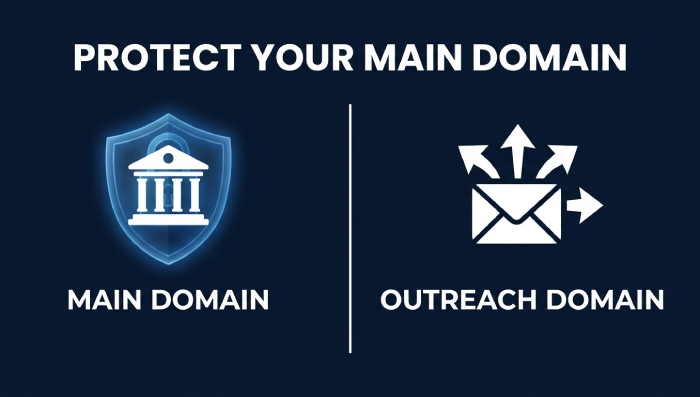
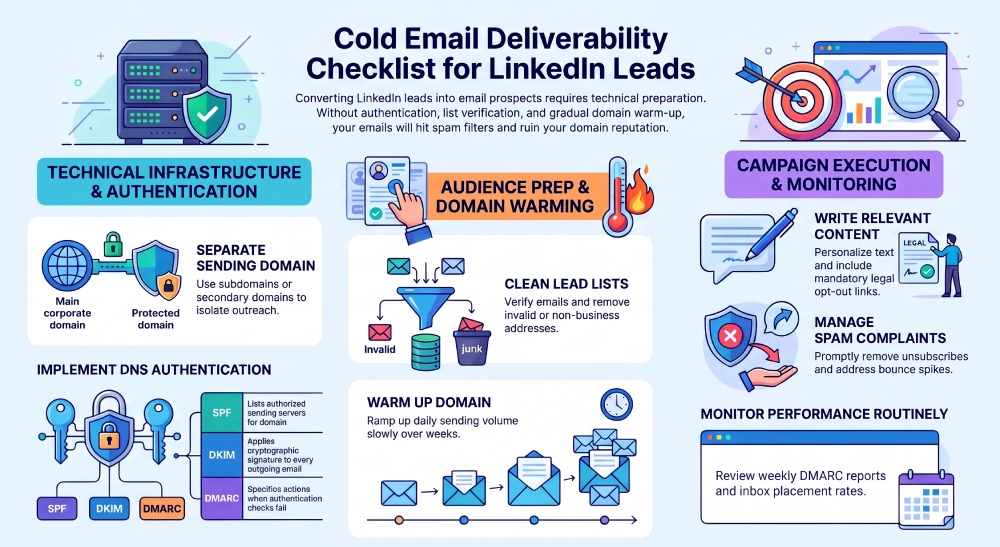
Step 1: Use a Separate Sending Domain
Do not use the domain that is used for invoices, password resets and customer support for outreach because if outreach is found out, it can cause damage.
You can use the subdomain such as mail.yourcompany.com or other domains like yourcompany-team.com.
Make sure it is an actual domain, with a working site and proper email addresses. Recipients check the domain and filter it.
Step 2: Authenticate Before You Send
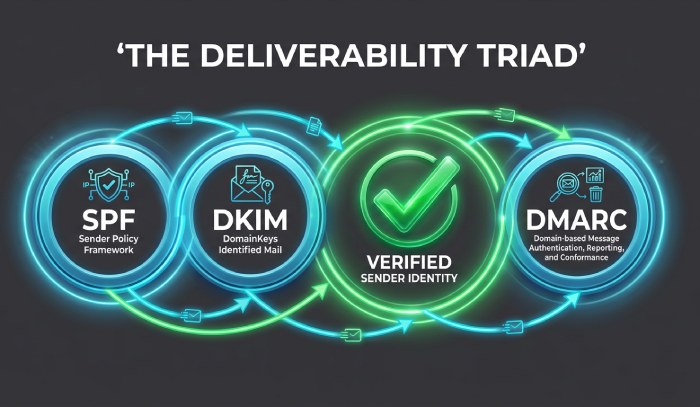
Three DNS records do most of the work.
| Record | What it does | Example (simplified) |
|---|---|---|
| SPF | Lists the servers allowed to send mail for your domain | v=spf1 include:_spf.example.com ~all |
| DKIM | Adds a cryptographic signature your sending platform applies to each message | A public key published at selector._domainkey.yourdomain.com |
| DMARC | Tells receivers what to do when SPF/DKIM checks fail, and sends you reports | v=DMARC1; p=none; rua=mailto:reports@yourdomain.com |
There are several things likely to confuse users:
- One SPF record per domain. Having multiple records creates problems with validation.
- The 10-lookup limit. SPF permits only up to 10 DNS lookups at a time. Too many entries in include: statements can push you above the limit.
- Alignment matters. In order for DMARC to be validated, the domain specified in the visible “From” address must match the domain that passed SPF or DKIM.
- Start using DMARC with p=none setting, so that you can get reports from it, and then set it to quarantine and reject once all your bona fide senders have been verified.
Now, mailbox providers require everyone to comply with these rules, with more stringent requirements imposed on high-volume senders. The present-day rules are subject to change.
Step 3: Clean the List Before You Load It
Emails pulled from profiles or enrichment tools vary in accuracy. Some addresses are outdated, some are guesses, and some are role accounts.
- Verify addresses before sending. Remove invalid and risky ones.
- Prefer business emails you can reasonably attribute to the person.
- Remove duplicates and anyone who has opted out before.
- Don’t buy lists. Purchased data is one of the fastest ways to end up in spam.
Keep hard bounces low. As a rough guide, anything above a couple of percent deserves immediate investigation.
Step 4: Warm Up the Domain
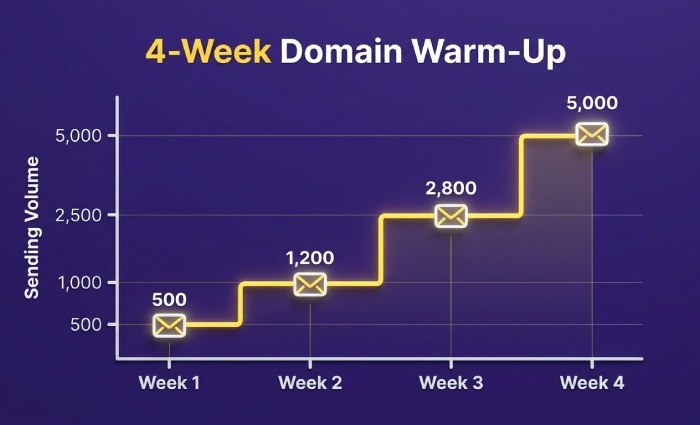
A brand-new domain sending hundreds of messages on day one looks suspicious. Ramp up slowly instead:
| Week | Approach (illustrative) |
|---|---|
| 1 | A small number of messages per mailbox, mostly to engaged contacts |
| 2 | Increase gradually if bounces and complaints stay low |
| 3–4 | Continue ramping, monitoring replies and placement |
Treat those as a pattern, not rules. Slow down if you see bounces, deferrals or falling engagement. Spread volume across several mailboxes rather than pushing one hard.
Step 5: Write Like a Human
Reputation isn’t only technical. Content and behavior matter:
- Personalize with something real, such as a role, a project or a recent post.
- Keep it short, with one clear ask.
- Reference the LinkedIn connection so the email feels like a continuation.
- Avoid spam triggers: heavy formatting, all-caps subjects, many links, and image-only messages.
- Include a clear way to opt out and your sender identity, as required by laws like CAN-SPAM in the US.
Step 6: Respect Complaints and Unsubscribes
Spam complaints cause damage at a speed that can hardly be achieved by anything else. Big providers announce the complaint rates for emails, and it is necessary to remain well below those rates if it is desirable to avoid problems.
- Act on requested unsubscribes as soon as they come in.
- Refrain from sending emails to anyone replying “not interested.”
- Suspend addresses that bounce.
- If complaints increase suddenly, pause and fix the targeting or the message.
Step 7: Monitor Continuously
Deliverability cannot be achieved automatically. Create a simple plan:
- Look at DMARC reports to know if the sender of the e-mail is using your domain or if it is getting blocked.
- Check bounce and complaint rates of every single campaign.
- Use inbox placement testing to send test messages to different e-mail addresses to check if they end up in the mailbox.
- Use dashboards from service providers like Google.
- Review the reports once every week and modify them one function at a time.
A Quick Word on LinkedIn Itself
To incorporate the use of automation into your LinkedIn strategy, be mindful of the restrictions imposed by LinkedIn concerning third-party automation solutions. Be careful with your activities, make your outreach personal, and make sure you are not dependent on one account for the emailing step.
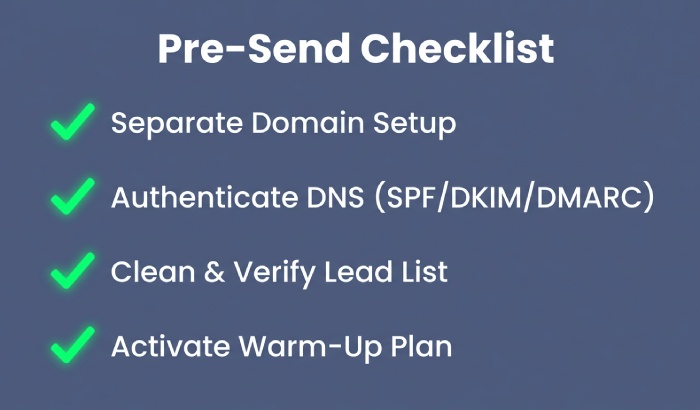
Pre-Send Checklist
- ☐ Separate sending domain or subdomain set up
- ☐ SPF record valid, single, under 10 lookups
- ☐ DKIM enabled and signing
- ☐ DMARC published with reporting turned on
- ☐ List verified and deduplicated
- ☐ Warm-up plan in place
- ☐ Unsubscribe and sender identity included
- ☐ Monitoring routine scheduled
FAQ
Can I email people I’m connected with on LinkedIn?
Being connected does not automatically imply that I have consent to send marketing emails. Legislation is different in every country, so do research to find out local requirements for every market I target.
Do I need to implement DMARC for low volumes of emails?
Even if I send out few emails, it is still advisable to use DMARC in any email campaign. I should implement DMARC’s monitoring policy first, and then modify it accordingly.
How many emails can I send in a day without the risk of being blacklisted?
There is no one answer to this question. I may start with low volumes of emails and increase the amount of emails I send out based on bounce and complaint rates.
Can I use my primary domain name?
It would be wiser to use a different domain or a subdomain in order to avoid any potential problems with outreach and the core emails.
The Takeaway
LinkedIn provides the introduction, and email serves as a medium through which to finalize the discussion. However, if the emailing process was initiated using a domain that hasn’t been verified and has an untidy mailing list, then whatever was accomplished through LinkedIn is lost. Thus, ensuring authentication beforehand, taking one’s time to warm up contacts, keeping the list tidy, and watching what’s happening is important.
General Manager
General Manager at DuoCircle. Product strategy and commercial lead across the email security portfolio.
Secure your email infrastructure
Protect, authenticate, and deliver. Contact our team to find the right solution.