No DMARC Record Found: What It Means, Why It Matters, and How to Fix It

Quick Answer
A "No DMARC Record Found" message means your domain lacks a published DMARC policy, leaving it more vulnerable to email spoofing and phishing. Publishing a valid DMARC record alongside SPF and DKIM improves email security, visibility, and deliverability while protecting your domain from abuse.
Email remains one of the most trusted communication channels for businesses, yet it is also one of the most frequently exploited by cybercriminals. Every day, attackers impersonate legitimate domains to send phishing emails, distribute malware, and steal sensitive information. Without proper email authentication, your organization’s domain can become an easy target for spoofing attacks.
One of the most common issues organizations encounter during an email security assessment is the message “No DMARC Record Found.” This simply means that your domain does not have a Domain-based Message Authentication, Reporting, and Conformance (DMARC) policy published in DNS. Although your domain may still be able to send and receive emails, it lacks an important layer of protection against email fraud.
This guide explains what a missing DMARC record means, why it poses security and deliverability risks, how to verify whether your domain has one, and the steps required to create and maintain an effective DMARC policy.
What Is a DMARC Record?
DMARC (Domain-based Message Authentication, Reporting, and Conformance) is an email authentication protocol designed to help domain owners prevent unauthorized use of their domains.
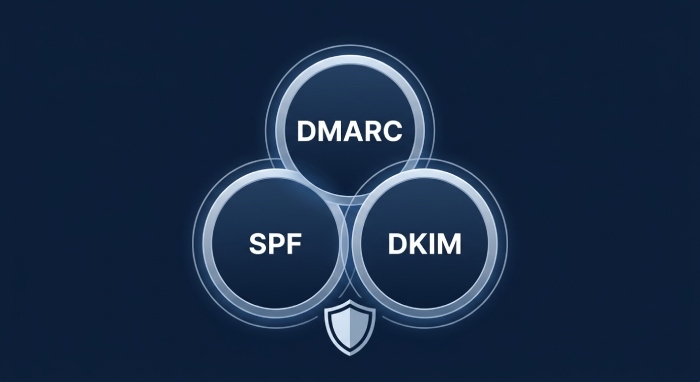
It works alongside two existing authentication methods:
- SPF (Sender Policy Framework) verifies whether the sending server is authorized to send emails on behalf of a domain.
- DKIM (DomainKeys Identified Mail) confirms that an email has not been altered during transmission by validating a cryptographic signature.
DMARC ties these technologies together by specifying how receiving mail servers should handle messages that fail authentication. It also enables domain owners to receive reports showing who is sending emails using their domain.
What Does “No DMARC Record Found” Mean?
When a DMARC lookup tool reports “No DMARC Record Found,” it means your domain does not have a published DMARC TXT record in its DNS configuration.
Without this record:
- Mail servers have no DMARC policy to follow.
- Spoofed emails may still reach recipients.
- Your organization receives no visibility into email authentication failures.
- Brand impersonation becomes easier for attackers.
A missing DMARC record does not necessarily prevent email delivery, but it leaves your domain without an important defense against phishing and spoofing.
Why Is a DMARC Record Important?
Publishing a DMARC record provides both security and operational benefits.
Protects Your Domain Against Spoofing
Cybercriminals frequently forge legitimate domains to deceive customers and employees. DMARC helps prevent unauthorized messages from appearing legitimate.
Improves Email Deliverability
Major mailbox providers increasingly favor authenticated email. Properly configured authentication helps legitimate messages reach inboxes instead of spam folders.
Provides Visibility Into Email Activity
DMARC reporting allows administrators to monitor:
- Authorized email sources
- Authentication failures
- Unknown senders
- Potential abuse attempts
- Third-party email services using your domain
These insights help organizations maintain a healthier email ecosystem.
Supports Compliance Requirements
Many organizations must demonstrate strong email security practices as part of cybersecurity frameworks or industry regulations. Implementing DMARC helps strengthen overall security posture.
Common Reasons No DMARC Record Exists
Several situations can result in a missing DMARC record
The Domain Has Never Been Configured
Organizations that recently registered a domain often set up email without implementing authentication policies.
Email Authentication Is Incomplete
Some domains have SPF or DKIM configured but never added DMARC.
While SPF and DKIM provide authentication individually, DMARC establishes policy enforcement and reporting.
DNS Changes Were Never Published
Administrators may have created a DMARC record internally but forgotten to publish it in public DNS.
DNS Migration Issues
Moving DNS providers can accidentally remove TXT records if migration is incomplete.
Configuration Errors
Even if a DMARC record exists, syntax errors or incorrect DNS placement may prevent it from being recognized.
Examples include:
- Wrong hostname
- Invalid formatting
- Missing version tag
- Extra quotation marks
- Unsupported parameters
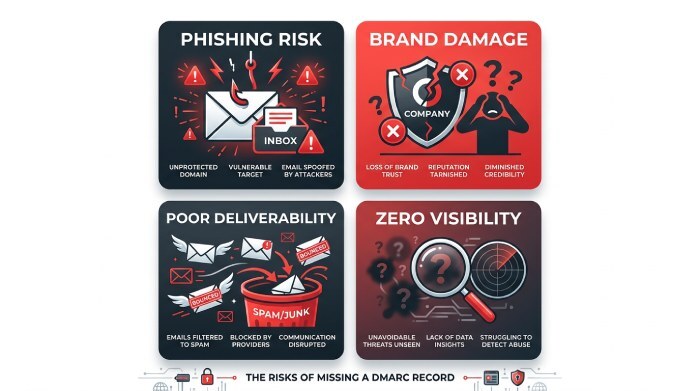
Risks of Not Having a DMARC Record
Ignoring DMARC can expose organizations to several security and business risks.
Increased Phishing Risk
Attackers can impersonate your domain in emails sent to customers, suppliers, or employees.
Recipients may believe these messages are genuine because they appear to originate from your business.
Brand Reputation Damage
Fraudulent emails can reduce customer confidence and damage your organization’s credibility.
Recovering trust after a phishing campaign can be costly.
Poor Email Deliverability
Mailbox providers increasingly evaluate authentication when determining message placement.
Domains lacking authentication may experience:
- Spam folder placement
- Lower inbox rates
- Reduced sender reputation
Limited Email Visibility
Without DMARC reports, administrators cannot easily identify:
- Unauthorized senders
- Misconfigured services
- Authentication failures
- Potential attacks
How to Check Whether Your Domain Has a DMARC Record
Checking for a DMARC record is straightforward.
Several online DNS lookup tools can query your domain and determine whether a valid record exists.
You can also perform a DNS lookup manually using command-line utilities.
A valid DMARC record is published as a TXT record under:
_dmarc.example.com
If no TXT record is returned, your domain currently has no DMARC policy.
Understanding a Basic DMARC Record
A simple DMARC record looks like this:
v=DMARC1; p=none;
This record contains two essential elements.
Version
v=DMARC1
Identifies the record as a DMARC policy.
Policy
p=none
Defines how receiving servers should treat emails that fail authentication.
Available policy options include:
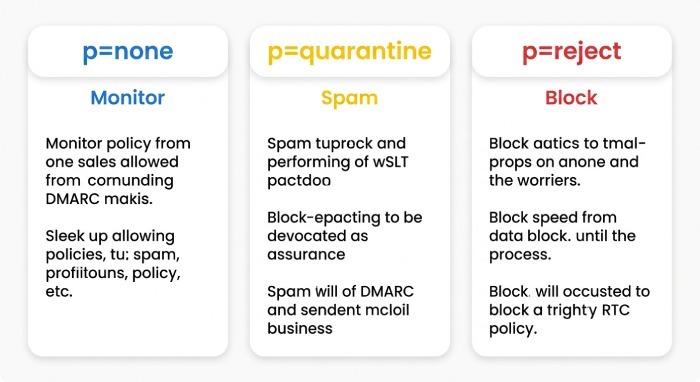
- none: Monitor email activity without affecting delivery.
- quarantine: Suggest suspicious messages be sent to spam.
- reject: Recommend rejecting unauthenticated messages entirely.
How to Create a DMARC Record
Creating a DMARC record involves several steps.
Step 1: Verify SPF and DKIM
Before enabling DMARC enforcement, ensure that legitimate email sources successfully authenticate using SPF and DKIM.
Step 2: Choose a Policy
Organizations typically begin with:
p=none
This monitoring phase allows administrators to collect reports and identify legitimate email sources before enforcing stricter policies.
Step 3: Generate the TXT Record
A basic monitoring record may look like:
v=DMARC1; p=none; rua=mailto:dmarc@example.com;The reporting address receives aggregate DMARC reports from participating mail providers.
Step 4: Publish the Record
Add the TXT record to your DNS under:
_dmarc.yourdomain.com
DNS propagation may take several hours depending on your provider.
Step 5: Verify the Configuration
After publishing the record, run another DMARC lookup to confirm that the record is visible and correctly formatted.
Moving from Monitoring to Enforcement
Successful DMARC implementation usually follows a gradual approach.
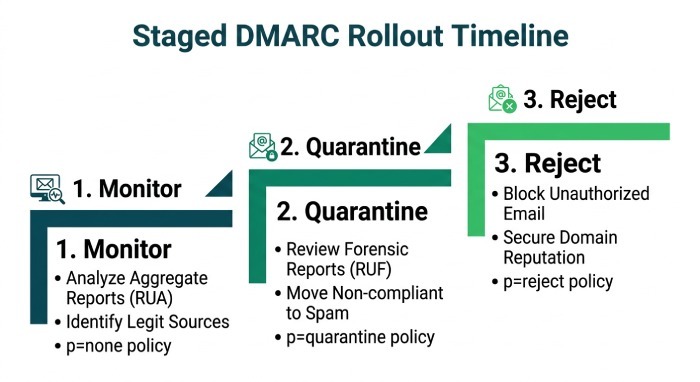
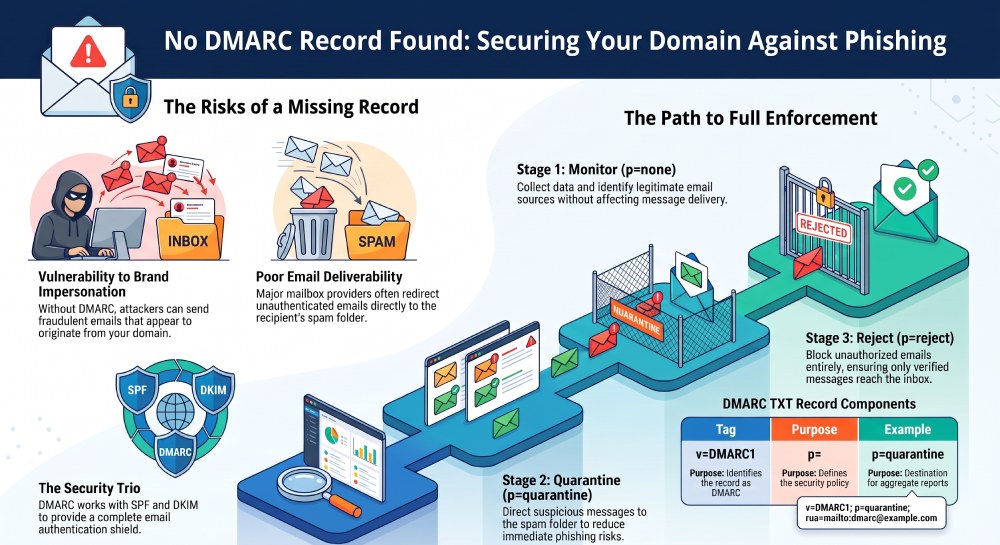
Stage 1- Monitor
Policy:
p=none
Collect reports and identify every legitimate email source.
Stage 2 - Quarantine
Policy:
p=quarantine
Mail providers begin treating suspicious messages more cautiously.
Stage 3 - Reject
Policy:
p=reject
Spoofed emails that fail authentication are rejected before reaching recipients.
This staged rollout minimizes the risk of blocking legitimate business email.
Common DMARC Configuration Mistakes
Even experienced administrators can make mistakes during deployment.
Forgetting SPF or DKIM
DMARC relies on SPF and/or DKIM alignment.
Without proper authentication, enforcement policies may affect legitimate email.
Publishing the Record Incorrectly
The DMARC record must exist under:
_dmarc.domain.com
Publishing it elsewhere prevents receivers from finding it.
Syntax Errors
Incorrect punctuation, missing semicolons, or invalid tags can cause DNS validation failures.
Always validate the record after publishing.
Skipping Monitoring
Immediately deploying a reject policy without first reviewing reports may unintentionally block valid email services.
Ignoring DMARC Reports
Receiving reports is only valuable if someone reviews them.
Regular monitoring helps identify:
- New email services
- Misconfigured servers
- Unauthorized senders
- Authentication failures
Best Practices for Managing DMARC
Organizations should treat DMARC as an ongoing security process rather than a one-time setup.
Recommended practices include:
- Maintain accurate SPF records.
- Enable DKIM signing for all email platforms.
- Start with a monitoring policy before enforcement.
- Review DMARC reports regularly.
- Remove unused email services.
- Keep DNS records up to date.
- Validate changes after DNS updates.
- Monitor sender reputation.
- Audit third-party email providers periodically.
- Progress to quarantine and reject policies once authentication is stable.
Signs Your Domain Needs DMARC Immediately
Your organization should prioritize DMARC if:
- Multiple departments send external email.
- Marketing platforms send newsletters.
- Customers receive invoices by email.
- Employees frequently communicate with vendors.
- Your domain has been impersonated.
- You handle sensitive customer information.
- You rely on business email for daily operations.
Organizations in finance, healthcare, education, government, retail, and SaaS are especially attractive targets for email-based attacks.
Frequently Asked Questions
Can I send email without DMARC?
Yes. Email can still be sent without DMARC, but your domain has less protection against spoofing, and you lose valuable reporting capabilities.
Is SPF alone enough?
No. SPF verifies authorized sending servers, but it does not provide policy enforcement or reporting. DMARC adds those capabilities and works best when combined with SPF and DKIM.
Should every domain have a DMARC record?
In most cases, yes. Whether a domain actively sends email or not, publishing an appropriate DMARC policy helps reduce the risk of unauthorized use.
How long does DMARC setup take?
Publishing the DNS record typically takes only a few minutes, though DNS propagation may require several hours. Achieving full enforcement can take longer, as organizations should first monitor reports and confirm that all legitimate email sources authenticate correctly.
What happens after I publish a DMARC record?
If you start with a p=none policy, receiving mail servers will continue delivering messages normally while sending authentication reports to the address specified in your record. These reports help you identify legitimate senders and resolve issues before moving to stricter enforcement.
Final Thoughts
A “No DMARC Record Found” result is more than a simple DNS warning it indicates that your domain is missing a critical layer of email authentication. Without DMARC, attackers have a greater opportunity to impersonate your domain, launch phishing campaigns, and undermine your organization’s reputation.
Implementing DMARC alongside SPF and DKIM provides stronger protection against spoofing, improves email visibility, and supports better deliverability. By starting with a monitoring policy, reviewing authentication reports, and gradually moving to enforcement, organizations can strengthen their email security while minimizing disruption to legitimate communications.
For businesses that rely on email to communicate with customers, partners, and employees, publishing a properly configured DMARC record is an essential step toward building a more secure and trustworthy email infrastructure.
General Manager
General Manager at DuoCircle. Product strategy and commercial lead across the email security portfolio.
Secure your email infrastructure
Protect, authenticate, and deliver. Contact our team to find the right solution.