Online PTR Lookup: How To Check IPV4 And IPV6 Reverse DNS

Quick Answer
An online PTR lookup helps you check IPv4 and IPv6 reverse DNS records by mapping IP addresses to hostnames. Learn how PTR records work, verify reverse DNS configurations, identify mismatches, and troubleshoot email delivery, network, and security issues.
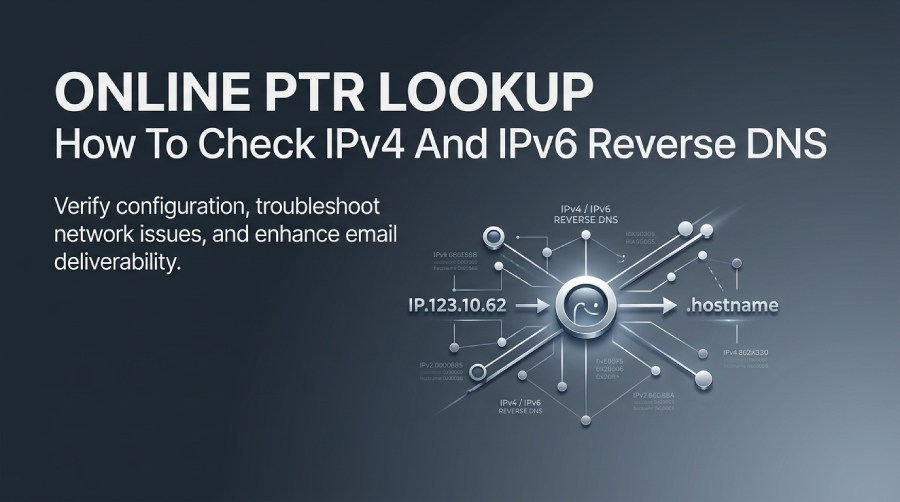
A PTR record, or Pointer record, plays an important role in reverse DNS by mapping an IP address back to its associated hostname. Unlike A and AAAA records, which resolve domain names to IPv4 and IPv6 addresses, PTR records perform the reverse lookup and help identify the system associated with an IP address.
An online PTR lookup makes it easy to check reverse DNS configuration, verify IPv4 and IPv6 records, troubleshoot network issues, and identify potential problems that may affect email deliverability. In this guide, we’ll explain how PTR records work, how to perform IPv4 and IPv6 reverse DNS lookups, understand common lookup results and errors, and follow best practices for maintaining accurate reverse DNS.
What a PTR Record Is and How Reverse DNS Works
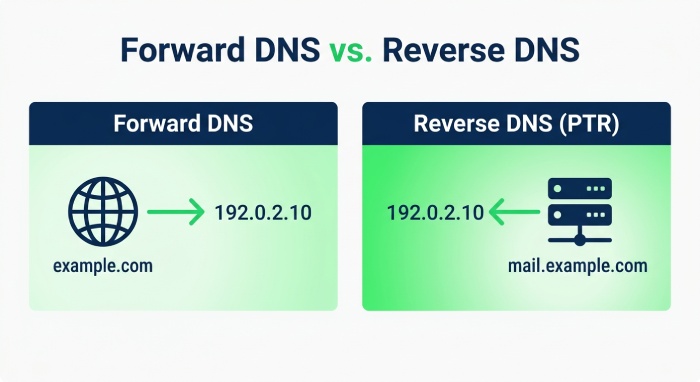
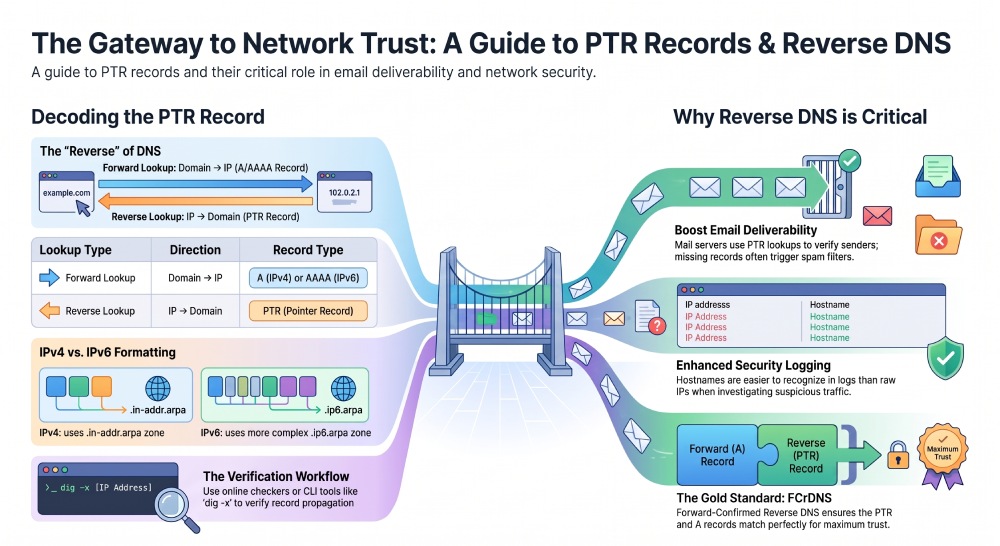
A PTR record, also called a pointer record, is a DNS record that maps an IP address back to a domain name. This is the opposite of a standard forward DNS lookup, where a domain name such as example.com resolves to an IPv4 or IPv6 address using an A record or AAAA record.
In practical terms, reverse DNS answers the question: “What domain name is associated with this IP address?” A PTR lookup or reverse DNS lookup queries the reverse DNS zone for an IP address and returns the configured hostname, if one exists. The resulting DNS PTR record is commonly used by mail servers, security tools, logging systems, and network administrators to identify the host behind an IP address.
For example, a forward lookup might show:
example.com → 192.0.2.10A reverse DNS lookup checks whether the IP address points back to a domain name:
192.0.2.10 → mail.example.comThat reverse mapping is stored as a PTR record. A well-configured DNS PTR record should usually align with the hostname used by the server and, in many cases, with the forward A record or AAAA record for that hostname.
Reverse zones for IPv4 and IPv6
Reverse DNS uses special zones. For IPv4, the octets of the IP address are reversed and placed under the .in-addr.arpa. zone. For example, the IPv4 address 192.0.2.10 becomes:
10.2.0.192.in-addr.arpa.A PTR record lookup against that reverse zone returns the record value, such as:
mail.example.comFor IPv6, reverse DNS uses the .ip6.arpa. zone. IPv6 formatting is more complex because each hexadecimal nibble is reversed. An IPv6 address must be expanded fully before creating the reverse DNS query. This makes a reverse DNS generator or online PTR checker especially useful for IPv6 addresses.
PTR vs A/AAAA/CNAME and other DNS record types
A PTR record is only one of many DNS record types. Common types include the A record for IPv4, AAAA record for IPv6, CNAME for an alias or canonical name, MX record for mail routing, TXT record for verification and policies, NS record for name servers, and SOA record for zone authority. The key distinction is direction: A and AAAA records map a domain name to an IP address, while a DNS PTR record maps an IP address back to a domain name.
Why PTR Lookup Matters for Email, Security, and Troubleshooting
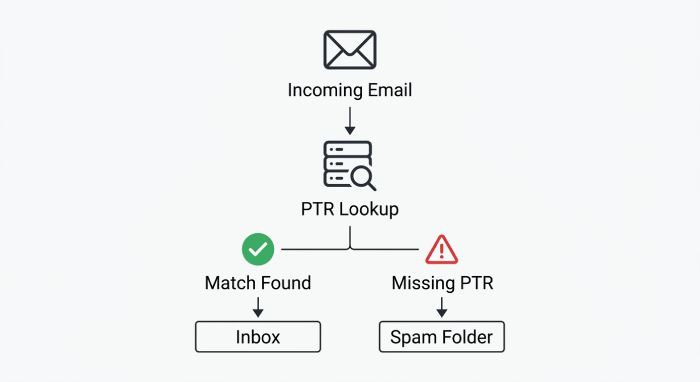
A PTR lookup is important because many systems treat reverse DNS as a trust signal. If an IP address has no PTR record, has a mismatched pointer record, or returns a suspicious domain name, it can raise warnings in email filtering, email security, monitoring, and network diagnostics.
For email systems, reverse DNS is especially significant. Many receiving mail servers perform a reverse DNS lookup on the connecting IP address to verify that it resolves to a legitimate hostname. If the PTR record points to a generic or unrelated domain name, email deliverability may suffer.
This is why organizations managing outbound mail servers should regularly check PTR records as part of their broader email authentication and sender reputation program. Reverse DNS can also help security teams investigate network traffic. When reviewing logs, a hostname can be easier to recognize than a raw IP address, helping administrators identify systems and investigate unfamiliar connections. Reverse DNS information can be considered alongside other security signals when analyzing potentially suspicious infrastructure.
Email authentication and sender reputation
A DNS PTR record is not a replacement for SPF, DKIM, DMARC, BIMI, MTA-STS, or TLS-RPT. Instead, it helps provide consistent identification for mail servers. Email deliverability depends on multiple factors, including authentication, domain alignment, sender reputation, and server configuration. A PTR lookup can help confirm that a sending IP address resolves to the expected hostname.
For example, if a mail server sends as mail.example.com, the reverse DNS for its IPv4 address should ideally return mail.example.com, and that hostname should resolve forward to the same IP address. This forward-confirmed reverse DNS pattern helps reduce suspicion and supports better email deliverability.
PTR data is also useful for troubleshooting. If an application log shows repeated connections from an IP address, a reverse DNS lookup may reveal whether the source belongs to a cloud provider, corporate network, mail server, or unknown host. Network teams can use nslookup, dig, or an online tool to query DNS and confirm the current DNS configuration.
How to Perform an Online PTR Lookup for IPv4 Addresses
The easiest way to perform a PTR lookup is to use a web-based PTR lookup tool. Online services such as whatsmydns.net, nslookup.io, DNS Checker, Global DNS Checker, and similar Free Tools allow you to enter an IPv4 address and retrieve the associated PTR record from public DNS resolvers.
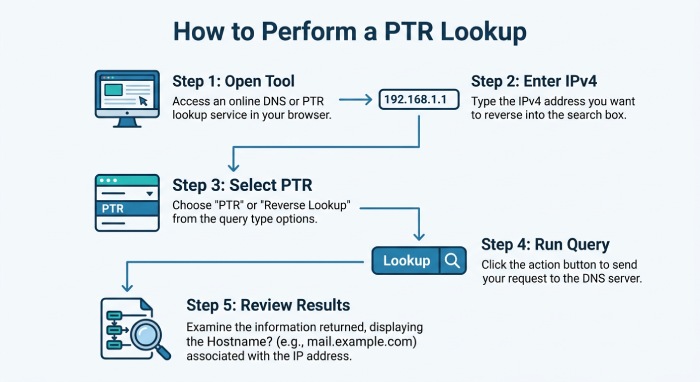
A typical online PTR record lookup workflow is simple:
- Open an online PTR checker or DNS Checker tool.
- Enter the IPv4 address you want to inspect.
- Select PTR as the record type, if required.
- Run the DNS query.
- Review the returned domain name, TTL, and resolver responses.
Some tools also function as a DNS propagation checker or propagation checker, showing results from multiple locations. This is useful after changing a DNS PTR record, because DNS propagation may vary depending on cached data, resolver behavior, and the configured TTL (time to live).
Reading a typical PTR record lookup response
A successful PTR record lookup may return a result like:
IP address: 192.0.2.10

PTR record: mail.example.com

TTL: 3600
In command-line tools, the output may include labels such as authoritative answer, Non-authoritative answer, or ANSWER SECTION. An authoritative answer comes directly from the responsible DNS servers, while a Non-authoritative answer usually comes from recursive DNS resolvers or cache.
You can also perform a PTR lookup from a command prompt or terminal. On Windows, use:
nslookup 192.0.2.10On Mac OS, Mac, or Linux, you can use:
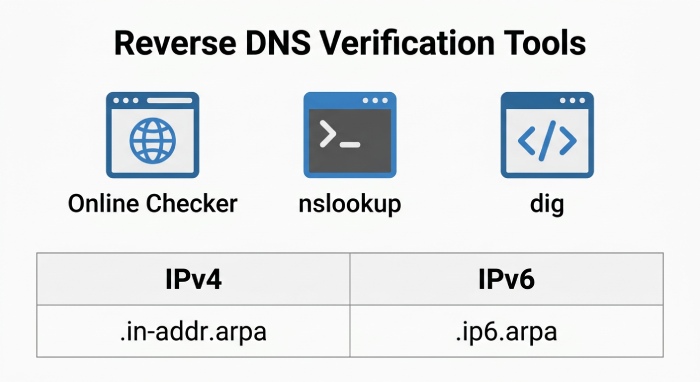
dig -x 192.0.2.10The dig -x command automatically formats the IPv4 reverse DNS query using .in-addr.arpa.. These tools are valuable when you want to compare an online PTR checker result with local resolver behavior.
If you manage the domain or server, remember that PTR records are typically managed differently from standard domain records such as A, AAAA, TXT, or MX records. Reverse DNS is usually controlled by the organization that owns or manages the IP address, such as your hosting provider, internet service provider (ISP), or cloud provider. You may need to update the PTR record through the provider’s control panel rather than your standard DNS management interface.
How to Check IPv6 Reverse DNS and Understand ip6.arpa Formatting
Checking IPv6 reverse DNS follows the same concept as IPv4, but the formatting is different. A reverse DNS lookup for IPv6 uses the .ip6.arpa. zone, and the IP address is expanded, split into individual hexadecimal characters, reversed, and joined with dots.
For example, an IPv6 address must first be expanded to its full 32 hexadecimal digits. Then each nibble is reversed to form the lookup name under .ip6.arpa.. Because this is error-prone, many administrators use a reverse DNS generator or PTR lookup tool to create the correct query automatically.
An online PTR lookup service such as nslookup.io, whatsmydns.net, DNS Checker, or a Global DNS Checker can simplify IPv6 testing. Enter the IPv6 address, choose PTR if needed, and run the reverse DNS lookup. The result should show the configured pointer record, often a hostname like:
mail.example.comAs with IPv4, the returned domain name should make sense for the service using that IP address. If the IPv6 address is used for outbound email, the PTR DNS record should align with the mail server hostname and support the rest of your authentication posture, including SPF, DKIM, and DMARC.
Common PTR Lookup Results, Errors, and Best Practices
A PTR record lookup can produce several types of results. Understanding them helps you distinguish normal DNS behavior from a real configuration issue.
Common results include:
- Valid PTR record: The IP address returns a clear domain name, such as
mail.example.com. - No PTR record found: The reverse DNS zone has no configured pointer record.
- Mismatched reverse DNS: The PTR record points to a domain name that does not resolve back to the same IP address.
- Generic hostname: The record value points to a provider-generated name rather than a branded hostname.
- Stale cached response: DNS resolvers still return an older value during DNS propagation.
- NXDOMAIN or SERVFAIL: The DNS query failed because the reverse zone or DNS servers are misconfigured.
Best practices for reverse DNS include keeping each DNS PTR record accurate, using a meaningful domain name, and ensuring the hostname has a matching A record or AAAA record. For mail infrastructure, avoid generic names and ensure the PTR record reflects the server’s canonical name (CNAME) where appropriate.
When updating a PTR record, verify the result with more than one PTR lookup method. Use an online DNS propagation checker, a local nslookup test, and dig from a terminal. Compare the PTR lookup response across different DNS servers to identify caching or propagation delays.
For IPv4, confirm that the reverse name is correctly represented under .in-addr.arpa.. For IPv6, use .ip6.arpa. formatting or a Reverse DNS Generator to avoid nibble-order mistakes. If your DNS lookup returns no answer, contact the organization that controls the IP address allocation, because PTR management usually belongs to the IP owner.
 A reliable reverse DNS setup should satisfy these checks:
- The IP address has a PTR record.
- The pointer record returns a recognizable domain name.
- The domain name resolves forward to the same IPv4 or IPv6 address.
- The DNS record is maintained by the correct provider or DNS Manager.
- The TTL (time to live) is appropriate for operational needs.
- The result is consistent across DNS Checker, command-line tools, and public DNS resolvers.
General Manager
General Manager at DuoCircle. Product strategy and commercial lead across the email security portfolio.
Secure your email infrastructure
Protect, authenticate, and deliver. Contact our team to find the right solution.