Password Threats: How Stolen Credentials Put Business Email At Risk

Quick Answer
Password threats can put business email at serious risk when stolen credentials give attackers unauthorized access. Learn how credential theft happens, the warning signs to watch for, and practical steps businesses can take to protect accounts, prevent email compromise, and strengthen security.
Business email accounts represent a significant target for cybercriminals due to their containing a wealth of sensitive information, including confidential communications, customer data, financial records, invoices, internal documents, and access to various corporate systems. When employee passwords are compromised, attackers can leverage these credentials to gain unauthorized access to corporate email accounts, facilitating further malicious activities.
The contemporary landscape of password-related threats extends beyond mere guessing. Techniques such as phishing, credential stuffing, malware deployment, data breaches, and social engineering tactics can all result in exposure of employee credentials. Once attackers secure a legitimate username and password, they can potentially access accounts without triggering the typical warning signs associated with conventional hacking methods.
It is crucial for organizations to comprehend the risks posed by stolen credentials to business email accounts in order to mitigate incidents of account takeovers, business email compromise, and potential data breaches.
What Are Password Threats?
Password threats are security risks that can compromise user passwords and allow unauthorized individuals to access accounts. These threats can target employees, administrators, executives, and other users with access to business systems.
Attackers use several techniques to steal or obtain credentials, including:
- Phishing emails and fake login pages
- Malware and information-stealing software
- Credential stuffing using passwords exposed in previous breaches
- Brute-force and password-spraying attacks
- Social engineering
- Password database breaches
- Malicious browser extensions
- Reused passwords across multiple services
The danger increases when employees use the same password for business email and other online services. A password stolen from one platform could potentially provide access to a corporate mailbox.
Why Stolen Credentials Are Dangerous for Business Email
A compromised business email account can provide attackers with much more than access to messages. Email accounts are often connected to cloud applications, customer relationships, financial processes, and password-reset mechanisms.
After gaining access, an attacker may:
- Read confidential emails
- Download attachments and sensitive documents
- Impersonate employees
- Send fraudulent payment requests
- Redirect conversations
- Steal customer information
- Search for passwords and account details
- Create mailbox forwarding rules
- Launch phishing attacks against employees or customers
- Use the account to compromise additional systems
Because the attacker is using valid credentials, malicious activity can sometimes look like normal user behavior.
Common Password Threats Targeting Business Accounts
Phishing Attacks
Phishing continues to be a prevalent method employed by cybercriminals to obtain passwords. Malicious emails often masquerade as communications from reputable entities such as Microsoft, Google, company management, financial organizations, or other trusted services.
These messages typically prompt the recipient to verify their account, reset their password, review an invoice, or address a security concern.
Upon clicking a link, the employee is directed to a counterfeit login page created to collect their username and password. The attacker can subsequently utilize these credentials to facilitate an account takeover.
Credential Stuffing
Credential stuffing exploits the issue of reused passwords. Cybercriminals gather usernames and passwords from earlier data breaches and systematically apply them to various platforms.
For instance, an employee might utilize identical credentials for both a retail site and their work email. If the retail account is compromised, hackers can subsequently assess the compromised credentials on the company’s email system.
Thus, the use of distinct passwords for business accounts is essential.
Password Spraying
Password spraying involves testing a limited selection of frequently used passwords across a multitude of accounts, rather than attempting multiple passwords on a single account.
This method enables attackers to circumvent certain account-lockout mechanisms. Consequently, easily guessable passwords — like seasonal phrases, names of organizations, or popular patterns — can become prime targets for exploitation.
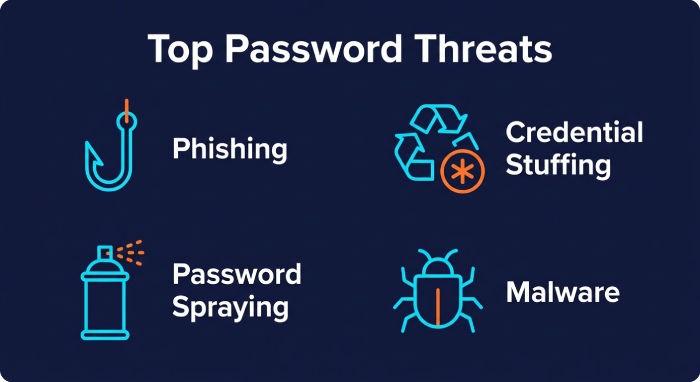
Infostealer Malware
Malware designed to steal information can retrieve credentials saved within browsers and applications. An employee might inadvertently become infected through the download of harmful software, by opening a malicious attachment, or by accessing a compromised website.
The data that is compromised can encompass saved passwords, browser cookies, session details, and other forms of authentication information.
Social Engineering
Attackers can deceive employees into disclosing credentials or consenting to unauthorized activities by posing as IT personnel, executives, vendors, or partners. Since social engineering exploits human behavior rather than just technical weaknesses, enhancing employee awareness is crucial for safeguarding passwords.
How Stolen Passwords Can Lead to Business Email Compromise
Business email compromise happens when attackers access or mimic business email accounts to carry out fraud or engage in other harmful actions. Acquiring a stolen password can initiate a security breach. Once an attacker accesses an employee’s email, they can surveil communications related to payments and vendor dealings, allowing them to impersonate the employee in ongoing discussions.
For instance, the attacker might exploit a current conversation about an invoice to send a message directing that funds be transferred to a new bank account. Since the request originates from a legitimate but compromised account, it may appear credible. Attackers often scan inboxes for keywords like “invoice,” “payment,” “wire,” and “bank” to swiftly uncover sensitive information.
The Risk of Email Account Takeover
Email account takeovers pose significant risks for organizations. When hackers gain access, they can alter settings, set up message forwarding, delete correspondence, or conceal illicit actions.
Moreover, the compromised account can be used for internal phishing, allowing attackers to send harmful emails from a legitimate address, thus exploiting the existing trust among employees. This increases the likelihood that staff will engage with emails from familiar sources over unknown senders.
Password Reuse Makes the Problem Worse
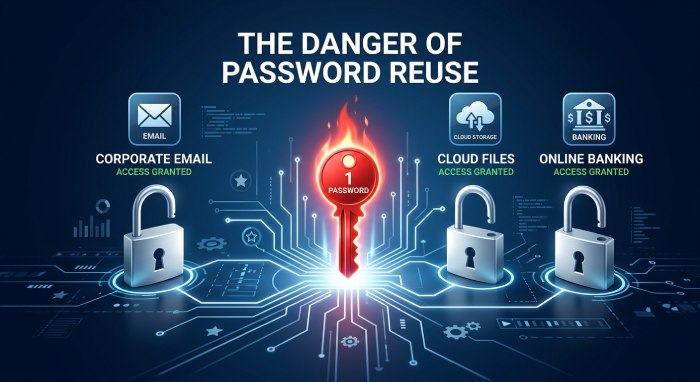
Reusing passwords significantly increases the risk of credential-related attacks. With employees managing numerous accounts, it may seem easier to use the same password across different services; however, this practice can lead to widespread vulnerabilities if one account is breached.
Organizations should promote the use of unique passwords for business accounts and implement password managers as needed. These tools can create and safely store strong, distinct passwords, alleviating the need for employees to remember each one.
Multi-Factor Authentication Adds Another Layer
While strong passwords are essential, they should not be the sole line of defense. Multi-factor authentication (MFA) enhances security by requiring users to verify their identity through an additional method — such as an authenticator app, security key, or biometric verification. This approach effectively minimizes the risk posed by stolen passwords, as mere possession of the password is not usually sufficient for access. Organizations must also guard against tactics that deceive users into approving illegitimate authentication requests. Implementing robust methods, like phishing-resistant security keys, can further bolster security.
Monitor for Suspicious Email Activity
Preventing credential theft is only one part of protecting business email. Organizations should also monitor accounts for unusual behavior.
Potential warning signs include:
- Login attempts from unusual locations
- Unexpected password changes
- New email forwarding rules
- Unusual mailbox access
- Large numbers of messages being sent
- Unexpected authentication requests
- Suspicious OAuth application permissions
- Changes to account recovery settings
- Unusual access to sensitive attachments
Security teams should investigate these indicators quickly, particularly when they occur alongside reports of phishing or credential theft.
Protect Email With Multiple Security Controls
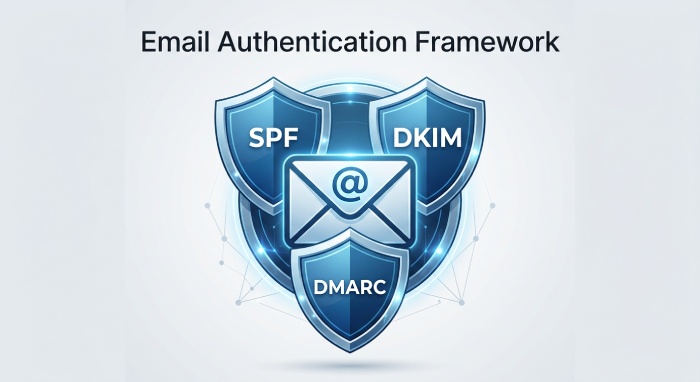
Password protection must be integrated into a comprehensive email security framework. Organizations should leverage identity security alongside email authentication and monitoring.
SPF identifies legitimate sending sources, while DKIM uses cryptographic signatures to confirm message integrity and authorization. DMARC enhances SPF and DKIM by offering policy guidelines and reporting for domain owners.
While these technologies don’t prevent unauthorized access to compromised mailboxes, they mitigate risks from domain spoofing and email attacks. Additionally, organizations should enforce access controls, endpoint protection, email filtering, security monitoring, and incident response protocols.
What Businesses Should Do After Credentials Are Stolen
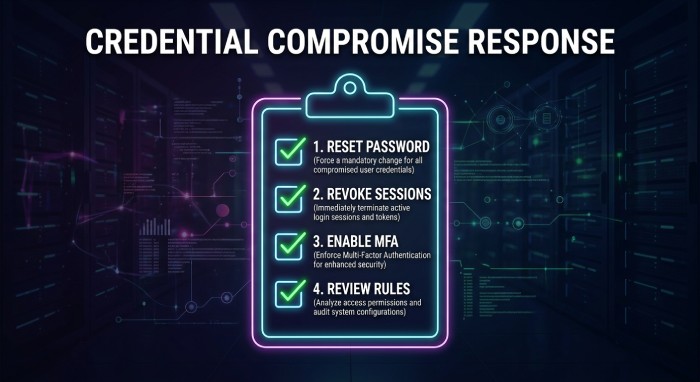
Organizations should respond quickly if employee credentials are suspected of being compromised.
1. Reset the Compromised Password
Promptly update the compromised password and create a new one that is both strong and distinct. Additionally, if the same password has been utilized across other platforms, it is crucial to examine and secure those accounts as well.
2. Revoke Active Sessions
Changing a password may not always terminate every existing session. Administrators should review and revoke active sessions, tokens, or other authentication mechanisms when appropriate.
3. Enable or Strengthen MFA
If multi-factor authentication (MFA) is not currently in use, it is advisable to implement it. Additionally, organizations ought to explore more robust authentication methods for accounts that store sensitive business data.
4. Review Mailbox Rules
Verify the presence of any unauthorized forwarding rules, filters, delegates, or modifications within the mailbox. Malicious actors might establish these configurations to ensure they continue to receive copies of communications, even following a password update.
5. Investigate Account Activity
Examine the login records and email interactions to identify any indicators of unauthorized access. Pay attention to any irregular messages, removed emails, unfamiliar devices, and unexpected access to applications.
6. Warn Employees and Customers
In the event that the breached account was employed to distribute harmful or deceitful emails, it is essential to inform the impacted employees, clients, suppliers, or partners whenever it is deemed suitable.
7. Check Other Accounts
A stolen business password may have been used elsewhere. Review related accounts, especially administrative, financial, cloud, and third-party services.
How Employees Can Reduce Password Threats
Employees are crucial to safeguarding business email. They must refrain from entering credentials on unrecognized login pages, confirm unexpected password reset requests, and use unique passwords for different services. Additionally, they should promptly report any suspicious emails instead of investigating them independently.
Simple habits can make a significant difference:
- Use unique passwords for every important account.
- Use a trusted password manager.
- Enable MFA.
- Never share passwords through email or chat.
- Be cautious with unexpected login links.
- Keep browsers and operating systems updated.
- Report suspected phishing immediately.
- Review account-security notifications carefully.
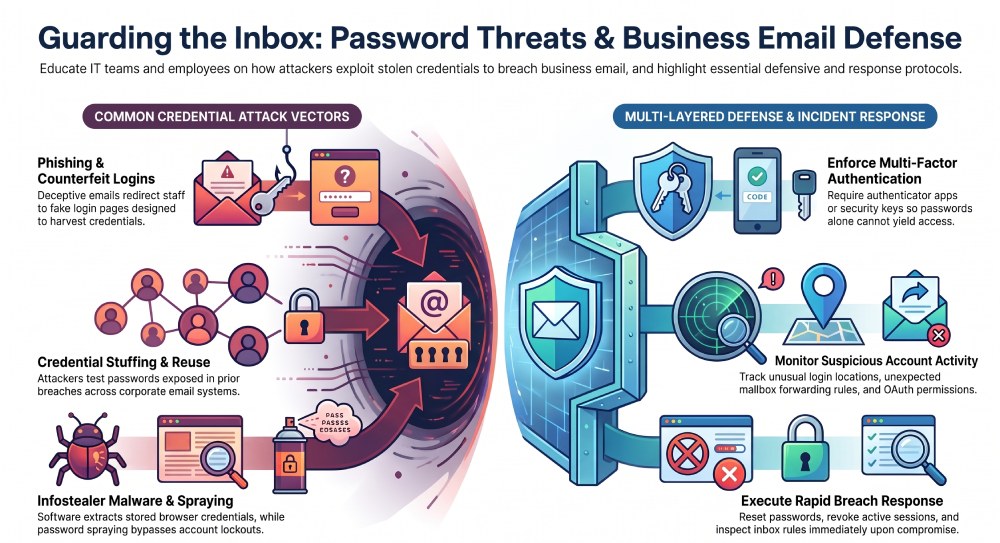 Password threats pose a serious risk to business email, as stolen credentials can provide attackers with unauthorized access to crucial accounts. Methods such as phishing, credential stuffing, password spraying, malware, and social engineering can compromise employee passwords. The fallout from a breached account can be severe, potentially leading to data theft, employee impersonation, payment fraud, or targeting others within and outside the organization.
To mitigate these risks, businesses should adopt a multi-layered approach to email security, including strong and unique passwords, password managers, multi-factor authentication, email authentication technologies, ongoing monitoring, employee education, and a robust incident-response strategy.
Most importantly, organizations should treat stolen credentials as an active security incident rather than simply a password-reset issue. Fast detection and response can limit attacker access and prevent a compromised password from becoming a much larger business email security problem.
General Manager
General Manager at DuoCircle. Product strategy and commercial lead across the email security portfolio.
Secure your email infrastructure
Protect, authenticate, and deliver. Contact our team to find the right solution.