Pros and Cons of Tenant-to-Tenant Email Migrations in Regulated Industries

Quick Answer
Tenant-to-tenant migration moves Microsoft 365 data between tenants. It can improve security and simplify compliance, but organizations must protect audit trails, preserve policies, and prevent data residency violations during the process.
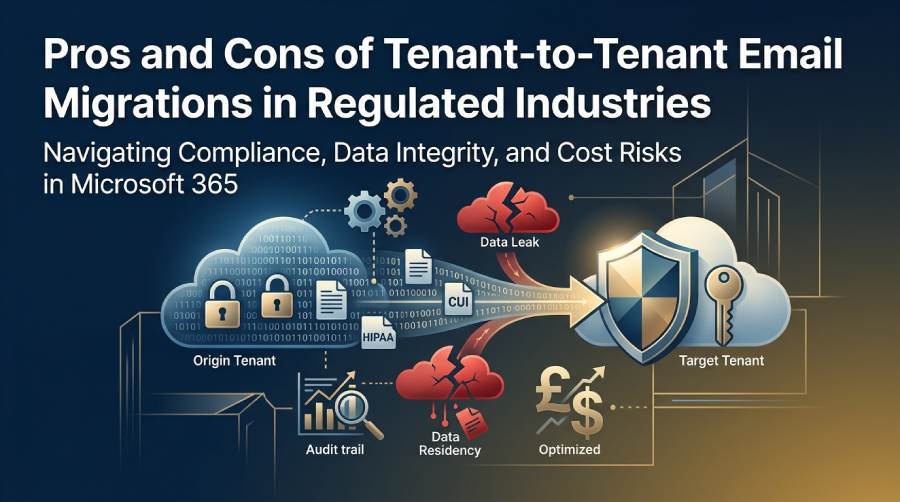
If you work in IT, compliance, or risk management, you’ve probably faced the question
Can we safely migrate tenants without breaking compliance?
Migrations sound straightforward. You move mailboxes, files, and policies from one Microsoft 365 tenant to another. But when you’re in a regulated space like healthcare, finance, or defense, its never that simple.
Even a small misstep can break audit trails or expose protected data.
Thats why we created this guide. Let’s look at the pros and cons of Microsoft 365 tenant-to-tenant migrations” and what you can do to keep your next migration project compliant and secure.
Key pros of tenant-to-tenant migrations
Here are some of the top pros of tenant-to-tenant migrations:
Consolidated security and governance
Moving everything into one Microsoft 365 tenant can simplify your entire compliance posture.
Instead of juggling multiple configurations, you apply consistent Conditional Access, Data Loss Prevention (DLP), retention policies, and sensitivity labels across the board.
Imagine an organization with three Office 365 tenants after a merger. Each tenant uses different authentication and DLP settings. When you consolidate, your IT teams can centralize eDiscovery in Microsoft Purview and ensure uniform access rules.
But migrating content isn’t enough.
You also need to migrate the policies, metadata, and audit logs, too. That’s what maintains your defensible compliance record.
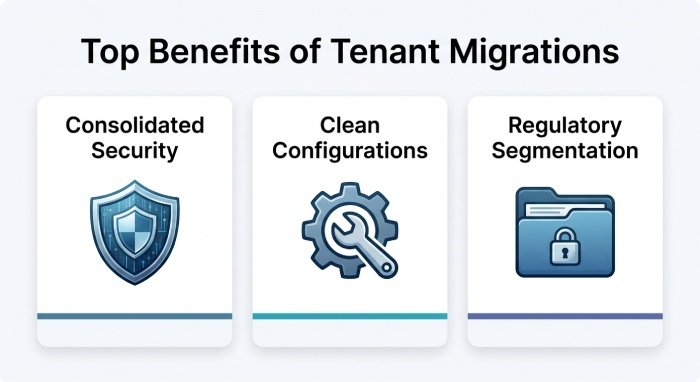
Eliminating legacy misconfigurations
Old tenants usually carry years of technical debt. (Outdated admin roles, open external sharing, or legacy authentication often remain enabled.) Tenant migration lets you clean house.
You can rebuild from a secure baseline and remove unnecessary global admins. You can also enforce modern security measures through Microsoft Entra ID. (Formerly Azure AD).
Regulatory segmentation
For regulated entities, tenant migration sometimes focuses on separation. You may need to isolate workloads into a compliant Microsoft 365 tenant, such as GCC High, to meet DFARS or CMMC requirements.
For example, a defense contractor could move Controlled Unclassified Information (CUI) into a secure tenant while keeping general operations in a commercial environment.
This segmentation helps meet stricter compliance mandates.
Contractual simplification
Fewer tenants mean fewer Business Associate Agreements (BAAs), fewer vendor attestations, and less administrative overhead.
If your organization oversees multiple business units with separate contracts, tenant migration can cut down redundant paperwork. It’s simpler to prove compliance when all data and configurations live under one controlled umbrella.
Operational savings and license optimization
Centralizing operations into a single tenant often reduces costs and makes compliance more efficient.
Redundant Microsoft 365 subscriptions get eliminated” and your IT teams spend less time managing multiple environments. (It’s also easier to optimize licensing across Exchange Online, Microsoft Teams, and SharePoint Online when you operate from a single view.)
Pro-Tip: Manage legacy licenses carefully to avoid double charges during migration.
Key cons of tenant-to-tenant migrations
Here are some of the top cons of tenant-to-tenant migrations:
Loss of legal chain of custody
This is one of the top compliance risks during a tenant-to-tenant migration. Audit trails, message headers, and timestamps can be altered or deleted if youre not careful.
Regulators often ask to see the original message and its custody chain. If you can’t produce it, thats a serious evidence risk. To prevent this, make sure your migration process captures and verifies metadata integrity before and after transfer.
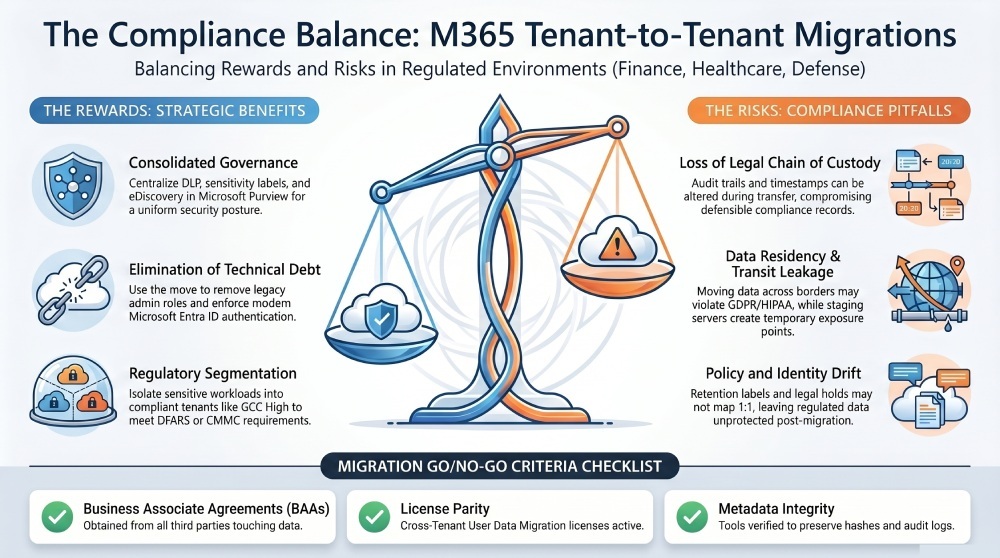
Hidden data leakage during transit
During migration, your data may temporarily sit in export servers, staging locations, or cloud storage.
Each of those is a potential exposure point.
Healthcare and financial organizations often miss this. They secure the endpoints but overlook temporary copies created by third-party migration tools. Each copy must meet the same security measures and contractual protections as the originals.
Encrypt all data and use dedicated storage that complies with your regulatory framework.
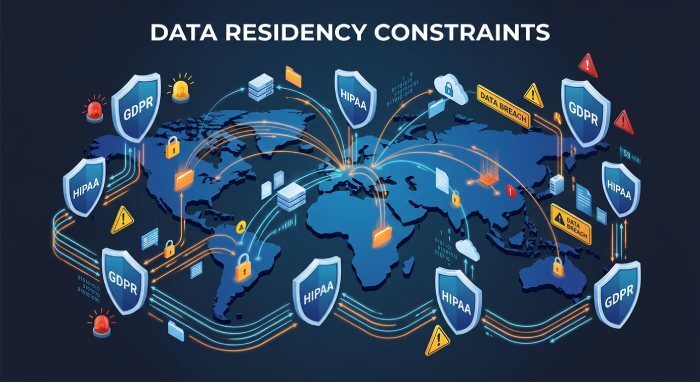
Breach of data residency or cross-border laws
Moving data across geographies can violate GDPR, HIPAA, or government procurement rules. Even metadata location matters. (A migration from an EU-hosted tenant to a US-hosted one can trigger cross-border transfer issues.) This is especially crucial for sectors like finance and healthcare, including insurance apps, where sensitive customer information must be handled with stringent compliance.
Always verify that the target tenant aligns with your legal and data residency requirements before starting your migration project.
If you have a larger migration, you may require additional support from a third-party provider.
Many enterprises rely on Oracle Managed Services to handle complex, large-scale migrations. They can help secure data transfer, maintain compliance with industry standards like GDPR or HIPAA, and minimize disruptions to daily business operations.
Gaps in BAAs and subcontractors
Every migration introduces new players. Consultants, migration vendors, or software providers.
If any of them handle sensitive data without proper BAAs or subcontractor agreements, you’ve broken your compliance chain.
Compliance under Microsoft 365 is a shared responsibility. Your third parties must meet the same security standards. Before signing any contract, confirm that every service provider in your migration process is covered.
Policy and label drift
Retention labels, legal holds, and eDiscovery policies dont always map 1:1 between tenants. (Some migration tools skip label metadata or lose legal hold coverage mid-transfer.)
If your Microsoft Purview configurations aren’t preserved, regulated data could lose protection. Always validate that sensitivity labels and policies apply correctly after migration.
Identity mismatches and entitlement risks
Identity mapping issues can create chaos. If ImmutableIDs or GUIDs aren’t preserved, users may lose mailbox ownership or gain unintended access. Even one misconfigured role can create a compliance gap or privilege escalation risk.
Use Entra ID synchronization or AD migration planning to maintain identity parity.
Licensing and platform constraints
Not every tenant has the same licensing or feature set.
If you are migrating between commercial and GCC High tenants, plan carefully. You all likely need special add-ons, such as the Cross-Tenant User Data Migration license. Skipping this step can halt the migration midstream. (And half-migrated data poses serious security concerns.)
Always confirm license and feature parity before migration day.
Quick migration compliance checklist
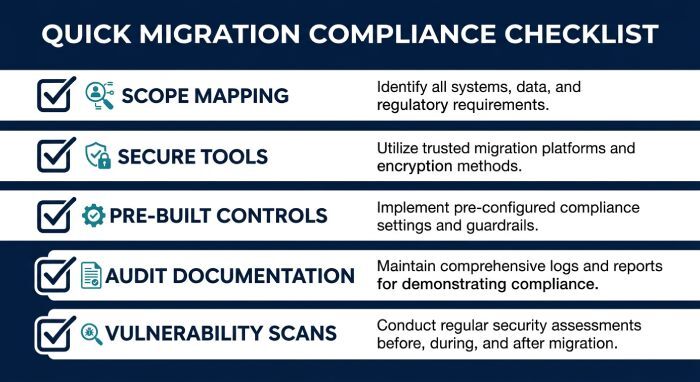
Use this quick migration compliance checklist to keep your Microsoft 365 tenant migration secure and audit-ready:
- Before any migration, define your migration scope. Map your data, contracts, and jurisdictions to prevent unlawful data transfers or broken BAAs.
- Use migration tools that preserve metadata, audit logs, and encryption. Whether you use PowerShell scripts, the SharePoint Migration Tool, or third-party migration tools, maintain the chain of custody.
- Pre-build compliance controls, like retention and sensitivity labels, in your target tenant before moving data. And document everything. (Hashes, manifests, logs, and deletion proofs.) Keep this record for audits.
Vulnerability scanning tip: Run a vulnerability scan before and after migration to spot weak points, old apps, or sharing issues. Fix them, then scan again to confirm everythings secure.
(Be sure to send this checklist to team members who are helping with the migration.)
When not to migrate
Sometimes, the right move is not to migrate.
➜If you cant obtain proper BAAs from every third party touching the data, pause.
➜ If your target tenant cant meet isolation or compliance requirements (like DoD or GCC High) don’t move until it can.
➜ And if your retention, label, or legal hold parity cant be proven before cutover, itâs not worth the risk.
Wrap up
Tenant migration can strengthen your compliance posture or break it wide open. If you’re managing Microsoft 365 tenant-to-tenant migrations in a regulated industry, focus on metadata integrity, contractual alignment, and airtight documentation.
And always treat migration as a security event. (Not merely a technical one.)
PS: Need help stopping malicious emails? That’s our specialty. Get all the email protection you need with DuoCircle. GET A QUOTE NOW.
FAQs about tenant-to-tenant migration
What is a tenant-to-tenant migration? Tenant-to-tenant migration refers to the process of transferring users, domains, mailboxes, and data from one Microsoft 365 tenant to another. (Usually after a large merger, acquisition, or rebrand.)
Does Microsoft support tenant-to-tenant migration natively? Partly. Microsoft provides native migration tools for Exchange Online and OneDrive. But third-party migration tools are often needed to automate Teams or SharePoint Online.
What are the licensing requirements for cross-tenant mailbox migration? You need a Cross-Tenant User Data Migration license for every user being migrated. Without it, the migration will fail.
Will users experience downtime? Possibly. Downtime depends on your migration approach. (Pre-staging and careful cutover timing can minimize disruption.)
Can all workloads migrate at once? Not always. Some workloads, like Microsoft Teams chat history or SharePoint permissions, may require hybrid migration or staged migration.
What happens to the old tenant afterward? You can decommission the old tenant once you have verified that all data has migrated and temporary copies have been securely deleted.
How do you ensure compliance controls are preserved? You can ensure compliance controls are preserved by maintaining retention labels, legal holds, and metadata during the Migration Process. (And by confirming that all staging areas are encrypted and under contract.)
Are there data residency risks? Yes. Moving tenants can change where data is stored or processed.
This can trigger cross-border compliance issues.
What’s the difference between a phased and a single-event migration? A single-event migration happens all at once. It’s fast but risky. A phased migration moves users in waves. It reduces risk but adds complexity.
How do you validate migration success? You can validate migration success by comparing item counts, metadata, and policy coverage before and after migration. (Make sure to keep manifests and hash records as audit proof.)
General Manager
General Manager at DuoCircle. Product strategy and commercial lead across the email security portfolio.
Secure your email infrastructure
Protect, authenticate, and deliver. Contact our team to find the right solution.