What Is Piggybacking in Cybersecurity? Types, Risks, Real-World Examples, and Prevention

Quick Answer
Piggybacking is a physical security threat where an unauthorized person enters a restricted area by following or relying on someone with valid access. It exploits human behavior and can result in data theft, unauthorized system access, malware installation, and security breaches.
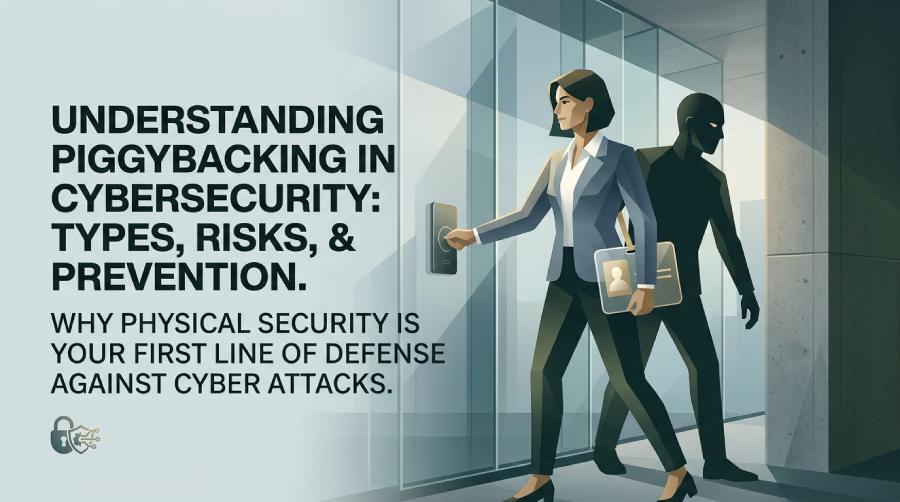
Organizations spend significant time and resources protecting their networks from cyber threats, yet physical security is often overlooked. Many security incidents begin not with sophisticated malware but with unauthorized individuals gaining access to restricted areas. One of the most common physical security threats is piggybacking.
Piggybacking occurs when an unauthorized person enters a secure location by relying on someone who has legitimate access. Once inside, the intruder may steal sensitive information, install malicious devices, access confidential systems, or compromise company assets.
Understanding how piggybacking works is essential for businesses of all sizes. In this guide, we’ll explain the concept, explore its risks, compare it with similar attacks, and discuss practical ways to prevent it.
What Is Piggybacking?
Piggybacking is a physical security breach in which an unauthorized individual gains entry to a restricted area by following or accompanying someone with valid credentials.
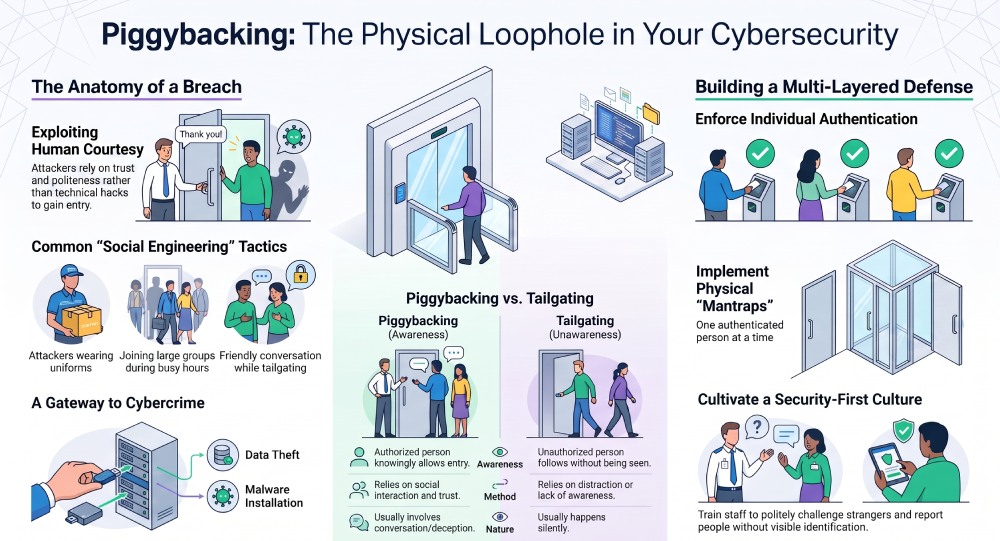
Rather than bypassing locks or security systems, the attacker depends on human behavior. Employees often hold doors open as a courtesy or assume someone nearby belongs in the building. Attackers exploit this trust to enter without using access cards, security codes, or biometric authentication.
Because no technical defenses are directly compromised, piggybacking can be difficult to detect until damage has already occurred.
How Piggybacking Works
A typical piggybacking incident follows a simple sequence:
- The attacker identifies a secured entrance.
- They wait for an authorized employee or visitor.
- They create a believable reason to enter, such as carrying heavy boxes or pretending to be a contractor.
- The authorized person unknowingly allows them inside.
- Once inside, the attacker moves freely or targets specific systems and information.
The entire process may take only a few seconds but can lead to serious security consequences.
Common Piggybacking Techniques
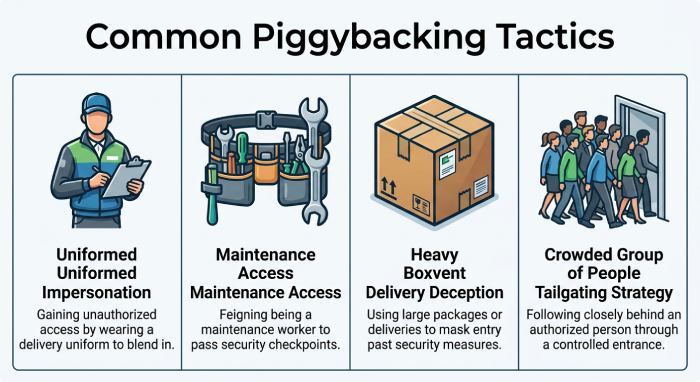
Attackers use various methods to convince others to grant access.
Following Employees Through Secure Doors
The simplest method involves walking closely behind an employee before the security door closes.
Pretending to Be a Delivery Worker
Uniforms, packages, and delivery equipment can make an attacker appear legitimate, reducing suspicion.
Impersonating Contractors or Maintenance Staff
Attackers may claim to perform repairs, inspections, or equipment installations to gain entry.
Carrying Large Objects
Someone struggling with boxes or equipment often encourages others to hold the door open.
Joining Groups During Busy Hours
During shift changes or crowded periods, security personnel may have difficulty verifying every individual entering the building.
Why Piggybacking Is Dangerous
Although it may seem harmless, piggybacking can lead to significant security incidents.
Potential consequences include:
- Theft of confidential business information
- Unauthorized access to computer systems
- Installation of malware or hardware implants
- Theft of laptops, mobile devices, or documents
- Exposure of customer information
- Financial fraud
- Intellectual property theft
- Physical sabotage
- Regulatory compliance violations
Even a single successful incident can have lasting financial and reputational consequences.
Real-World Piggybacking Scenarios
Piggybacking can occur in many different environments.
- Corporate Offices: An individual enters behind an employee and later connects a rogue device to the company’s network.
- Healthcare Facilities: Unauthorized visitors access restricted medical areas containing confidential patient information.
- Financial Institutions: Attackers enter secure offices to collect sensitive financial records or install surveillance devices.
- Data Centers: Physical access allows criminals to tamper with servers, networking equipment, or backup systems.
- Educational Campuses: Unauthorized individuals enter laboratories, administrative offices, or research facilities.
Piggybacking vs. Tailgating
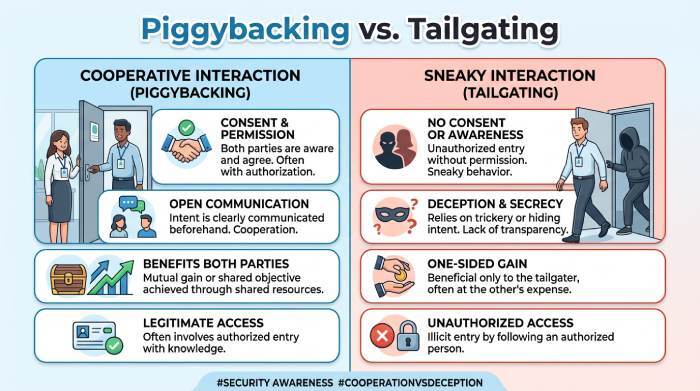
The terms are often used interchangeably, but there is an important distinction.
| Piggybacking | Tailgating |
|---|---|
| The authorized person knowingly allows someone to enter, believing they belong there. | The unauthorized person follows someone inside without their knowledge. |
| Relies on courtesy and trust. | Relies on distraction or lack of awareness. |
| Often involves social interaction. | Usually happens silently. |
Both techniques exploit human behavior rather than technical vulnerabilities.
Warning Signs of Piggybacking
Organizations should watch for behaviors that may indicate an attempted breach, including:
- Individuals without visible identification
- Visitors wandering without escorts
- Employees allowing strangers through secure doors
- Someone repeatedly waiting near access-controlled entrances
- People avoiding security checkpoints
- Individuals asking employees to hold doors open
Early recognition helps prevent unauthorized access before damage occurs.
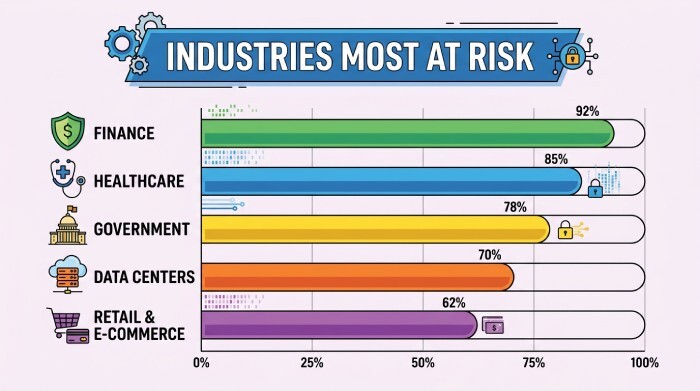
Industries Most at Risk
Certain industries face greater exposure because they manage valuable information or critical infrastructure.
These include:
- Banking and financial services
- Healthcare organizations
- Government agencies
- Defense contractors
- Technology companies
- Research laboratories
- Manufacturing facilities
- Data centers
- Educational institutions
For these organizations, physical access controls are just as important as cybersecurity measures.
How to Prevent Piggybacking
Reducing piggybacking requires both technology and employee awareness.
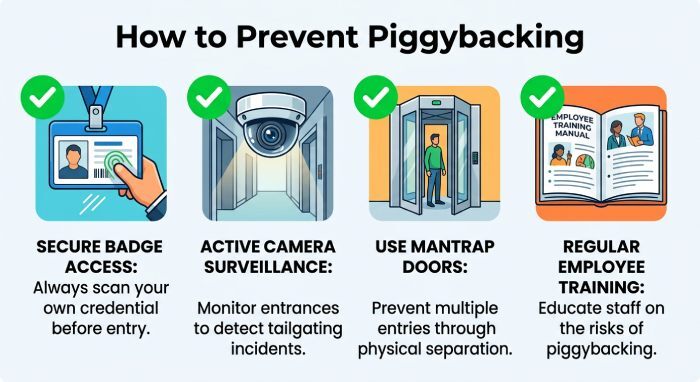
- Train Employees Regularly: Staff should understand that politely challenging unknown individuals is part of maintaining workplace security.
- Require Individual Authentication: Every employee and visitor should use their own access credentials rather than entering behind someone else.
- Install Access Control Systems: Key cards, biometric readers, mobile credentials, and PIN-based entry systems help ensure only authorized individuals can enter.
- Use Security Cameras: Video surveillance provides visibility into entrances and supports incident investigations.
- Employ Security Personnel: Receptionists and security officers can verify identities before granting access.
- Issue Visitor Badges: Visitors should receive temporary identification and remain accompanied while inside restricted areas.
- Implement Mantraps: Mantraps are controlled entry areas that allow only one authenticated person to enter at a time.
- Audit Physical Access Logs: Regular reviews help identify unusual access patterns or suspicious behavior.
Building a Security-Conscious Culture
Technology alone cannot eliminate piggybacking. Employees must understand that security is everyone’s responsibility.
Organizations should encourage staff to:
- Verify unfamiliar individuals.
- Report suspicious behavior immediately.
- Never lend access cards.
- Avoid holding secure doors open for unknown people.
- Follow visitor management procedures consistently.
When employees remain alert, attackers have fewer opportunities to exploit human trust.
The Role of Cybersecurity
Physical security and cybersecurity are closely connected.
Once attackers enter a facility, they may:
- Connect unauthorized devices to internal networks.
- Access unlocked workstations.
- Steal authentication credentials.
- Copy confidential files.
- Install malware or ransomware.
- Capture sensitive information.
Organizations should combine physical safeguards with cybersecurity measures such as:
- Multi-factor authentication (MFA)
- Endpoint detection and response (EDR)
- Network segmentation
- Email authentication using SPF, DKIM, and DMARC
- Continuous security monitoring
- Zero Trust security principles
A layered defense significantly reduces overall risk.
Once attackers gain physical access through piggybacking, they may compromise employee accounts, steal email credentials, install malware, or launch phishing campaigns from trusted corporate systems. This makes physical security an essential component of overall email security.
Best Practices Checklist
To minimize piggybacking risks, organizations should:
- Train employees on physical security awareness.
- Verify every person’s identity before granting access.
- Require individual badge authentication.
- Use visitor management procedures.
- Install surveillance cameras.
- Deploy modern access control systems.
- Review access logs regularly.
- Report suspicious activity immediately.
- Combine physical and digital security controls.
- Conduct routine security assessments.
Frequently Asked Questions
Is piggybacking considered a cyberattack?
Not directly. Piggybacking is primarily a physical security attack, but it often serves as the first step toward cybercrime by allowing attackers to access systems or networks.
Can small businesses be targeted?
Yes. Smaller organizations often have fewer physical security controls, making them attractive targets for unauthorized access.
Does piggybacking always involve deception?
Most incidents involve some level of social engineering, where attackers rely on trust, politeness, or helpful behavior rather than force.
Can technology completely prevent piggybacking?
No. While access control systems and surveillance help, employee awareness remains one of the most effective defenses.
Conclusion
Piggybacking demonstrates that even advanced cybersecurity measures can be undermined by simple human interactions. Attackers frequently exploit courtesy and routine behavior to bypass physical security without triggering alarms.
Organizations can significantly reduce this risk by combining strong access controls, employee security training, visitor management procedures, surveillance systems, and a culture of security awareness. When physical and cybersecurity strategies work together, businesses are better equipped to protect their people, facilities, and sensitive information from unauthorized access.
General Manager
General Manager at DuoCircle. Product strategy and commercial lead across the email security portfolio.
Secure your email infrastructure
Protect, authenticate, and deliver. Contact our team to find the right solution.