What Is URL Manipulation and URL Rewriting? A Complete Guide

Quick Answer
URL manipulation changes parts of a URL, such as query parameters, while URL rewriting transforms URLs into cleaner, user-friendly formats. Both help improve website navigation, SEO, and URL management when implemented securely.
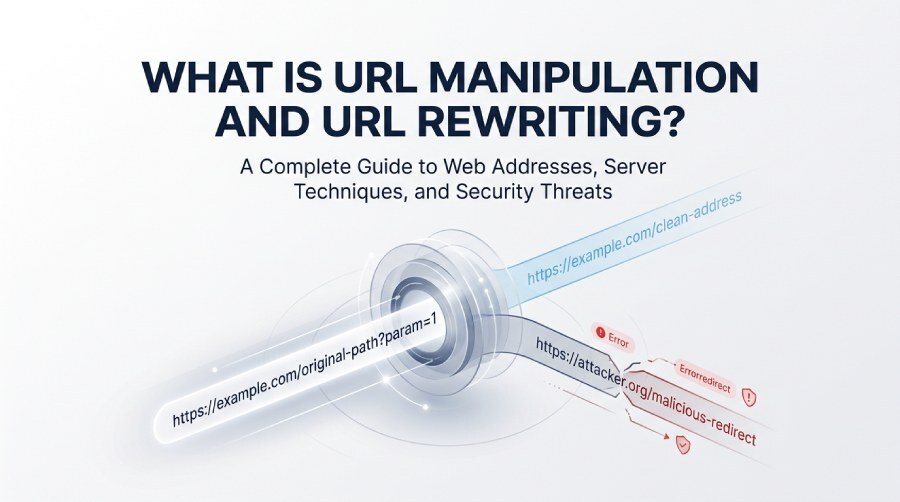
Every website, online document, image, and digital service has a web address known as a Uniform Resource Locator (URL). These addresses help browsers locate and retrieve online resources. However, URLs can be changed for legitimate website management purposes or manipulated by cybercriminals attempting to exploit security weaknesses.
Understanding URL manipulation and URL rewriting is important for website owners, developers, digital marketers, and cybersecurity professionals. Although both techniques involve changing URL structures or behavior, their purposes and potential consequences can vary significantly.
This guide explains how URLs work, how rewriting functions, why attackers manipulate web addresses, and what organizations can do to protect their websites and users.
What Is a URL?
A URL, or Uniform Resource Locator, is the address used to identify and access a resource on the internet. It can direct users to a website, a specific webpage, a downloadable file, an image, or another online resource.
For example:
https://example.com/blog/email-security
This address contains several components that work together to identify the requested resource.
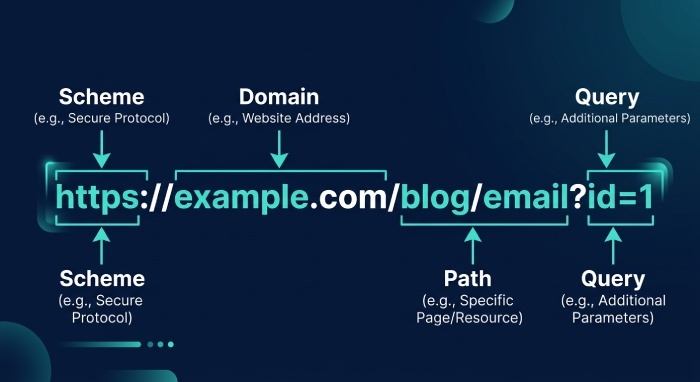
Key Components of a URL
1. Scheme or Protocol
The scheme identifies how the browser should communicate with the destination. Common examples include HTTPS and HTTP. HTTPS encrypts the connection between the browser and the website, helping protect information exchanged during communication.
2. Domain Name
The domain identifies the website being accessed. In the example above, example.com is the domain name.
3. Port Number
A port identifies a communication endpoint on the destination server. Standard HTTP and HTTPS connections commonly use ports 80 and 443, respectively. These numbers are often omitted from ordinary URLs because browsers use the default ports automatically.
4. Path
The path identifies a particular resource or location within a website. In the example, /blog/email-security represents the requested path.
5. Query Parameters
Query parameters carry additional information to the server. They begin after a question mark and commonly contain values used for searching, filtering, tracking, or retrieving specific content.
6. Fragment Identifier
A fragment appears after a hash symbol (#) and can direct the browser to a particular section of a webpage or identify a location within a document.
Not every URL contains all these components. Their presence depends on the website’s design and the purpose of the address.
What Is URL Manipulation?
URL manipulation refers to changing some part of a web address to influence how a website or application processes a request. This may involve modifying a path, parameter, domain, or other URL component.
URL manipulation is not inherently harmful. Developers and website administrators may adjust URLs to improve navigation, maintain compatibility, or organize website resources. However, attackers can also manipulate URLs to test security weaknesses, bypass authorization checks, or direct visitors toward fraudulent destinations.
The consequences depend on how the website handles the modified request and whether appropriate security controls are in place.
Common Reasons for URL Manipulation
URL manipulation can serve several purposes, including:
- Website customization: Adjusting addresses to make pages easier to understand and navigate.
- Application testing: Checking whether a website correctly validates incoming requests.
- Content management: Changing URL parameters to retrieve specific records or resources.
- Security testing: Identifying weaknesses in access controls and input validation.
- Malicious activity: Attempting to reach restricted resources, expose sensitive information, or deceive website visitors.
The important distinction is whether the changes are authorized and whether the website processes them securely.
What Is URL Rewriting?
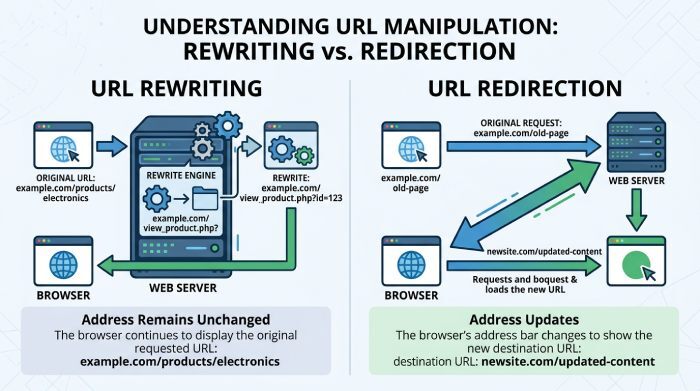
URL rewriting is a technique that changes how a URL is interpreted or mapped to a resource. A web server or application follows predefined rules to process an incoming request and determine which internal resource should handle it.
One common purpose is to replace a complicated address with a cleaner, more readable version.
For example, a website might internally retrieve an article using a URL containing a script name and several query parameters. A rewriting rule can allow visitors to access the same article through a shorter path, such as:
https://example.com/articles/email-security
The browser can continue displaying the clean address while the server processes the request using its internal routing rules.
URL rewriting is commonly used in content management systems, online stores, web applications, and websites that generate pages dynamically.
How URL Rewriting Works
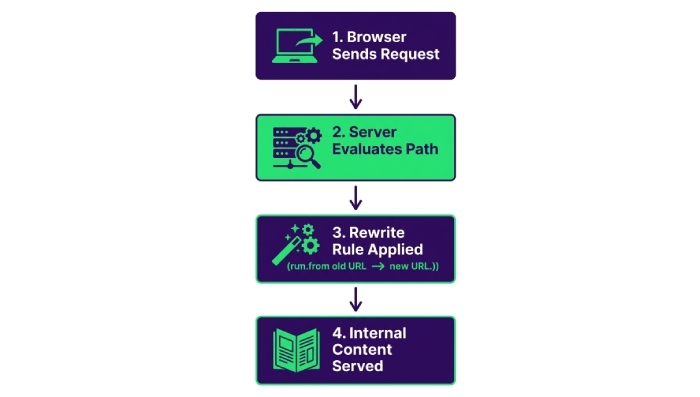
URL rewriting generally follows a series of steps:
- A user requests a webpage: The browser sends a request containing the URL.
- The server examines the request: The web server or application checks the requested path and relevant conditions.
- A rewriting rule is applied: If the request matches a configured rule, the server maps it to another internal path or resource.
- The application processes the request: The appropriate content or functionality is selected.
- The response is returned: The server sends the requested content to the browser.
In a typical internal rewrite, the address displayed in the browser does not change. This differs from a redirect, which instructs the browser to request another URL.
URL Rewriting vs. URL Redirection
URL rewriting and URL redirection are related but perform different functions.
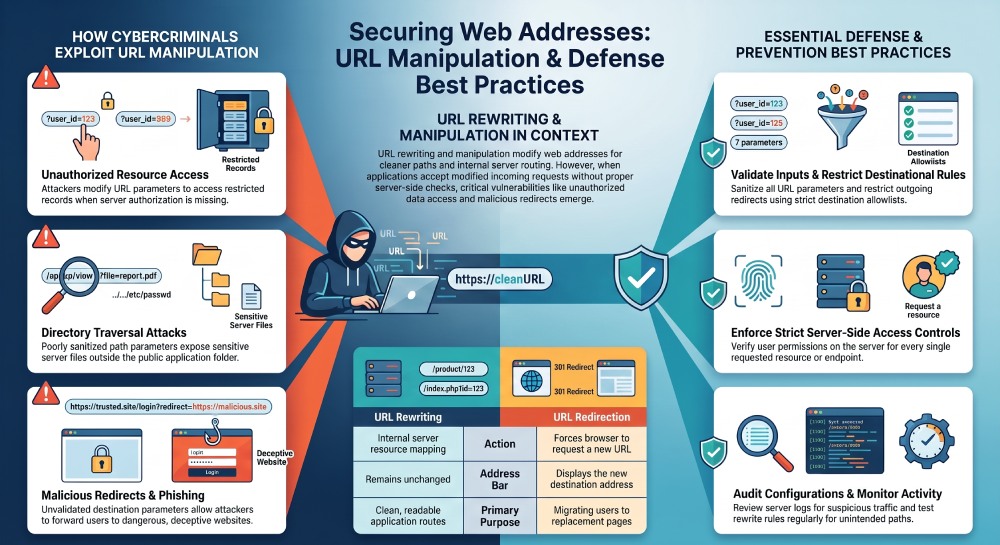
| Feature | URL Rewriting | URL Redirection |
|---|---|---|
| Main function | Maps a request to another resource internally | Sends the browser to another address |
| Browser address bar | Usually remains unchanged | Usually displays the destination URL |
| Additional browser request | Typically unnecessary for the internal mapping | Normally required to request the destination |
| Common purpose | Clean URLs and internal routing | Moving visitors to a different address |
| Typical example | Mapping a readable path to an internal application route | Sending an old page URL to its replacement |
A permanent redirect commonly uses HTTP status code 301, while a temporary redirect may use 302 or another appropriate redirect status. The correct choice depends on the intended behavior.
Understanding this distinction helps website owners manage page migrations, maintain links, and configure their applications correctly.
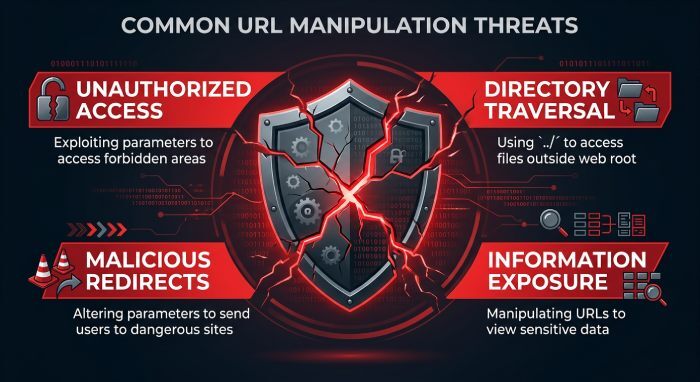
How Cybercriminals Abuse URL Manipulation
Although URL rewriting has many legitimate uses, weaknesses in URL handling can expose websites and their visitors to security threats.
Attackers may modify addresses to investigate how an application responds to unexpected requests. If the application relies on untrusted URL values without adequate validation or authorization, the result can be unauthorized access or information disclosure.
1. Unauthorized Resource Access
Some applications use URL parameters to identify records, documents, or user accounts. If the server does not verify whether the requester has permission to access the selected resource, a modified URL may expose information that should remain private.
Web applications should enforce authorization on the server rather than assuming that a user is permitted to access a resource simply because its identifier appears in a request.
2. Directory Traversal Vulnerabilities
Directory traversal occurs when an application incorrectly handles file paths supplied through requests. Under vulnerable conditions, an attacker may attempt to access files outside the directory intended for the application.
Secure file-handling practices, strict path validation, and restricted file permissions can reduce this risk.
3. Exposure of Sensitive Information
Poorly designed applications may reveal internal filenames, configuration details, or other information through error messages and improperly protected endpoints.
Developers should limit access to sensitive resources and ensure that application responses do not disclose unnecessary internal details.
4. Malicious Redirects
An application that accepts untrusted destination URLs without proper validation may redirect visitors to fraudulent websites. Attackers can exploit this weakness in phishing campaigns to make deceptive links appear connected to a legitimate service.
Applications should validate redirect destinations against trusted rules and avoid accepting arbitrary external destinations.
5. Phishing Through Rewritten Links
Email security systems sometimes rewrite links so that they can inspect destinations when a user clicks them. This can provide an additional layer of protection against malicious websites.
However, criminals may also disguise destinations, abuse redirect chains, or take advantage of users who trust a familiar-looking link. A rewritten link is not automatically safe simply because it contains the name of a recognized service.
Users should verify the actual destination and exercise caution with unexpected requests for passwords, payment information, or account verification.
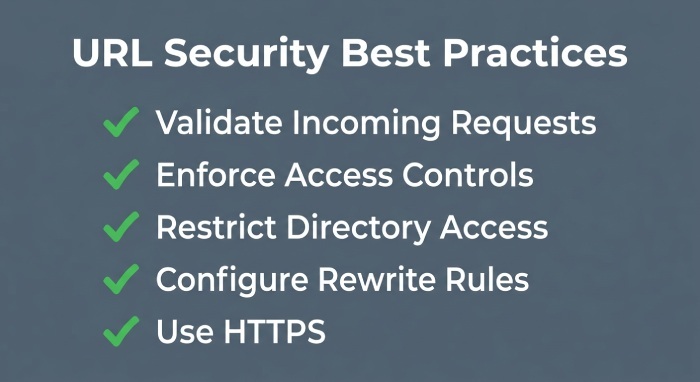
Best Practices for Preventing URL Manipulation Attacks
Organizations should treat URL handling as an important part of their application security strategy. The following measures can help reduce common risks.
1. Keep Web Software Updated
Apply security patches to web servers, frameworks, content management systems, plugins, and other application components. Updates can address known vulnerabilities that attackers might otherwise exploit.
2. Validate Incoming Requests
Check URL parameters, paths, and other user-controlled input against clearly defined expectations. Reject invalid values instead of allowing the application to process them without appropriate checks.
3. Enforce Access Controls
Verify user permissions on the server for every protected resource. Do not rely on hidden links, difficult-to-guess identifiers, or URL structure as substitutes for authorization.
4. Restrict File and Directory Access
Configure the server so that application processes can access only the files and directories required for their functions. Disable unnecessary directory listings and remove unused files that could expose internal information.
5. Configure Rewrite Rules Carefully
Review rewriting and routing rules for unexpected behavior, conflicting conditions, and unintended access paths. Keep configurations straightforward and test changes before deploying them to production.
6. Validate Redirect Destinations
Allow redirects only to approved destinations when external redirection is not required. If external destinations are necessary, validate them using a carefully designed allowlist or equivalent security controls.
7. Use HTTPS
HTTPS protects data while it travels between a user’s browser and the website. It helps prevent network observers from reading or modifying traffic in transit, although it does not guarantee that a website itself is trustworthy.
8. Monitor Website Activity
Review server logs and security alerts for unusual requests, repeated access failures, unexpected redirects, and attempts to access restricted resources. Monitoring can help security teams identify suspicious patterns and investigate potential incidents.
9. Test Application Security Regularly
Perform authorized security assessments to check whether URL parameters, routing rules, and access controls behave as intended. Fix identified weaknesses and retest the affected components after changes are made.
10. Strengthen Email Security
Organizations should also protect users against phishing links delivered through email. SPF, DKIM, and DMARC help authenticate email and reduce certain types of domain spoofing. Email filtering, link inspection, and user awareness training provide additional layers of defense.
These email security controls do not directly prevent every URL manipulation vulnerability, so they should complement rather than replace secure application development.
Final Thoughts
URL manipulation and URL rewriting are important concepts in website development and cybersecurity. Rewriting allows applications to present cleaner addresses, simplify internal routing, and maintain stable links when their underlying structures change. URL manipulation can also be part of legitimate testing and website administration.
Problems arise when applications process modified URLs without proper validation, authorization, or security controls. Such weaknesses may lead to unauthorized resource access, information exposure, or harmful redirects.
Website owners and developers should use carefully configured rewrite rules, maintain updated software, enforce server-side permissions, and monitor suspicious activity. Combining these practices with secure development processes and effective email protection can help organizations build safer, more reliable online experiences.
General Manager
General Manager at DuoCircle. Product strategy and commercial lead across the email security portfolio.
Secure your email infrastructure
Protect, authenticate, and deliver. Contact our team to find the right solution.