Why Are My Emails Bouncing? Common Causes and How to Fix Them

Quick Answer
Emails can bounce because of invalid addresses, full mailboxes, large attachments, server issues, SPF, DKIM or DMARC failures, blocklisting, poor sender reputation, or spam filters. Identify the bounce type and error message to choose the right fix.
Sending an important email only to receive a delivery failure notification can be frustrating. Whether you are sending a business email, marketing campaign, newsletter, or sales message, bounced emails can reduce your ability to reach recipients and negatively affect your email performance.
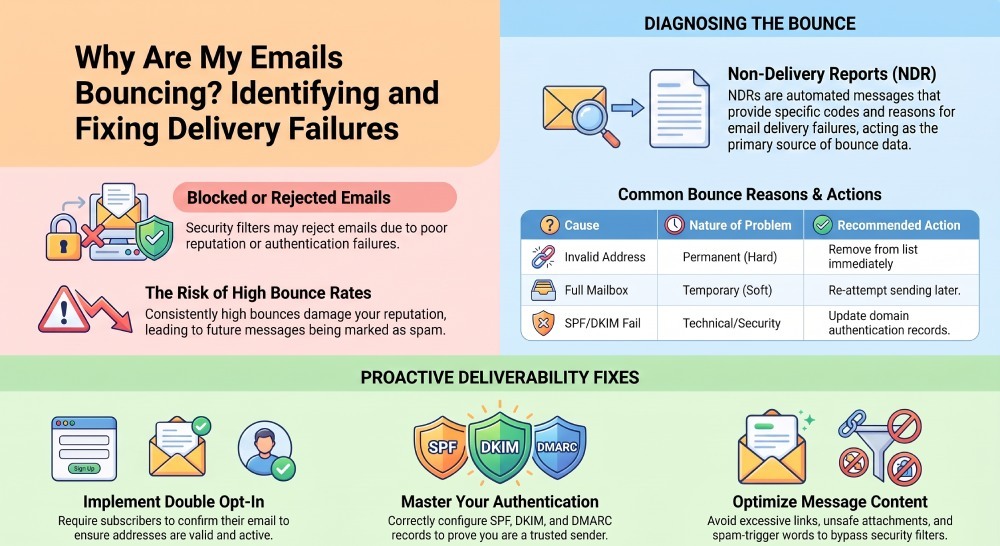
Email bounces happen for many different reasons. The problem could be temporary, such as a full mailbox or unavailable server, or permanent, such as an invalid email address. In other cases, security controls may reject legitimate messages because of authentication failures, suspicious sending behavior, poor sender reputation, or domain and IP blocklisting.
Authentication problems, poor sender reputation, blocked domains, suspicious attachments, and spam filters can also prevent messages from reaching their destination.
Understanding why your emails are bouncing is the first step toward fixing the issue. This guide explains the different types of email bounces, the most common causes, and practical ways to improve your email delivery.
What Does It Mean When an Email Bounces?
An email bounce occurs when a message cannot be successfully delivered to the intended recipient. Instead of reaching the recipient’s inbox, the sending system returns a notification explaining that delivery was unsuccessful.
This notification is often called a Non-Delivery Report (NDR), delivery failure message, or bounce notification.
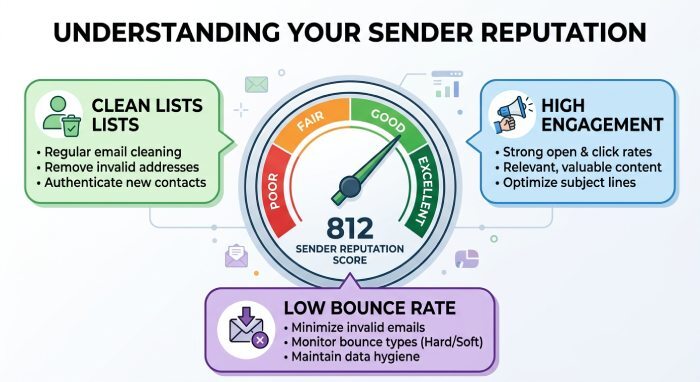
Bounced emails can affect more than a single message. A consistently high bounce rate may damage your sender reputation, making email providers more likely to reject future messages or send them to spam.
Types of Email Bounces
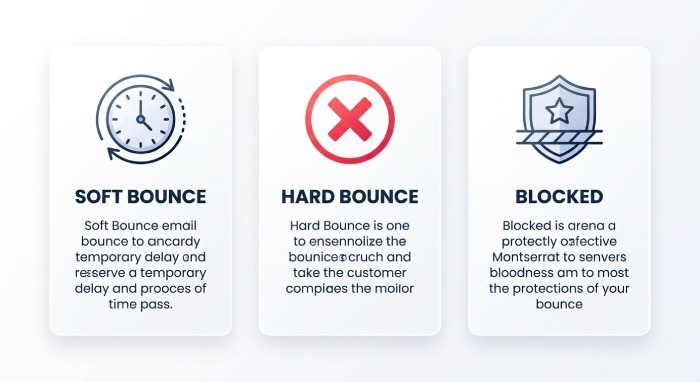
Not every bounced email indicates the same problem. In general, email bounces can be divided into three major categories.
1. Soft Bounces
A soft bounce happens because of a temporary delivery problem. The recipient’s email address is usually valid, but the receiving server cannot accept the message at that particular time.
Common causes include:
- A full recipient mailbox
- Temporary server problems
- Server maintenance
- A message that exceeds size limits
- Temporary network or system issues
In many cases, the sending server may automatically attempt to deliver the message again later.
2. Hard Bounces
A hard bounce indicates a permanent delivery failure. Retrying the same address will usually not solve the problem.
Common reasons include:
- The email address does not exist
- The domain is invalid
- The recipient’s account has been permanently closed
- The address contains a spelling error
Hard-bounced addresses should generally be removed from mailing lists because repeatedly sending messages to invalid accounts can harm your sender reputation.
3. Rejected or Blocked Emails
Some emails are rejected because the receiving server does not trust the sender or considers the message potentially harmful.
This may happen because of:
- Poor domain or IP reputation
- Spam complaints
- Blocklisting
- Authentication failures
- Suspicious content
- Rapid increases in email volume
- Unsafe attachments
These issues require more investigation because the email address itself may still be valid.
10 Common Reasons Why Your Emails Are Bouncing
1. The Recipient’s Mailbox Is Full
Every email account has a storage limit. If a recipient has used all available storage, their mailbox may not be able to receive new messages.
This is typically a temporary issue. You can try sending the email again later.
2. Your Email Message Is Too Large
Large attachments can cause delivery failures when they exceed the size limit accepted by the receiving email server.
Images, videos, documents, and multiple attachments can quickly increase the total size of an email.
Instead of attaching large files directly, consider using a secure file-sharing method when appropriate.
3. SPF, DKIM, or DMARC Problems
Email authentication plays an important role in determining whether receiving servers trust your messages.
SPF helps identify authorized mail servers, while DKIM uses a digital signature to verify that a message has not been altered. DMARC provides instructions for handling messages that fail authentication checks.
If legitimate emails fail SPF or DKIM alignment, a strict DMARC policy may cause receiving servers to reject them.
Authentication problems can occur when:
- A new third-party email service has not been authorized
- SPF records are incorrectly configured
- Multiple SPF records exist
- DKIM signatures are missing or invalid
- The visible From domain does not align correctly
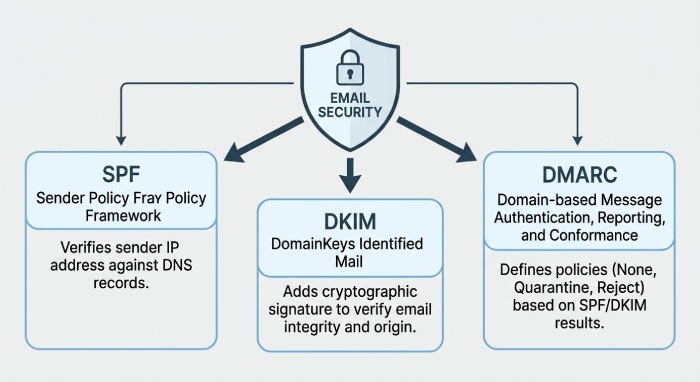
Reviewing authentication settings and identifying all legitimate sending sources can help prevent these delivery failures.
4. An Automatic Reply Was Sent
Sometimes an apparent bounce notification is actually an automated response from the recipient.
For example, the recipient may be away from work and have an out-of-office reply enabled.
In this situation, the original email may have been successfully delivered. The automatic message simply informs you that the recipient is temporarily unavailable.
5. Your Domain or IP Address Has Been Blocked
Receiving servers may reject messages from a domain or IP address that has been blocklisted or otherwise identified as suspicious.
This can happen when a sending source has been associated with:
- Spam activity
- High complaint rates
- Excessive invalid addresses
- Malicious email activity
- Poor sending practices
Blocklisting can also be a sign of a compromised account, unauthorized email sending, or other security issues that should be investigated before normal sending resumes.
Some organizations also use allowlists and may accept messages only from approved senders.
6. Your Sender Reputation Is Poor
Email providers use domain and IP reputation as part of their security and filtering decisions when determining whether to accept, reject, quarantine, or deliver a message.
A poor reputation can develop because of:
- High bounce rates
- Spam complaints
- Low recipient engagement
- Sudden increases in sending volume
- Sending to outdated lists
- Unauthorized email activity from your domain
If your sending history appears risky, your messages may be filtered, delayed, rejected, or placed in spam.
7. The Recipient’s Server Is Temporarily Unavailable
A message may bounce because the receiving server is offline, overloaded, undergoing maintenance, or experiencing a temporary technical problem.
These issues often result in soft bounces.
Try sending the message again later. If the same address repeatedly produces delivery failures, the problem may be more permanent.
8. The Email Address Is Incorrect
A simple typing mistake can prevent an email from reaching its destination.
Check for:
- Misspelled names
- Missing characters
- Incorrect domain names
- Extra spaces
- Incorrect punctuation
For large email lists, address validation can help identify invalid contacts before sending a campaign.
9. The Recipient Has Blocked You
A recipient may choose to block a particular email address or domain.
When this happens, messages from that sender may be rejected automatically.
If only one recipient consistently rejects your messages while others receive them successfully, blocking may be the reason.
10. The Attachment Is Considered Unsafe
Email security systems scan attachments for suspicious files and potential threats.
A receiving server may reject a message if an attachment:
- Appears malicious
- Uses a restricted file type
- Contains suspicious content
- Is password-protected in a way that prevents scanning
- Exceeds the allowed file size
If you believe an attachment is causing the problem, try sending the email without it or use a safer approved method for sharing the file.
How to Reduce Email Bounce Rates
Reducing email bounces requires a combination of good list management, proper authentication, and responsible sending practices.
1. Keep Your Email List Clean
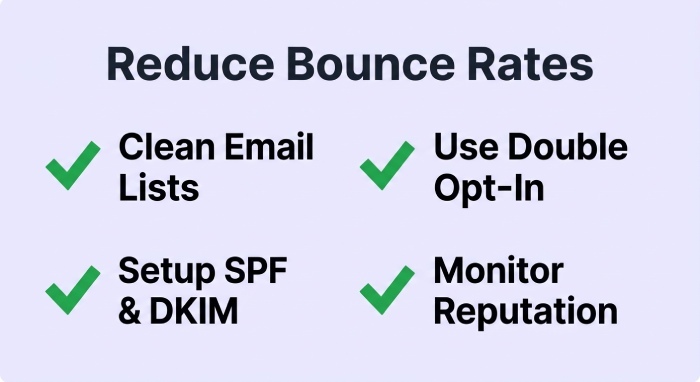
Regularly review your mailing list and remove addresses that consistently generate hard bounces.
Sending repeatedly to invalid accounts can damage your reputation and reduce future deliverability.
2. Use Double Opt-In
Double opt-in requires subscribers to confirm their email address after signing up.
This helps ensure that the addresses on your list are valid and that recipients genuinely want to receive your messages.
A cleaner list can lead to fewer bounces and better engagement.
3. Configure Email Authentication Correctly
Make sure your domain has properly configured SPF, DKIM, and DMARC records.
Before implementing strict DMARC enforcement, identify every legitimate service that sends email on behalf of your domain. This may include:
- Business email platforms
- Marketing tools
- Customer support systems
- CRM platforms
- Transactional email services
Monitoring authentication results can help identify configuration errors before they affect legitimate email delivery.
4. Avoid Spam-Like Content
Email filters analyze both sending behavior and message content.
Avoid practices that can make a message appear suspicious, such as:
- Excessive capital letters
- Repeated punctuation
- Misleading subject lines
- Too many promotional phrases
- Poorly formatted HTML
- Unnecessary links
Focus on clear, relevant, and professionally written emails.
5. Avoid Overloading Your Messages With Links
An excessive number of links can make a message appear suspicious to some security filters.
Use only links that are necessary and ensure they direct recipients to trustworthy destinations.
6. Maintain Consistent Sending Patterns
Sending an unusually large number of emails in a short period can create reputation problems, especially if the sending volume is significantly higher than normal.
Increase campaign volume gradually and maintain predictable sending practices whenever possible.
7. Monitor Your Sender Reputation
Keep an eye on important email performance indicators, including:
- Bounce rates
- Spam complaints
- Authentication failures
- Rejected messages
- Blocklisting issues
Identifying problems early can prevent a small delivery issue from becoming a larger reputation problem.
8. Review Bounce Messages Carefully
The bounce notification often contains useful information about why the message failed.
Look for error messages related to:
- Invalid recipients
- Full mailboxes
- Authentication failures
- Server availability
- Message size
- Blocked senders
Understanding the specific error is much more effective than applying the same solution to every bounced email.
Final Thoughts
If you are asking, “Why are my emails bouncing?” the answer can depend on several different factors. The problem may be as simple as an incorrect email address or as complex as a sender reputation or authentication issue.
Temporary bounces often resolve on their own, while permanent failures require action, such as removing invalid addresses from your mailing list. If many legitimate emails are being rejected, reviewing your email infrastructure, authentication records, sender reputation, and sending practices should be a priority.
By maintaining a clean contact list, correctly configuring SPF, DKIM, and DMARC, monitoring delivery errors, and following responsible email practices, you can reduce bounce rates and improve the chances of your messages reaching their intended recipients.
General Manager
General Manager at DuoCircle. Product strategy and commercial lead across the email security portfolio.
Secure your email infrastructure
Protect, authenticate, and deliver. Contact our team to find the right solution.