The Security Gaps That Appear When Sales Teams Expand Across Borders

Quick Answer
Sales teams expanding across borders face security gaps from inconsistent access controls, data exposure, phishing, third-party risks, and regulatory differences. Strong identity management, employee training, secure collaboration tools, and consistent security policies help reduce these risks.
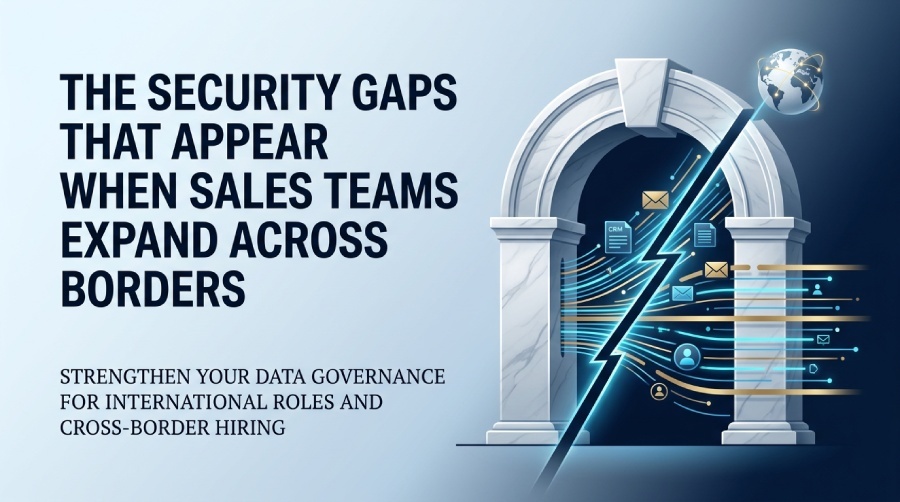
International sales expansion often begins with one hire rather than a formal expansion project. A company finds someone who understands a new market and wants them speaking to prospects quickly. Before long, that person needs the same systems the existing sales team already uses.
The security problem is easy to underestimate because very little looks unusual from the salesperson’s perspective. They receive a company account, access the CRM, and begin working with customer information. Behind that fairly ordinary setup, HR and IT may be coordinating an employee in a country where the business has never hired before.
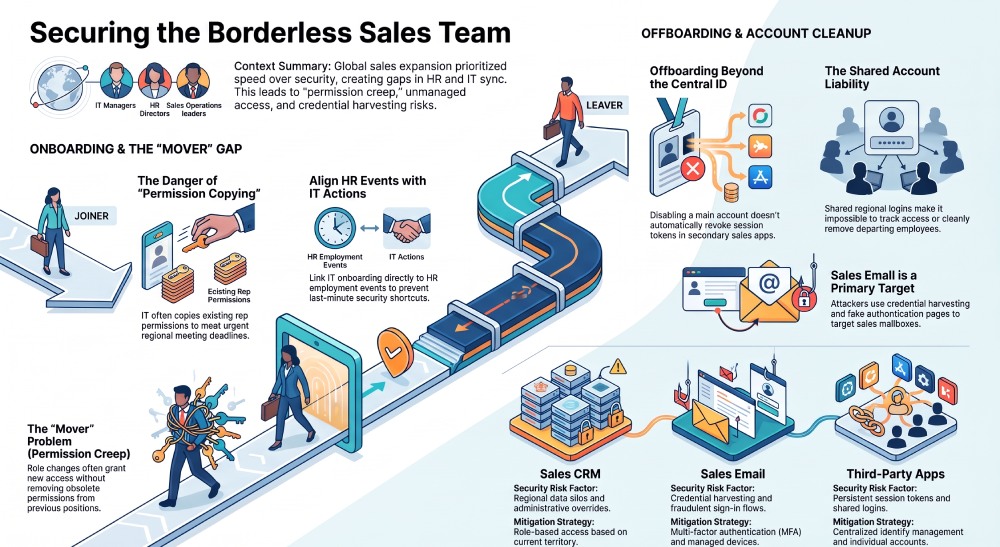
Small gaps between those processes are where access problems tend to appear. IT may hear about the hire only after prospect meetings are already booked, making an existing rep’s permissions the quickest setup to copy. Problems surface again later if nobody owns the access changes that come with a change in role. International growth exposes those weaknesses quickly.
International hiring creates another handoff for IT
A salesperson working abroad still enters the same company systems as colleagues elsewhere. Their location doesn’t reduce the sensitivity of the customer records or internal information they use.
What changes is the route by which the person joins the business. Employment may be handled through an arrangement that the IT team hasn’t dealt with before, while the manager hiring the person is focused mainly on getting the new territory moving.
That employment route needs to connect with the existing security process. Globalization Partners lets companies employ people in new countries without establishing a local entity first, while handling the local employment administration around the hire. That gives HR a clear employment event to coordinate with IT, so onboarding and access aren’t being figured out separately at the last minute.
Timing matters here. If the employee already has prospect meetings scheduled by the time IT hears about them, broad access becomes an easy shortcut. An existing rep’s permissions may be copied simply to get the new hire working, with little reason for anyone to revisit them once sales activity begins.
Sales access reaches well beyond a CRM login
Sales systems are supposed to contain useful customer information, which is precisely why access deserves some thought. A CRM record may preserve months of conversations with a prospect alongside commercial details that don’t belong in front of every employee. The salesperson’s email account extends that history further because plenty of customer communication never makes it into a structured CRM field.
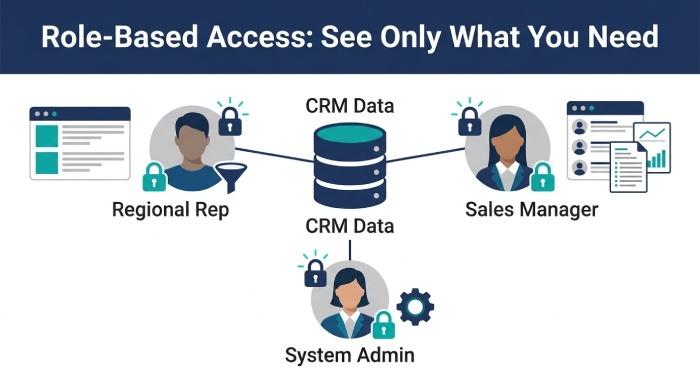
Giving somebody access to the CRM is therefore only the beginning of the decision. Visibility inside it should reflect the work the person actually performs. A rep responsible for one territory probably has little reason to browse opportunities owned by another regional team. Administrative permissions are different again. The employee who sells through the system doesn’t automatically need the ability to change how the system itself is configured.
DuoCircle applies the same general principle to its own sensitive systems by restricting access to employees who require it for their work. Its security practices describe role-based access alongside other controls around company systems. As the sales organization grows, “everyone in sales gets the same access” becomes harder to defend.
CRM permissions should reflect the customer relationship
Permissions that worked for a small sales team often survive long after the organization has changed around them. The original setup might assume that every salesperson needs roughly the same visibility. Once the company starts dividing accounts by market or introducing more specialized roles, that assumption stops matching how people actually work.
The sensitivity of the information also differs between industries. In financial services, for example, CRM records may contain referral history and detailed notes about a commercial relationship that the wider sales organization has no reason to browse. A financial services sales CRM fits that type of selling environment, while the company still decides internally who should see each customer record.
One common shortcut deserves particular attention here. New users are sometimes created by copying the permissions of someone who already has a similar job. That saves time, but the existing employee may have accumulated extra access during previous responsibilities. Copying the account reproduces that history without anyone reviewing whether it belongs in the new role.
Permissions are easier to manage when they start from the job the person has now rather than the access another employee happens to have.
The first week sets the pattern
Security onboarding competes with a lot of other work during a salesperson’s first few days. Their manager wants them learning the product and starting conversations with prospects. The employee is also getting used to the company’s systems. If account setup is still being worked out at that point, convenience usually wins.
Multi-factor authentication is a basic example. CISA recommends MFA for business accounts and advises organizations to prioritize stronger methods for sensitive access. Its MFA guidance for businesses gives particular attention to accounts that attackers would find valuable.
Email deserves attention because it often becomes the route into other services as well. A compromised mailbox may expose password resets or conversations that make later impersonation much easier.
Device expectations also need to be clear before the employee starts. A managed company laptop creates a very different security situation from a personal computer where business credentials are mixed with everything else. Deciding that after access has already spread across several systems creates unnecessary cleanup.
Sales email is part of the customer record too
CRM security gets plenty of attention because the database is visible and structured. Sales email is messier.
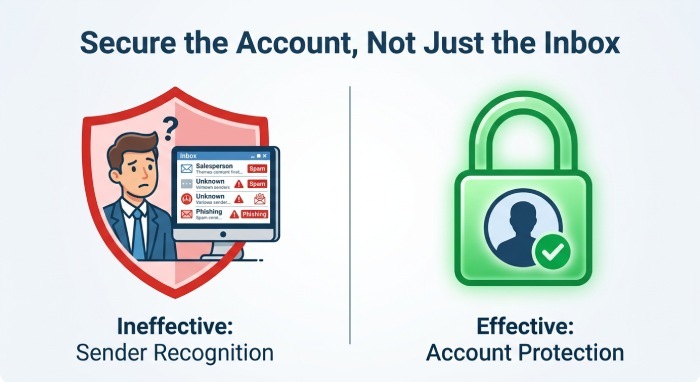
A salesperson spends much of the week opening messages from people outside the company. New senders aren’t unusual because finding new customers is part of the job. That makes simple rules based on whether a sender is familiar much less useful for sales than they might be elsewhere.
Attackers take advantage of that routine. DuoCircle has documented credential harvesting attacks against Microsoft 365 accounts that imitate familiar business services and push users toward fraudulent sign-in flows.
Other attacks make the distinction harder by abusing legitimate authentication infrastructure. DuoCircle has also covered Microsoft 365 account takeover techniques where the victim encounters a genuine Microsoft authentication page even though the request behind it is malicious.
A salesperson entering a new country will naturally exchange email with companies nobody else in the organization recognizes. The safer approach is to protect the account itself rather than expect the employee to identify every dangerous interaction from the sender name alone.
Role changes leave old access behind
Security teams tend to pay attention when somebody joins or leaves. Changes in the middle of employment are easier to miss.
Suppose a salesperson is promoted into a regional management role. Broader CRM visibility makes sense because they now oversee other accounts. Later, some of those responsibilities move elsewhere, but nobody thinks to revisit the access that was granted with the promotion.
The employee hasn’t done anything wrong. The permission simply survived longer than the responsibility that justified it.
Identity teams commonly refer to the joiner, mover, and leaver lifecycle when describing this problem. Microsoft Entra’s lifecycle workflows are designed around employment events that affect access, including changes during a person’s time with the organization.
The middle of that lifecycle deserves as much attention as the beginning and end. Sales operations already knows when account ownership or territory responsibility changes. Feeding that information into the access process is more reliable than waiting for IT to discover obsolete permissions during a later review.
Offboarding extends beyond the company account
Turning off a former employee’s main company account is an obvious first action. It isn’t always the end of their access.
Sales teams collect software over time. A regional prospecting service may have been added months after the employee joined and could use its own credentials rather than the company’s central identity system. Active application sessions create another complication.
Microsoft’s guidance on revoking user access explains that application-issued session tokens remain under the control of the individual application. Disabling the central identity doesn’t automatically invalidate every session elsewhere.
This is one reason offboarding becomes difficult when nobody maintains a current record of access. IT knows about the major corporate systems but may not know that a sales manager added somebody to a separate service for one market.
By the time an employee leaves, the company needs to know what they actually use, not merely what they were given on their first day.
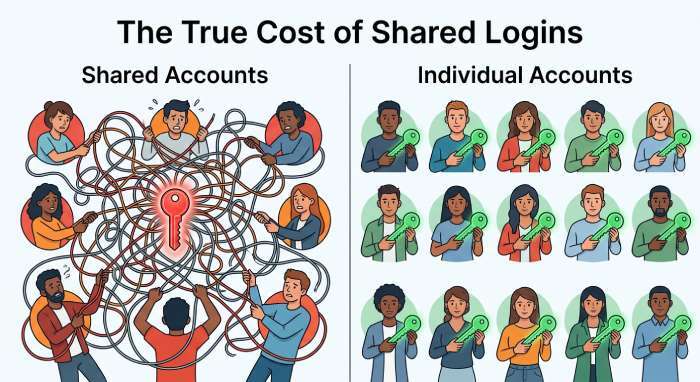
Shared credentials turn departures into cleanup projects
Shared sales accounts create an even less tidy version of the same problem because they often start as a convenience. A regional team needs access to a service that was never set up with individual accounts, so several people use one login. Months later, nobody remembers exactly who still has the password.
An employee leaving forces the team to revisit the arrangement. Changing the password may remove one route back into the service, but active sessions or recovery details still need attention.
Individual accounts are much easier to reason about. Access belongs to a specific employee and can be removed without rebuilding the login for colleagues who remain.
International expansion is a sensible point to clean up old shared accounts because every new hire otherwise adds another person to an arrangement that was already difficult to track.
HR and IT need the same employment changes
Most of these problems become easier when employment information reaches IT at the right time. Before a new salesperson starts, IT needs enough notice to create the account deliberately. Later changes in responsibility should prompt another look at permissions rather than simply adding whatever the new job requires.
Departures need the same coordination, but they are only one part of the process.
The exact software used to manage this varies between companies. What matters is that an employment change doesn’t remain inside an HR record while the person’s access continues as though nothing happened.
Microsoft’s lifecycle workflow guidance uses employment information to drive identity tasks. Even companies using different identity tools can apply the same operating idea. HR knows when the relationship with an employee changes, and the access process should receive that information while it is still useful.
International growth makes weak access processes easier to see
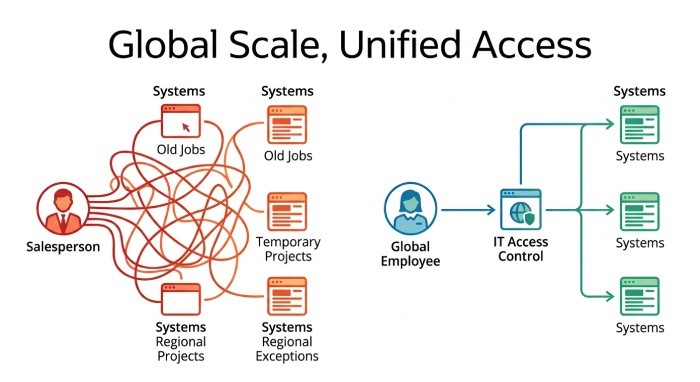
A useful test is to choose one salesperson and look at the systems they use. Someone inside the company should be able to explain why that person has the access they do.
That becomes harder when permissions have accumulated through old jobs, temporary projects, or regional exceptions. International expansion adds more employees through routes the business may not have used before, so undocumented assumptions surface more often.
The existing security process should work across countries even when the employment arrangement or location changes. Customer access should still reflect the salesperson’s current responsibilities, and employment changes need to reach IT while there is still time to act on them. When somebody leaves, the company should already know which systems are involved rather than reconstructing their working setup afterwards.
A sales team can expand across several countries without turning access management into a collection of local exceptions. The companies that manage it well keep employment changes and system access connected as the team grows.
General Manager
General Manager at DuoCircle. Product strategy and commercial lead across the email security portfolio.
Secure your email infrastructure
Protect, authenticate, and deliver. Contact our team to find the right solution.