Smart Quarantine®
Automatic spam-folder management that works without your users lifting a finger.
Your users stay protected without even knowing it. Smart Quarantine is included with DuoCircle Spam Filtering, Email Forwarding, and Phishing Protection.
Traditional spam quarantine is flawed
Ask any experienced IT professional why the usual approach to a quarantine folder is broken, and the answer is the same: the end user still has to check it. Somebody has to open the junk folder, scan the spam subject lines, and make sure no legitimate mail got trapped.
That is a tedious, time-consuming process. It is also the reason quarantine folders are rarely checked at all, unless someone is hunting for a message they know went missing.
Why put the work on your users?
The whole model is backwards. It rests the responsibility on your people to clear the quarantine, which forces them to review spam subject lines anyway. Time, energy, and attention, spent on mail they never wanted in the first place.
This is just not an effective way to handle quarantined messages.
The DuoCircle Smart Quarantine® solution
Our answer is a self-service, smart, adaptive quarantine. At its core, Smart Quarantine is a challenge-response system that puts the burden of sorting a suspect message on the sender rather than the recipient.
Two terms worth defining:
- False positive — a legitimate email (“ham”) that got blocked.
- False negative — a spam message that slipped through the filters into a mailbox.
Smart Quarantine is built to make false positives self-correcting, so your users almost never have to intervene.

How it works
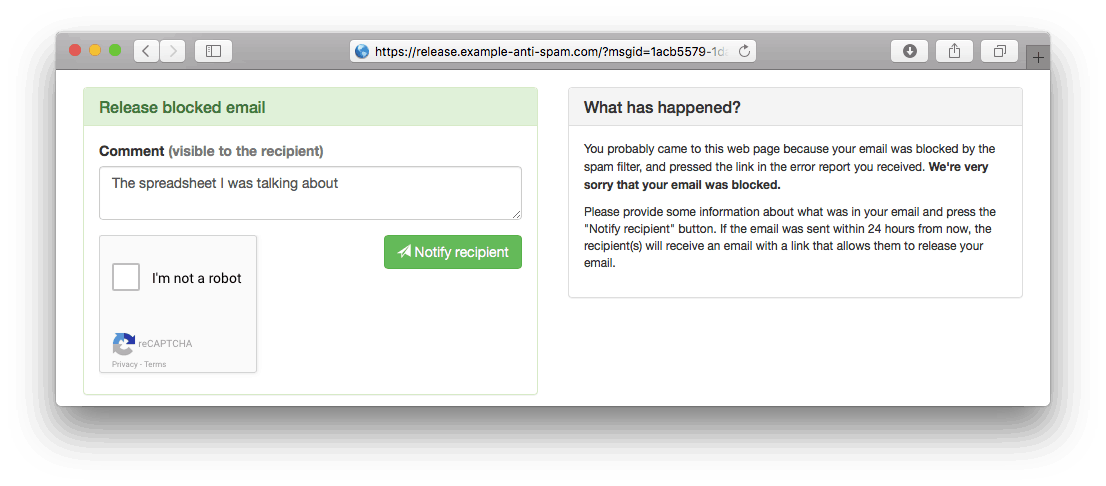
- A message arrives that our spam filtering system would classify as a probable false positive. Rather than discard it or silently tag it as spam, we send a challenge email to the sender.
- The challenge tells the sender their message looked suspicious and asks them to start the release process by passing a CAPTCHA test.
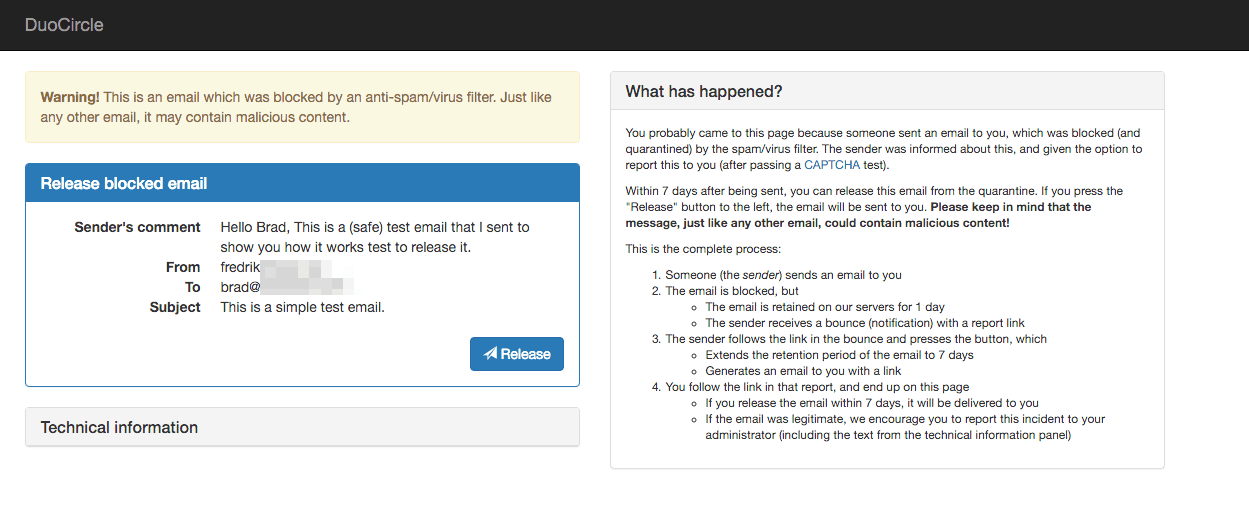
- If the sender verifies the message, the recipient is notified by an automated email with a link to review and, optionally, release it.
- Because the sender is alerted immediately, unreported mail is held only briefly (for example, one day).
- Once a sender reports a blocked message, the retention window extends (for example, one week), giving the recipient time to find the notice and release the mail.
Step 1 — Challenge email sent to the sender
In our tests, 99.99% of spammers never respond to the challenge email, while almost every genuine false-positive sender clicks the link to validate their message.
Step 2 — Notification sent to your end user
Once the sender validates the message, your user receives a release notification.

Step 3 — End user releases the message
The user clicks through, reviews the message, and releases it. Once released, it is delivered to their inbox.
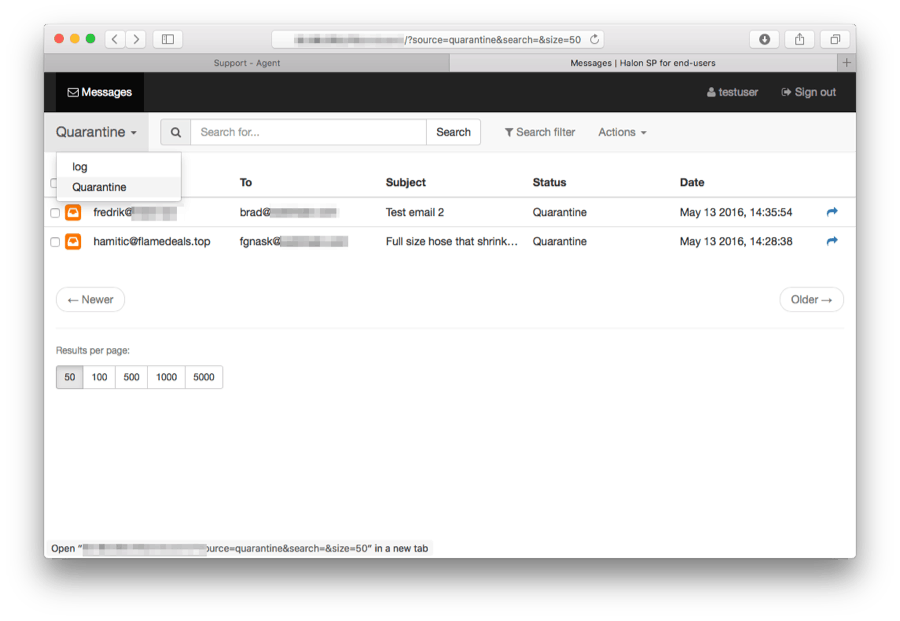
Admin quarantine
The account administrator can view the domain-wide quarantine folder from the message-log dashboard in the administrative console.
Smart and adaptive by design
The system learns and adjusts based on message history and sender reputation, all on autopilot. Legitimate mail that gets caught triggers an immediate alert to the sender, so a blocked message is never a silent dead end.
Included, not an add-on
Smart Quarantine comes with our Spam Filtering and Email Forwarding services, and is part of Phishing Protection. If you’re weighing it up for your organization, talk to one of our engineers — you’ll reach the person who can actually answer, not a sales queue.
Running a practice for clients? See our Partner Program.