
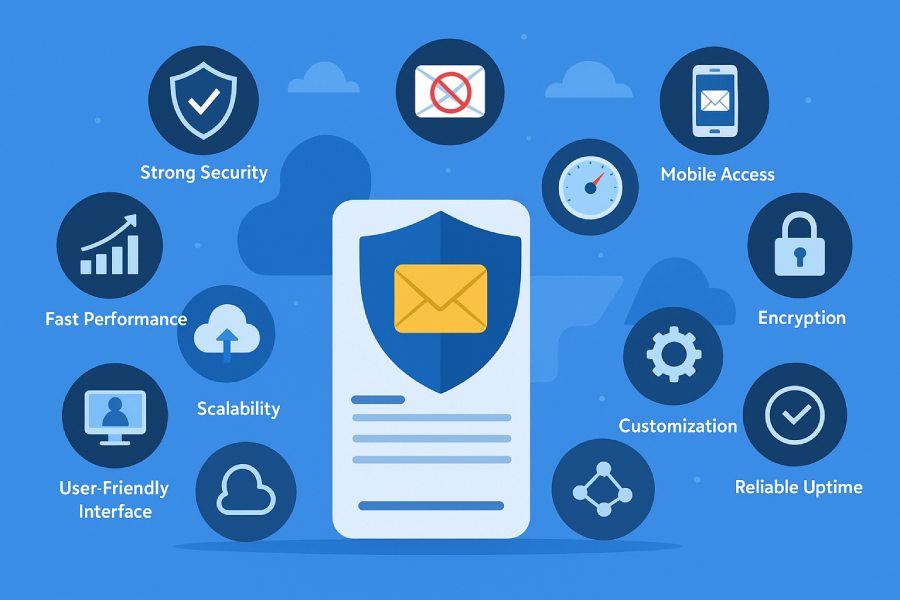
Selecting the right web-based email server is foundational for both businesses and individuals who rely on secure, efficient, and reliable email communication. Whether you need a robust business email solution, secure email for personal use, or scalable webmail for your growing team, examining the essential features is crucial.
Below, we explore six of the most critical attributes to consider in a modern email hosting environment to ensure productivity, compliance, and peace of mind.
Feature 1: Robust Security Protocols and Encryption
The Bedrock of Secure Email Communication
The security of your email server must be non-negotiable. Today’s cyber landscape demands robust security protocols that protect both inbound and outbound communication. A leading webmail provider should employ strong encryption standards, such as TLS for message delivery and end-to-end encryption to keep messages safe from interception. Solutions like Proton Mail specialize in encrypted email, providing zero-access encryption that ensures only the intended recipient can read your messages.
Essential Security Functions
- Encryption at rest and in transit: Ensures the privacy of all data transmitted between your web-based email interface, desktop client, or mobile client and the email server.
- Secure login and two-factor authentication: Mandatory for preventing unauthorized sign in, particularly on shared or business email accounts.
- Complex password policies and timely password reset tools: These features are essential for maintaining access control and user security.
- Proactive privacy measures: Providers such as Proton offer comprehensive privacy controls, while advanced open source mail servers may provide customizable security settings.
Additionally, a secure email infrastructure needs compatibility with IMAP, POP3, and SMTP protocols to safeguard mail client configuration and support secure message transfer between devices and servers.
Feature 2: Reliable Spam and Malware Protection

State-of-the-Art Spam Control and Virus Protection
Modern businesses and individuals face an overwhelming volume of unwanted and potentially dangerous emails. Advanced anti-spam protection and virus protection must be deeply integrated into your email hosting solution. Efficient spam control filters incoming messages, directing malicious content away from your inbox and safeguarding the entire organization.
Built-In Safeguards Against Threats
- Automatic virus scanning: Email servers should automatically scan attachments and links for potential malware threats.
- Sophisticated filtering algorithms: Anti-spam protection systems use heuristic and reputation analysis to block suspicious emails before they reach the user’s mailbox.
- Continuous updates: Leading solutions such as DuoCircle offer real-time spam and anti-malware updates, while providers like Namecheap’s Private Email enhance security with advanced threat detection.
Effective spam control ensures that your mailbox remains a productive workspace and prevents unwanted disruptions to critical business email workflows.
Feature 3: Seamless Web-Based User Interface
User Experience at the Forefront
An intuitive and powerful web-based email interface is central to productivity. Today’s users expect easy sign in, a responsive inbox, and feature-rich environments for handling email, calendar appointments, contacts, shared folders, and document management, all from a single dashboard.
Essential UX Features
- Progressive webmail: Leading solutions offer browser-based access from any device, supporting business email usage on-the-go without compromising features.
- Integrated collaboration tools: Tools like OPEN-XCHANGE provide not just email, but shared tasks, shared contacts, shared calendars, file sharing, and online documents—all accessible through webmail.
- Simple navigation: Efficient access to your drive, storage, and mailbox management is key for both personal email and professional email workflows.
A seamless web-based email experience eliminates friction, streamlines routine activities, and aligns with the expectations of modern users connected from multiple public spaces, devices, and locations.
Feature 4: Comprehensive Storage and Archiving Options
Ample Storage and Smart Data Management

Email storage is the backbone of any effective business solution. Your chosen email server should offer scalable and flexible storage settings, accommodating mailbox quota requirements for both growing teams and individuals. Options for unlimited or expandable storage cater to organizations that manage a significant volume of attachments, online documents, file versions, and edit histories.
Archiving for Compliance and Productivity
- Automated archiving: Facilitates message retention according to company policies or regulatory requirements.
- Searchable history and mailbox management: Quick access to archived content enhances productivity.
- Cloud storage integration: Providers like Proton Drive or Proton Docs support seamless storage and retrieval, while business email services often integrate shared drives for teams.
- File versioning: Critical for maintaining historical copies and edit histories, often leveraged in platforms similar to Proton Sheets or Lumo AI.
For organizations seeking end-to-end data protection, structured archiving also simplifies migration, email transfer, and ensures compliance during audits or legal reviews.
Feature 5: Advanced Filtering and Organization Tools
Smarter Email Management
Rising email volumes require advanced organization capabilities. A competent email server should provide intelligent filtering to automatically sort, tag, or flag incoming mail—making it easy to locate and prioritize critical information in a crowded inbox.
Must-Have Organization Features
- Custom filters and folders: Automatically categorize business email, private email, or scheduled appointments based on sender, subject, or keywords.
- Shared folders and public spaces: Facilitate collaboration across teams, especially when paired with shared contacts or shared calendars.
- Search and tagging: Powerful search capabilities streamline the discovery of important emails, attachments, or conversations.
- Collaboration tools: Options for integrating shared tasks and calendar events, like those offered via Proton Calendar or Google’s Gmail web interface, promote teamwork and organization.
For high-volume users and teams, such tools are crucial to avoid missed messages and maintain business continuity in both personal and professional contexts.
Feature 6: Compatibility with Multiple Email Clients and Devices

Universal Accessibility
In a world where employees, partners, and customers use diverse platforms, comprehensive compatibility is a necessity. Your web-based email server must support connections to popular desktop clients such as Outlook, mobile clients on iOS and Android, and alternative webmail solutions.
Key Compatibility Aspects
- Support for IMAP, POP3, and SMTP protocols: Enables seamless synchronization across devices and platforms, ensuring your email account, inbox, calendar, and contacts are always up to date.
- Device synchronization: Full sync guarantees emails, attachments, scheduled appointments, and shared folders are consistent across all devices.
- Easy mail client configuration: Detailed guides for setting up DNS records, MX records, and domain name integration simplify onboarding for both technical and non-technical users.
- Custom email address support: Flexibility to use both personal and custom business email domains enhances branding and professional appeal.
As remote work and mobile access grow in importance, compatibility with all major platforms is indispensable for a robust business solution. Cloud storage for attachments, migration and email transfer assistance, and 24/7 support from a knowledgeable support team (such as SecureServer.net) further reinforce a user-centric approach to email hosting.
These six features represent the foundation of a modern, secure, and user-oriented webmail platform. Strong security protocols, effective spam control, user-centric design, comprehensive storage, advanced organization, and broad compatibility together define the core of any best-in-class email hosting environment. Integrating solutions from leaders like Proton, Namecheap, or innovative open source platforms ensures your business or personal email remains secure, efficient, and ready for the challenges of tomorrow.
Feature 7: Efficient Scalability for Growing Needs
For organizations that anticipate growth or fluctuations in their communication requirements, efficient scalability is a cornerstone of modern email hosting. Whether businesses rely on secure email channels for sensitive communications or require additional mailboxes for new hires, scalable solutions ensure no disruption in workflow. Providers like Namecheap and Proton Mail offer flexible packages that empower businesses to upgrade storage, mailbox quota, or even calendar and contacts management as their teams expand.
Scalability is not just about increasing the number of email accounts; it also involves expanding drive space, calendar integrations, and collaboration tools, such as shared tasks and shared calendars. As email hosting needs grow, seamless migration tools and automated provisioning guarantee that the increase in mailboxes or modifications to the email server infrastructure can be managed without complex downtime. Additionally, the ability to upgrade anti-spam protection, virus protection, and spam control features strengthens security postures as the user base widens, maintaining a secure webmail environment suitable for both professional email and personal email demands.
Onboarding and Migration Support
Migrating existing business email systems to a new or expanded platform can be daunting. Enterprise-grade providers, including those like DuoCircle, feature robust email transfer and migration assistance. These services ensure every calendar, contact, and email message is transferred without loss or compromise in privacy or encryption standards. User and device synchronization capabilities guarantee that desktops and mobile clients update in real-time through standardized protocols like IMAP, POP3, and SMTP.
Autoscaling and Resource Management
Modern web-based email services employ autoscaling technology on their email servers and cloud storage infrastructures. As traffic or data storage needs rise, computing resources—such as drive and server memory—automatically adjust, supporting consistent message delivery and secure login with minimal manual intervention.
Feature 8: Customizable User and Admin Controls
Adaptable user and administrative controls are paramount in optimizing email hosting management, both for IT teams and end users. Secure email solutions like Proton Mail, Private Email from Namecheap, and OPEN-XCHANGE integrate granular access privileges, allowing admins to assign mailbox quotas, define who can access shared folders, or regulate use of online documents. These controls are often extensible based on business needs and compliance requirements.
Granular Permission Settings
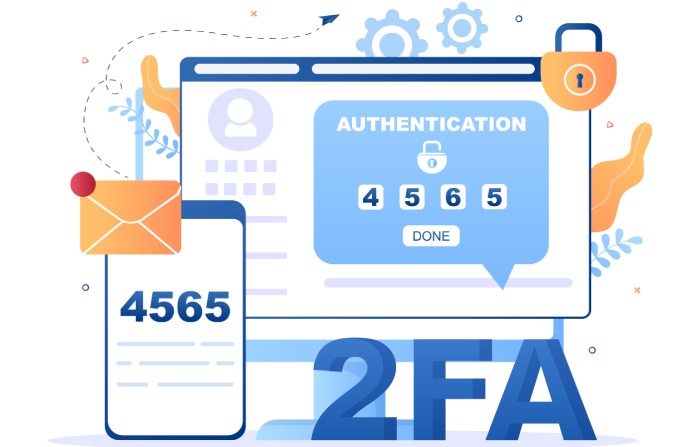
User and role-based access control empowers administrators to enable or restrict features on individual mailboxes—such as sending from a custom email address, accessing the drive, or managing shared contacts. Features like scheduled appointments in Proton Calendar, device synchronization, and two-factor authentication (2FA) setup can be enforced or relaxed per department or security tier.
Advanced Security Policies
Security and privacy are enhanced with options such as forced strong password policies, password reset configurations, and audit logs for mailbox and file sharing activities. Especially in regulated sectors, encryption settings for both at-rest and in-transit data across inboxes, calendar events, and stored contacts can be set as default.
Feature 9: Consistent Uptime and Strong Server Performance
A reliable email server underpins all business communications. Leading services guarantee high uptime, often at 99.9% or better, minimizing interruptions in accessing the inbox or scheduling calendar events. Key players like Google’s Gmail (as an email client) and SecureServer.net are renowned for robust server architecture, rapid message delivery, and failover redundancy.
Performance Monitoring and Optimization
Continuous monitoring of email hosting resources, storage utilization, and spam control systems is essential. Providers frequently deploy load balancers, clustered servers, and real-time diagnostics to maintain optimal performance. This ensures webmail and web-based email clients such as Outlook or OPEN-XCHANGE remain responsive for both desktop client and mobile client users, irrespective of usage spikes.
Redundancy and Failover
Uptime assurance hinges on mirrored servers, with automated switchover in cases of outages or scheduled maintenance. Well-architected systems, like those powering Proton’s suite (Proton Drive, Proton Calendar, Proton Docs), ensure mailbox data, drive contents, and file versions remain available.
Feature 10: Flexible Integration with Third-Party Services
Organizations require interoperability across collaboration tools and productivity platforms. Modern email hosting solutions natively integrate with applications such as Proton Meet, Standard Notes, Simple Login, and Lumo AI, enabling shared tasks, scheduled appointments, and file sharing within a secure environment. The integration extends to DNS records and MX records management for domain name connectivity, maximizing email deliverability.

Support for Open Protocols
Support for widely used protocols, such as IMAP, POP3, and SMTP, ensures compatibility across nearly any mail client configuration, from proprietary applications to open source solutions. Business email platforms facilitate connection to calendar, contacts sync, and storage modules from third-party vendors, fostering a customized workflow.
Calendar and Contact Sync
Synchronizing calendars and contacts with external platforms is critical. For instance, Proton Calendar or shared calendars created in Jellyfish can be displayed across multiple devices, with seamless integration into calendars on Outlook, Google, or mobile ecosystems.
Feature 11: Comprehensive Backup and Disaster Recovery Features
Robust backup and disaster recovery options are essential for business continuity. Enterprise-grade email hosting platforms implement hourly or daily backups of mailboxes, drive data, and online documents, allowing instantaneous restores after data loss incidents. Archived mail, file versions, and edit histories across calendars, contacts, and storage repositories help maintain data integrity.
Automated Backup Schedules
Automated scheduling enables organizations to back up not just emails, but collaboration tools (like shared folders), attachments, and even drive data. This ensures every secured email, file sharing event, and calendar appointment can be recovered if needed.
Granular Restore Options
Admins can restore individual mailboxes, select email accounts, or entire storage drives. For advanced business solution deployments, individual message delivery statuses, spam control settings, and mailbox quota customizations are included in backup snapshots, reducing overall risk.
Feature 12: Responsive Technical Support and Documentation

The reliability of any email hosting solution is further reinforced by a dedicated support team and comprehensive documentation. Providers like Proton and Namecheap are often recognized for their round-the-clock 24/7 support services, which is critical for both business email continuity and urgent mailbox or password reset requests.
Multi-Channel Support and Documentation
A robust support infrastructure includes ticketing systems, live chat, and email channels—allowing users to sign in and receive quick assistance for mailbox issues, security questions, or migration roadblocks. Extensive digital libraries detail best practices for device synchronization, mail client configuration for secure login, DNS and MX records management, and email server troubleshooting.
Advanced Troubleshooting and Training Resources
Providers prioritize video tutorials, webinars, and knowledge base articles addressing major topics: anti-spam protection, secure email settings, encrypted email workflows, and business solution integration. Transparent documentation assists users in configuring both desktop client and mobile client setups, ensuring all mailbox and shared contacts operate seamlessly across public spaces and private email environments.
FAQs
What are the core benefits of using secure email hosting for my business?
Secure email hosting protects your company’s communications with encryption, anti-spam protection, and virus protection. This reduces risks of data breaches and maintains privacy for sensitive business information while offering professional email addresses and web-based email management.
How can I migrate my existing email accounts when switching providers?
Most reputable providers offer migration and email transfer assistance, sometimes as part of their onboarding process. These services handle mailbox, calendar, and contacts migration while preserving message delivery and security protocols like IMAP, POP3, and SMTP for seamless transition.
Can I integrate external tools with my email hosting platform?
Yes, leading platforms support integration with collaboration tools such as shared calendars, shared contacts, and file sharing apps. This is often achieved through open standards and APIs, allowing flexibility and compatibility with tools like Proton Calendar or Outlook.

What kind of support is available if I encounter issues?
Qualified providers deliver 24/7 support through multiple channels such as live chat, helpdesk tickets, and extensive documentation. This allows for quick resolution of mailbox, inbox, password, or spam control issues, ensuring minimal downtime.
How does anti-spam and virus protection work in these systems?
Anti-spam protection employs real-time filters, threat analysis, and spam control algorithms to block unwanted emails, phishing attempts, and malware. Integrated virus protection regularly scans attachments and inboxes, safeguarding users from threats.
Is it possible to set up a custom email address with my domain name?
Absolutely. Most business-oriented services allow you to use your own domain name and configure MX records, letting you create a custom and professional email address for every team member.
Key Takeaways
- Scalable email hosting supports business growth with flexible mailbox, storage, and user expansion, ensuring operational continuity and data protection.
- Customizable controls allow granular admin oversight—covering mailbox quota, shared folders, calendar, and contacts access—empowering enterprise-grade security.
- Consistent uptime and strong server performance are fundamental, backed by redundant infrastructure, optimized message delivery, and robust anti-spam and virus protection.
- Flexible integrations with collaboration tools, file sharing, and calendars align email hosting with virtually any workflow or device, enhancing productivity.
- Responsive 24/7 support and rich documentation ensure rapid resolution of webmail, inbox, and security issues, while thorough backup systems safeguard business email data.