Is p=reject the ultimate DMARC policy? 5 situations in which you should implement it

Quick Answer
p=reject is the strictest DMARC policy: any message claiming to be from your domain that fails SPF or DKIM alignment is refused at delivery rather than tagged or quarantined, so the recipient never sees it. Five situations where moving to p=reject is appropriate: (1) you've run p=none long enough to fully understand which systems send mail on your behalf and DMARC reports show no major unexplained failures; (2) only minor, well-understood authentication failures persist (forwarders, legacy systems, low-volume tools), rather than gaps in your main infrastructure; (3) you've tested how different ESPs handle failed mail, since behavior varies (spam folder, hard block, deliver with warning); (4) you're partway through a phased enforcement rollout, e.g., none → quarantine → reject with the pct tag ramping up; (5) you want to reduce spoofing without full rejection during a complex multi-tool buildout, then graduate to p=reject when stable. The point: p=reject should follow readiness, not urgency.
Is p=reject the ultimate DMARC policy? 5 situations in which you should implement it
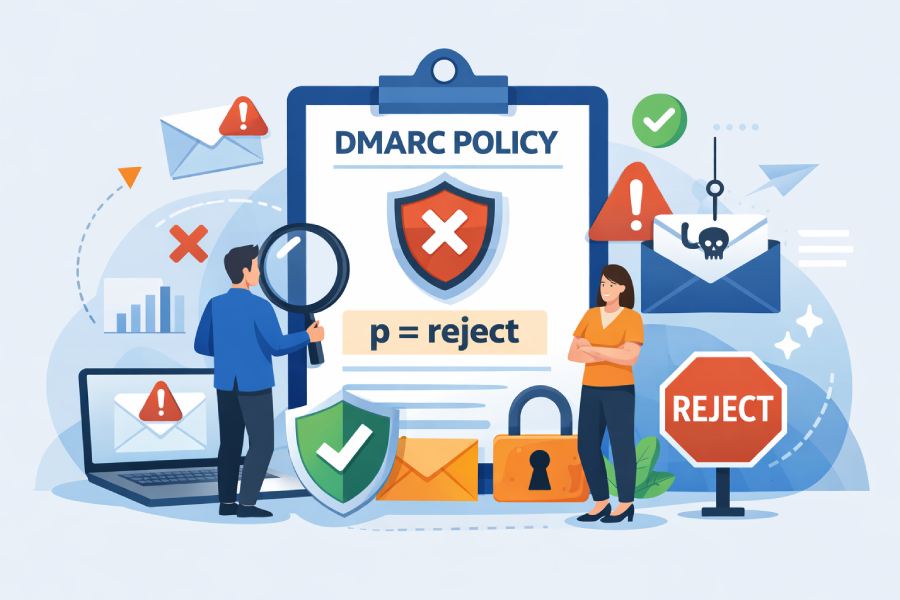
Out of the three DMARC policies, “p=none”, “p=quarantine”, and “p=reject” each serves a different purpose and provides a different level of security. But when it comes to actively blocking emails that attempt to spoof your domain, the strictest policy, “p=reject,” is the best choice.
When you implement this policy, you’re basically telling the receiving servers that any unauthenticated email that claims to come from you should be rejected without warning or leeway. The email doesn’t reach the inbox or even the spam folder; it simply stops from reaching the recipients altogether.
That’s exactly why security experts suggest that you should implement the DMARC policy in its strictest form. But you can’t just do it arbitrarily, and certainly not in haste. Moving to “p=reject” requires a strategic approach so that your legitimate emails don’t end up in spam or get rejected by the mail servers.
In this article, we will understand when exactly you should implement the “p=reject” policy.
What exactly does p=reject do?
In simple terms, p=reject tells receiving mail servers to completely block any email that fails DMARC authentication. If an email claims to be from your domain but doesn’t pass SPF or DKIM alignment, the receiving server is instructed to refuse it outright.
When you implement DMARC in its strictest form, the receiving server doesn’t let the unauthenticated email in at all. It doesn’t try to filter, tag, or move it to the spam folder. The email is rejected during the delivery process itself. So, for the recipient, the message never existed, to begin with.
This certainly makes “p=reject” the strongest and safest policy, but it also means it is unforgiving. This means that you should know when exactly to implement it, or else even a small misconfiguration could result in your legitimate emails also getting blocked.
When exactly should you implement “p=reject” DMARC policy?
You shouldn’t turn on “p=reject” just because it’s the strongest option. It works best only when you know exactly which systems are sending emails on your behalf. If everything is set up correctly, “p=reject” can completely stop the flow of fake emails. But if something is missed, real emails can get blocked, too.

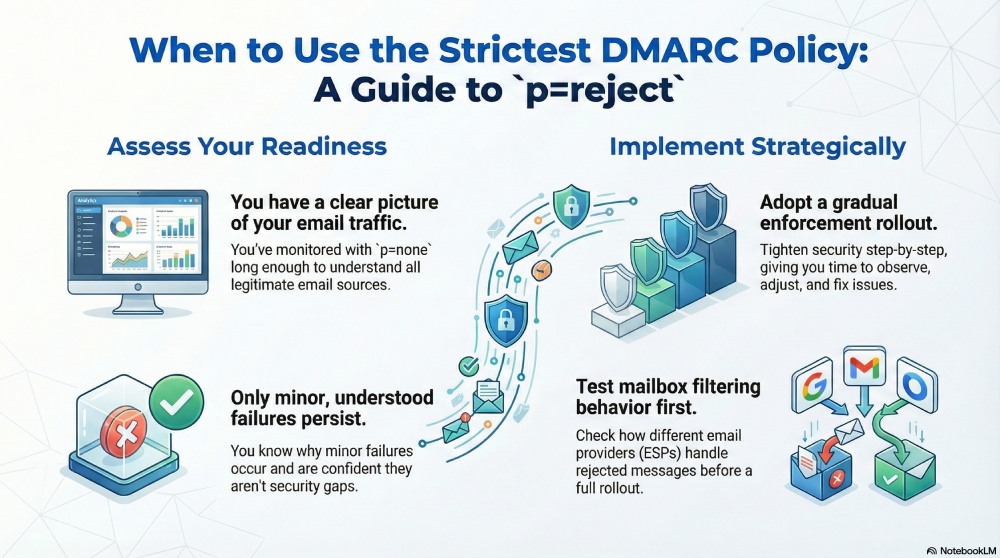
This is perhaps one of the most important conditions to implement “p=reject”. If you have been running DMARC on “p=none” for a long time now, and have a clear picture of how your domain is being used to send emails, it’s time that you tighten your email security further.
While you are at it, make sure that you investigate and address any failures that still show up in your DMARC reports.
Ideally, there shouldn’t be any major, unexplained failures affecting important emails. If something is failing, you should already know the reason and have a fix in place or a clear plan to handle it.
Once you’ve reached this level of confidence, moving to p=reject becomes a logical next step.

When only minor authentication failures persist
Let’s face it, it is almost impossible to achieve a setup where every single email passes authentication all the time. In reality, that rarely happens, so it’s okay if a few of your emails fail authentication. These aren’t necessarily fraudulent emails; they could be forwarded messages, legacy systems, or low-volume tools that don’t behave perfectly.
It is more important to understand why these emails are failing and be confident that they’re not caused by gaps in your main email infrastructure. If you spot such failures in your DMARC report, you can still move forward with stricter DMARC policies. After all, your main aim should be to stop serious spoofing attacks without letting a few small, known issues slow you down.
To safely test mailbox filtering behavior
Before you move on to “p=reject”, it is a good idea to check how different email providers handle failed messages. Since every email service provider (ESP) behaves differently, testing beforehand avoids any surprises later. For instance, one might send the unauthenticated email to the spam folder, another may block it outright, and another may still deliver it with a warning.
Once you have a fair understanding of how an ESP handles such emails, you can gauge what actually happens to your emails in real-world conditions and move to a stricter policy.
During the gradual enforcement rollout
As we discussed earlier, you don’t have to ambush your email ecosystem with the strictest policy all at once. DMARC enforcement works best when you gradually increase the enforcement and give yourself time to observe and adjust.
Following a phased approach allows you to tighten the security step by step while ensuring that your legitimate emails get through seamlessly. This leaves you with enough space to identify issues early, fix misconfigurations, and fine-tune the policy accordingly.
Moreover, if you have a complex setup with multiple tools and services, it becomes all the more important to follow this approach and gradually enforce “p=reject” only when you are confident.
To reduce spoofing without full rejection
It is clear that the security of a strict DMARC policy comes at a cost. While it offers strong protection against spoofing, it also reduces flexibility and leaves little room for mistakes. In such situations, you must take the middle ground, limiting spoofing without fully blocking all unauthenticated emails. This approach makes it difficult for attackers to intercept and misuse your email while still giving you room to properly set up your email ecosystem. When everything is finally stable, moving to full p=reject becomes a natural next step rather than a risky jump.
DMARC policy enforcement is not a one-and-done endeavor; it requires you to take a gradual and strategic approach. Each policy serves a different purpose, and moving to “p=reject” should be out of readiness and not urgency. If you are still unsure about how to go about DMARC policy enforcement, get in touch with us!
Topics
General Manager
General Manager at DuoCircle. Product strategy and commercial lead across the email security portfolio.
Secure your email infrastructure
Protect, authenticate, and deliver. Contact our team to find the right solution.