9 DMARC Lookup Metrics That Improve Email Deliverability

Quick Answer
Nine DMARC lookup metrics worth monitoring: record presence and syntax validity, the policy tag (p=none/quarantine/reject), SPF alignment rate, DKIM alignment rate, percentage of mail passing DMARC, unauthorized source volume, message disposition counts, top sending IPs, and reporter coverage. Together they show whether your domain is moving toward enforcement or stuck.
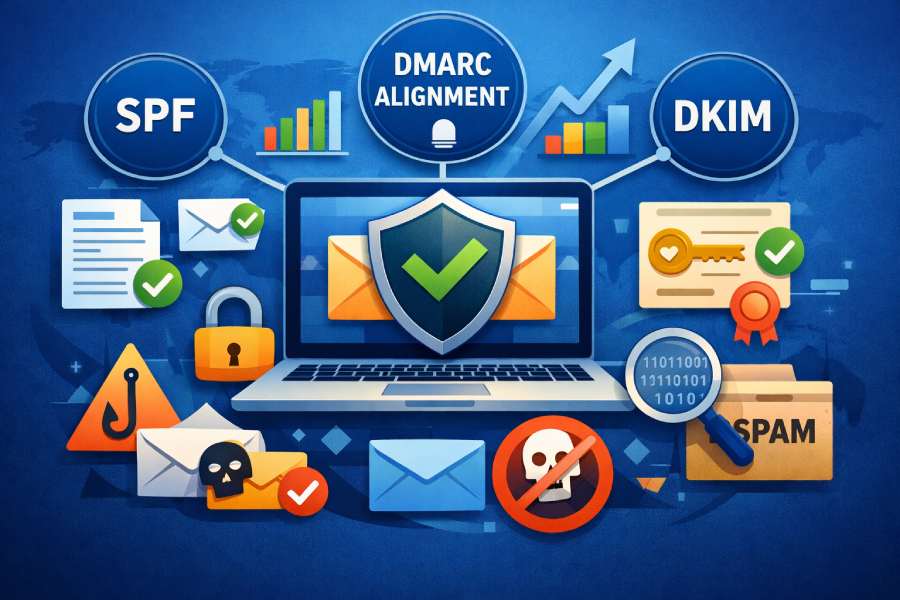
In today’s interconnected email ecosystem, ensuring effective email deliverability and robust email security is paramount for organizations and domain owners. The Domain-based Message Authentication Reporting and Conformance (DMARC) framework provides a trusted solution to combat spoofing, phishing, and malicious actors by enabling organizations to implement advanced email authentication protocols.
Using a reliable DMARC lookup and DMARC diagnostic tool to monitor key DMARC metrics is essential for maintaining DMARC compliance, protecting brands, and optimizing message delivery outcomes.
This section explores nine critical DMARC lookup metrics that directly improve email deliverability. Specifically, we will detail four foundational metrics: DMARC record presence and syntax validity, policy alignment, SPF alignment status, and DKIM alignment status. Each metric benefits from leveraging DMARC record checker utilities, real-time alerts, visualizations, and comprehensive reporting via tools such as MxToolbox, EasyDMARC, and Delivery Center.
Metric 1: DMARC Record Presence and Syntax Validity

Understanding the Role of DMARC Record Lookup
The very first step in achieving DMARC compliance starts with the correct setup and maintenance of your DMARC record as a TXT record in your DNS provider’s management panel. A robust DMARC check begins with a timely DMARC lookup to verify both the existence and the correct configuration of this DNS record. Utilizing an automated DMARC checker or DMARC record checker ensures that your record is not only present but also syntactically valid per RFC 7489 standards.
Common Syntax Pitfalls and Their Impact
DMARC validation failures are often the result of misconfigurations in the domain’s TXT record, such as missing policy tags (p tag, sp tag), improper RUA/RUF formatting, or unsupported characters in the record value. Such issues can prevent DMARC from functioning correctly and may even result in breakdowns in other email authentication mechanisms like SPF and DKIM. Without a valid DMARC record, the domain owner loses visibility via aggregate reports and forensic reports, eliminating the benefits of DMARC enforcement and report analysis.
Tools for Automated Validation
Instrumental tools such as MxToolbox’s SuperTool and EasyDMARC’s DMARC Record Generator enable frequent DMARC record lookup and DMARC validation, helping ensure your DNS record is free of errors. An effective DMARC checker highlights issues in real time and provides actionable insights to remedy misconfigurations.
Semantic Terms in Practice
Multiple periodic DMARC lookups and DMARC checks, paired with handy DMARC record lookup utilities, guarantee that a domain’s TXT record is optimized for accurate SPF checks, DKIM checks, and downstream message validation. This helps ensure the integrity of your email authentication posture, supporting both security compliance and improved email delivery.
Metric 2: Policy Alignment (p=none, quarantine, reject)
The Importance of the DMARC Policy Tag
Central to DMARC compliance is the specification of a clear DMARC policy using the `p` tag within the DMARC record. The value of this policy tag, `none`, `quarantine`, or `reject`, directs how receiving mail servers should handle messages that fail DMARC validation after they perform rigorous SPF and DKIM checks.
Policy Options Explained
- p=none: This mode is primarily used to monitor email activity and collect DMARC reports without impacting email delivery, providing valuable visibility into authentication results through aggregate reports and DMARC failure reports.
- p=quarantine: Messages failing DMARC authentication can be sent to the spam or junk folder, significantly reducing the risk of spoofing and delivering actionable security compliance.
- p=reject: This represents the strictest policy; non-compliant messages are outright rejected, providing maximum brand protection but carrying the risk of false positives if misconfigurations exist.
How Policy Choices Affect Deliverability
A DMARC diagnostic tool can highlight which policy is active and alert domain owners to inconsistencies that could undermine DMARC enforcement. During DMARC rollout, it is industry best practice to start with `p=none`, review DMARC reports via a report analyzer (e.g., DMARC Report Analyzer), and gradually escalate to `quarantine` or `reject` for maximum defense against malicious actors and phishing attempts.
Best Practices and Real-Time Alerts
Modern DMARC checker solutions include real-time alerts and visualizations, which track changes in policy alignment and help administrators react quickly to unauthorized senders or attack attempts. These metrics are critical for effective DMARC setup and ongoing monitoring, securing the organization’s email ecosystem.
Metric 3: SPF Alignment Status

The Power of Sender Policy Framework (SPF) Checks
SPF, or Sender Policy Framework, remains a foundational email authentication protocol. When conducting a comprehensive DMARC check, one must verify that SPF alignment passes and is in line with DMARC record expectations. SPF alignment ensures the domain used in the “Mail From” address matches or aligns with the domain in the message’s “Return-Path.”
The Assessment Process
A robust DMARC validation harnesses DMARC record lookup results and cross-verifies SPF records declared in DNS. Modern DMARC checker platforms can parse SPF records and perform real-time SPF checks to ensure that all authorized senders are properly declared. SPF alignment failures are flagged in DMARC reports and aggregate reports, insights that can be analyzed with DMARC xml parsers, DMARC xml analyzers, and report analyzers to detect configuration errors and unauthorized sources.
Enhancing Deliverability and Security
Accurate SPF checks, validated by DMARC diagnostic tools, contribute directly to high email deliverability by lowering the false positive rates and preventing legitimate messages from being mistakenly quarantined or rejected. Incomplete or outdated SPF records often result in misdirected messages, reducing both the sender’s reputation and the effectiveness of DMARC enforcement.
Integration with DMARC Reports
Information from authentication results is shared via RUA and RUF email addresses set in the DMARC record, supplying a steady flow of aggregate and forensic reports. This intelligence empowers administrators to fine-tune SPF policies in accordance with message disposition trends, anticipate spoofing attempts, and boost email security.
Metric 4: DKIM Alignment Status
The Value of DomainKeys Identified Mail (DKIM)
DKIM, or DomainKeys Identified Mail, provides an additional cryptographic layer of message authentication, verifying that emails are genuinely sent by the domain they claim to be from and are not tampered with in transit. DKIM alignment is a pivotal component measured by any thorough DMARC checker or DMARC record checker when assessing DMARC compliance.
Running Effective DKIM Checks
A comprehensive DMARC lookup process necessarily involves DKIM checks. These checks determine whether the DKIM signature present in the email header aligns with the domain as declared in the d= and s= tags and matches the domain in the “From” address. Misalignment here often indicates either misconfigurations or interference by malicious actors.
Automated DKIM Validation Protocols
Leverage DMARC checker services and DMARC diagnostic tools to analyze DKIM records, compare them via DMARC record lookup, and ensure alignment is achieved for all outbound email traffic. Continuous DKIM validation not only satisfies security compliance requirements but also enhances brand protection by authenticating message integrity.
DKIM’s Contribution to Deliverability
Failures uncovered during DKIM checks are reported in aggregate reports and DMARC failure reports, supplying actionable data for message validation improvements. Consistent DKIM alignment supports high email deliverability and trust in email communications, further sealing gaps that might otherwise be exploited for phishing or domain spoofing.
By focusing on these first four DMARC lookup metrics, DMARC record presence and syntax validity, policy alignment, SPF alignment status, and DKIM alignment status, organizations can critically elevate both their DMARC compliance and the overall health of their domain’s email authentication framework. Through vigilant use of DMARC checker utilities, DMARC record checker solutions, and actionable DMARC reports, organizations solidify their defenses against phishing, enforce robust brand protection, and foster superior email deliverability.
Metric 5: Reporting Addresses (rua and ruf) Configuration

A crucial element of any DMARC deployment, regularly checked through a DMARC lookup or DMARC record checker, is the proper configuration of reporting addresses, namely `rua` (Aggregate Reports) and `ruf` (Forensic Reports). These reporting mechanisms, specified within the DMARC record as policy tags, enable domain owners to receive DMARC reports that summarize authentication results for messages sent from their domain.
Configuring Aggregate Reports (`rua`)
The `rua` tag is designed to direct aggregate reports, which provide essential visibility into email authentication results, such as SPF and DKIM pass/fail analytics. By establishing an `rua` address within the DMARC record:
- Domain owners can monitor email activity and identify potential abuse or misconfigurations across their mail ecosystem.
- The address typically points to a mailbox or, increasingly common, to specialized tools like EasyDMARC, MxToolbox’s Delivery Center, or analytic platforms that utilize a DMARC XML parser or DMARC XML analyzer for efficient report processing.
It’s vital to validate your `rua` address regularly with a DMARC checker or DMARC record lookup service to ensure reports aren’t lost due to DNS errors or typos in the TXT record.
Forensic Reports (`ruf`) Considerations
Forensic reports, routed through the `ruf` tag, are more detailed, often including samples of failed messages (DMARC failure reports) for deeper diagnostics. However, due to privacy and security considerations, not all mailbox providers support these, and proper mailbox hardening is necessary. Conducting a DMARC validation using tools like a DMARC diagnostic tool helps confirm the accessibility and security of your designated `ruf` endpoint.
Best Practices for Reporting Addresses
- Use secure and accessible mailboxes or integrate with a trusted DMARC report analyzer.
- Routinely perform DMARC check routines to verify the functionality and responsiveness of reporting addresses.
- Monitor aggregate reports and forensic reports for patterns of abuse (e.g., spoofing, phishing), enabling both ongoing DMARC compliance and proactive brand protection.
Metric 6: Subdomain Policy (sp) Application
The `sp` (subdomain policy) tag dictates how DMARC policy is enforced for organizational subdomains not explicitly covered by their own DMARC record. Assessing this element via a DMARC lookup is vital in complex environments where subdomains may have autonomous sending infrastructures.
Importance of Subdomain Policy
If neglected, subdomains without dedicated DMARC records may default to a less strict policy, potentially exposing them to abuse by malicious actors. Including an `sp` tag during DMARC setup (e.g., `sp=quarantine` or `sp=reject`) ensures DMARC enforcement cascades down from the parent domain per the domain owner’s intentions.
How DMARC check Tools Aid `sp` Management
Most DMARC record checkers and DMARC diagnostic tools, such as the EasyDMARC SuperTool or MxToolbox, highlight the presence or absence of the `sp` tag. They perform a DMARC record lookup and analyze the current live DNS record for full visibility. These checks help organizations:
- Clarify if subdomains are covered or require new policy tags in their TXT records.
- Prevent misconfigurations that can undermine overall email compliance and deliverability.
Best Practices for Subdomain DMARC Policy
- Explicitly specify the `sp` tag in parent domain DMARC records to control subdomain message disposition.
- Frequently leverage DMARC checker solutions to validate current subdomain policies and ensure alignment with security compliance objectives.
Metric 7: DMARC Aggregate Report Analysis Frequency

The true value of aggregate reports is only realized when they are reviewed and acted upon regularly. These XML-formatted DMARC reports, delivered to the `rua` address, provide data needed to gauge the effectiveness of your SPF and DKIM implementation, the success of DMARC compliance, and the messaging behavior of authorized senders.
Determining Optimal Review Intervals
- Daily or weekly analysis is ideal for most organizations, especially during initial DMARC rollout or policy shifts, allowing for quick detection of spoofing attempts or delivery issues.
- Automated DMARC report analyzers coupled with real-time alerts and visualizations streamline this process, converting otherwise complex DMARC XML into actionable intelligence.
Tools Supporting Efficient Report Analysis
Leading platforms such as DMARC Report Analyzer and Delivery Center integrate DMARC check automation, intelligent parsing, and summary dashboards. These features accelerate the identification of:
- Authentication failures (SPF checks, DKIM checks)
- Unauthorized sending sources
- Trends that might indicate ongoing phishing efforts or bulk email anomalies
Aligning Report Analysis with Policy Actions
Regular inspection of DMARC aggregate data allows security teams to refine their DMARC policy (transitioning between monitor, quarantine, or reject), adjust SPF/DKIM records, and rapidly respond to threats, ultimately improving email deliverability and email security.
Metric 8: Percentage (pct) Tag Utilization
The `pct` (percentage) tag is an often underutilized but powerful feature of DMARC records, allowing gradual enforcement of policies across a chosen subset of email traffic. For instance, setting `pct=25` configures the DMARC policy to only affect 25% of messages failing validation, enabling safer adoption of stricter dispositions like `quarantine` or `reject`.
Benefits of Progressive Enforcement
- Reduces the risk of inadvertent delivery interruptions due to unforeseen SPF/DKIM or DMARC misconfigurations.
- Facilitates phased DMARC rollout, letting domain owners review aggregate reports for unintended impacts before expanding enforcement coverage.
Monitoring and Adjusting `pct` Settings
Utilizing a DMARC checker or DMARC record checker helps confirm the presence and accuracy of the `pct` tag in your current DMARC record. This ongoing DMARC validation is vital when transitioning from `monitor` to enforcement modes, ensuring message validation and message disposition behaviors align with organizational risk tolerance.
Typical Use Cases for the `pct` Tag
- Early-stage DMARC enforcement, especially in large organizations managing multiple email streams.
- Testing the effects of policy changes prior to organization-wide deployment.
Metric 9: Identifier Alignment (Strict vs Relaxed Modes)

Identifier alignment, or how strictly the domain in the “From” header aligns with those used for SPF and DKIM tests, sits at the core of modern email authentication. DMARC, per RFC 7489 (Domain-based Message Authentication Reporting and Conformance), allows for “strict” or “relaxed” alignment modes, specified via policy tags in the DMARC record.
Understanding Alignment Tests
- Strict alignment: The domain names must match exactly (e.g., “example.com” in all fields).
- Relaxed alignment: Subdomains are considered compliant if they share the parent domain (e.g., “mail.example.com” passes for “example.com”).
Correct configuration of alignment, routinely checked via DMARC lookup and DMARC validation procedures, significantly affects false positives/negatives in DMARC enforcement.
Impact on Email Authentication and Brand Protection
Tightening alignment requirements can further thwart spoofing attempts but may also necessitate thorough domain validation of legitimate senders and integrations. Dmarc checker and DMARC record lookup tools can surface misalignments and help organizations decide how to balance deliverability with email security.
Best Practices for Alignment Modes
- Begin with relaxed alignment during initial DMARC rollout for fewer disruptions, escalating to strict only after comprehensive testing and aggregate report reviews.
- Use periodic DMARC check and message validation to ensure alignment settings evolve along with changes in the email ecosystem and DNS provider integrations.
FAQs
What does a DMARC record checker do?
A DMARC record checker queries the DNS TXT record for a domain to verify the correct structure, policy tags, and settings. It helps domain owners quickly identify syntax errors, missing tags, or misconfigurations affecting DMARC compliance and email deliverability.
How often should I perform a DMARC check on my domain?
It is recommended to perform DMARC checks regularly, especially after making any changes to SPF, DKIM, or DMARC records. Frequent checks (weekly or monthly) help catch misconfigurations and maintain continuous protection against spoofing and phishing.
What’s the difference between SPF, DKIM, and DMARC?
SPF and DKIM are email authentication mechanisms: SPF checks authorized senders via IP addresses, and DKIM uses cryptographic signatures. DMARC builds on both, enforcing policies and providing aggregate reports to monitor authentication and prevent malicious actors from forging emails.
Why are DMARC aggregate reports important?
DMARC aggregate reports provide visibility into all email passing or failing authentication checks, aiding in the early detection of unauthorized senders, phishing attempts, or configuration errors. They enable data-driven policy adjustments and support ongoing security compliance.

How do I analyze DMARC aggregate reports?
You can use automated tools like a DMARC report analyzer or DMARC XML parser to convert raw XML data into human-readable visualizations. These tools help identify patterns, SPF/DKIM failures, and guide future DMARC enforcement decisions.
What should I do if I receive DMARC failure reports?
Receiving DMARC failure reports means some emails are not authenticating properly. Investigate the source, verify your SPF/DKIM setup, and use DMARC check and DMARC diagnostic tool solutions to resolve configuration issues or identify malicious attempts.
Key Takeaways
- DMARC lookup, DMARC record checker, and DMARC validation tools are essential for ongoing email authentication and DMARC compliance.
- Proper configuration and routine monitoring of `rua` and `ruf` tags ensure domain owners receive actionable DMARC reports for threat detection and policy tuning.
- Utilizing DMARC diagnostic tools and analyzing aggregate reports frequently is vital for maintaining an effective DMARC policy and adapting enforcement safely.
- The `sp` and `pct` tags in DMARC records allow flexible rollout, fine-grained control of subdomain policies, and phased enforcement to reduce business risk.
- Regular DMARC record lookup and review of alignment tests (strict vs relaxed) fortifies brand protection and strengthens overall email security across the email ecosystem.
General Manager
General Manager at DuoCircle. Product strategy and commercial lead across the email security portfolio.
Secure your email infrastructure
Protect, authenticate, and deliver. Contact our team to find the right solution.