
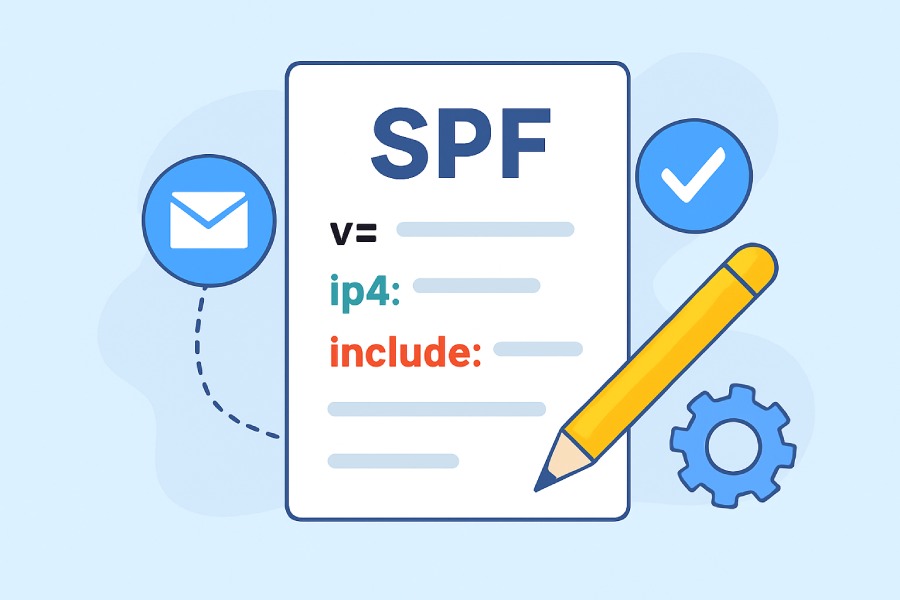
Sender Policy Framework (SPF) is a core email authentication protocol designed to enhance email security. SPF records play a crucial role in protecting domains from phishing, spoofing, and impersonation attacks by specifying which mail servers are authorized to send on behalf of a domain. When properly configured, SPF authentication significantly improves deliverability, helping emails avoid spam folders used by providers such as Gmail and Yahoo.
At its foundation, an SPF record leverages specific SPF record syntax to communicate email sending policies. The DNS-hosted SPF record enables receiving systems to perform SPF evaluation, verifying whether an incoming message is from an approved outbound mailer. Accurate SPF syntax and effective SPF policies ensure SPF alignment with complementary technologies like DMARC and DKIM, making up the backbone of a robust anti-abuse strategy.
Breaking Down the SPF Record Structure
To create an effective SPF policy, understanding the SPF record format and its structural components is vital. Each SPF record is a DNS TXT record that follows a standard sequence, dictated by the SPF version (always `v=spf1`). This version tag is always the leftmost value and signals the use of spf1 syntax for parsers and tools like DMARC Inspector, SPF Surveyor, and dmarcian’s SPF Survey tool.
The Anatomy of an SPF Record

Version Prefix: Every record starts with `v=spf1`, denoting the SPF version.
Mechanisms: Define which systems are permitted or denied for sending mail on behalf of the domain using keywords such as `a`, `mx`, `ip4`, `ip6`, `include`, and `all`.
Qualifiers: Prefixes attached to mechanisms influencing how SPF evaluation treats a match (Pass qualifier, Fail qualifier, SoftFail qualifier, Neutral qualifier).
Modifiers: Optional parameters (`redirect`, `exp`) for extended behavior.
A typical SPF record example:
“`
v=spf1 ip4:203.0.113.0/24 include:_spf.google.com -all
“`
Here, the ip4 mechanism and include mechanism are used in tandem with the all mechanism and Fail qualifier.
SPF Record Location and DNS Lookup
An SPF record must reside in the DNS zone of the respective domain. During SPF validation, the receiving server performs a DNS lookup for the SPF record. There is an enforced SPF lookup limit of 10, covering all include, a, mx, and ptr mechanisms.
Errors such as PermError (permanent error), TempError (temporary error), or DNS processing errors occur if records contain invalid syntax, missing tags, or DNS timeouts.
Essential SPF Mechanisms Explained (A, MX, IP4, IP6, INCLUDE, ALL)
SPF mechanisms are the main building blocks of SPF record syntax. Each mechanism determines how mail servers listed under various host designations are treated during SPF evaluation.
The Critical SPF Mechanisms
A Mechanism (`a`)
The mechanism authorizes the IP address(es) in the domain’s A record. If the A record resolves to the outbound mailer’s IP, the mechanism passes. Example: `a:mail.example.com`.
MX Mechanism (`mx`)
The mx mechanism authorizes any MX record’s hosts to send mail. This is common when using the same mail servers for both inbound and outbound mail traffic. Example: `mx`.
IP4 Mechanism (`ip4`)
The ip4 mechanism specifies single or multiple IPv4 addresses (optionally with CIDR prefix-length). This is the most explicit way to add specific mail server IPs. Example: `ip4:198.51.100.0/24`.
IP6 Mechanism (`ip6`)
Analogous to ip4, the ip6 mechanism allows inclusion of authorized IPv6 addresses. Example: `ip6:2001:db8::/32`.
Include Mechanism (`include`)
The include mechanism incorporates the SPF policy from another domain, useful for SaaS platform providers or external services. Example: `include:_spf.example.com`. If used excessively, it can quickly consume the SPF lookup limit.
All Mechanism (`all`)
The all mechanism matches everything, typically used at the end of an SPF record to designate a default policy. Paired with a qualifier, it dictates the final SPF evaluation (e.g., `-all` for SPF fail, `~all` for SPF softfail).
Modifiers and Qualifiers: How They Influence SPF Evaluation

The impact of SPF evaluation heavily relies on qualifiers and modifiers, informing how mechanisms are processed and how results such as SPF pass, SPF fail, SPF softfail, SPF neutral, or SPF none are communicated.
Understanding SPF Qualifiers
SPF qualifiers are symbols preceding mechanisms that determine the SPF authentication result when there’s a match:
Pass qualifier (`+`): Explicitly allows the mechanism. Often omitted; default for mechanisms (SPF pass).
Fail qualifier (`-`): Causes outright SPF fail when the mechanism matches. Mail is typically rejected.
SoftFail qualifier (`~`): Marks the mail as suspicious but allows it to pass with a warning (SPF softfail).
Neutral qualifier (`?`): Neither allows nor forbids the sender (SPF neutral, result akin to SPF none).
For example, `-all` sets a strict policy, refusing non-authorized servers, whereas `~all` could be suitable during transition or monitoring phases.
Working with Modifiers
SPF modifiers, specifically the redirect modifier and exp modifier, provide advanced control:
Redirect modifier (`redirect=domain`): Forwards SPF evaluation to another domain’s policy.
Exp modifier (`exp=domain`): Supplies custom explanation strings for SPF fail results, aiding troubleshooting.
A record can include only one redirect modifier, and these modifiers appear after all mechanisms for correct SPF record syntax.
Step-by-Step Guide to Creating an SPF Record
Crafting an error-free SPF record that maximizes SPF authentication coverage while avoiding SPF error scenarios is essential for MSPs, IT professionals, and SaaS platform owners. Below is a straightforward approach:
Step 1: Identify All Outbound Mailers
List your domain’s legitimate outbound mailers, including your organization’s mail servers, third-party Email Service Providers (ESPs), and SaaS platforms such as marketing automation tools.
Step 2: Determine Mechanism Usage
Decide which SPF mechanisms apply to your sending infrastructure:
- Use a mechanism and mx mechanism for organization-owned mail servers.
- Use ip4 mechanism and ip6 mechanism to specify dedicated IP addresses with or without CIDR prefix.
- Employees include mechanisms for providers like dmarc.io, SendGrid, or Google Workspace.
Step 3: Choose Appropriate Qualifiers
Set your organizational risk posture using SPF qualifiers:
- Default to the Pass qualifier for mechanisms you trust.
- Use the Fail qualifier (`-all`) for strict security, the SoftFail qualifier (`~all`) for diagnostics, or the Neutral qualifier (`?all`) for low enforcement.
Step 4: Avoid Common Pitfalls
- Monitor total DNS lookup counts to prevent breaching the SPF lookup limit.
- Test the record using solutions like DMARC Academy, SPF Surveyor, DMARC Record Wizard, Domain Checker, or DMARC Data Providers.
- Check for DNS processing error, PermError, or TempError using automated SPF validation tools.

Step 5: Publish and Validate
Add or update your DNS TXT record with the finalized SPF record format. For example:
“`
v=spf1 ip4:198.51.100.130 ip6:2001:db8:abcd::/48 include:_spf.google.com ~all
“`
Validate using platforms like DKIM Inspector, DKIM Validator, or dmarcian’s tools for efficient SPF evaluation and continuous alignment. After publishing, ensure ongoing SPF authentication with periodic reviews, especially after changes to outbound infrastructure.
Step 6: Monitor and Troubleshoot
Utilize services such as Alert Central or Deployment Services to get notifications of SPF fail, SPF softfail, SPF none, or misconfigurations. Leverage community forums and guides from Forum or DMARC Academy for assistance with DNS lookup errors, all mechanism cautions, or evaluation nuances.
By adhering to these guiding principles of SPF record syntax, SPF mechanisms, SPF modifiers, and SPF qualifiers, organizations can significantly enhance their SPF authentication coverage, minimize risk of impersonation and phishing, and fortify their overall email security. Proper use of SPF validation, strategic SPF alignment with DMARC and DKIM, and vigilant monitoring lays the groundwork for successful SPF deployment in any environment.
Common Syntax Mistakes and How to Avoid Them
SPF record syntax errors are a primary cause of SPF failure and compromised deliverability. Even minor mistakes in SPF record format can lead to incorrect SPF evaluation, resulting in messages being rejected or marked as suspicious. Following the correct spf1 syntax is critical for ensuring SPF authentication operates seamlessly.
Misuse of SPF Mechanisms and Modifiers
The distinction between SPF mechanisms and SPF modifiers is fundamental. Mechanisms such as the ip4 mechanism or mx mechanism define which hosts are authorized, whereas modifiers add nuance (e.g., the redirect modifier or exp modifier). A common mistake is misplacing a modifier inside the list of mechanisms or vice versa, which is not valid in SPF record syntax.
Example Issue:
`v=spf1 ip4:192.0.2.0/24 ~all redirect=_spf.example.com`
This record improperly places the redirect modifier after the all mechanism, causing an SPF error since only the first redirect will be evaluated and others ignored.
Incorrect Use of SPF Qualifiers
Qualifiers (`+`, `-`, `~`, `?`) define the response for SPF evaluation. Omitting the qualifier defaults to the Pass qualifier (`+`). Misplacing or using multiple qualifiers can result in SPF softfail, SPF fail, SPF neutral, or unintended results.
- The ~all mechanism should ONLY appear once, ending the record.
- Avoid chaining multiple all mechanisms or using the Fail qualifier with critical outbound mailers unless you fully understand the consequences.
Typographical and Structural Errors
Simple mistakes in SPF record format—such as missing spaces, incorrect separator colons, or misspelling the SPF version (should be v=spf1)—are frequent causes of SPF error.
SPF record example with an error:
`v=spf1ip4:198.51.100.0/24 -all`
Correct format is:
`v=spf1 ip4:198.51.100.0/24 -all`
Including Deprecated or Risky Mechanisms
The ptr mechanism is strongly discouraged, as is an overreliance on existing mechanisms for authorization. These may introduce DNS lookup performance issues and ambiguity in SPF validation.
Testing and Validating Your SPF Record
An essential step for implementing SPF authentication is ongoing SPF validation. Testing allows you to diagnose and prevent DNS processing error, PermError, and TempError responses that could undermine sender reputation.

Utilizing SPF Survey Tools and Validators
Leverage solutions like dmarcian’s SPF Surveyor, dmarc.io, DMARC Inspector, or a dedicated SPF record survey tool to examine your SPF record syntax and identify potential SPF evaluation pitfalls before deployment. Such tools also check DNS lookup chains, record length, SPF mechanisms, SPF qualifiers, and SPF modifiers for conformance with best practices.
End-to-End Validation
Use practical SPF record examples with real-world outbound mailers and ensure your SPF authentication coverage is complete. Simulate mail flow to major providers like Gmail and Yahoo to catch SPF none, SPF neutral, or SPF softfail responses that indicate improper setup or alignment.
SPF Record Syntax Verification
Most SPF validation tools check for:
- Proper SPF version identifier (`v=spf1`)
- Correct sequencing of SPF mechanisms and SPF modifiers
- Maximum of one all mechanism at the end, with appropriate qualifier
- DNS lookup counts for include mechanism and redirect modifier usage
Optimizing SPF Records for Large Organizations
Large organizations, SaaS platforms, and MSPs often face more complex scenarios, with multiple mail servers, third-party outbound mailers, and delegated sending services.
Structuring SPF Records for Multiple Domains
Divide SPF host designation by function—separating internal and third-party services across subdomains. Ensure each domain’s SPF policy provides explicit SPF authentication for all legitimate mail sources. Combine ip4 mechanism, ip6 mechanism, mx mechanism, and a mechanism, as appropriate, and use include mechanism for trusted external senders, keeping SPF alignment with DMARC policy in mind.
Managing Third-Party Senders
Work with providers to obtain dedicated SPF include mechanism entries and regularly audit your SPF record for unused services to reduce SPF record length.
Delegation and Modular SPF Structure
Adopt modular SPF record format, using the redirect modifier whenever appropriate for department or country-specific mail flows. Monitor SPF evaluation frequently through DMARC Data Providers or monitoring dashboards, such as Alert Central or Domain Checker.
Dealing with SPF Limitations: DNS Lookup Limits and Record Length
Understanding the SPF Lookup Limit
SPF authentication imposes a strict DNS lookup limit of 10 per check, including all mechanisms that trigger a DNS query (mx mechanism, include mechanism, exists mechanism, redirect modifier, etc.). Exceeding the SPF lookup limit results in PermError, leading to SPF none during SPF evaluation.
Reducing Unnecessary DNS Lookups
Audit the SPF record for redundant include mechanisms, excessive mx mechanism or a mechanism references, and minimize usage of existing mechanisms. Inline directly-owned IPs with ip4 mechanism/IPv4, ip6 mechanism/IPv6 where feasible, and aggregate contiguous IP addresses using CIDR prefix or prefix-length notation.
Record Length Restrictions
SPF record format in DNS TXT records is limited—many DNS servers restrict to 255 characters per string and 512 bytes per UDP response. Overly long SPF records can cause DNS processing error or truncation, leading to SPF fail or SPF softfail during authentication.
- Split long entries at convenient points, ensuring each quoted string doesn’t exceed 255 characters
- Periodically use SPF validation and SPF survey tools to detect record size issues
Best Practices for Maintaining and Updating SPF Records
Continuous Monitoring for Deliverability and Security
- Subscribe to DMARC reporting and DMARC Data Providers to monitor the effectiveness and SPF alignment of your SPF authentication coverage.
- Use platforms like dmarcian’s Alert Central and Deployment Services for proactive monitoring of SPF record changes and SPF fail or SPF softfail rates among outbound mailers.
Regular Review of Outbound Mailers and Mechanisms
- Review your list of outbound mailers and update ip4 mechanism, ip6 mechanism, mx mechanism, and include mechanism entries regularly.
- Remove obsolete mail server references to mitigate SPF error risk and tighten SPF policy.
Documenting and Versioning Changes
- Maintain an internal record for SPF record format and changes, noting when SPF mechanisms or SPF modifiers are altered, which enhances troubleshooting and rollback processes.
- Use the DMARC Academy and Forums to stay updated on evolving email security best practices.
Engage with SaaS Platforms and MSPs
Collaborate with all third-party senders to synchronize SPF policy and ensure SPF record syntax aligns with both your organization’s and the provider’s DMARC, DKIM, and SPF requirements, enhancing email security and preventing phishing or impersonation attempts.

FAQs
What are common mistakes in SPF record syntax?
Frequent mistakes include missing spaces between SPF mechanisms, misplacing SPF modifiers, omitting the all mechanism at the end, or exceeding the DNS lookup limit. These errors can result in SPF fail, SPF softfail, or SPF none outcomes and compromised deliverability.
How do I validate and test my SPF record?
Use SPF survey tools and validators such as dmarcian’s SPF Surveyor, DMARC Inspector, or dmarc.io. These platforms analyze SPF record syntax, check DNS lookup counts, evaluate SPF qualifiers, and detect potential SPF errors or alignment issues.
What is the maximum DNS lookup limit in SPF evaluation?
SPF evaluation allows up to 10 DNS lookups for mechanisms like include, mx, a, exists, and redirect. Exceeding this SPF lookup limit results in PermError and SPF authentication failure for your domain.
How should large organizations organize their SPF records?
Large organizations often modularize SPF records with the redirect modifier and rely on the include mechanism for external senders. Regular audits and documentation are critical to maintaining security, SPF record length, and DNS lookup constraints.
How often should SPF records be updated?
SPF records should be reviewed at least quarterly, or whenever new mail servers or outbound mailers are added or retired. Continuous review ensures accurate SPF host designation and up-to-date SPF alignment with DMARC and DKIM.
What happens if my SPF record is too long?
Overly long SPF records may be truncated by DNS servers, leading to incomplete SPF evaluation and potential SPF error or SPF fail results. Split long records appropriately and keep each string under 255 characters.
Key Takeaways
- Proper SPF record syntax, correct use of SPF mechanisms, SPF modifiers, and SPF qualifiers are critical for robust SPF authentication and deliverability.
- Regular SPF validation with tools like SPF Surveyor and DMARC Inspector mitigates SPF error, ensures SPF alignment, and optimizes email security.
- Large organizations must focus on modular SPF record structure, minimize DNS lookup usage, and update their SPF policy in line with operational needs.
- Be vigilant of the 10-DNS lookup limit and DNS TXT record length restrictions to avoid PermError or SPF authentication gaps.
- Ongoing maintenance, documentation, and collaboration with DMARC, DKIM solutions, and third-party senders are essential for sustaining effective SPF protection against phishing and impersonation.