

Ensuring your emails land in the inbox rather than the spam folder is essential for effective communication. As phishing threats become more prevalent and email authentication requirements tighten, it’s crucial for organizations to take additional measures to authenticate their messages.
Utilizing a DKIM key generator enhances the security of your sent emails by embedding a digital signature that authenticates the sender’s identity. This not only increases the trustworthiness of your emails but also safeguards your domain and improves overall deliverability.
Understanding DKIM: What It Is and Why It Matters
DomainKeys Identified Mail (DKIM) is a critical email authentication protocol that enables organizations to protect their outbound email messages from tampering and misuse. The essence of DKIM lies in the deployment of cryptographic keys (a public key and a private key) to create a digital signature—known as the DKIM signature—on each outgoing email. When an email recipient server receives a message, it uses the public key published in the sender’s DKIM record within their DNS configuration to verify message authenticity and confirm the message’s integrity.
Each DKIM signature ties back to the original email domain by including a unique selector and domain name in a DKIM tag, embedded in the email header fields. This process ensures that any alteration of the message after it leaves the sender’s system—like forged emails or malicious communication attempts—can be detected, providing reliable spoofing prevention. The DKIM authentication method has become an indispensable factor for any modern business aiming to establish itself as a trusted sender and bolster its domain reputation across major ISPs and email recipient servers.
The Role of DKIM in Email Authentication

DKIM plays a central role in multi-layered email authentication strategies. Alongside DMARC and SPF, DKIM authentication serves as one of the primary defenses in the fight against email spoofing, phishing protection, and other cybersecurity threats. When you generate a DKIM record using a DKIM key generator, you create a key pair consisting of a private key (stored securely on your mail server for signing outgoing emails) and a public key (published in a DNS TXT record for external verification).
Here’s how DKIM authentication works in detail:
- Signing Emails: The DKIM signature is generated by applying hash algorithms to select header fields and the message body, encrypted using the sender’s private key.
- Publishing the Public Key: The public key is distributed via a DKIM record in your DNS Zone under the relevant email domain, using the DKIM selector to distinguish among multiple keys or key rotations.
- Verification by Recipient Servers: On receipt, the email recipient server pulls the public key from DNS records using the selector and domain name, then uses it to decrypt the signature and verify message authenticity. Any manipulation yields a failed verification process, clearly identifying forged emails or compromised message integrity.
Integrating DKIM with DMARC and SPF records dramatically improves the accuracy of detecting malicious communication, thereby enhancing overall email security posture.
How DKIM Improves Email Deliverability
One of the most significant benefits of using a DKIM key generator and maintaining current cryptographic keys is improved email deliverability. ISPs and mailbox providers such as Google, Microsoft, and Yahoo evaluate the trustworthiness of each message before accepting it into users’ inboxes. A properly deployed DKIM record—featuring a sufficiently strong key length (typically 1024 or 2048 bits, often as an RSA key generated in a pem file format)—serves as a vital signal that an outbound email originates from its claimed sender.
Positive Impact on Sender Reputation
The digital signature created by a DKIM creator not only assures message authenticity but also directly influences domain health and sender reputation. A consistent, authenticated stream of email campaigns bolstered by valid DKIM authentication establishes the sender as a trusted entity, minimizing the risk of legitimate mail being flagged as spam or rejected outright.
Many leading platforms and security vendors, including EasyDMARC, EasySender, and others recognized by G2 Crowd and SourceForge, underline the importance of DKIM in boosting deliverability rates. Proper DKIM configuration, in conjunction with DMARC and SPF record alignment, can resolve many challenges that threaten your email communication stream.
Defense Against Spam and Spoofing
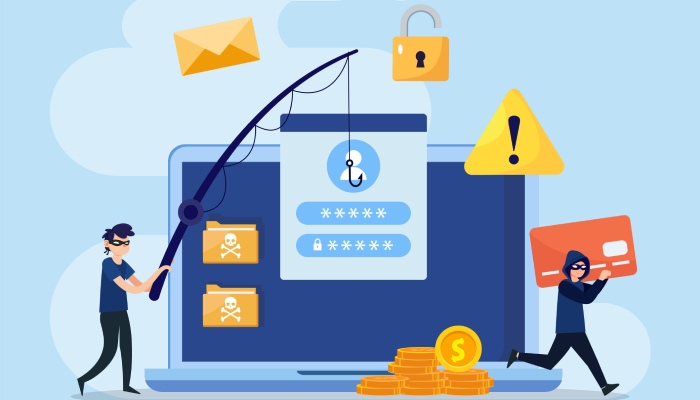
Implementing a robust DKIM record generator fortifies your domain against forged emails, which are a classic vector for phishing and spam attacks. By signaling to email recipient servers that your organization employs best-in-class email security, you proactively support phishing protection, DMARC compliance, and domain protection standards set by industry-leading frameworks—including BIMI, MTA-STS, and TLS-RPT.
Common Causes of Email Delivery Failures
Even as DKIM offers powerful email security, failing to generate DKIM records correctly can still trigger email delivery failures. Some of the most common risk factors include:
Incorrect or Incomplete DNS Configuration
A misconfigured DKIM record in the DNS Zone—such as missing TXT records, incorrect selectors, or malformed public keys—can prevent recipient servers from verifying DKIM signatures. It is imperative to use a DKIM record checker regularly to verify that your DNS Zone accurately reflects all DKIM tag information.
Faulty Key Management
Key management is core to maintaining a secure mail server configuration. Using an outdated, compromised, or weak key length (such as RSA 512-bits) leaves your email domain vulnerable. Regularly rotating the key pair and updating selectors with a DKIM key generator ensures continued resilience against attacks exploiting cryptographic weaknesses.
Neglecting SPF and DMARC Alignment
A DKIM signature alone is often insufficient. Misaligned DMARC and SPF records can result in messages failing authentication checks, severely diminishing deliverability. Use tools like EasyDMARC and recommendations from Academy and Expert Insights to maintain comprehensive alignment.
Human Error and Configuration Drift
Manual attempts to create DKIM keys, without the aid of a reputable DKIM record generator or DKIM creator, often lead to configuration errors. Automation through DKIM key generation tools mitigates human error in DNS records management.
What Is a DKIM Key Generator?
A DKIM key generator is a specialized tool or application designed to automate the process of creating and managing cryptographic keys necessary for DKIM authentication. It generates a secure key pair: a private key, stored safely to sign outgoing emails—often in a pem file format—and a public key, which is inserted into your DKIM record as a TXT entry in your DNS Zone for external verification.
Key Features and Functionalities
- Selector Assignment: The DKIM key generator assigns a unique DKIM selector, enabling multiple keys for a single domain (for key rotation or different departments).
- Customizable Key Length: Ensures the cryptographic strength of the generated key pair, reducing vulnerabilities.
- Compatibility Checks: Guarantees that the generated DKIM record adheres to major mail server configuration requirements (e.g., Microsoft Exchange, Postfix, EasySender).
- Automated DNS Configuration Guidance: Provides step-by-step instructions to insert the public key into DNS records, ensuring seamless integration with the DKIM selector and domain name.
- Secure Key Management: Handles the storage, rotation, and invalidation of the private key, ensuring strong ongoing domain protection.
- Verification Support: Often includes a DKIM record checker or validator to ensure that your DNS TXT record and signature are functioning correctly during the verification process.
Utilizing a DKIM record generator is considered best practice in the industry and is recommended by leading cybersecurity vendors, including those recognized in Channel Program and Email Security Leader reports.
Integrating DKIM into your organization’s outbound email infrastructure is not merely a technical exercise—it’s a strategic imperative for any organization that prioritizes deliverability, sender reputation, domain health, and comprehensive email security. With cyber threats growing more sophisticated, employing a reliable DKIM key generator, maintaining up-to-date DNS configuration, and ensuring proper signing of outgoing emails using robust key pairs are essential Safeguards in today’s threat landscape.
Benefits of Using a DKIM Key Generator
Implementing a DKIM key generator is vital to modern email authentication ecosystems. These purpose-built tools streamline the process of generating cryptographic keys and constructing a DKIM record for your email domain. The immediate benefit is the minimization of manual errors, ensuring the generated public key and private key are mathematically linked, formatted correctly, and tailored to your specific domain name and selector.
Beyond ease of use, a DKIM key generator amplifies your organization’s ability to sign outgoing emails with a robust DKIM signature, reinforcing your claim as a trusted sender. By providing the backbone for signatory digital signatures in the email header, these generators aid in protecting your messages from being altered in transit—preserving message integrity and helping recipients verify message authenticity.
Furthermore, DKIM key generators make it much simpler to meet compliance requirements for cybersecurity frameworks such as DMARC and SPF. By quickly producing new key pairs and selectors, you can proactively rotate keys for enhanced key management and adjust to evolving threat landscapes. The outcome is a robust infrastructure for email deliverability and phishing protection, safeguarding your domain reputation and supporting effective spoofing prevention.
How to Choose the Right DKIM Key Generator
Evaluating Security, Flexibility, and Compatibility
Selecting the best DKIM key generator for your organization involves analyzing features such as cryptographic algorithms, key length options (2048-bit rsa key is now accepted as the standard for strong security), and compatibility with your existing DNS configuration. It’s important to look for generators that produce both the pem file for private storage and the correctly formatted TXT record for DNS publication.

Integration with Major Email Platforms
Consider a DKIM key generator that seamlessly aligns with your existing mail server configuration and can easily generate DKIM records for prevalent services like EasySender, Google Workspace, or Microsoft 365. Verify that the DKIM creator supports custom selector naming conventions and integrates with DNS providers to facilitate straightforward DNS Zone updates.
Reputation and Support
Platforms like EasyDMARC, recommended by G2 Crowd, SourceForge, and Expert Insights, stand out for their track records and active development communities. Ensure that the generator you choose offers clear documentation, responsive support, and robust tools such as DKIM record checker utilities to validate that your DNS records are functioning correctly.
Step-by-Step Guide: Generating and Implementing DKIM Keys
1. Generate DKIM Keys
Start by accessing your chosen DKIM key generator. Input your domain name and specify a DKIM selector—a unique selector to differentiate keys for various services or purposes such as transactional email campaigns versus newsletters. Select your desired key length (2048 bits is recommended for modern security standards), and allow the tool to generate your key pair: the public key and private key.
2. DNS Configuration and Publishing Your DKIM Record
After generation, the DKIM record generator provides you with a properly structured TXT record. This record will consist of a combination of DKIM tags such as “v=DKIM1”, cryptographic public key data (“p=”), and the specified selector. Enter this TXT record into your DNS Zone, typically via your DNS hosting provider’s control panel.
DNS configuration ensures that when an email recipient server receives your signed emails, it can retrieve your public key by looking up the selector.domainkey.domainname.com DNS record. This process enables the server to decrypt the message signature, verify message authenticity, and guard against malicious communication or forged emails.
3. Mail Server Configuration
Store the private key securely on the sending mail server. Update your mail server configuration pointing to the correct private key (often via a pem file), and ensure it is set to sign outgoing emails. When your server dispatches outbound email, it will use this private key to stamp the DKIM signature onto the appropriate header fields.
4. Verification Process
After DNS records propagate, use a DKIM record checker, such as those provided by EasyDMARC or other industry leaders, to confirm that your setup is functional. Send test emails and inspect the email header for the correct DKIM tag, selector, and a valid digital signature. This guarantees your email authentication method is robust, supporting domain protection, sender reputation, and email deliverability.

Best Practices for Managing DKIM Keys Securely
1. Key Management and Rotation
Effective key management is essential for maintaining strong email security. Periodically rotate your cryptographic keys by generating a new key pair and updating your DKIM record and TXT record. Utilize unique selectors for different services to segregate keys and streamline the decommissioning of compromised or outdated keys.
a. Key Storage
Store your private key in encrypted storage on the mail server and restrict access on a “least privilege” basis. Never transmit the private key over unsecured channels and avoid storing it alongside the public key or in shared locations.
b. DNS Hygiene and Monitoring
Regularly audit your DNS Zone to ensure only current and necessary DKIM records remain active. Use DKIM and DMARC reporting, TLS-RPT, and monitoring tools like EasyDMARC or the Phishing Link Checker to track key usage and immediately flag suspicious or unverified message signatures.
2. Integration With Wider Security Frameworks
Coordinate your DKIM implementation with SPF and DMARC records to build a multi-layered approach to email authentication and spoofing prevention. Utilize Academy resources or support from Email Security Leader providers to stay abreast of changing standards in the field, including requirements for BIMI, MTA-STS, and evolving hash algorithms.
Future Trends: DKIM, Email Security, and Deliverability
The landscape of email security is rapidly evolving in response to more sophisticated phishing attacks and business email compromise. DKIM authentication, alongside DMARC and SPF, remains a cornerstone for verifying sender identity and preserving message integrity. Innovations such as longer key lengths, enhanced selector management, and dynamic cryptographic algorithms will further reinforce the defensive perimeter against forged emails and malicious communication.
Expect tighter integrations between DKIM key generators, DNS management platforms, and email gateway solutions, enabling automated workflows for rapid response and continuous DNS configuration monitoring. As global email security regulations expand, organizations will be encouraged to implement strong authentication methods across all outbound email, especially for high-risk email campaigns.
Additionally, industry-wide adoption of visual identity signals (BIMI), widespread auditing systems like MTA-STS, and comprehensive domain health monitoring tools—available from platforms rated by Channel Program and G2—will set new standards for trust and transparency. To prepare, organizations should prioritize holistic approaches that blend robust DKIM key generation, rigorous key pair maintenance, and continuous email authentication monitoring.
For organizations seeking best-in-class email security, integrating DKIM with supporting protocols and vigilant key management practices is central to defending domain reputation and optimizing sender reputation on a global scale.
FAQs
What is a DKIM key generator and why do I need one?
A DKIM key generator is a specialized tool that automates the creation of a cryptographic key pair for use with email authentication protocols. It ensures accurate formatting and strong security for signing outgoing emails, protecting your domain from phishing and spoofing.
How do I implement a DKIM record in my DNS?
Use a DKIM key generator to create the TXT record, then publish it in your DNS Zone under the appropriate subdomain format (selector._domainkey.yourdomain.com). Make sure the DNS record contains the public key while the private key remains secure on your mail server.
How often should I rotate my DKIM keys?
It is advisable to rotate your DKIM key pair every six to twelve months, or immediately if you suspect the private key may be compromised, to maintain high standards of domain protection and compliance.
What does the DKIM selector do?
The selector allows multiple DKIM records to coexist for the same domain name. It helps differentiate between various keys, making management and rotation easier and more secure.
Can I use the same DKIM key for multiple domains?
For optimal security and domain reputation, it is best to generate a separate DKIM key pair and unique selector for each domain name to prevent cross-domain vulnerabilities.

What is the role of a DKIM record checker?
A DKIM record checker is a tool used to validate that your DKIM DNS records are correctly published and can be discovered and used by recipient servers to verify message signatures.
Does DKIM guarantee my emails won’t go to spam?
DKIM significantly improves your chances of landing in the inbox, but optimal email deliverability requires combining DKIM with SPF, DMARC, and good sending practices.
Key Takeaways
- Using a DKIM key generator automates the secure generation and correct formatting of cryptographic keys for DKIM records, preventing errors and breaches.
- Regular key rotation, careful management of selectors, and secure storage of private keys are essential best practices for maintaining strong email authentication.
- Integration with DMARC and SPF protocols amplifies phishing protection and spoofing prevention for your entire email domain.
- Monitoring DNS configuration, verifying with DKIM record checker tools, and staying updated with industry trends will optimize email deliverability and domain health.
- Adopting cutting-edge solutions for email security supports robust domain protection and enhances the reputation of your email sender infrastructure.