
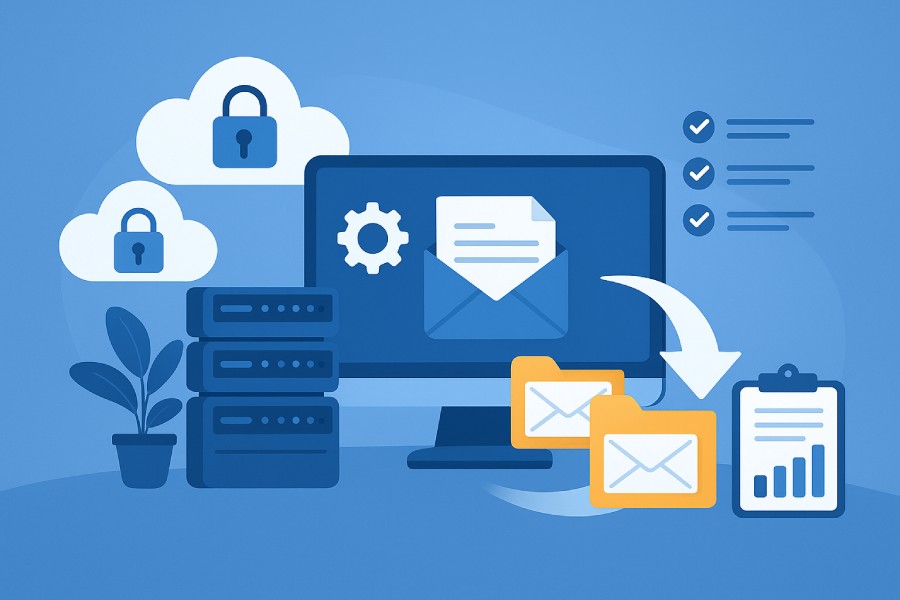
Selecting a reliable partner for your email migration is a mission-critical decision for both individuals and organizations, whether you are overseeing a personal email migration, business email migration, or a large-scale enterprise email migration.
Professional email migration services must offer a robust set of features to ensure a smooth, secure, and cost-effective transition from your source account to your destination account. Below, we explore the first six essential features to prioritize during your search for the best email migration tools.
Feature 1: Comprehensive Email Platform Support
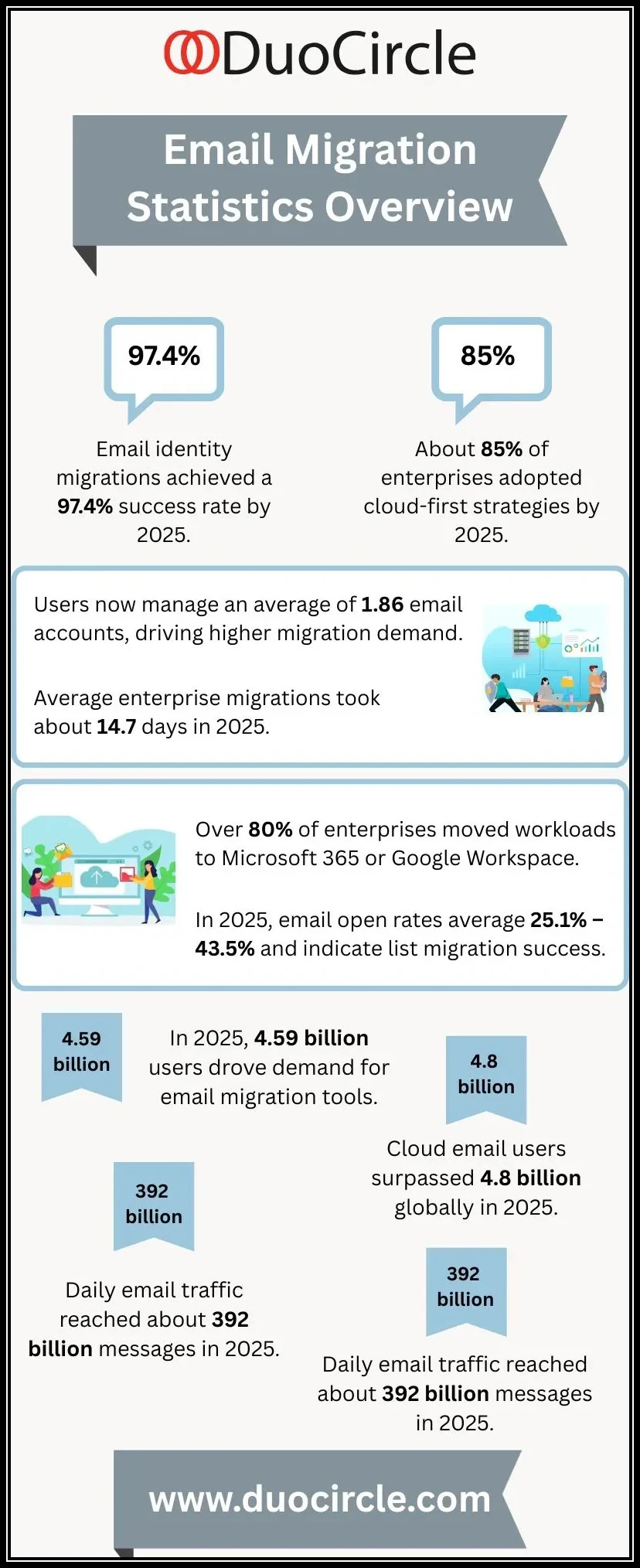
A leading email migration service should accommodate a broad range of email service provider platforms and protocols. Versatility is especially vital in enterprise email migration and complex migration projects, where different users may be moving from or to various systems.
Platform Compatibility
Look for solutions compatible with popular platforms such as Outlook, Thunderbird, Mailbird, Google Workspace, Microsoft 365, Yahoo, Zoho Mail, GoDaddy, AOL, and iCloud. The ability to handle mailbox migration across these environments is a mark of maturity in migration tools.
Migration Protocols and Standards
Comprehensive support goes beyond well-known platforms—it must also include support for standard email migration protocols like IMAP, Exchange Web Services (EWS), and OAuth 2.0 for secure access and seamless data transfer. For example, IMAP migration is frequently required for moving messages and email folders from desk-based desktop email clients to cloud services.

Entity and File Type Migration
Email messages are only one piece of the puzzle. Leading email migration services should also facilitate:
- Contacts migration for address books
- Calendar migration to preserve events and meetings
- Files migration involving attachments or cloud storage integrations (such as OneDrive integration during a Microsoft 365 migration)
Adequate support for shared mailbox migration, email archive migration, and batch migrations—essential for large user accounts lists—is equally significant.
Feature 2: Automated Migration Processes
Automation represents a cornerstone of modern data migration, reducing the risk and errors commonly associated with manual migration. As the volume and complexity of migration projects grow, relying on automated migration pathways becomes essential.
Benefits of Automated Migration
With advanced email migration tools, tasks such as mailbox migration, contacts migration, and calendar migration can proceed with minimal human intervention. Automated migration processes are particularly beneficial for large enterprise email migrations, ensuring efficient batch migrations and reducing the time required to complete the process.
Reducing Human Error and Effort
Automated migration tools help enforce migration best practices by handling complex migration phases such as delta migration (which migrates only new or changed data after the initial transfer), email retention policy adherence, and re-syncing of changed emails. Free email migration tools may offer some level of automation but are often limited compared to paid email migration tools when managing advanced email archive migration or shared mailbox migration.
Third-Party Migration Tool Integration
It’s crucial to assess if the service supports integration with trusted third-party migration tool solutions, which can further streamline your migration project, provide additional reporting, or handle specialized migration troubleshooting scenarios.
Feature 3: Minimal Downtime and Business Continuity
Downtime during email migration can cause costly business disruptions. Maintaining business continuity is a significant benchmark for evaluating professional email migration services.
Strategies to Minimize Migration Downtime
A quality migration service helps admins establish a migration plan that schedules the transition during low-activity periods and uses strategies such as pilot migration and staggered user migration to phase out the migration and reduce impact.
Batch Migrations and Staged Rollouts
Batch migrations, where user accounts are migrated in groups, enable organizations to manage migration timeline expectations and quickly resolve unforeseen migration issues before affecting the entire organization. For example, admins can test mailbox migration with a single department before scaling up.
Migration Notifications and Real-Time Progress
Professional-grade tools provide real-time migration progress dashboards, migration notifications for admins and end-users, and clear communication regarding migration timeline and migration results to keep stakeholders informed throughout all migration phases.
Email Forwarding & MX Record Coordination
Coordinating with your email service provider to update MX records and managing email forwarding rules can ensure that no emails are lost during email migration and that the destination account begins functioning seamlessly the moment the migration completes.
Feature 4: Strong Data Security and Compliance Measures
Security stands as a top priority for any data migration, especially when handling sensitive business emails during an enterprise email migration or dealing with regulatory compliance issues.
Security Measures
The best email migration tools and services implement robust security measures, often relying on industry-standard protocols such as OAuth 2.0 for secure authentication between the source account and the destination account. End-to-end encryption is a must for data in transit, especially when using third-party migration tool solutions.
Compliance Considerations
Compliance with global standards and privacy regulations (such as GDPR, HIPAA, or local laws) is a prerequisite for email migration services working with regulated industries. Features for comprehensive audit logging, chain of custody, and email retention policies are critical for preventing compliance issues during and after data transfer.
Data Integrity
Data integrity is vital—your selected email migration solution should guarantee that all emails, contacts, calendars, and files migration actions occur accurately, preserving meta-data, folder structures, and message statuses.
Feature 5: Detailed Pre-Migration Assessment and Planning
A successful migration project always begins with a thorough pre-migration assessment and the creation of a detailed migration plan.
Assess Source and Destination Accounts
Professional email migration services typically analyze both the source account and destination account to identify compatibility issues, projected mailbox sizes, potential email archive migration needs, and any requirements for domain authorization.
Customized Migration Plan
A dedicated migration plan establishes timelines, identifies required user accounts, clarifies the migration protocol to be used, and sets up the pilot migration process. This phase is essential in both business email migration and enterprise email migration, as it reveals possible pitfalls—such as domain authorization issues or MX record misconfigurations—early in the migration project.
Migration Best Practices
Reputable services incorporate migration best practices, such as pre-migration testing, use of pilot migration (testing the process on a few accounts first), and comprehensive checklists to cover all migration phases.

Supporting Tools and Services
Top providers offer pre-migration tools or checklists and ongoing migration support through support forums, online chat, or dedicated engineers, ensuring that users have the help they need to initiate and execute their migration project successfully.
Feature 6: User-Friendly Interface and Customization Options
Highly usable email migration tools reduce the burden on both IT admins and individual users, enabling a more streamlined transition regardless of the migration’s scope.
Intuitive Interface
The interface should simplify complex processes such as Gmail migration, Google Workspace migration, or Microsoft 365 migration, guiding users through each step from authentication of email service provider credentials to monitoring migration progress and reviewing migration results.
Customization and Flexibility
The best paid email migration tools and even some free email migration tools allow customization to fit unique requirements:
- Selective Migration: Move only specific email folders, emails, contacts, calendars, or files.
- Filter-Based Migration: Define custom filters for migration based on date ranges, folders, or labels (helpful for segmented Outlook migration or Thunderbird migration).
- User Access Controls: Set roles and permissions for different admins or managers during large-scale enterprise email migration, controlling who can initiate or approve user migration actions.
Multi-Platform and Multi-Tenant Support
For MSPs and larger organizations, interfaces that support multiple migration projects simultaneously—from a single dashboard—are invaluable. These features streamline batch migrations and shared mailbox migration workflows, benefiting from integration with platforms like VaultMe or DuoCircle.
By considering these six foundational features when evaluating professional email migration services, you can ensure a safer, more efficient, and future-proofed transition for your email infrastructure. The remaining six features further hone your migration experience, helping you finalize your selection among available email migration tools and services.
Feature 7: Robust Data Integrity and Error Handling
When embarking on any email migration project, ensuring robust data integrity from the source account to the destination account is non-negotiable. The leading email migration tools and services employ advanced validation algorithms and real-time error detection to minimize the risk of data loss, corruption, or misplacement during each phase of data migration.
For business email migration or enterprise email migration, protection of sensitive emails, contacts, calendars, and files becomes especially crucial for maintaining compliance and business continuity. Many paid email migration tools provide checksums, end-to-end encryption, and automatic data reconciliation, helping IT admins securely complete mailbox migration and email archive migration. With IMAP migration, as well as more specialized migrations like Outlook migration or Gmail migration, these features ensure every email folder, attachment, and email is accounted for and protected against data anomalies.
To further enhance reliability, modern solutions like VaultMe, Google Workspace migration tools, and Microsoft 365 migration services generate detailed error logs and notification alerts—empowering admins to address migration troubleshooting before any compliance issues arise. This approach reduces migration downtime and maintains user migration satisfaction, even when handling challenging batch migrations or shared mailbox migration scenarios.

Proactive Error Recovery in Migration
Email migration tools with advanced error handling often include automatic retries, granular reporting, and rollback options, ensuring any interrupted data transfer or failed item is quickly identified and corrected without manual intervention. This significantly increases the trustworthiness of business critical migration projects.
Feature 8: Advanced Filtering and Selective Migration Capabilities
The Importance of Selective Data Migration
Organizations often maintain years of legacy emails, contacts, calendars, and files. However, not all of this data is relevant, and migrating redundant or obsolete records can be costly or inefficient. This is why selective migration has become essential in modern email migration workflows.
Advanced Filtering for Tailored Migration Plans
Leading email migration services now offer advanced filtering options that let administrators customize their migration approach. These tools support:
- Excluding outdated or unnecessary items
- Aligning migrations with business needs
- Meeting regulatory or retention requirements
Selective Migration in Free and Paid Tools
Selective migration capabilities—available in both free and paid solutions—give users granular control over the data they move.
Customizable Email Selection
Admins and users can refine migrations by:
- Moving only recent emails
- Setting custom date ranges
- Choosing specific folders
- Excluding Gmail labels
Tools like VaultMe and Mailbird use these filtering options to help individuals streamline their inboxes during personal email migrations.
Business-Grade Filtering for Complex Use Cases
In professional environments, robust filtering supports more advanced scenarios.
Examples of Enterprise Use Cases
- Enforcing email retention policies
- Managing hybrid cloud migration strategies
- Avoiding unnecessary data transfer
Granular Filtering in IMAP Migrations
IMAP migrations also benefit from precise controls that prevent overload and maintain efficiency.

Cross-Platform and Cross-Provider Compatibility
Granular filtering simplifies migrations between:
- Different email service providers
- Desktop email clients such as Outlook, Thunderbird, and iCloud
This ensures smooth transitions without burdening the destination system or exceeding storage limits.
Practical Filtering Use Cases
Admins executing enterprise email migration might use filtering to migrate only mailboxes of current employees, or only emails within the last two years, to reduce migration costs and speed up the migration timeline. Similarly, batch migrations enable staged transfers according to functional departments or user accounts, enhancing control and reliability.
Feature 9: Scalable Solutions for Businesses of All Sizes
Whether conducting a small personal email migration or a multi-phase enterprise email migration for an international corporation, scalability is paramount. The most effective email migration tools offer flexible architecture and resource management, supporting everything from one-off Gmail migration for individuals to thousands of concurrent user accounts in a Microsoft 365 or Google Workspace migration project.
Business email migration at scale often requires batch migrations, automation, and comprehensive management dashboards. Free email migration tools are typically limited in volume or features, making paid email migration tools more suitable for complex scenarios, such as shared mailbox migration, email archive migration, or group-wise migrations.
Many email migration services use modern protocols such as OAuth 2.0 for secure authentication and leverage cloud-based platforms, like Zoho Mail and OneDrive, allowing them to efficiently handle large data transfers without bottlenecks or resource exhaustion. Enterprise solutions are designed to dynamically allocate bandwidth, process migrations in parallel, and integrate seamlessly with major destination service providers.
Role-Based Access and Delegated Management
For large-scale migrations, support for delegated admin access, granular permission controls, and transparent migration progress monitoring are essential. This facilitates staged rollout, efficient handling of migration phases, and quick response to migration notifications and issues.
Feature 10: Post-Migration Verification and Reporting
A successful migration project doesn’t conclude the moment data transfer is complete; rigorous post-migration validation and comprehensive reporting are essential to ensure accuracy and long-term reliability. Modern email migration platforms automatically compare source and target environments, validating that emails, calendar items, contacts, and files have been successfully transferred while preserving full data integrity.
Detailed post-migration reports allow IT teams to verify item counts—emails, contacts, calendars, documents—and quickly identify any discrepancies. These reports are crucial for audit trails and regulatory compliance, especially in industries governed by strict retention policies or industry mandates. For both enterprise and business-level email migration efforts, customizable reporting provides an added layer of transparency, with exportable summaries that support internal audits and compliance reviews.
Tools that support delta migrations further strengthen quality checks by synchronizing incremental changes during long-running migration projects, ensuring no data gaps or missed updates.
Automated Email Retention and Compliance Verification

After the migration is complete, advanced tools automatically verify that mailbox data adheres to required retention rules and legal hold settings.
Ensuring Alignment With Industry and Regulatory Standards
These automated compliance checks help detect potential violations—such as missing retention tags, improperly handled archived data, or unsupported legal hold configurations—allowing IT teams to correct issues before they escalate.
Platform-Specific Compliance Monitoring
Whether an organization uses Microsoft 365, Google Workspace, or other enterprise email platforms, built-in compliance verification ensures alignment with sector-specific regulations. This safeguard is especially vital for industries such as finance, healthcare, legal, and government sectors that rely heavily on accurate retention enforcement.
Feature 11: Responsive Customer Support and Technical Assistance
Even with the most robust migration plan, technical challenges can arise. Responsive migration support is a decisive feature distinguishing reliable email migration services and third-party migration tools. Timely access to knowledgeable professionals ensures rapid resolution of migration troubleshooting issues, reduces migration downtime, and keeps batch migrations or pilot migration schedules on track.
Market leaders—including VaultMe, GoDaddy, Zoho Mail, and support forums by Microsoft or Google—offer a mixture of real-time chat, email ticketing, and phone-based migration support. These services can assist both admins and individuals through complex tasks such as verifying MX records, configuring domain authorization, or managing secure data transfer protocols like OAuth 2.0 and IMAP.
Peer-based support forums further complement official channels, providing user-contributed solutions to common migration best practices, desktop email client setup, or selective migration challenges.
Feature 12: Transparent Pricing and Flexible Migration Packages
Migration costs and pricing structures are pivotal factors when comparing email migration tools or selecting the right email migration services. Transparency is essential, especially for businesses working within strict budgets while weighing the advantages of free email migration tools versus paid email migration tools.
Robust solutions clearly outline migration pricing by user account, mailbox, volume of data migration, feature tiers, or migration phases. Free email migration tools generally offer baseline functions, often with limitations on batch migrations, supported destination service providers, or overall migration timeline. In contrast, paid solutions provide enhanced security measures, automated migration, compliance guarantees, and premium migration support.
Flexible migration packages cater to varied scenarios—from personal email migration and small team transitions to organization-wide enterprise email migration projects. Transparent, upfront migration pricing, clear breakdowns for additional services like email archive migration or contacts migration, and easily scalable packages help organizations create informed migration plans matching their technical and budgetary needs.

FAQs
What is the difference between free email migration tools and paid email migration tools?
Free email migration tools often provide basic functionality with limitations on data volume, supported features, and migration support. Paid email migration tools usually offer advanced capabilities, robust data integrity measures, automation options, and dedicated technical assistance, making them suitable for complex business email migration or enterprise email migration projects.
How does IMAP migration work for moving between email service providers?
IMAP migration uses the IMAP protocol to copy emails from a source account to a destination account, preserving folder structures and supporting a wide range of email service providers. It is commonly used for personal, business, or mailbox migration when switching platforms like Yahoo, AOL, Thunderbird, or Zoho Mail.
What should I look for in an email migration plan for my organization?
Essential elements include assessing user accounts, defining a clear migration timeline, specifying which mailboxes and items will be moved (emails, contacts, calendars, files), ensuring security measures like OAuth 2.0, and allocating resources for migration support and troubleshooting. A pilot migration stage is recommended to test the end-to-end process before a full rollout.
How are contacts migration and calendar migration handled during email migration?
Most advanced email migration tools and migration services can transfer contacts and calendars along with emails. The process usually maps fields between systems such as Google Workspace or Microsoft 365, ensuring seamless access to important communication data after migration.
What is a delta migration, and why is it important?
Delta migration is the process of syncing only new or updated emails and items after an initial migration. This reduces migration downtime and ensures the destination account is up to date, especially if there’s a gap between the initial and final cutover within the migration project.
Key Takeaways
- Robust data integrity and error handling are essential for protecting sensitive emails and maintaining compliance during any email migration project.
- Advanced filtering and selective migration allow organizations and individuals to migrate only necessary emails, contacts, calendars, and files, optimizing the migration plan for efficiency and compliance.
- Scalable email migration tools and services support projects ranging from single user migrations to large-scale enterprise email migrations, with options for automated and batch migrations.
- Transparent post-migration verification and detailed reporting enable organizations to confirm migration results, maintain data integrity, and address compliance issues efficiently.
- Responsive migration support, clear migration pricing, and flexible migration packages are key differentiators when selecting the ideal solution for personal, business, or enterprise migrations.