

Email marketing campaigns have the potential to enhance engagement, boost conversions, and increase brand visibility provided that your emails successfully land in the inbox. A crucial factor influencing successful email delivery is the configuration of your Sender Policy Framework (SPF). Even minor errors in your SPF record can lead to authentication failures, delivery to spam folders, or outright rejection by the recipient’s mail servers
This is where an SPF validation tool becomes indispensable. It enables you to assess, validate, and refine your SPF record before launching a large-scale campaign. Conducting a few targeted checks could significantly impact the effectiveness of your campaign, distinguishing a successful outreach from one that goes unnoticed.
In this article, we’ll explore 11 critical checks you should consistently execute with an SPF validation tool to ensure optimal email security before sending bulk emails.
What Is an SPF Validation Tool?
An SPF validation tool is a digital or integrated solution designed to assess the accuracy, thoroughness, and adherence of your domain’s SPF record to email authentication protocols. It determines if the SPF record appropriately permits the mail servers that are authorized to send emails on your behalf.
These tools typically:
- Fetch your SPF record from DNS
- Analyze syntax and structure
- Check for errors or misconfigurations
- Validate included domains and IP addresses
- Ensure compliance with DNS lookup limits
Regularly utilizing an SPF validation tool is essential for thwarting spoofing attempts, enhancing email deliverability, and safeguarding your domain’s strong sender reputation.
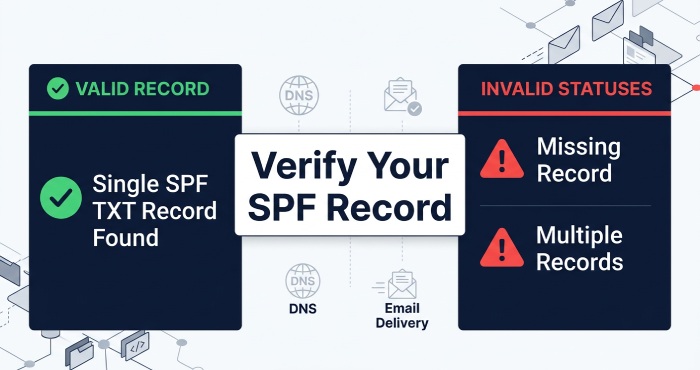
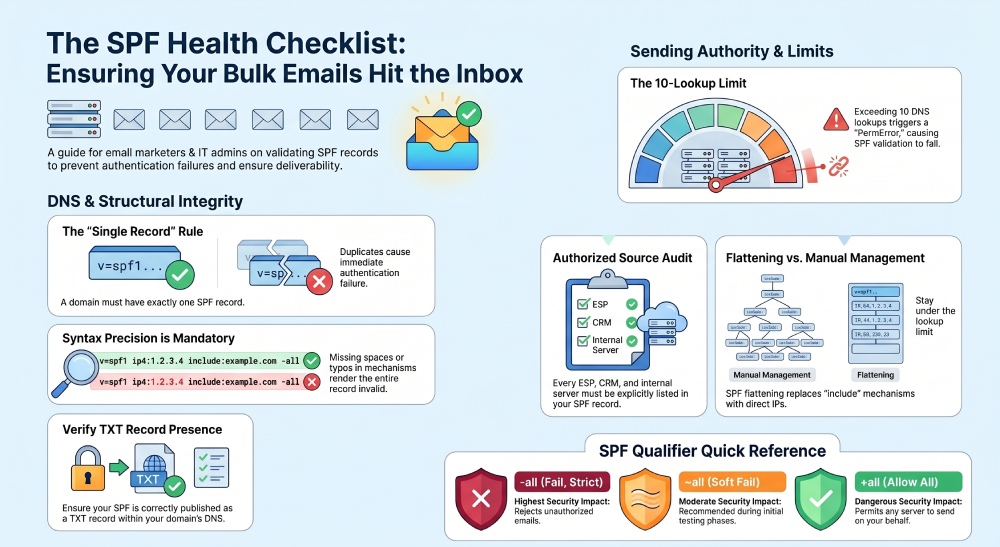
1. Verify SPF Record Presence in DNS
First and foremost, ensure that your domain has an SPF record correctly published in the DNS. In the absence of this record, mail servers responsible for receiving messages cannot authenticate authorized senders.
An SPF validation tool will quickly tell you:
- Whether an SPF record exists
- If it’s correctly formatted as a TXT record
- If multiple SPF records are present (which is a problem
Why it matters: The absence of SPF records or the presence of duplicates may lead to authentication issues, thereby diminishing the credibility of your email communications.
2. Check for Syntax Errors
SPF records adhere to a specific syntax that must be strictly followed. Any small error can render the entire record invalid.
Common syntax issues include:
- Missing spaces between mechanisms
- Incorrect use of qualifiers (+, -, ~, ?)
- Typos in mechanisms like include, ip4, or all
An SPF validation tool scans your record and flags these errors instantly
Why it matters: Mail servers disregard SPF records that do not adhere to proper syntax, resulting in your emails being left unauthenticated.
3. Validate Authorized Sending Sources
It is essential that your SPF record encompasses all authorized entities permitted to send emails for your domain
These may include:
- Email service providers (ESPs)
- CRM platforms
- Marketing automation tools
- Internal mail servers
Use an SPF validation tool to confirm that
- All required include statements are present
- All sending IP addresses are listed
Why it matters: Missing a valid sender can lead to SPF verification failures for emails originating from that source.
4. Ensure Proper Use of “Include” Mechanisms
The inclusion mechanism permits you to grant permission to external services to dispatch emails on behalf of your domain.
However, improper use can lead to:
- Broken authentication chains
- Excessive DNS lookups
- Inclusion of outdated or incorrect domains
An SPF validation tool helps verify:
- Whether included domains are valid
- If they resolve correctly
- Whether they introduce additional issues
Why it matters: One of the primary reasons for SPF failures is the incorrect configuration of include mechanisms.
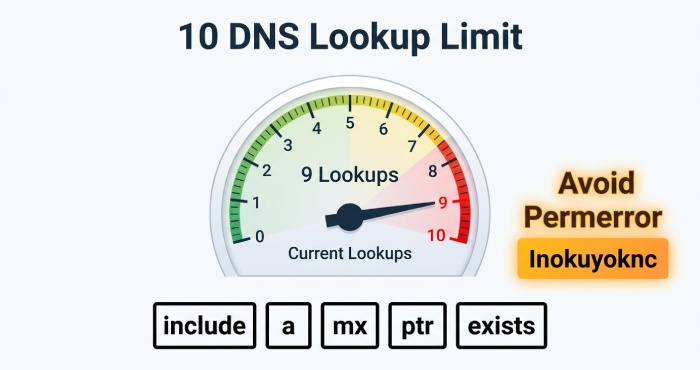
5. Check DNS Lookup Count (Limit of 10)
SPF has a strict limit of 10 DNS lookups per evaluation. This includes:
- include
- a
- mx
- ptr
- exists
SPF validation tools assess the total number of lookups you perform and provide a warning should you surpass the established limit.
Why it matters: Exceeding 10 lookups in your SPF record leads to a “permerror,” which ultimately results in SPF failure.
6. Detect Redundant or Unused Entries
As time passes, SPF records may become congested with obsolete entries, particularly if you have transitioned to different email providers or tools.
An SPF validation tool can identify:
- Unused IP addresses
- Duplicate includes
- Deprecated services
Why it matters: Simplifying your SPF record enhances efficiency and streamlines its functionality.
7. Confirm Correct “All” Mechanism Usage
The all mechanism outlines the procedures for mail servers regarding the handling of emails that do not align with your SPF record.
Common options
- -all (fail – strict)
- ~all (soft fail – recommended during testing)
- +all (allow all – unsafe)
- ?all (neutral)
An SPF validation tool helps ensure you’re using the right qualifier for your setup.
Why it matters: An improperly set up email mechanism can either prevent valid emails from being delivered or enable fraudulent email practices.
8. Check for Multiple SPF Records
A domain must contain a single SPF record. Having multiple SPF records can lead to confusion for receiving servers, resulting in potential delivery issues.
SPF validation tools will:
- Detect duplicate SPF records
- Highlight conflicts between them
Why it matters: Having more than one SPF record completely disrupts the SPF evaluation process.
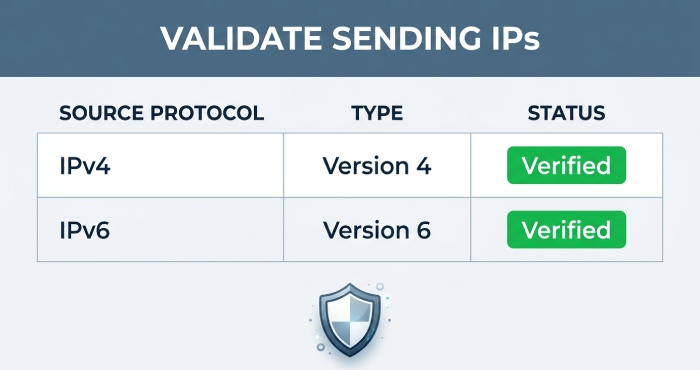
9. Validate IP Address Accuracy
Ensure that any designated IP addresses (both IPv4 and IPv6) included in your SPF record are accurate and current.
An SPF validation tool checks:
- Whether IP addresses are valid
- If they match known sending sources
- If any are misconfigured
Why it matters: Misconfigured IP addresses may result in erroneous failure alerts or potential security breaches.
10. Test SPF Record Flattening (If Applied)
SPF flattening substitutes the use of include mechanisms with direct IP addresses, thereby minimizing the number of DNS lookups required
If you’re using flattening:
- Ensure the flattened record is updated regularly
- Verify that no IPs are missing
SPF validation tools help confirm:
- Flattened records are still valid
- No lookup limits are exceeded
Why it matters: Inadequate upkeep of flattening processes can compromise the integrity of SPF authentication.
11. Simulate SPF Authentication Results
Certain sophisticated SPF validation tools enable users to emulate the assessment process that receiving mail servers will apply to your SPF record.
They provide results such as:
- Pass
- Fail
- SoftFail
- Neutral
- PermError
Why it matters: Simulation allows you to identify potential problems before they impact actual emails.
Best Practices for Using an SPF Validation Tool
Conducting these checks a single time is insufficient ongoing supervision of SPF is essential, particularly when modifications occur in your email infrastructure
Consider these best practices:
- Reassess SPF whenever you incorporate new email services.
- Regularly examine DNS modifications.
- Maintain simplicity in your SPF record.
- Integrate SPF with DKIM and DMARC for comprehensive security.
- Employ automated tools for continuous oversight.
Why SPF Validation Matters for Bulk Email Campaigns
Sending bulk emails can lead to significant challenges if minor authentication problems arise:
- A large number of emails may end up in spam folders
- Higher bounce rates can occur
- Your sender reputation may suffer
- ISPs might blacklist you
Utilizing an SPF validation tool and performing these 11 assessments can greatly mitigate these dangers and enhance the effectiveness of your campaigns
Final Thoughts
SPF is a crucial element of email authentication, and it’s vital to implement it correctly, especially when sending large volumes of emails. Utilizing an SPF validation tool allows you to monitor and manage your domain’s configuration, ensuring that it’s recognized and trusted by recipient servers.
Prior to your upcoming campaign, make sure to conduct these 11 key checks. This minor effort can significantly enhance your email deliverability, security, and overall success.
If you truly want to improve your inbox placement and safeguard your domain, validating SPF is a necessity, not an option.