

Transitioning from a Windows-based SMTP server to a cloud-hosted solution has evolved beyond simple modernization; it’s now a key strategic initiative aimed at enhancing reliability, scalability, and overall email effectiveness. Nonetheless, a significant obstacle for many organizations is the anxiety surrounding potential downtime. Given that email is often a critical component of operations, even a brief interruption can disrupt workflows, hinder customer interactions, and affect revenue streams.
The encouraging news is that, with careful planning and a phased approach, you can successfully shift from a conventional Windows SMTP setup to a cloud-based SMTP service without any interruptions. This guide provides a clear and practical framework to help you navigate this transition with confidence and ease.
Understanding the Limitations of Windows SMTP Servers
Numerous organizations continue to depend on the SMTP functionality integrated into Internet Information Services (IIS) SMTP Server. Although this service has been reliable for many years, it has several drawbacks in the current email environment.
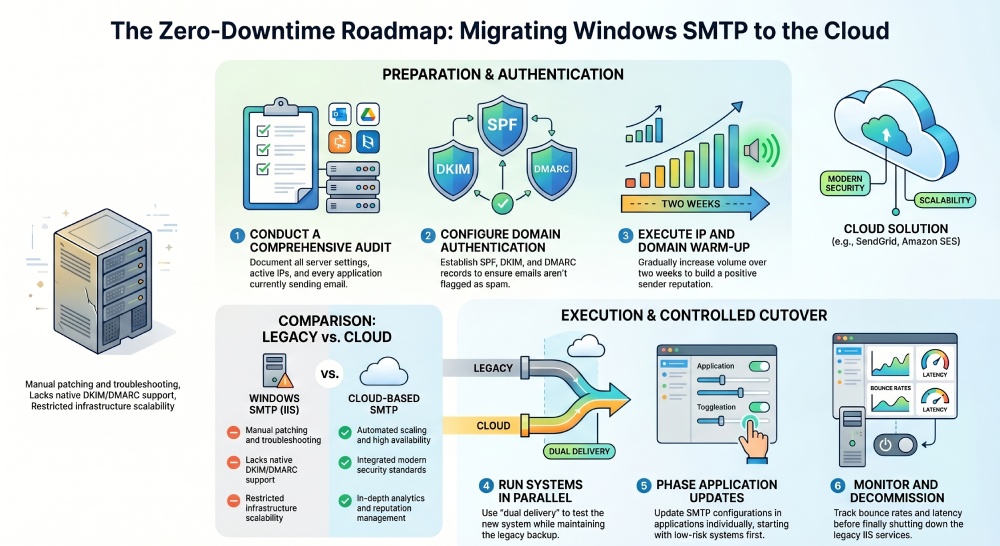
To begin with, IIS SMTP lacks native support for contemporary authentication protocols such as DKIM and DMARC, which are crucial for maintaining trust and ensuring successful email delivery. Additionally, it necessitates regular manual upkeep, which includes tasks like patching, monitoring, and troubleshooting. Moreover, its scalability is restricted; managing increases in email volume typically requires extra infrastructure and configuration efforts.
In comparison, cloud-based SMTP solutions are engineered for high availability, automated scaling, and adherence to modern email standards. Therefore, they represent a significant advancement for organizations that rely heavily on email communications.
Benefits of Migrating to Cloud-Based SMTP
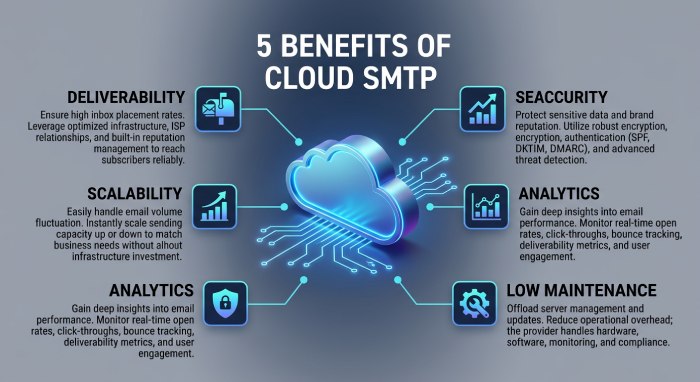
Before embarking on the migration journey, it’s helpful to recognize the benefits you will receive. Cloud SMTP services like SendGrid, Amazon Simple Email Service, and Mailgun present numerous advantages:
- High Deliverability Rates: Inherent reputation management and optimized sending infrastructure
- Scalability: Seamlessly manage increases in email traffic
- Enhanced Security: Integrated support for TLS, SPF, DKIM, and DMARC
- In-Depth Analytics: Access to data on opens, clicks, bounces, and complaints
- Lower Maintenance: Eliminate the need to oversee hardware or update servers
These advantages make cloud SMTP solutions not only highly efficient but also well-prepared for the future.
Step 1: Perform a Comprehensive Audit
A smooth migration process relies heavily on thoroughly grasping your present environment. Neglecting this fundamental step often leads to significant migration challenges.
Be sure to record every detail of your current SMTP configuration, covering aspects such as:
- Server settings and relay configurations
- Active IP addresses and network ports
- Applications and systems responsible for sending emails (including web applications, CRMs, ERPs, printers, etc.)
- Methods of authentication
- Average and peak email traffic
Conducting this comprehensive review guarantees that no details are overlooked during the migration and allows you to reproduce or enhance configurations in the new setup.
Step 2: Select the Right Cloud SMTP Provider
Selecting the appropriate service provider is essential. Although numerous services provide comparable foundational features, each one has distinct advantages.
For instance, Amazon Simple Email Service stands out for its affordability and capacity to scale, which is perfect for those sending large volumes of emails. SendGrid is recognized for its robust analytics and straightforward integration process, whereas Mailgun caters to developers with its adaptable APIs and workflow support.
When assessing different providers, keep in mind the following aspects:
- Reputation for deliverability
- Pricing structure (pay-as-you-go or subscription)
- Integration simplicity
- Availability of support and documentation
- Compliance and security measures
Choosing the right service provider can lead to a seamless implementation process and enhanced performance over time.
Step 3: Configure Domain Authentication
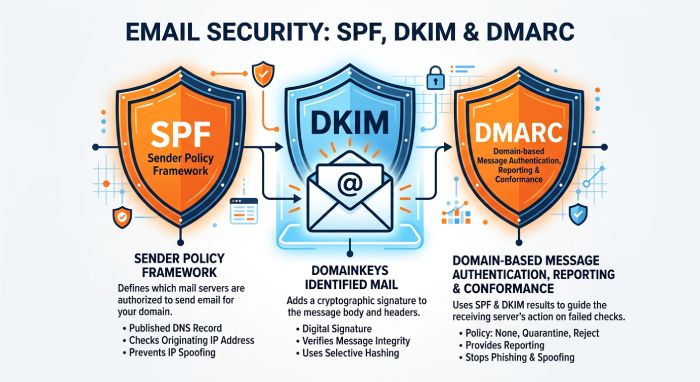
Authentication is crucial for successful email delivery today. If you skip this step, your emails may end up in spam folders or could be completely blocked. To ensure proper authentication, you’ll need to set up these DNS records:
- SPF (Sender Policy Framework): This record allows your cloud service to send emails on behalf of your domain.
- DKIM (DomainKeys Identified Mail): This adds a digital signature to confirm the email’s authenticity.
- DMARC (Domain-based Message Authentication, Reporting & Conformance): This sets rules for how to handle any authentication errors.
Most cloud providers offer guidance through this setup, but it’s crucial to double-check that your records are correctly configured before moving on.
Step 4: Prepare for IP and Domain Warm-Up
A frequently neglected aspect of migration is acclimating your new sending environment. When using Cloud SMTP services, you might receive new IP addresses or domains that lack a track record for sending.
To prevent deliverability problems, consider the following steps:
- Begin by sending a limited number of emails.
- Slowly increase your email volume over a period of 1–2 weeks.
- Focus on targeting recipients who are already engaged.
- Keep a close eye on bounce rates and spam reports.
This steady approach helps establish credibility with email providers such as Gmail and Outlook, leading to improved chances of landing in the inbox.
Step 5: Run Both Systems in Parallel
To ensure there is no downtime, avoid transitioning everything all at once. Rather, operate both your Windows SMTP server and the cloud SMTP service at the same time. This strategy, referred to as “dual delivery” or a “parallel run,” offers several benefits:
- Allows real-world testing of the new system
- Enables troubleshooting without affecting the entire user base
- Provides a backup option
You can manage traffic in various ways:
- Direct a portion of emails to the new system
- Start by migrating certain applications
- Implement routing rules to dictate email flow
This gradual approach is essential for keeping services running smoothly.
Step 6: Gradually Update Application Configurations
When your cloud SMTP setup is complete, proceed to modify the SMTP configurations in your applications. This usually requires:
- Adjusting the SMTP host to the endpoint provided by your cloud service
- Changing the port number, which is often 587 or 465
- Activating TLS encryption
- Entering your authentication details
It’s advisable to transition applications individually, beginning with those that carry low risk, before tackling essential systems. After each update, conduct thorough testing to confirm that emails are properly sent and received.
Step 7: Monitor Performance and Deliverability
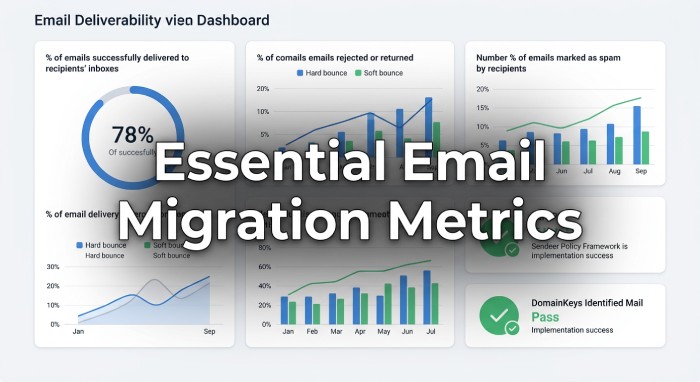
Monitoring is crucial throughout the migration process. Services such as SendGrid and Mailgun offer live dashboards that enable you to oversee performance effectively. Important metrics to keep an eye on are:
- Delivery rates
- Bounce rates
- Spam complaint rates
- Email latency
- SPF, DKIM, and DMARC success rates
Should you detect any irregularities, you can swiftly modify configurations or temporarily redirect traffic back to the previous system.
Step 8: Execute a Controlled Cutover
Once you’ve tested and validated your systems, it’s time to fully transition to the cloud SMTP service. Rather than making an abrupt change, consider a phased approach:
- Gradually increase the volume of traffic directed to the cloud service.
- Maintain close oversight for any potential issues.
- Retain the legacy SMTP server as a backup.
This careful transition reduces risk and allows for effective management of any unforeseen challenges without causing disruptions.
Step 9: Decommission the Old SMTP Server
When you are assured that the cloud SMTP system is reliable, you can start the process of shutting down your Windows SMTP server. This involves:
- Turning off SMTP services in Internet Information Services (IIS) for the SMTP Server
- Deleting firewall rules and any configurations that are no longer in use
- Storing logs for compliance purposes and auditing
- Revising documentation and internal procedures
It’s advisable to retain backups and documentation for potential future reference to the old system.
Best Practices for a Zero-Downtime Migration
To enhance the likelihood of a successful migration, consider implementing these effective strategies:
- Decrease DNS TTL values ahead of any modifications to accelerate propagation.
- Plan the migration for times with minimal traffic to mitigate risks.
- Have a contingency plan ready for any unforeseen complications.
- Activate comprehensive logging and notification systems for rapid issue resolution.
- Keep stakeholders informed about the migration schedule.
By following these strategies, you can provide additional security and oversight during your migration process.
Key Statistics: Windows SMTP vs Cloud-Based SMTP Migration
| Category | Statistic | Insight |
| Email Usage | Over 347 billion emails are sent daily worldwide (2026 estimate) | Highlights the scale and importance of reliable email infrastructure |
| Downtime Impact | 90% of businesses say email downtime affects operations immediately | Reinforces need for zero-downtime migration strategy |
| Deliverability | Cloud SMTP services improve inbox placement by 15–25% | Better authentication and reputation management |
| Spam Filtering | 45% of emails globally are spam | Emphasizes importance of SPF, DKIM, and DMARC |
| Authentication Adoption | 80%+ of domains now use SPF, but only ~35% enforce DMARC policies | Shows gap in full email security implementation |
Final Thoughts
Transitioning from a Windows SMTP server to a cloud-based SMTP service might appear challenging, but it can be a smooth process. By employing a step-by-step strategy — assessing your current setup, verifying your domain, operating both systems simultaneously, and slowly redirecting traffic — you can ensure a fluid migration without any interruptions.
Beyond lowering maintenance costs, this transition also equips your organization for long-term success by improving email deliverability, enhancing email security, and providing a more flexible, scalable infrastructure. In today’s environment—where email is mission-critical—moving to the cloud isn’t just an upgrade; it’s a necessity for staying competitive, ensuring reliability, and safeguarding your communications.