
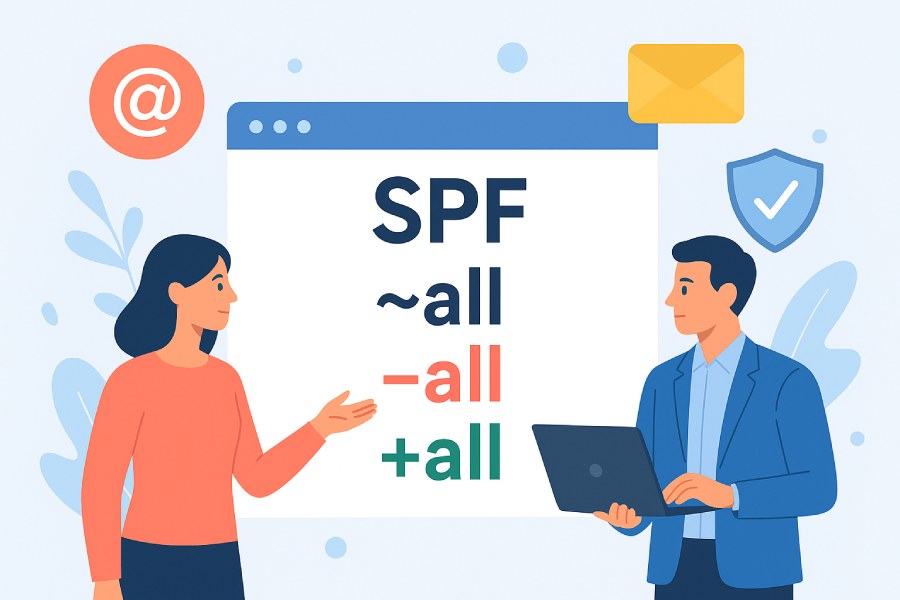
The Difference Between ~all, -all, and +all in SPF
SPF is the foundation of your email authentication, as it tells the receiving servers, “these are the only servers and addresses allowed to send emails on our behalf.” So, when an email goes out from your side to a provider like Gmail or Microsoft Outlook, their servers pull out your SPF record to confirm if the email came from a server you actually approved. If the server matches one of the entries in the list, the email is delivered.
It’s all good as long as the server is on your SPF record. But what if someone sends an email pretending to be you? In that case, the email will obviously come from a server that’s not on your SPF list. So, when the receiving server checks your SPF record and does not find the sender on the approved list, it turns to the “all” mechanism to determine the email’s fate. That’s why these mechanisms matter so much. They are the difference between having a filter that protects your domain and one that does almost nothing.
Now, let’s take a closer look at SPF qualifiers, understand what they are, how they work, and why they’re so important.
How SPF decides what to do with unknown senders
When the receiving server sees that the sender of the incoming email isn’t on the approved list, it doesn’t just assume it’s fake. Instead, it refers to the SPF record you published and walks through the “all” mechanism. This mechanism exists at the very end of your SPF record and acts like the final instruction for every sender that wasn’t approved earlier. It does not define who is to be trusted, but tells the server what to do when the sender is not trusted or not found on your list.

This is “all” mechanism at large, but how it treats unauthorized emails is based on the qualifier you place before it. That qualifier tells email providers like Gmail or Yahoo what action to take when SPF can’t verify the sender.
Here’s what each qualifier means and how it changes the way SPF enforces your rules.
- “-all” means complete protection. It tells email platforms, “If the sender isn’t approved, reject the email completely.” This blocks unauthorized emails even before they reach the recipient’s mailbox.
- “~all” essentially means testing mode. It tells the receiving servers not to blindly trust an unapproved sender, but also not to reject the email outright. It means the unauthorized email is treated as suspicious and sent to the spam folder.
- “+all” offers no protection at all. When the sender does not match the approved list, the receiving server uses +all, which tells email providers like Gmail to still accept the email as is, even if it wasn’t approved.

What does choosing ~all, -all, or +all mean for unauthorized emails?
When your outgoing emails don’t pass the SPF check, it could be because someone is trying to impersonate your domain, or because you simply forgot to list a real email service in your SPF record. Either way, Email Service Providers will turn to the “all” mechanism configured in your SPF record to decide whether to block, warn, or allow that unapproved sender.
Let’s see what it means to implement ~all, -all, or +all for emails that come from senders you disapproved.
+all (Pass)
When your domain’s SPF record ends with +all, SPF will mark every email source as allowed, even ones you never approved. It does not apply any checks or restrictions to unapproved senders. The SPF result becomes a Pass, even when the sender server is not in your approved list. Email providers like Gmail and inbox services like Yahoo Mail will deliver those emails normally because SPF passed. This includes even the emails sent by someone trying to fake your domain.

~all (Soft fail)
When you implement “~all” for your domain in the SPF record, it tells the receiving servers not to block the unapproved email nor treat it as trusted and let it in. So, when an email fails SPF, the mail provider still accepts the email into their system, but tags it as suspicious. This means that SPF alone has already marked the sender as not verified, reducing the email’s credibility instantly during filtering.
In such a case, the suspicious email will not be delivered to the recipient’s primary inbox but to the spam folder. This ensures that your users are protected from any spoofing or phishing attempt that gets through other checks.
This setup works in your favour as it sends suspicious emails to spam, keeping them out of the primary inbox by default. It also lets you monitor SPF failures and identify any unapproved senders trying to send emails on your behalf.
-all (Hard fail)
This is the strictest of all SPF qualifiers. When you use -all and an email fails SPF, the receiving provider will reject or block the email outright. This means the message will not even reach the recipient’s mailbox and will be stopped right at the door. Although it is the strictest and the safest option out of the three qualifiers, it doesn’t mean you could jump right on it as soon as you configure SPF.
If you do so, it can severely affect your email deliverability because if there are any legitimate email services missing from your SPF record, even if they will fail the SPF check and get blocked. That’s why it is recommended that you gradually move on to “-all” if you want to block any sender that isn’t approved by you.
If your SPF record isn’t properly configured, even your trusted mail service providers will not treat your emails the way you expect. This means they either never reach their destination or run the risk of being misused by cybercriminals.
Since SPF is the very foundation of your email authentication setup, it is very important to get the first step right. If you’re not sure how to get started with SPF implementation, get in touch with us today!
Since SPF is the foundation of your email authentication setup, it’s crucial to get this first step right. If you’re unsure where to begin with SPF implementation, DuoCircle can help guide you through the process—get in touch with us today!