How to solve the “550 5.7.0 Local Policy Violation” error

Quick Answer
The 550 5.7.0 Local Policy Violation error (often appearing as "550 5.7.0 email rejected per SPF policy") means the receiving server rejected the message based on a policy check, not a transient delivery problem. The 550 indicates permanent failure; the 5.7.0 indicates a policy issue. Most often the cause is SPF: the sending IP is not listed in the domain's SPF record, the SPF record exceeds the 10-DNS-lookup limit, the record is malformed, or there are multiple SPF records on the domain (which invalidates them). To fix: query your SPF record with dig TXT yourdomain.com, confirm only one record exists, add the sending IP or include the upstream provider's macro, flatten if you are over 10 lookups, and end with -all or ~all. The message will not retry, so resolving the SPF issue and resending is the only path forward.
How to solve the “550 5.7.0 Local Policy Violation” error
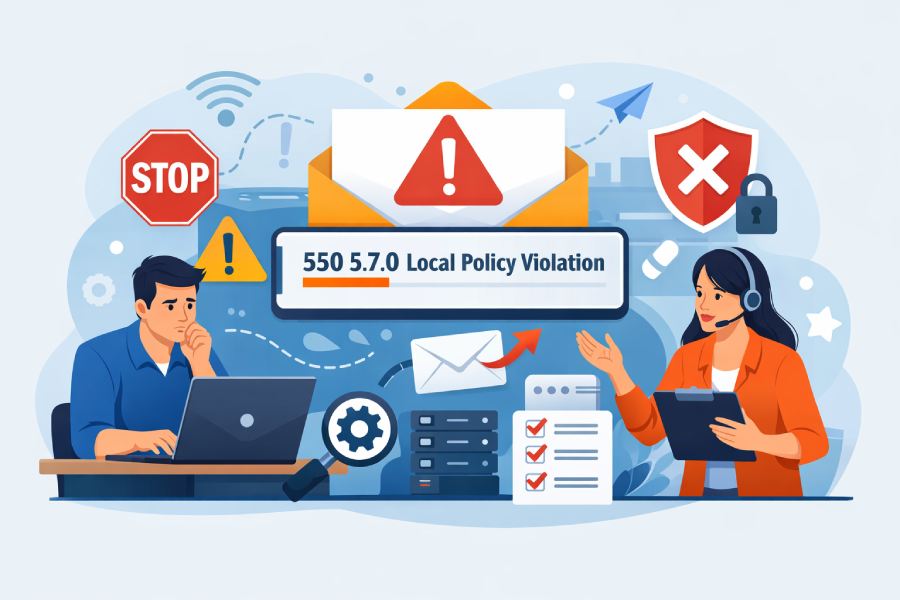
Maintaining a decent email deliverability rate is what most organizations struggle with, especially if they send bulk emails. Fixing the problem isn’t even the hardest part; the most difficult thing is identifying the root cause.
While there could be many reasons why your emails aren’t reaching the recipients, the “550 5.7.0 Local Policy Violation” error is a clear sign that receiving servers are rejecting your messages based on their internal policy checks instead of a transient issue or delivery delay. This means that the receiving server does not find the email fit to be let into the mailbox at the time of delivery.
Such rejections or error messages stem from SPF verification failures, where the receiving server is unable to confirm that the sending IP address is authorized to send emails on behalf of the domain.
In this article, we will dig deeper to understand what exactly the “550 5.7.0 Local Policy Violation” error is and how you can fix this error to improve deliverability.

What is the “550 5.7.0 Local Policy Violation” error?
When you send out an email, but it doesn’t reach its recipient, instead, you receive an error message with “550 5.7.0 local policy violation,” which means the receiving server has outright refused to accept the message. In most cases, the error message appears as “550 5.7.0 email rejected per SPF policy” or a more generic message that says “550 5.7.0 SMTP error.”

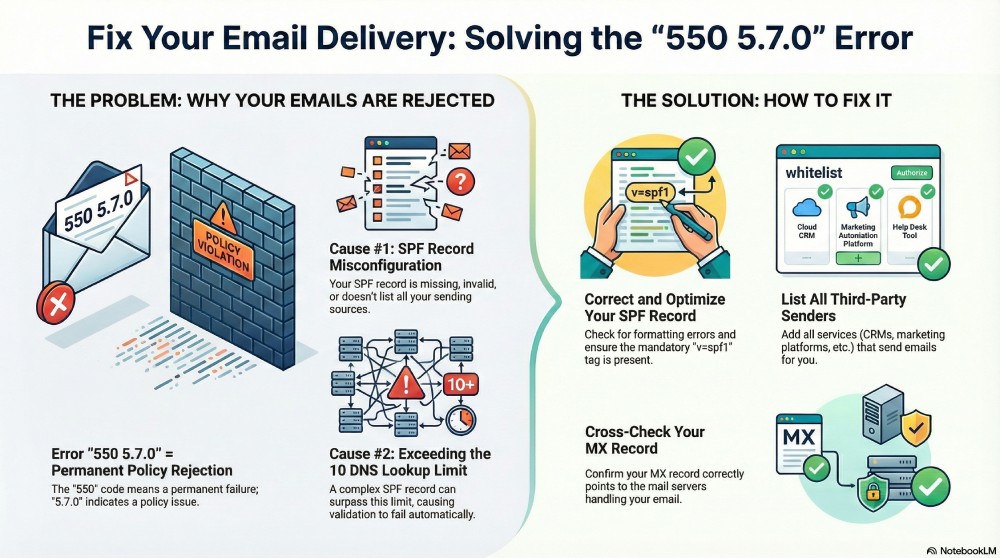
There are two parts to the error message: the “550” that tells you it is a permanent failure, and the other “5.7.0” that indicates a policy-related issue. And when you put these together, the message is clear: the email has failed a mandatory policy check and will not be retried or delivered unless the underlying issue is resolved.
If the message specifically mentions SPF, such as “550 5.7 0 email rejected per SPF policy,” it means that the receiving server could not verify the sending source against the domain’s SPF authorization. This usually happens when the sender’s IP address is not authorized to send emails (i.e., it is not listed in the SPF record).
What are the causes of 550 5.7.0 and “email rejected per SPF policy”?
As we established earlier, the underlying cause of the problem is SPF misconfiguration, but that alone is not enough to solve it. Identifying the reason behind the error is the first step towards fixing the problem.
Let’s delve deeper to understand why your emails are not reaching the recipients, and you are getting this error message instead.
Missing or invalid SPF records
If you do not have a valid SPF record configured for your email-sending domain, the receiving servers will not be able to verify if the incoming email is indeed from an authorized source. In such cases, your email might fail basic authentication checks and be rejected with a “550 5.7.0 Local Policy Violation” error.
This can also happen if the SPF record isn’t published at all, the mandatory “v=spf1” tag is missing, or when you have more than one SPF record for the same domain.

Incomplete SPF coverage for sending sources
Your SPF record should list every single source or address that you use to send emails on your behalf, whether it is a marketing platform, a payment gateway, a CRM, or an application server. If even one legitimate sending source is missing, emails sent from that system will fail SPF checks. When this happens, the receiving servers treat the message as suspicious, as if it were coming from an unauthorized source.
Exceeding the SPF DNS lookup limit
As your email ecosystem becomes more layered, your SPF record becomes more complex. This means staying within the 10 DNS look-up limit becomes all the more challenging.
When your SPF record becomes too complex with multiple include, a, or mx mechanisms, it is easy to exceed the limit. Once you reach this limit, the receiving servers may stop SPF evaluation and reject the email with a “550 5.7.0 Local Policy Violation” error.
Attachment-related policy enforcement
Not all “550 5.7.0 Local Policy Violation” issues are directly related to SPF. Sometimes, the receiving servers enforce strict rules around attachment types, file sizes, or embedded content. And if your outgoing email violates these rules, it may be rejected with the same policy-related SMTP error.
How can you fix the problem?
Now that we know where exactly the gaps are, it becomes easier to patch them. Here are a few ways you can address the “550 5.7.0 local policy violation” error:
Rectify and optimize your SPF record
In most cases, the problem stems from a misconfigured or incomplete SPF record. Start by checking that your SPF record exists and that it lists all systems allowed to send emails for your domain. It is also important that the record does not exceed the DNS lookup limit
Other critical details that can break your SPF record but are easy to miss are:
- Spelling errors
- Uppercase letters
- Extra commas and spaces
- Additional dashes
Even small formatting mistakes can cause SPF evaluation to fail and result in a “550 5.7.0 Local Policy Violation” error.

List all the third-party senders in the SPF record
Your SPF record is a comprehensive list of senders authorized to send emails on your behalf. To this end, your record should incorporate the IP addresses or approved domains of all third-party services you use. If you miss out on adding any service or platform, emails from that source may fail SPF checks and trigger a “550 5.7.0 Local Policy Violation” error.
Cross-check your MX (Mail Exchange) Record
Ensure your MX record is published correctly and points to the mail servers that actually handle email for your domain. If your MX record is outdated, that is, when the MX hostname does not match your current email provider or mail setup. In such cases, the recipient’s server may treat your domain as misconfigured and even block the email coming from it under local policy rules.
Need help improving email deliverability for your domain? Reach out to DuoCircle today.
Topics
General Manager
General Manager at DuoCircle. Product strategy and commercial lead across the email security portfolio.
Secure your email infrastructure
Protect, authenticate, and deliver. Contact our team to find the right solution.